If a Black Friday PC sale has filled your library with Skyrim Special Edition, Cyberpunk 2077, Stardew Valley, or Fallout 4, the best upgrades aren't always expensive DLC. The right mods can fix dated interfaces, improve frame pacing, expand maps, repair long-standing bugs, and make a familiar game feel new again. Start with stability and quality-of-life tools, then add visual overhauls and new content one layer at a time.
That distinction matters. “Black Friday PC” isn't a standalone game with one universal mod pack; it's the annual moment when many players grab years of PC releases at their lowest prices. Every game has its own mod manager, file structure, patch risks, and performance ceiling. A texture pack that runs beautifully in Skyrim can be completely irrelevant to Stardew Valley, while a Cyberpunk 2077 script mod may stop working after one CD Projekt Red update.
Before downloading anything, check the game's current version on its official Steam page, read the mod's last-updated date, and keep a clean backup of your saves. If a new purchase is already stuttering, our guides to PC crash fixes and higher-FPS settings are useful before you start modding.
Build a Safe Modding Setup Before Adding Content

The first essential “mod” is a reliable installation workflow. For Bethesda games, Mod Organizer 2 keeps every mod in a virtual file system, which means you can disable a bad download without manually hunting through the game's Data folder. Vortex is easier for beginners and handles deployment automatically, but MO2 gives you better control over conflicts, profiles, and testing.
Use a separate profile for every major experiment. In Skyrim Special Edition, keep one profile for a stable playthrough and another for graphics testing. In Fallout 4, never assume that removing a script-heavy mod mid-save is harmless. Scripts can remain baked into a save file even after the original files are gone, producing missing quests, broken settlements, or crashes several hours later.
Cyberpunk 2077 uses a different structure. REDmod-compatible projects generally belong in the game's mods folder, while many older projects depend on Cyber Engine Tweaks, redscript, ArchiveXL, TweakXL, or Codeware. Read the dependency list exactly. Installing a visual archive without its required framework can do nothing—or cause an infinite loading screen after a patch.
| Game | Best Starting Tool | First Backup | Main Risk |
|---|---|---|---|
| Skyrim Special Edition | Mod Organizer 2 or Vortex | Saves and load order | Plugin conflicts and script bloat |
| Fallout 4 | Mod Organizer 2 | Saves and Fallout4.ini | Broken precombines and settlement scripts |
| Cyberpunk 2077 | Vortex plus framework documentation | Save folder and game archives | Patch incompatibility |
| Stardew Valley | SMAPI | Save folder | Outdated content packs |
| Baldur's Gate 3 | BG3 Mod Manager | Profile and saves | Patch and multiplayer mismatches |

🎮 FORM
Looking to experience this game? Grab your digital key directly on our store for $14.99.
View on Steammoz Store →Skyrim Special Edition Needs Fixes Before Fancy Graphics
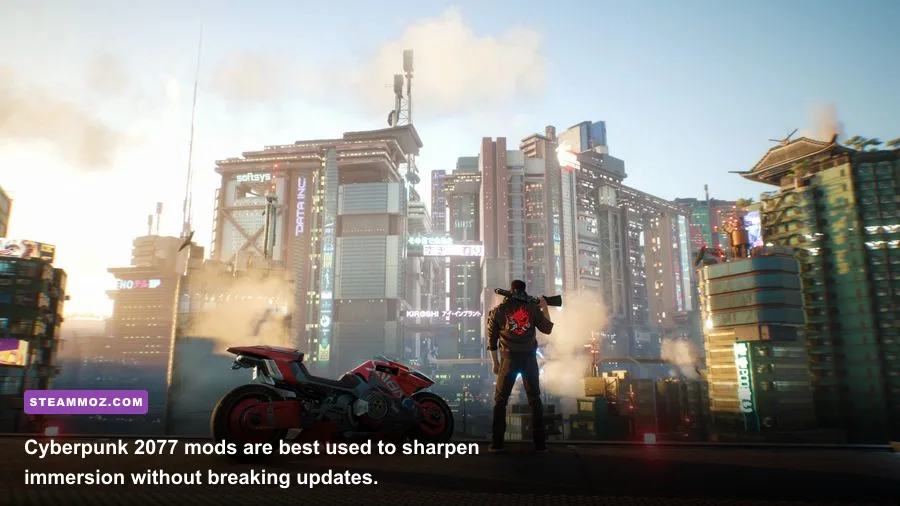
Skyrim Special Edition remains one of the safest Black Friday purchases for modders, but its best setup starts with invisible improvements. Address Library for SKSE Plugins provides the address database that many modern plugins need. SkyUI replaces the clumsy controller-era inventory with sortable categories, search filters, weight values, and configurable hotkeys. powerofthree's Tweaks adds engine-level fixes and options that address small annoyances Bethesda never cleaned up.
Install SSE Engine Fixes carefully and follow its requirements, including the correct SKSE version and Visual C++ runtime. Its value is practical rather than flashy: improved memory handling, corrected save behavior, and fixes for problems that can appear only after a long session. Scrambled Bugs is another strong technical choice, but read its configuration notes because some bug fixes alter mechanics rather than simply repairing them.
For visuals, Community Shaders is a smart modern alternative for players who want better lighting without committing to the heavier demands of ENB. Add Cathedral Weathers or Obsidian Weathers, not both. Pair one weather framework with a restrained 2K texture pack such as Noble Skyrim and you'll get a noticeably richer Tamriel without turning every city into a slideshow.
| Mod Layer | Recommended Choice | Typical Performance Cost | Why It Matters |
|---|---|---|---|
| Interface | SkyUI | Negligible | Search, sorting, hotkeys, and usable inventory management |
| Engine fixes | SSE Engine Fixes | Negligible | Improves stability and corrects engine behavior |
| Lighting | Community Shaders | 5–15% GPU load | More convincing interiors and outdoor lighting |
| Weather | Cathedral Weathers | 2–8% GPU load | Stronger atmosphere and better weather transitions |
| Textures | Noble Skyrim 2K | VRAM dependent | Sharper surfaces without the cost of 4K packs |
Keep Skyrim's script-heavy additions modest. A follower framework, survival system, and alternate-start mod can coexist, but stacking several quest managers and combat overhauls makes troubleshooting painful. If you want a bigger curated list, consult the official Nexus Mods Skyrim hub and check every requirement before pressing download.
Cyberpunk 2077 Mods Should Improve Immersion, Not Fight Updates

Cyberpunk 2077's mod scene changes quickly, especially around Phantom Liberty and major 2.x patches. Begin with Cyber Engine Tweaks if the mod specifically requires it. CET unlocks scripting and debugging features, but it isn't a performance mod by itself. RED4ext, redscript, ArchiveXL, and TweakXL are separate frameworks; install only the ones required by your chosen project.
For a first playthrough, prioritize interface and immersion changes. Limited HUD reduces permanent screen clutter, letting you read Night City's signs and combat spaces without disabling every useful prompt. A restrained vehicle-handling tweak can make motorcycles and cars feel less floaty, while appearance frameworks let you change V's wardrobe without replacing the entire game.
Don't immediately install a reshade, path-tracing preset, and 4K texture pack together. Cyberpunk already pushes GPUs hard with ray-traced reflections, volumetric fog, crowd density, and path tracing. At 1440p, dropping Screen Space Reflections from high to medium often costs less visually than reducing crowd density, while ray-traced overdrive can cut frame rates dramatically even with DLSS Frame Generation enabled. Test each change in the same busy area of Night City.
| Setting or Mod Type | Recommended Starting Point | FPS Impact | Visual Trade-Off |
|---|---|---|---|
| Limited HUD | Enable selectively | None | Cleaner exploration and stronger immersion |
| 4K texture pack | Use only with 12GB+ VRAM | 0–10%, plus VRAM spikes | Sharper surfaces at close range |
| Reshade preset | Neutral contrast preset | 2–8% | Better color separation, possible oversaturation |
| Ray-traced overdrive | Use for screenshots or high-end GPUs | 30–60% | Superior lighting with a huge performance cost |
| Vehicle overhaul | Install one framework-compatible option | Usually none | More predictable steering and braking |
Keep a copy of your mods folder before every major update. CD Projekt Red's official modding support page is the right place to check REDmod information, while the Cyberpunk 2077 Nexus hub is better for community compatibility notes.
Stardew Valley Expanded Is the Best Content Upgrade
Stardew Valley needs far less technical surgery. Install SMAPI, the community loader that powers most modern Stardew Valley mods, then confirm the console window reports every dependency correctly. SMAPI typically adds only a small startup layer; the real performance cost comes from huge texture packs, animated portraits, and mods that constantly scan the farm.
Stardew Valley Expanded is the standout content recommendation. It adds new areas, events, characters, dialogue, and story threads while respecting the original rhythm of Pelican Town. It isn't a simple cosmetic pack: the new content affects exploration, friendship schedules, and late-game routines, so install it before starting a serious save rather than dropping it into a farm that is already years deep.
Pair it with Lookup Anything, which lets you inspect crop prices, villager schedules, building requirements, and item uses in-game. UI Info Suite 2 adds practical information such as crop readiness and tool-use details. These mods don't trivialize Stardew's progression; they eliminate wiki tab overload and make planning a farm feel like strategy instead of clerical work.
For multiplayer, every player should run the same content mods and matching versions. A cosmetic portrait pack may be harmless, but a map expansion or custom NPC mod can cause mismatched locations or missing dialogue if one player joins without it.
Fallout 4 Gets Better With Stability and Settlement Tools
Fallout 4's essential stack starts with Unofficial Fallout 4 Patch, Address Library for F4SE Plugins, and Buffout 4, provided you follow each dependency and configuration instruction. Buffout 4 can generate crash logs, making it far more useful than blindly reinstalling the game after every desktop crash. Fallout 4 Script Extender is required by many advanced interface, settlement, and gameplay mods.
Place Everywhere is the settlement tool that changes the game most dramatically. It gives you finer control over object placement, rotation, and collision rules, turning settlement construction from a fight with invisible snapping points into an actual building system. Use it carefully: placing objects outside intended workshop boundaries can create performance problems or make a settlement impossible to navigate.
FallUI is another excellent quality-of-life family, especially FallUI Inventory. It brings searchable categories, better item sorting, and a more readable interface to a game whose default menus become exhausting once you carry hundreds of weapons and junk items.
Be cautious with texture overhauls and settlement clutter. Fallout 4's precombined geometry system helps the engine render dense areas efficiently. Mods that break precombines can produce ugly pop-in and severe frame-rate drops around Boston, even if the mod page's screenshots look fantastic. For more performance-focused advice, see Steamoz's PC specification guide and use the same principle here: match visual ambition to your CPU, GPU, and VRAM.
Use a Mod Tier List Instead of Installing Everything
The best Black Friday PC mod setup is not the largest one. It is the load order you can explain, update, and repair. Add five to ten mods, launch the game, load a test save, and play for 15 minutes in a demanding area. Check frame pacing with an overlay, watch VRAM usage, and look for missing textures, purple objects, broken menus, or unusually long loading screens.
| Tier | Mod Category | Examples | Best Use |
|---|---|---|---|
| S-Tier | Stability and interface | SMAPI, SkyUI, FallUI, engine fixes | Install on almost every compatible playthrough |
| A-Tier | Curated content | Stardew Valley Expanded, selected quest mods | Fresh saves and long campaigns |
| A-Tier | Lighting and textures | Community Shaders, Noble Skyrim, restrained reshades | Players with spare GPU and VRAM headroom |
| B-Tier | Large gameplay overhauls | Combat, survival, economy overhauls | Second playthroughs after learning the base game |
| C-Tier | Unmaintained framework mods | Old script extenders and abandoned patches | Avoid unless a current guide confirms compatibility |
For Baldur's Gate 3, the same discipline is even more important because multiplayer profiles and hotfixes can collide with mods. Use BG3 Mod Manager, export the load order, and disable mods before joining an unmodded campaign. A cosmetic dice skin is low risk; a class overhaul or level-cap expansion can alter character data and break a save after an update.
Finally, treat mod pages as documentation, not shopping catalogs. Read the requirements, install the correct game version, sort plugins when the author requests it, and keep an unmodded profile available. If a cheap Black Friday purchase becomes a 200-mod troubleshooting project, you have missed the point. The winning setup is the one that makes every session smoother, richer, and more personal without becoming a second job.