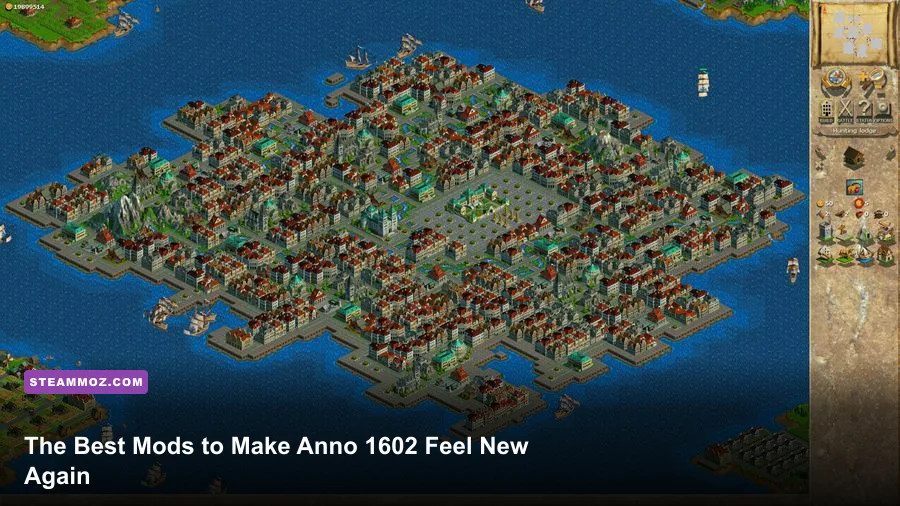
If you want Anno 1602 to feel right on a modern PC, start with the History Edition, then add a widescreen or high-resolution fix only when necessary, use a compatibility wrapper for the original release, and treat large overhaul packs as optional. The most valuable improvements aren't flashy new units; they're stable rendering, readable menus, reliable saves, and fewer headaches when your settlement grows from a handful of pioneers into a sprawling merchant empire.
That distinction matters because Anno 1602 doesn't have the kind of giant Steam Workshop ecosystem enjoyed by newer city builders. There isn't one universally accepted “must-have mod list.” Instead, the community relies on a mixture of patches, display fixes, compatibility tools, and scenario or balance projects. Some are built for the original 1998 executable, some target Anno 1602: Königsedition, and others expect Ubisoft's History Edition. Mixing them carelessly can break saves or make multiplayer impossible.
Before touching anything, identify your version. The Steam listing for Anno 1602 History Edition is the least painful route for most players, while owners of the original disc release should keep a clean backup of the installation directory. The official Ubisoft Anno page is also worth checking before downloading community files.
The essential mod stack for Anno 1602
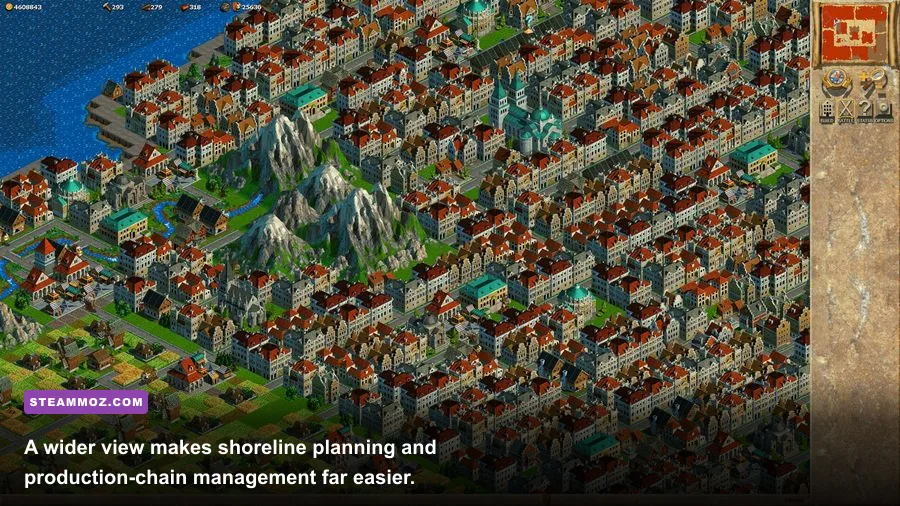
Think of the following as a tier list rather than a single download. S-Tier entries solve problems almost every returning player will encounter. A-Tier projects can dramatically improve a specific setup, but they need version checking. B-Tier additions are fun for repeat campaigns and challenge runs, not mandatory upgrades.
| Project or tool | Tier | What it improves | Best use |
|---|---|---|---|
| History Edition | S-Tier | Modern compatibility, resolution support, easier installation | First-time players and most Steam owners |
| Community widescreen/high-resolution patch | S-Tier | Display scaling, sharper presentation, usable desktop resolutions | Original executable on 16:9 or ultrawide monitors |
| dgVoodoo2 or equivalent DirectDraw wrapper | A-Tier | Legacy rendering, alt-tab behavior, driver compatibility | Disc versions that render incorrectly |
| Scenario and campaign packs | A-Tier | New maps, objectives, starting conditions, replay value | Experienced players who know the core economy |
| Balance and economy overhauls | B-Tier | Production rates, costs, military pacing | Challenge runs after learning the vanilla economy |
The History Edition is technically a re-release rather than a mod, but it belongs at the top of this list because it removes the biggest barrier: getting the game to behave on current Windows systems. If your copy launches cleanly and displays correctly, don't install extra compatibility layers just because an old forum post recommends them. Every additional wrapper is another possible source of input lag, broken overlays, or strange color behavior.
🎮 FORM
Looking to experience this game? Grab your digital key directly on our store for $14.99.
View on Steammoz Store →Widescreen fixes are the biggest visual upgrade
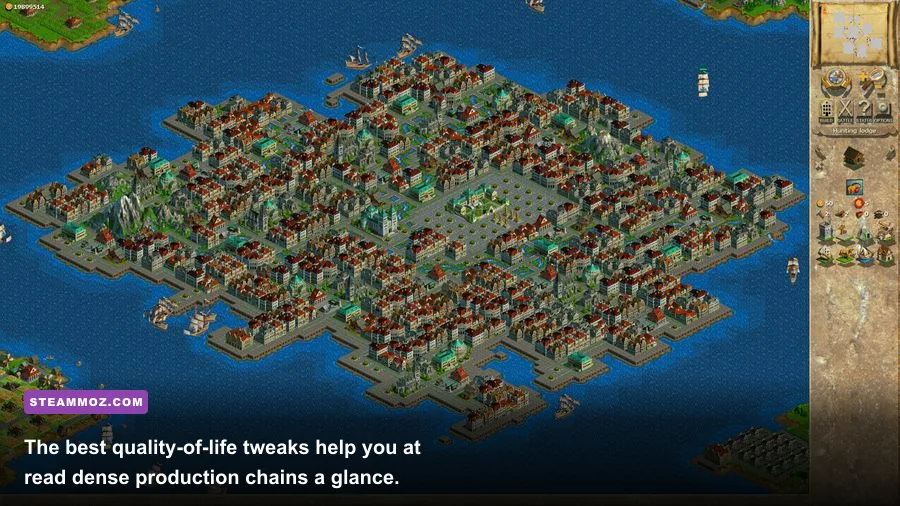
Original Anno 1602 was designed around the 4:3 monitor era, with 800×600 and 1024×768 being common targets. On a modern 1920×1080 display, forcing the old image to stretch can make the interface soft and the map look oddly compressed. A community widescreen patch or a reliable scaling profile is therefore the most noticeable upgrade for the original executable.
Look for a fix that explicitly names your edition and executable version. The important question isn't whether a download claims “4K support”; it's whether the game is rendering at a higher internal resolution or merely enlarging a low-resolution frame. The former gives you cleaner coastlines, smaller map-grid artifacts, and more room to inspect production districts. The latter can still be useful, but it won't reveal more of the island.
There is a trade-off. A wider viewport lets you see more shoreline and ship traffic at once, but the classic interface can become physically smaller. That matters when you're selecting tiny roads, checking a warehouse's stock, or dragging a trade route. If the patch includes interface scaling, start around 125% on a 1080p monitor and 150% on a 1440p or 4K display. If it doesn't, Windows display scaling or integer scaling may be safer than forcing a huge resolution.
| Display profile | Recommended target | Visual result | Warning |
|---|---|---|---|
| Original 4:3 monitor | 800×600 or 1024×768 | Correct proportions and largest interface | Least desktop space |
| 1080p modern monitor | 1920×1080 with UI scaling | Sharper map and comfortable overview | Small buttons without scaling |
| 1440p monitor | 2560×1440 with moderate scaling | Excellent map clarity and planning space | Check text readability first |
| 4K monitor | 3840×2160 or scaled 1080p | Very sharp terrain and buildings | Unscaled menus can be painfully tiny |
| Ultrawide | Native width only if patch supports it | Great harbor and trade-route visibility | Unsupported fixes may stretch the image |
Take screenshots before and after applying a patch. Check the main menu, a busy island, the minimap, and the construction panel. If text is cut off or the cursor lands beside buttons, revert immediately. A fix that looks spectacular in a still image is not worth losing reliable controls.
Compatibility wrappers beat random Windows tweaks
The original DirectDraw renderer is the main reason old Anno 1602 installations can behave badly on new graphics drivers. Symptoms include a black screen, flickering water, incorrect colors, a window that refuses to minimize, or a game that runs once and then crashes. A DirectDraw wrapper such as dgVoodoo2 can translate the legacy calls into something modern Windows handles more consistently.
Use a wrapper only with the original release or a version that clearly needs it. Don't drop wrapper DLLs into a History Edition folder as a reflex. Install one known-good version, keep the configuration file beside the correct executable, and test a new campaign before opening a treasured save. If the game suddenly has a border, extreme brightness, or a cursor that drifts away from the click point, remove the wrapper and return to the clean installation.
For a stable baseline, cap the game to 60 frames per second if your wrapper exposes a limiter. Anno 1602 is not a twitch game, and chasing 144 FPS provides no strategic benefit. Stable frame pacing matters more when you zoom across a developed island packed with houses, roads, farms, production buildings, ships, and animated citizens. If your broader library has similar legacy issues, our guide to PC crash and FPS fixes covers the same clean-install discipline.
| Symptom | Likely cause | First fix | Do not do this first |
|---|---|---|---|
| Black screen at launch | Legacy DirectDraw conflict | Test a compatible wrapper or History Edition | Install several wrappers together |
| Flickering water or colors | Modern driver translation issue | Use wrapper rendering options | Change random driver settings |
| Tiny or clipped interface | High-resolution scaling mismatch | Lower resolution or enable UI scaling | Force an unsupported ultrawide mode |
| Save fails after modding | Version or file conflict | Test a fresh profile and restore backup | Overwrite the only save folder |
Scenario packs add more value than flashy overhauls
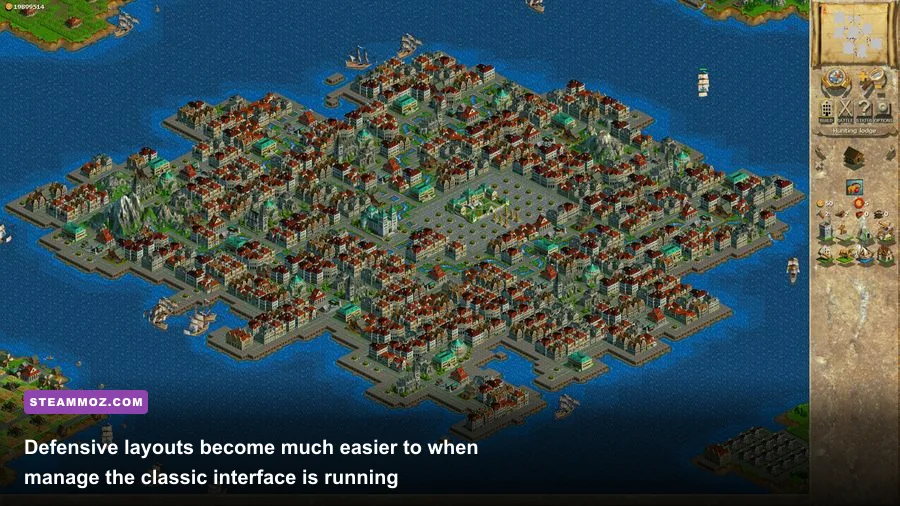
Once the technical side is stable, scenario and campaign packs are the safest way to make Anno 1602 feel fresh. They preserve the game's core rhythm: land a ship, secure food, establish tool production, upgrade citizens, and defend the trade network. Good scenarios change the pressure rather than simply inflating every building's cost.
Look for maps with altered starting resources, limited fertile land, aggressive neighbors, or victory conditions beyond “reach the highest population tier.” An island with little grain encourages you to specialize a second settlement. A shortage of iron ore makes tool planning much more important. A hostile map turns ship positioning and cannon access into economic decisions rather than an afterthought.
Play these packs only after completing a clean vanilla scenario or campaign. Anno's production chains are deceptively strict. Pioneers need basic food and a functioning marketplace; later population tiers demand increasingly complex goods, and each upgrade can expose a shortage that was hidden while your settlement was small. If a custom map changes production ratios without explaining them, inspect every warehouse regularly instead of assuming your normal build order still works.
Keep custom scenarios in a separate folder and copy your save directory before testing them. This is the same principle behind hunting optional content in games such as Eternal Destiny or Everspace 2: preserve the original state before experimenting, especially when a community download has no active maintenance.
Use economy overhauls only when vanilla stops biting
Balance mods can be brilliant, but they are also the easiest way to erase what makes Anno 1602 distinctive. Vanilla progression is built around bottlenecks. Tools slow early expansion, iron and coal shape industrial islands, food supports population growth, and ships turn geography into logistics. If an overhaul doubles production speed across the board, it may remove the need to plan warehouses, roads, and specialist islands.
That doesn't mean every economy mod is bad. The worthwhile ones create a new puzzle: more demanding military supply, slower upgrades, stronger competitors, or alternate production ratios that reward island specialization. Read the changelog and find out whether the project modifies building costs, output per cycle, consumption rates, ship capacity, or AI behavior. A change to one chain can ripple through the entire population ladder.
| Play style | Best modification level | Why it works | Recommended approach |
|---|---|---|---|
| First campaign | History Edition only | Preserves the intended progression | Learn every core production chain |
| Returning player | Widescreen plus scenarios | Adds comfort and fresh objectives | Keep vanilla economy intact |
| Hardcore logistics run | Light balance changes | Extends bottlenecks without rewriting the game | Change one system at a time |
| Sandbox experimenter | Full overhaul | Creates an alternate Anno rule set | Use a separate installation and saves |
For multiplayer, stick to identical files and the same executable version on every machine. The safest multiplayer setup is unmodified, because a visual fix can still alter file detection or timing. Save modded campaigns separately from competitive games, and never assume that a patch described as “client-side” is harmless without testing it.
Build a clean mod profile before your next empire
Install in layers: first the base game, then the official update or History Edition, then the display fix, then the compatibility wrapper only if needed, and finally scenarios or balance changes. Launch after every layer. That sounds slow, but it turns a mysterious crash into an obvious culprit.
Use a simple profile structure with a clean folder, a display-fix folder, and a custom-content folder. Back up saves before every major change. Start a short test map, place a residence, marketplace, road, fishing hut, and warehouse, then save, quit, relaunch, and load it. Test ship movement and window focus too. If those basics work, move on to a larger island.
My recommended setup is simple: History Edition for convenience; a tested widescreen profile for comfort; no wrapper unless the original version demands it; and scenario packs before economy overhauls. That combination preserves the carefully tuned climb from pioneers to aristocrats while making the game far less awkward on modern hardware. If you want another classic-PC reference point, Steamoz's Far Cry 2 PC guide offers the same practical rule: solve compatibility first, then chase visual improvements.
Anno 1602 doesn't need a radical remake to become compelling again. Give it a clean renderer, a readable resolution, and a few intelligently designed scenarios, and its old strengths return immediately: tight supply chains, meaningful island specialization, and that satisfying moment when a carefully planned harbor finally runs without a single red warehouse warning.