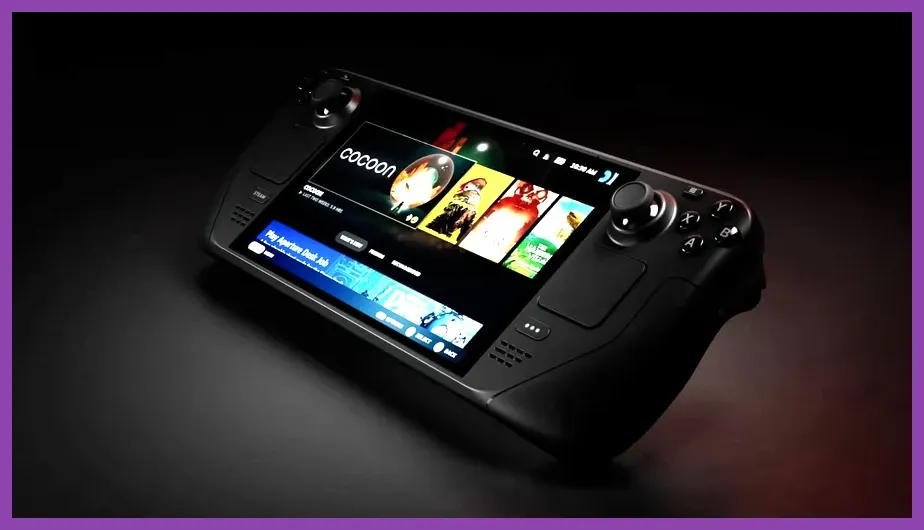
When evaluating the best steam deck oled system requirements minimum and recommended configurations, players must balance native 1280x800 resolution targets against the handheld's custom AMD APU hardware limits. The Steam Deck OLED features a 7.4-inch HDR OLED display, a 6nm Zen 2 + RDNA 2 custom processor, 16GB of LPDDR5 RAM, and support for up to 90Hz refresh rates. While the device handles verified indie games and lighter titles effortlessly at maximum settings, modern AAA releases demand strict adherence to targeted minimum and recommended hardware expectations to maintain a stable 30 to 60 frames per second. Developers and hardware enthusiasts look closely at these parameters to ensure optimal frame pacing, thermal efficiency, and battery longevity during extended gaming sessions.
Understanding Steam Deck OLED Hardware Specifications
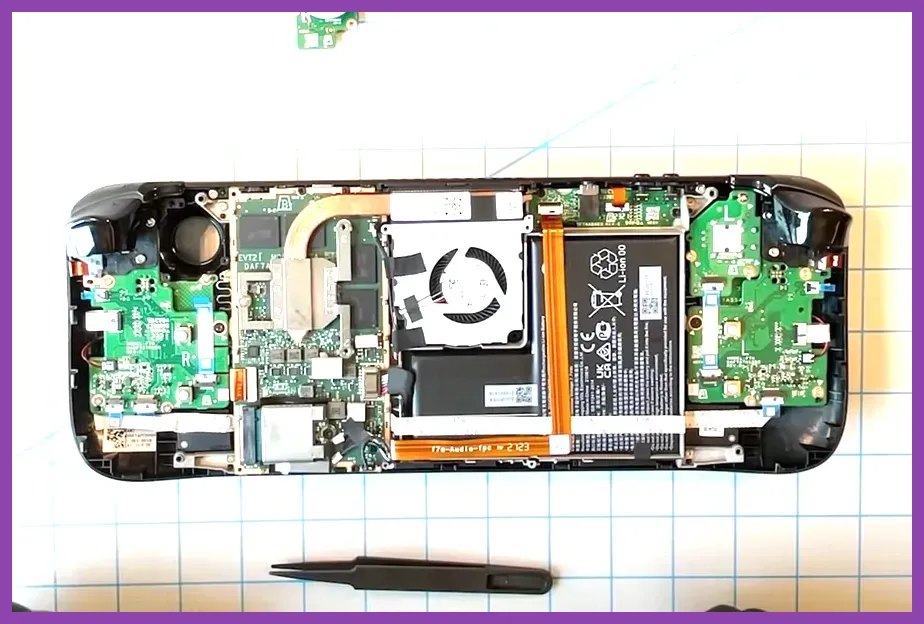
Before diving into specific game requirements, it is vital to understand the foundational architecture of the Steam Deck OLED. Unlike a traditional desktop rig with interchangeable components, the Steam Deck operates on a fixed platform defined by Valve Corporation. The custom APU pairs 4 CPU cores and 8 threads with an 8-compute-unit RDNA 2 GPU. This combination aligns closely with baseline PC minimum requirements from previous generation hardware, yet benefits heavily from low-level API optimizations such as Proton, Vulkan, and DirectX translation layers.
For those interested in how portable hardware compares to broader gaming ecosystems, you can explore optimization strategies similar to top free survival games on low-end pc guides. Additionally, managing thermal headroom is critical; the revised fan curves and larger heatsink on the OLED model allow sustained clocks that outperform the original LCD variant by roughly 5 to 15 percent in GPU-bound scenarios. Reviewing official documentation on the official Steam Deck hardware page provides exact technical dimensions and power draw metrics.
Minimum System Requirements for Handheld Play
Meeting the absolute minimum system requirements for a title on the Steam Deck OLED generally guarantees the ability to launch the game and achieve a playable 30 FPS experience, albeit with lowered graphical fidelity. In the context of the Steam Deck OLED, minimum requirements translate to:
- Resolution Target: 1280x800 native handheld resolution.
- Frame Rate Goal: Stable 30 FPS with frame pacing enabled via MangoHud.
- CPU Equivalent: Quad-core processor matching Zen 2 architecture limits.
- GPU Equivalent: RDNA 2 architecture with at least 8 compute units, supporting Vulkan 1.3.
- Memory: 16GB LPDDR5 shared system memory.
When games list minimum requirements that exceed these parameters—such as requiring high-end AVX-512 instruction sets or massive VRAM pools—players often experience severe stuttering or memory leaks unless they implement aggressive upscaling. Utilizing tools like FSR (FidelityFX Super Resolution) or integer scaling becomes mandatory for titles hovering near this threshold. For players transitioning between desktop setups and portable rigs, balancing settings can be compared to tweaking performance in heavy strategy titles like total war warhammer 3 best graphics settings for performance.
Recommended System Requirements for 60 FPS Gaming
The recommended system requirements for the Steam Deck OLED focus on unlocking a smooth 60 FPS experience or leveraging the 90Hz OLED panel for fast-paced action games and shooters. Achieving this tier requires a mix of medium-to-high graphical settings, paired with modern temporal upscaling techniques:
- Texture Quality: Medium to High (depending on VRAM allocation).
- Shadows and Lighting: Low to Medium, as shadows are primary performance hogs on mobile APUs.
- Upscaling: FSR 2.0 or 3.0 set to "Quality" or "Balanced" mode, outputting to 800p.
- TDP Limit: 10W to 12W for optimal battery life without sacrificing clock speeds.
- Refresh Rate: Locked at 60Hz or 90Hz depending on game pacing.
Developers targeting the Steam Deck often optimize their titles specifically for these parameters, earning the coveted "Steam Deck Verified" badge. You can check community compatibility standards directly through the ProtonDB compatibility database to see how user reports align with developer-stated requirements. Ensuring your system software is up to date via the Steam Support portal ensures maximum compatibility with newly released patches.
Optimizing Graphics Profiles for Maximum Battery Life
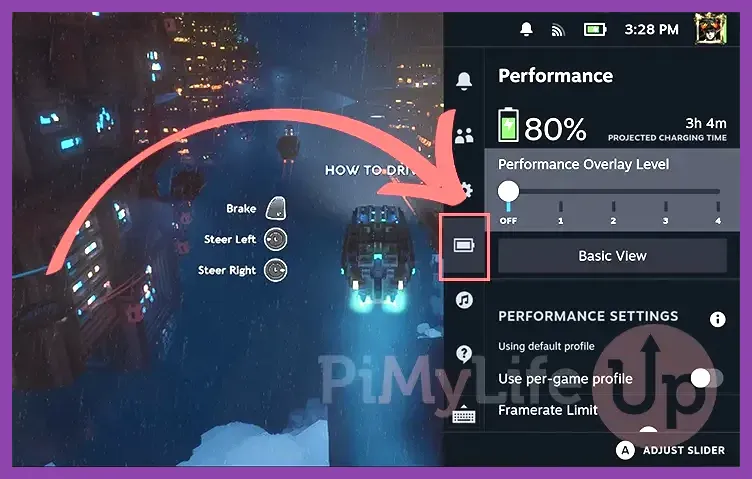
System requirements are only part of the equation; managing the hardware profile through SteamOS settings allows users to stretch battery life from two hours up to six hours depending on the game's complexity. When a game's recommended system requirements push the APU to its 15W maximum draw, thermal throttling can occur during long sessions.
To counteract this, configure your per-game profile with the following adjustments:
- Cap the frame rate to 40 FPS / 40Hz for a sweet spot that feels significantly smoother than 30 FPS while consuming far less power than 60 FPS.
- Limit the Thermal Design Power (TDP) to 9W or 10W for indie titles and lighter 3D games.
- Enable Half-Rate Shading (HRS) only if pixel density masks the visual degradation.
- Utilize SteamOS built-in FSR scaling when running games at sub-native resolutions like 540p or 600p.
By tailoring these parameters, you ensure that even titles operating near the edge of the Steam Deck OLED's minimum system requirements remain fully enjoyable on the go, matching the depth of optimization found in dedicated character builds like those in terraria best co-op multiplayer builds.
Future-Proofing Your Handheld Gaming Experience
As game engines transition further into Unreal Engine 5 territory and incorporate heavy ray tracing or nanite geometry pipelines, understanding the baseline requirements of the Steam Deck OLED becomes even more crucial. While the handheld cannot natively process high-end path tracing without severe performance penalties, cloud streaming via Xbox Cloud Gaming or GeForce NOW offers a viable alternative for games that drastically exceed local system requirements.
Ultimately, Valve's hardware continues to redefine portable PC gaming standards. By respecting the minimum thresholds and strategically applying recommended graphical profiles, players can extract desktop-quality experiences out of a device that fits comfortably in a backpack. Keep your firmware updated, monitor community presets, and leverage the granular control panel built directly into SteamOS to get the absolute most out of your library.