Short answer: a Steam Box is only worth it in 2026 if you want a compact living-room PC and can accept a realistic $600–$1,000 hardware budget. Valve has not established one universally available official product called the “Steam Box,” so treat cheap listings using that name with caution. The sensible choices are a Steam Deck OLED with a dock, a legitimate Steam Machine-style mini PC, or a self-built Linux gaming PC.
That distinction matters because the name is often used loosely for anything that puts Steam on a television. A Steam Deck docked to a TV is not a console replacement at 4K, while a desktop-class mini PC can deliver much higher frame rates but costs dramatically more. Your best value depends on resolution, game library, upgrade plans, and how much tinkering you’ll tolerate.
What “Steam Box” Actually Means in 2026
Valve’s original Steam Machine experiment launched in 2015 with hardware from partners such as Alienware, ASUS, and Zotac. Those systems ran SteamOS, but they arrived with inconsistent specifications, limited SteamOS support, and prices that often compared poorly with Windows gaming PCs. The idea was sound; the market timing and software ecosystem weren’t ready.
Today, “Steam Box” generally describes one of three setups. First is a docked Steam Deck, usually the 512GB OLED model, running SteamOS on a television. Second is a compact Windows mini PC with a Ryzen processor and Radeon graphics. Third is a DIY small-form-factor desktop installed with SteamOS-like Linux software, Bazzite, or Windows configured to boot directly into Steam Big Picture Mode.
None of those options has the same performance profile. The Steam Deck OLED uses a 6-core/12-thread Zen 2 CPU and an 8-core RDNA 2 GPU at a 4–15W power envelope. Its 1280×800 screen is easy to drive, but a 4K television asks for four times as many pixels as 1080p. A desktop Radeon RX 7600 or GeForce RTX 4060 has far more rendering headroom, but also needs a larger power supply, better cooling, and a higher price tag.
Before buying, check Valve’s Steam Deck compatibility information and the official SteamOS page. If a retailer claims it is selling an official Valve Steam Box, verify the manufacturer, warranty, operating system, and exact component list. A vague “gaming box” description is not enough.
Steam Box Price Breakdown: What You Really Pay
There is no single official Steam Box MSRP to quote, so the useful comparison is between complete setups. The table below includes hardware only; games, extra storage, and a controller can add another $60–$200. Prices are practical 2026 shopping targets rather than promises from Valve.
| Setup | Typical Hardware Cost | Target Performance | Best For |
|---|---|---|---|
| Steam Deck OLED + dock | $550–$650 | 720p–1080p, usually 30–60 fps | Lowest-cost couch gaming |
| Ryzen mini PC with integrated graphics | $450–$700 | 1080p low settings, 30–60 fps | Indies, older games, emulation |
| Ryzen 7 + Radeon 7600 mini-ITX PC | $750–$1,050 | 1080p high or 1440p medium, 60 fps | Modern AAA games |
| RTX 4060 compact gaming PC | $850–$1,200 | 1080p high, 1440p with upscaling | Ray tracing and DLSS users |
| Premium RTX 4070 small-form PC | $1,300–$1,800 | 1440p high, selective 4K | High-end TV gaming |
The Steam Deck OLED is the value champion when your target is 800p or 1080p and you already own a television. Add a $50–$100 dock, a controller, and perhaps a 1TB microSD card, and the complete setup can still land below $750. Its weakness is obvious in demanding games: Starfield, Alan Wake 2, and Dragon’s Dogma 2 often require aggressive settings and upscaling.
A $600 mini PC with integrated Radeon graphics sounds attractive, but check the exact APU. A Ryzen 7 7840HS or 8845HS has an eight-core CPU and Radeon 780M graphics, yet it shares system memory with the GPU. Fast dual-channel DDR5-5600 or faster memory is essential. An inexpensive 16GB single-stick configuration can cut graphics performance enough to make the whole purchase feel wrong.
For a $900-class build, budget approximately $180–$250 for the CPU and motherboard, $280–$350 for a Radeon RX 7600 or comparable GPU, $70 for 32GB of memory, $60–$90 for a 1TB NVMe SSD, $80–$130 for the case and power supply, and $100–$150 for cooling and Windows if you choose Microsoft’s operating system. That is considerably more expensive than a Deck, but it is also a different performance tier.
Steam Box Games List: What Runs Well and What Doesn’t

SteamOS uses Proton to translate Windows games for Linux. Proton is remarkably effective, but “available on Steam” does not automatically mean “perfect on a Steam Box.” Anti-cheat, launchers, video codecs, and aggressive DRM can still cause trouble. Use ProtonDB to check player reports before buying a game specifically for SteamOS.
| Game | Steam Deck OLED Expectation | Desktop Steam Box Expectation | Important Caveat |
|---|---|---|---|
| Hades II | 60 fps at native resolution | 60 fps easily | Excellent controller support |
| Baldur’s Gate 3 | 30–40 fps; Act 3 can dip | 60 fps at 1080p on midrange GPU | CPU-heavy city areas |
| Elden Ring | 30–40 fps with occasional dips | 60 fps at 1080p on RX 7600/RTX 4060 | Shader traversal stutter can occur |
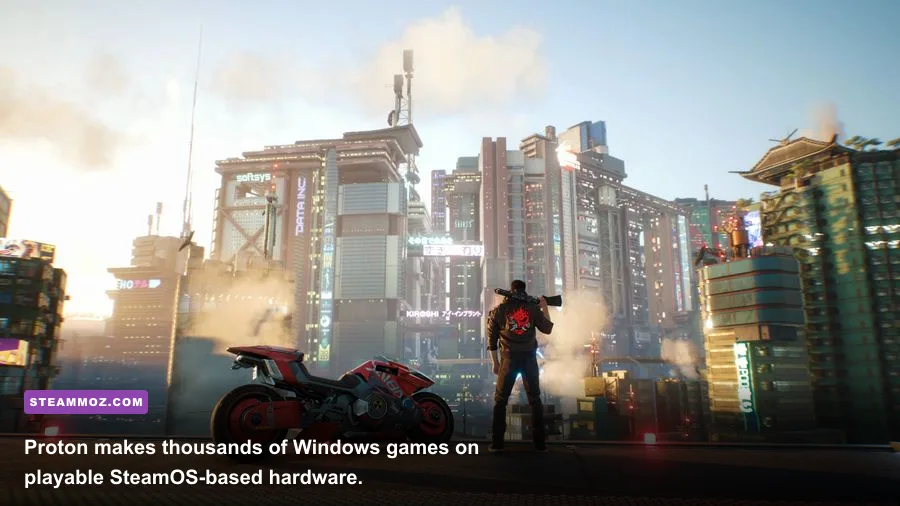
| Cyberpunk 2077 | 30 fps using FSR and low settings | 60 fps at 1080p high without ray tracing | Ray tracing is expensive |
| Counter-Strike 2 | Playable, but CPU-limited in smoke-heavy fights | High frame rates with a desktop CPU | Competitive players may prefer Windows |
| Call of Duty: Warzone | Not a safe SteamOS purchase | Windows recommended | Anti-cheat compatibility changes |
| Fortnite | Windows required for the normal experience | Windows recommended | Epic account and anti-cheat limitations |
Single-player games are the safest bet. Hades II, Dead Cells, Balatro, Stardew Valley, Persona 5 Royal, Resident Evil 4, Dave the Diver, and Deep Rock Galactic are excellent couch choices. Final Fantasy XIV also works well with the right launcher setup, though installing third-party tools is more involved than on Windows.
Competitive multiplayer deserves a separate warning. Counter-Strike 2, Dota 2, and Warframe are generally friendly to SteamOS, but games using kernel-level anti-cheat may not be. Call of Duty, Fortnite, and some versions of Destiny 2 are reasons to choose Windows or keep another gaming machine. Don’t buy a SteamOS box assuming compatibility will be fixed later.
For more demanding PC titles, our Everspace 2 performance fixes show the kind of troubleshooting you may need on a compact system. If you’re mainly interested in older releases, a small box can be fantastic; even games such as Far Cry 2 benefit more from controller mapping and stable frame pacing than from expensive hardware.
Performance Settings That Make or Break the Experience

A Steam Box should be tuned for consistent frame pacing, not maximum screenshot quality. On a Steam Deck, start at 1280×720 or 1280×800, cap the frame rate at 30 or 40 fps, and use FSR 2 when the game supports it. A locked 40 fps feels much better than a fluctuating 55 fps that repeatedly drops during combat.
| Setting | Recommended Value | Typical FPS Impact | Visual Trade-Off |
|---|---|---|---|
| Resolution | 1080p output, 720p internal on Deck | High if rendered natively | Upscaling softens fine detail |
| Textures | High with 8GB+ VRAM; medium on Deck | Low unless VRAM is exceeded | Lower settings reduce surface detail |
| Shadows | Medium | 5–15% gain over high | Less contact shadow depth |
| Volumetrics | Low or medium | 5–12% gain | Smoke and fog look flatter |
| Ray tracing | Off on Deck; selective on RTX 4060+ | 20–50% loss depending on game | Better reflections and lighting |
| Upscaling | FSR 2 Quality or Balanced | 15–35% gain | Some shimmer and ghosting |
| Frame cap | 30, 40, or 60 fps | Improves consistency | Lower cap increases latency |
On an RX 7600 or RTX 4060 box, 1080p high is the sweet spot. Keep textures high, reduce volumetrics and screen-space reflections to medium, disable ray tracing in Cyberpunk 2077, and use FSR 2 Quality or DLSS Quality. At 1440p, a 60 fps target is still realistic in many games, but 4K should usually mean 30–45 fps with upscaling rather than native rendering.
Thermals matter more than benchmark peaks. A tiny case can hit its power or temperature limit after 20 minutes, causing clock speeds to fall. Leave several centimeters around the intake and exhaust, clean dust filters regularly, and avoid placing the machine inside a sealed TV cabinet. Our PC crash and FPS troubleshooting guide covers the same basics that help compact gaming systems stay stable.
Is Steam Box Worth It Compared With a Console?

The strongest reason to buy one is the Steam library. You keep access to years of purchases, frequent PC discounts, mods, cloud saves, community layouts, and games that never reach consoles. Steam Input is also excellent: you can map gyro aiming, paddles, radial menus, keyboard shortcuts, or a controller’s back buttons without buying proprietary accessories.
The console advantage is simplicity. A PlayStation 5 or Xbox Series X offers predictable performance, quick suspend features, and fewer compatibility decisions. A Steam Box asks you to understand Proton versions, shader compilation, launcher behavior, display scaling, and whether a game’s anti-cheat supports Linux. That is manageable, but it isn’t invisible.
Game prices can swing the calculation. Steam sales routinely discount older AAA games to $10–$30, while indie games often fall below $15. If you already own a large library, the software value is immediate. If you’re starting from zero and mostly want current blockbuster releases, the hardware savings may disappear quickly.
| Priority | Best Choice | Why | Main Compromise |
|---|---|---|---|
| Lowest total cost | Steam Deck OLED + dock | Portable and couch-ready | Limited AAA performance |
| Best 1080p value | RX 7600 compact PC | Much faster than Deck | Costs more and uses more power |
| Competitive multiplayer | Windows gaming PC | Broad anti-cheat support | Less console-like software |
| 4K television gaming | RTX 4070-class PC | Upscaling and stronger GPU headroom | High price and heat output |
| Plug-and-play console feel | PS5 or Xbox Series X | Predictable, low-maintenance experience | Smaller PC library and fewer mods |
There’s also a middle path: stream demanding games from your desktop using Steam Remote Play, Moonlight, or GeForce NOW. A Deck or inexpensive mini PC then acts as the living-room client. This can deliver 4K visuals without putting a hot, expensive tower under the TV, although network latency and Wi-Fi quality become the new weak links.
Final Verdict: Buy the Platform, Not the Name
So, is Steam Box worth it in 2026? Yes, but only when the hardware is clearly specified and the price matches its performance. A Steam Deck OLED is the best budget route for indie games, older AAA releases, and 30–40 fps television play. A $750–$1,050 desktop-class mini PC is the better buy for 1080p/1440p gaming and a broader modern library. Spend above $1,300 only if 1440p quality, ray tracing, or a high-refresh display genuinely matters to you.
Don’t pay a premium for an unofficial product simply because a listing uses the words “Steam Box.” Check the CPU, GPU, RAM configuration, SSD size, operating system, warranty, and return policy. If the seller won’t name the graphics processor, walk away.
For most players, my recommendation is straightforward: choose a 512GB Steam Deck OLED and a reliable dock if value and simplicity come first; choose a Windows mini-ITX PC with a Radeon RX 7600 or GeForce RTX 4060 if modern AAA performance comes first. That gives you a real answer instead of chasing a vague brand label—and it keeps your money attached to hardware that can actually run the games you want.
If you’re building around a particular library, our Far Cry 6 settings guide and Everspace 2 guide are useful examples of how much performance and content can vary from one PC game to another.