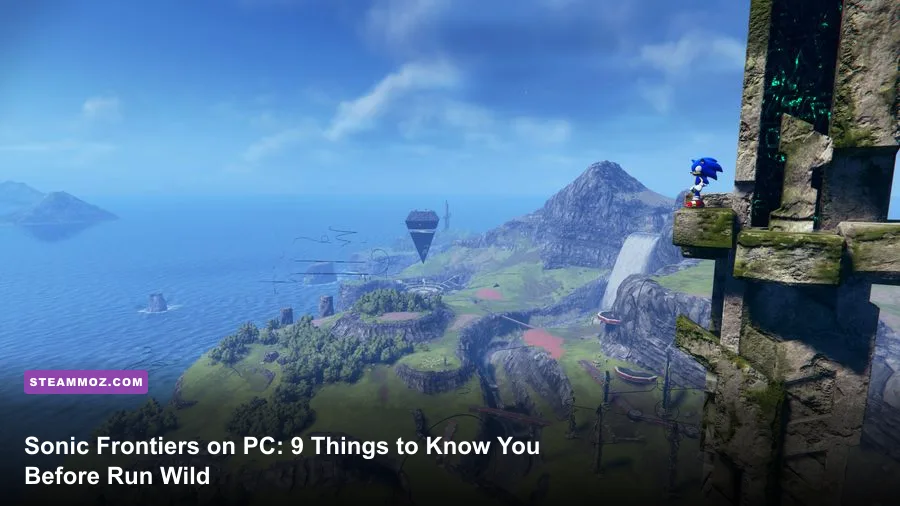
The biggest thing to know before starting Sonic Frontiers on PC is that it isn't a straight-line Sonic game. Starfall Islands is built around choosing your own route: clear map icons, hunt Portal Gears, solve environmental puzzles, level Sonic's stats, or simply boost across the landscape until something interesting catches your eye. That freedom is exciting, but it can also make the opening hours feel scattered. Pick sensible PC settings first, unlock Cyloop and Phantom Rush early, and treat Cyber Space stages as precision challenges rather than optional filler.
Frontiers also plays better once you understand its split personality. The open zones are broad playgrounds filled with Guardians, rails, fishing spots, collectibles, and platforming trails. Cyber Space is the old-school side of Sonic, with short stages, strict goals, and familiar visual themes. Neither half completely explains the other, so this guide focuses on the practical details that matter before you commit dozens of hours.

Set Up Sonic Frontiers for Smooth PC Performance
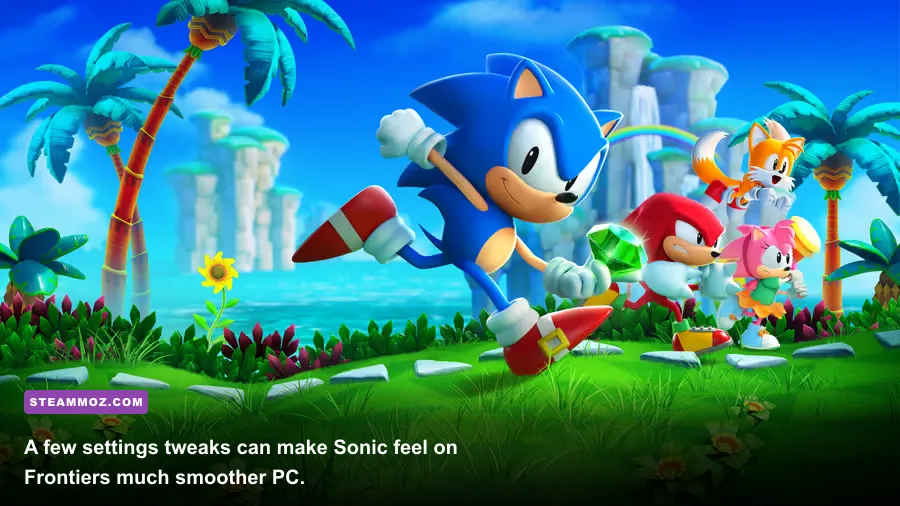
Before changing anything, check the official Sonic Frontiers Steam page for the current requirements and update notes. The baseline is fairly modest by modern open-world standards, but the recommended target is much more demanding: the minimum specification calls for an Intel Core i5-2400, 8 GB of RAM, and a GeForce GTX 750 with 2 GB of VRAM, while the recommended specification lists an i5-6600, 12 GB of RAM, and a GTX 1070 with 8 GB of VRAM. The game also requires roughly 30 GB of storage and DirectX 11.
Those numbers don't tell the entire story. Frontiers streams large islands while throwing fast camera movement, distant geometry, effects, and enemies at your system. A locked 60 fps is far more valuable than occasional bursts above 100 fps, because uneven frame pacing makes boosting and rail transfers feel strangely slippery. If your hardware can handle it, 120 fps is excellent for combat and platforming, but don't sacrifice consistency just to chase a higher counter.
| Setting | Recommended value | FPS impact | Visual trade-off |
|---|---|---|---|
| Resolution | Native 1080p or 1440p | High | Lower resolution helps older GPUs, but distant rails become harder to read. |
| Frame rate | 60 fps cap, or 120 fps if stable | Medium to high | A stable cap improves control more than an erratic uncapped rate. |
| Texture quality | High with 6–8 GB VRAM | Medium | Lowering it mostly affects surface detail and distant asset clarity. |
| Shadow quality | Medium | Medium | High shadows look nicer around ruins but cost performance in busy views. |
| Ambient occlusion | Medium | Low to medium | Keep it enabled; disabling it makes platforms and architecture look flatter. |
| Motion blur | Off | Small | Boosting is much easier to read without blur across the camera. |
| V-sync | Match your display setup | Low | Use it if tearing bothers you; otherwise cap through your GPU software. |
On a mid-range PC, start at 1080p, medium shadows, high textures, ambient occlusion enabled, motion blur off, and a 60 fps cap. If traversal still stutters, lower shadows before textures. An SSD is strongly preferable because it reduces the annoyance of streaming pauses when Sonic crosses an island at full speed. If other games are also hitching, our PC crash and FPS fixes guide covers the same basic driver, overlay, and shader-cache checks that can help here.

🎮 FRONTIERS
Looking to experience this game? Grab your digital key directly on our store for $14.99.
View on Steammoz Store →Understand the First Hours Before You Chase Every Icon
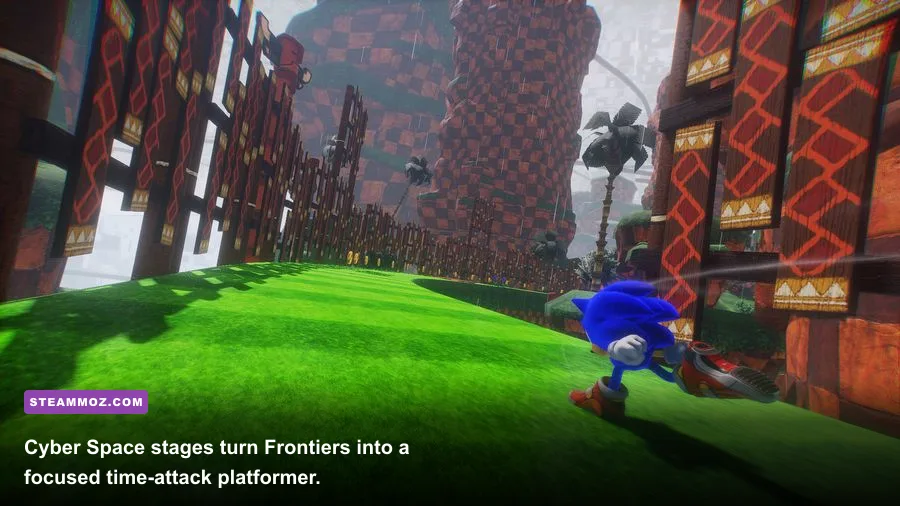
Kronos Island throws a lot at you immediately, but you don't need to complete every visible activity before moving forward. Your early priorities should be collecting Portal Gears, Memory Tokens, and skill pieces while learning the island's movement routes. Portal Gears unlock Cyber Space portals, and Cyber Space stages are the main source of Vault Keys. Vault Keys open the Cyber-Coco vaults that advance the story.
That loop sounds more complicated than it feels. Defeat a Guardian for a Portal Gear, enter the unlocked Cyber Space stage, earn enough mission objectives to collect keys, then spend those keys at the vault. A stage usually has four goals: reach the finish, collect a certain number of rings, complete it without dying, and beat a target time. You don't need all four to progress, but completing them makes later exploration much easier.
| Activity | What it gives you | When to prioritize it | Common mistake |
|---|---|---|---|
| Guardian battles | Portal Gears and combat practice | When a new portal is needed | Attacking constantly instead of watching the boss telegraph. |
| Cyber Space | Vault Keys and familiar Sonic challenges | Whenever you have Portal Gears | Repeating a stage for an S-rank before unlocking story progress. |
| Fishing | Tokens, Memory Tokens, seeds, and rare items | When you want a low-risk upgrade burst | Ignoring it because it isn't a speed challenge. |
| Environmental puzzles | Map reveal, experience, and island resources | Early and during backtracking | Assuming every puzzle requires a combat skill. |
| Memory Token hunting | Character conversations and story progression | Near the next objective | Grinding every token before the map is fully revealed. |
Fishing deserves special attention. Big the Cat's fishing spots let you exchange tokens for items, and the catches can include Portal Gears, Vault Keys, seeds, and Memory Tokens. It is one of the safest ways to smooth out a difficult progression wall. If a Guardian is destroying you, spend a few minutes fishing rather than repeatedly throwing yourself at the same attack pattern.
Talk to Amy, Knuckles, Tails, and Sage whenever the story places them on an island. The conversations aren't just flavor: collecting Memory Tokens unlocks character scenes and can gate progress. The map's symbol density can be overwhelming, so open the map often and deliberately choose one nearby objective instead of zigzagging across the entire island.
Unlock These Skills Before Spending Points Elsewhere
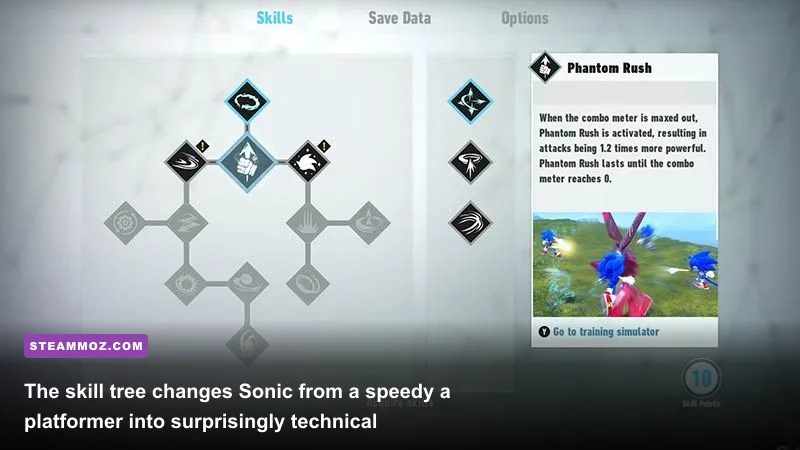
Sonic's skill tree starts small, and your early points are best spent on tools that improve both exploration and combat. Cyloop is the essential first purchase because drawing a loop around enemies, objects, or terrain can create rings and trigger puzzle interactions. It also exposes enemy weaknesses and sets up several combat encounters. Once you unlock it, practice drawing compact loops rather than enormous circles; a tighter loop is faster and easier to control.
Phantom Rush should be your next major target. Repeatedly attacking an enemy fills the combo meter, and when the meter reaches its threshold, Phantom Rush activates automatically, increasing Sonic's attack power. That makes it especially useful against large Guardians with long health bars. Don't waste the activation on a weak soldier unless you're trying to build momentum for a nearby elite enemy.
Homing Shot is another high-value purchase. It lets Sonic fire a burst of energy projectiles after building the required targeting sequence, giving you safe damage while an enemy is airborne or protected by dangerous ground effects. Wild Rush and Spin Slash add more direct damage options, while Loop Kick and recovery-focused skills become more valuable as enemy health and attack speed rise.
| Skill | Priority | Best use | How to use it well |
|---|---|---|---|
| Cyloop | S-tier early unlock | Puzzles, rings, enemy setups | Draw a compact circle around the target instead of circling wildly. |
| Phantom Rush | S-tier combat unlock | Guardians and high-health enemies | Maintain a combo before the enemy's vulnerable phase. |
| Homing Shot | A-tier | Safe ranged pressure | Use it while repositioning or waiting for a telegraph to finish. |
| Wild Rush | A-tier | Closing distance and burst damage | Combine it after parries or stagger windows, not into a shield. |
| Spin Slash | B-tier early, A-tier later | Large targets and crowd control | Save it for grouped enemies where multiple hits connect. |
| Quick Cyloop | Situational | Fast combat loops | Learn the timing after normal Cyloop becomes reliable. |
Don't ignore Sonic's four upgrade stats. Rings increase his maximum ring capacity, Seeds of Power raise attack, Seeds of Defense raise defense, and Coco improve speed or ring capacity through the Elder and Hermit Coco. In practice, speed and ring capacity make exploration more forgiving, while attack and defense matter most when Guardians start taking longer to defeat. You can redistribute some priorities later, so don't freeze over the idea of a perfect build.
Cyber Space Is About Route Knowledge, Not Just Speed
Cyber Space stages look like bite-sized throwbacks, but their objectives often punish the instinct to hold boost and hope. The goal is usually to learn a route, preserve rings, and choose the correct shortcut. Stages such as 1-1 and 1-2 borrow Green Hill-style layouts, while others echo Chemical Plant, Sky Sanctuary, and familiar Sonic set pieces. The visual nostalgia is obvious; the important part is that each stage has a rhythm you can memorize.
For the first clear, focus only on finishing. On the second attempt, identify where rings are placed and where red-star rings or alternate rails pull you away from the fastest line. A no-death clear and a ring requirement can often be completed together, but a target-time run may need a separate attempt. Don't restart because you missed one ring if the stage is still teaching you its route.
Boost isn't a universal answer. Use it on long straightaways, after landing cleanly, and when a ramp feeds directly into a rail. Stop boosting before blind corners, narrow platform chains, and sections where a homing attack must be aimed manually. The camera can hide a spring or bumper, and overshooting one platform costs more time than you gained with a few seconds of boost.
In the open zones, rails and platform trails can also hide collectibles above or behind the apparent route. If a trail ends near a red glow, a portal marker, or a suspicious gap, look around before dropping. Cylooping environmental objects can reveal rings and puzzle interactions, while the map makes it easier to return once you've unlocked fast travel. For more general hidden-reward habits, our secret locations guide has useful exploration principles that apply here too.
Guardian Bosses Reward Patience Over Button Mashing
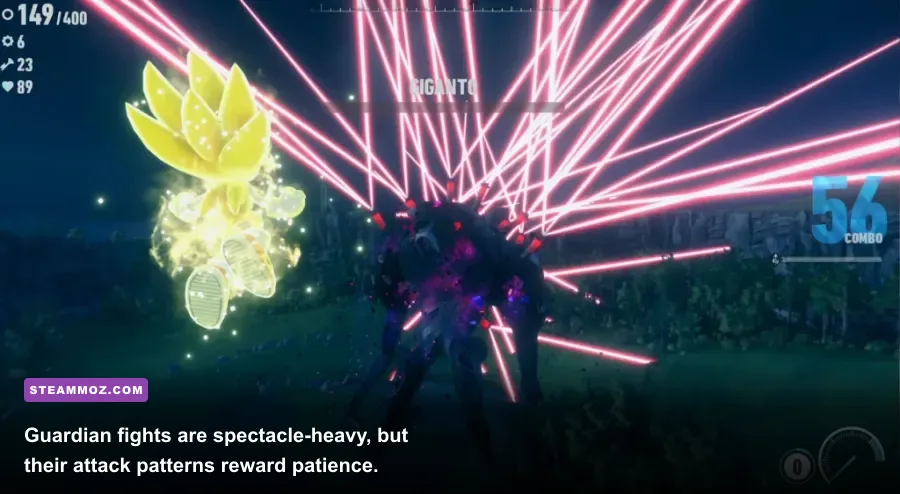
Guardians are the encounters most likely to make a new player think Sonic Frontiers is unfair. They aren't. Their attacks are heavily telegraphed, but the spectacle can hide the actual opening. Learn the boss's movement first, then attack only when the game clearly gives you a window. Your rings are your health buffer, so arriving with a full ring count lets you survive one mistake without turning a fight into a frantic recovery mission.
Giganto and Wyvern
Giganto on Kronos Island teaches the game's climbing and weak-point language. Use the arena's launch route to reach its body, avoid standing directly in front of its sweeping attacks, and attack the exposed weak point rather than wasting time striking armored sections. During the super Sonic sequence, prioritize survival and positioning. The cinematic scale is distracting, but incoming projectiles still demand correctly timed parries.
Wyvern on Ares Island is a flying encounter built around chasing and countering. The early section is about climbing the boss and reaching the launch point. The later missile sequence asks you to parry projectiles back toward the boss. Tap the parry input as the missile is about to connect; holding it too early can leave you exposed when the timing window closes. Watch the projectile, not Wyvern's wings.
Knight and Supreme
Knight on Chaos Island gives you a shield-and-weapon puzzle. Its large blade is not just decoration: when it attacks, look for the moment that lets you interact with or redirect the weapon. Avoid chasing the boss through every movement cycle. Let Knight come to you, then punish the exposed phase with Cyloop, Homing Shot, and your strongest close-range combo.
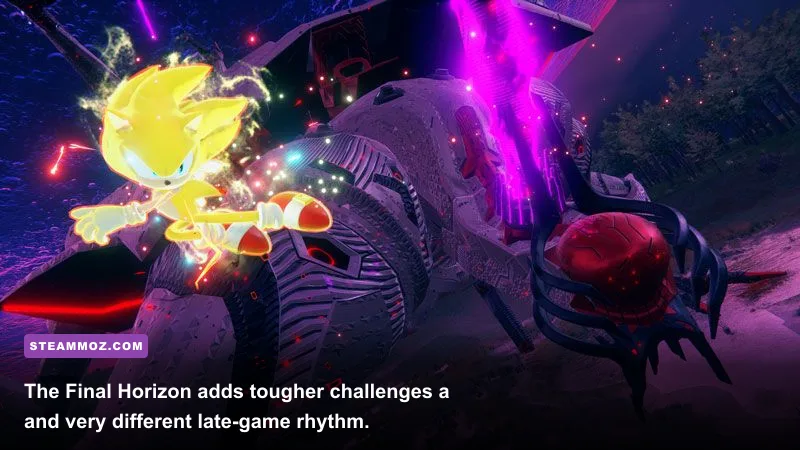
Supreme is a late-game endurance test with heavier ranged pressure and fewer comfortable pauses. Keep moving around the arena, preserve rings before the final sequence, and don't burn your strongest attacks while the boss is invulnerable. The same rule applies to The Final Horizon content, which the official Sonic Frontiers site lists as a major free update. The alternate campaign adds Amy, Knuckles, and Tails as playable characters, plus tougher challenges on Ouranos Island.
| Guardian | Main danger | Counter strategy | Best preparation |
|---|---|---|---|
| Giganto | Large sweeping attacks and climbing hazards | Reach the weak point, then use parries during the super phase. | Upgrade defense and carry a full ring supply. |
| Wyvern | Fast aerial pursuit and missile volleys | Watch each missile and parry only as it reaches Sonic. | Practice parry timing on normal enemies first. |
| Knight | Shielded body and oversized blade | Redirect or exploit the weapon opening before attacking. | Unlock Cyloop and keep a combat meter ready. |
| Supreme | Ranged pressure and long endurance phases | Stay mobile, save burst damage for vulnerable windows. | Raise attack and defense before entering the finale. |
Use the Map, Fast Travel, and Fishing to Control the Pace
Frontiers becomes much less tiring once you stop treating every marker as an obligation. Clear enough map challenges to reveal the island's structure, then use fast travel to revisit fishing spots, portals, and NPCs. The best route is rarely a straight line between story markers because a nearby puzzle may unlock a rail trail that saves several minutes of travel later.
Look for environmental clues rather than relying only on icons. Rails can lead to floating platforms, islands often hide paths behind cliffs, and a platforming challenge may be easier from above than from the ground. The game frequently places useful collectibles along a route that becomes visible only after you climb a tower or solve a nearby puzzle.
The day-and-night cycle also affects the mood and readability of exploration. Night makes certain lights and rails pop, while bright daylight gives you a better view of distant structures. If you're struggling to read a platforming sequence, adjust the camera and approach from another angle instead of blaming the controls immediately.
Finally, install the latest patch before judging the PC version. Sega's official Sonic Frontiers support hub and the game's Steam announcements are the places to check for update information. If you enjoy experimenting with PC settings across demanding open zones, our max-FPS settings guide offers a useful approach: lock a realistic frame rate, remove expensive effects one at a time, and test in the busiest area rather than an empty menu.
Sonic Frontiers clicks when you let its systems feed each other. Guardians provide Portal Gears, Cyber Space provides Vault Keys, exploration supplies upgrade resources, and fishing smooths out whichever part of the progression is annoying you. Don't sprint past all of that in pursuit of the next cutscene. Build a reliable 60 fps setup, unlock Cyloop and Phantom Rush early, learn one Cyber Space route at a time, and the open zones stop feeling like a checklist. They become what Frontiers does best: a playground where speed is useful, but curiosity is what keeps you moving.