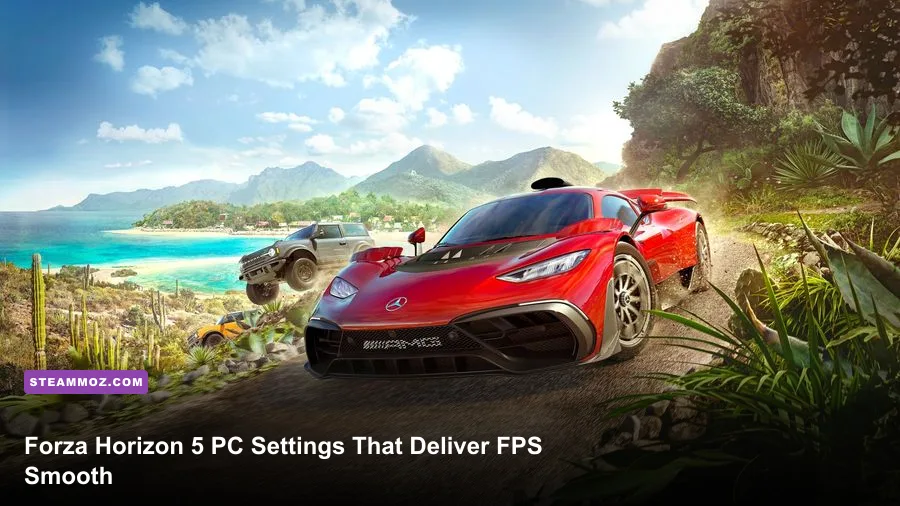
For the best Forza Horizon 5 PC performance, start with High textures, Medium shadows, High shaders, 4x MSAA, SSAO on, motion blur off, and a frame cap matched to your monitor. On a modern RTX 3060 or RX 6600 XT system, this profile usually delivers a much steadier experience than the Ultra preset while keeping Mexico sharp and detailed. Turn on DLSS or FSR only when native resolution can't hold your target, and use the game's benchmark before changing individual settings.
That last part matters. Forza Horizon 5 is fast enough that a messy frame-time graph is more noticeable than a small average-FPS loss. A car that bounces between 70 and 120 FPS can feel worse than one locked to 72. The goal here is predictable steering response, clean frame pacing, and enough visual quality to keep the game's dense landscapes looking excellent.
Before tuning, update your GPU driver, close browser tabs and recording tools, and let the shader cache finish building after a driver change. If another PC game is also stuttering, our PC crash and FPS fixes cover the broader Windows checks worth making.
Start With the Right FPS Target

Choose the refresh-rate target first, not last. Forza Horizon 5 feels excellent at 60 FPS, becomes noticeably more responsive at 90 or 120 FPS, and benefits from 144 FPS if you have the GPU headroom. However, racing games expose inconsistent delivery immediately: steering corrections, braking points, and camera movement all make hitching obvious.
Use the in-game benchmark from the Settings menu after every major change. It gives you a repeatable run through heavy scenery, but don't treat its average as a guarantee. Benchmark results can miss the worst open-world streaming spikes, especially when you blast through Guanajuato, dense jungle roads, or the Horizon Festival site at high speed.
| Display Target | Recommended Cap | Best Use | Performance Priority |
|---|---|---|---|
| 60 Hz | 60 FPS | Budget GPUs and laptops | Stable frame pacing over image quality |
| 75 Hz | 72-75 FPS | Entry-level gaming monitors | Keep minimums above 60 FPS |
| 120 Hz | 117-120 FPS | Competitive or responsive driving | Medium shadows and upscaling may be needed |
| 144 Hz | 138-141 FPS | High-end GPUs at 1080p | Reduce reflections and geometry before textures |
If you use G-SYNC or FreeSync, cap the game a few frames below the panel's maximum refresh rate. A 141 FPS cap on a 144 Hz display, for example, keeps the system inside the variable-refresh window and avoids unnecessary synchronization behavior. V-Sync can stay off when VRR is working correctly; turn it on only if you see persistent tearing.

🎮 FORM
Looking to experience this game? Grab your digital key directly on our store for $14.99.
View on Steammoz Store →The Best Balanced Graphics Profile
The following profile is the best starting point for most 1080p and 1440p PCs. It preserves texture clarity, car detail, and the colorful lighting that makes Forza Horizon 5 pop, while trimming the settings that create the biggest GPU or CPU spikes. Apply it, restart the game if prompted, then test the benchmark and a few busy races.
| Setting | Recommended Value | FPS Impact | Visual Note |
|---|---|---|---|
| Preset | Custom | Baseline | Unlocks the useful per-setting balance |
| Texture Quality | High | Low to medium | Sharp surfaces without Ultra VRAM demand |
| Environment Texture Quality | High | Medium | Keeps roads, rocks, and buildings detailed |
| Shadow Quality | Medium | High | One of the easiest settings to lower for FPS |
| Night Shadows | Off | Medium | Large gain during night races with minor loss |
| World Car Level of Detail | High | Medium CPU/GPU | Maintains distant traffic and vehicle detail |
| Shader Quality | High | Medium | Protects material quality and lighting transitions |
| Particle Effects | High | Low to medium | Preserves dust, smoke, and tire spray |
| MSAA | 4x | Medium | Good edge smoothing at 1080p and 1440p |
| FXAA | On | Low | Softens remaining shimmer at a tiny cost |
| SSAO | On | Medium | Adds contact depth beneath cars and scenery |
| Reflection Quality | High | Medium | Wet roads and car paint remain convincing |
| Screen Space Reflections | High | Medium | Lower this before texture settings |
| Lens Effects | Medium | Low | Retains bloom without excessive glare |
| Motion Blur | Off | Negligible | Cleaner braking and cornering visuals |
| Dynamic Optimization | Off initially | Variable | Use only when manual settings cannot hold target |
Texture quality isn't the first thing to cut. It mostly consumes VRAM rather than raw shader performance, and Forza Horizon 5 looks noticeably worse when road and terrain textures drop too far. If you have 8GB or more VRAM, High is a comfortable choice at 1440p. Ultra can work on 10GB-plus cards, but it offers diminishing returns unless you stop to inspect rocks, walls, and distant architecture.
Shadow Quality is a better first sacrifice. Medium keeps the world grounded but reduces the number and resolution of expensive shadow maps. Night Shadows are especially costly because multiple headlights, streetlights, and dynamic objects can overlap. Disable them if your lows collapse at night.
Resolution, Upscaling, and Anti-Aliasing
Native resolution should be your first choice when the GPU can maintain the target. At 1440p, Forza Horizon 5's scenery is crisp enough that native 100 percent resolution scaling is worth protecting. At 4K, however, rendering at native resolution can consume enormous GPU power, and a quality upscaler usually delivers the best balance.
Use DLSS Quality on compatible NVIDIA RTX cards, FSR 2 Quality on AMD and older NVIDIA GPUs, or XeSS Quality where it performs best on your Intel hardware. Quality modes generally render internally around 67 percent of the output resolution, though the exact behavior depends on the implementation and preset. Avoid Performance mode unless you're targeting 4K on mid-range hardware; fine wires, fence posts, and foliage can shimmer or lose detail.
| Resolution | Preferred Setting | When to Lower Quality | What to Watch |
|---|---|---|---|
| 1920x1080 | Native, 100% scaling | Only below the desired FPS target | CPU limits can matter more than GPU load |
| 2560x1440 | Native or DLSS/FSR Quality | Use Quality upscaling under heavy weather | Foliage shimmer and distant fences |
| 3840x2160 | DLSS/FSR Quality or Balanced | Balanced for 90-120 FPS targets | Upscaler sharpness and fine geometry |
MSAA is unusually important in this game because thin road edges, guardrails, and vegetation can sparkle while the camera moves. At 1080p, 4x MSAA is a strong compromise. At 1440p, 2x or 4x often looks clean enough. 8x MSAA is expensive and rarely worth keeping when you need a serious frame-rate boost. FXAA can remain enabled, but if the image looks soft, lower its sharpening or use a higher-quality upscaler instead of stacking every anti-aliasing option.
Ray tracing doesn't improve normal open-world driving in the same way it transforms a dedicated showcase scene. In Forza Horizon 5, its biggest impact is visible in ForzaVista and car-view reflections. Leave ray tracing off if the priority is racing FPS. You can turn it on for screenshots without rebuilding your main performance profile.
What to Lower When FPS Drops
Don't randomly slash every option after one bad result. Watch GPU utilization and frame time first. If the GPU sits near 99 percent, lower resolution scaling, MSAA, reflections, shadows, or screen-space reflections. If the GPU is below roughly 90 percent while FPS remains low, the CPU, asset streaming, background software, or a crowded scene is probably the bottleneck.
World Car Level of Detail can be surprisingly important in races with heavy traffic. Lowering it reduces distant vehicle complexity and can help CPU-limited systems, but don't push it too low unless you can tolerate cars and scenery appearing abruptly. Shader Quality affects how materials and lighting are processed; Medium is a reasonable emergency setting, but High is preferable because the downgrade is visible across the entire world.
| Symptom | First Setting to Change | Second Change | Expected Trade-off |
|---|---|---|---|
| Low FPS everywhere | Resolution scaling | MSAA from 4x to 2x | Lower sharpness and edge quality |
| Night-race drops | Night Shadows off | Shadow Quality to Medium | Less dynamic shadow detail |
| Rain causes stutter | Screen Space Reflections | Particle Effects to Medium | Less water reflection and spray detail |
| Busy races feel CPU-limited | World Car LOD | Environment Geometry | Less distant object and traffic detail |
| VRAM warnings or texture pop-in | Texture Quality | Environment Texture Quality | Blurrier surfaces and terrain |
| High average FPS, ugly stutter | Frame cap | Disable overlays and background capture | Lower peak FPS for smoother delivery |
Rain is a useful stress test because water spray, reflections, lighting, and particles collide at once. If dry-weather races are perfect but wet events hitch, lower Screen Space Reflections before touching textures. Reflection Quality and SSR can look almost identical during a quick drive, yet their combined cost is substantial on mid-range GPUs.
Forza Horizon 5 can also stutter while streaming an open world from a slow hard drive. Install it on an SSD, leave free space available, and avoid running a large file transfer in the background. If you play other demanding PC titles, our guide to low-FPS troubleshooting has useful overlay, driver, and storage checks that apply here too.
Recommended Profiles by PC Hardware
Hardware labels alone don't tell the whole story. Laptop versions of desktop GPUs can be dramatically slower, and an older six-core CPU may limit a high-end graphics card during dense races. Use these profiles as starting points, then adjust around your actual monitor and benchmark result.
| Hardware Class | Resolution and Target | Profile | Likely Limitation |
|---|---|---|---|
| GTX 1650 / RX 570, 16GB RAM | 1080p, 60 FPS | Medium preset, textures Medium, shadows Low, 2x MSAA | GPU memory and shader performance |
| RTX 3060 / RX 6600 XT, 16GB RAM | 1080p, 90-120 FPS | High textures, Medium shadows, 4x MSAA, SSR High | CPU in traffic-heavy events |
| RTX 4060 / RX 7600, 16GB RAM | 1440p, 60-90 FPS | High preset, Quality upscaling, 2x-4x MSAA | Reflections and high-resolution rendering |
| RTX 4070 / RX 7800 XT, 32GB RAM | 1440p, 120-144 FPS | Ultra textures, High shadows, Quality upscaling | CPU and open-world frame pacing |
| RTX 4080 / RX 7900 XTX, 32GB RAM | 4K, 90-120 FPS | Ultra textures, High settings, DLSS/FSR Quality | Native 4K GPU load |
Sixteen gigabytes of system RAM is workable, while 32GB gives more breathing room if you're streaming, recording, or keeping a browser open. A modern six-core CPU is a sensible baseline for high-refresh play, but CPU-heavy scenarios can still appear when the game is drawing traffic, crowds, physics, and distant geometry at once.
Steam players should also check the official Forza Horizon 5 Steam page for the current listed requirements. The Forza Support site is the better place to check known issues, driver-related notices, and platform-specific troubleshooting. Requirements can change as updates arrive, so don't rely on an old benchmark video alone.
Final Tuning for Smooth Racing
Once the image looks right, stop chasing the biggest number in the corner. Drive the same route through a dense city, an off-road jungle section, and a fast highway sprint. Test clear weather, rain, and nighttime conditions. Those situations reveal different bottlenecks, and a profile that wins the benchmark can still fall apart during a wet street race.
Keep motion blur off for a clearer view of apexes and braking markers. Set an FPS cap your PC can hold during the hardest scene, not the easiest highway run. If your system averages 105 FPS but dips to 78, a locked 90 FPS profile will usually feel far better. Competitive drivers should prioritize frame pacing, input latency, and visibility over Ultra shadows or showroom reflections.
Use the official Xbox Forza Horizon 5 support resources when an update changes behavior, and consider disabling unnecessary overlays from Steam, Discord, GeForce Experience, or Radeon Software if frametimes remain erratic. If you're diagnosing several demanding games at once, Steamoz's guide to max FPS settings offers a useful cross-game checklist.
The short version is simple: protect textures, cut shadows and reflections first, use sensible upscaling at 1440p or 4K, and cap the game below your monitor's ceiling. For most players, High textures, Medium shadows, 4x MSAA, SSR High, Night Shadows Off, and a stable 60-to-120 FPS target deliver the sweet spot. Mexico will still look gorgeous, but your steering inputs won't fight the graphics settings every time the road gets busy.