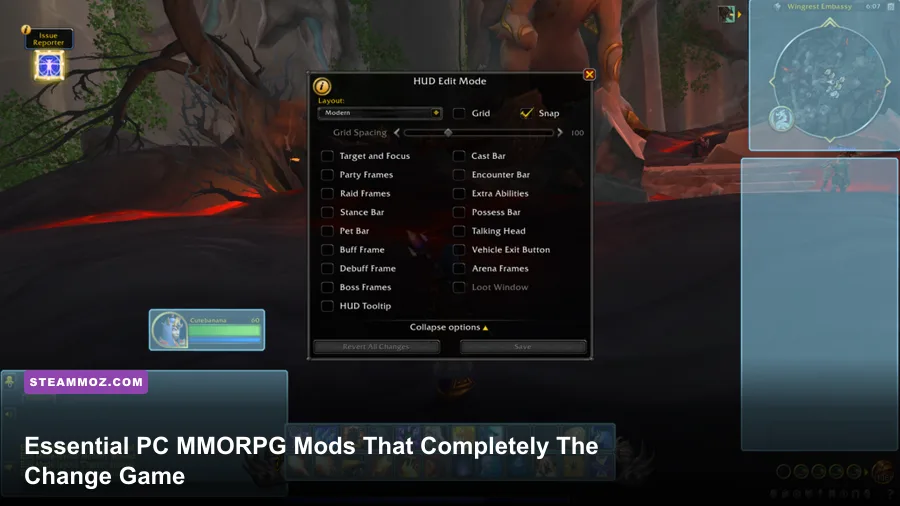
Stock user interfaces in massive online worlds are notorious for bogging down your screen with redundant artwork, sluggish combat feedback, and atrocious inventory management. Transforming your experience across 2022's landmark PC MMORPG releases—from the high-velocity dragonriding skies of World of Warcraft: Dragonflight and the intricate raid mechanics of Final Fantasy XIV: Endwalker to the sprawling maps of Guild Wars 2: End of Dragons and The Elder Scrolls Online: High Isle—demands a tuned suite of essential mods. Installing tools like ElvUI, WeakAuras, Blish HUD, Bandit's User Interface, and network smoothing injectors like XIVAlexander doesn't just make these games look modern; it directly eliminates input latency, solves visual telemetry blindness, and recovers vital frame rates during chaotic 20-player encounters.
The Interface Overhauls: Clearing Screen Clutter
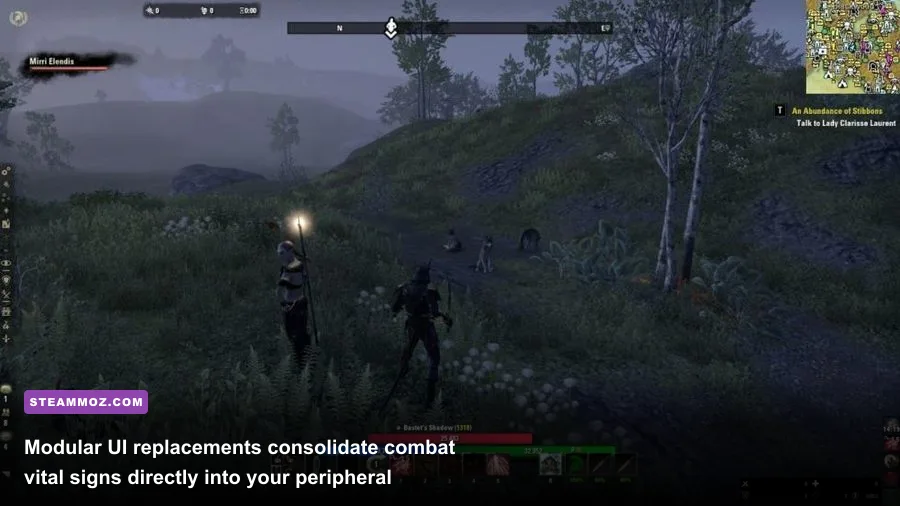
Default MMORPG user interfaces look like relics designed for 1080p CRT monitors from two decades ago. Massive stone gryphons, opaque health globes, and microscopic buff bars crowd the lower third of your screen, forcing your eyes away from boss mechanics right when precision matters most. Overhauling this begins with modular framework suites that strip out decorative bloat and consolidate your vital information directly beneath your character model.
For World of Warcraft players navigating modern mythic raids, ElvUI remains the gold standard of modular control. Instead of juggling a dozen conflicting plugins, ElvUI takes over your entire graphical presentation—action bars, unit frames, cast bars, and minimaps—under a lightweight, unified C-based Lua engine. By anchoring player and target health bars within a 200-pixel radius of your screen center, you eliminate the dangerous half-second eye travel time to the top-left corner of your monitor. A smart configuration cuts your UI memory consumption down to roughly 18 MB, whereas running dozens of standalone visual widgets can quickly eat past 60 MB of Lua allocation.
If you are exploring Tamriel in The Elder Scrolls Online, the baseline console-oriented interface severely limits your tactical awareness. Installing Bandit's User Interface (BUI) via the ESOUI community completely rewrites how you process combat. BUI introduces customizable side unit frames, precise buff/debuff timers down to tenths of a second, and dynamic combat reticles that highlight your execute phases. When you're managing stamina sustain in veteran trials, knowing your exact potion cooldown and weapon enchant uptime without squinting at tiny grey icons keeps your rotation unbroken. If you've previously run into stutter issues while loading heavy visual packages in open-world titles, reviewing our guide on ELEX PC fixes that stop crashes and rescue your FPS highlights similar principles of managing asset load overhead.

🎮 FORM
Looking to experience this game? Grab your digital key directly on our store for $14.99.
View on Steammoz Store →Combat Telemetry: Turning Chaos into Actionable Data
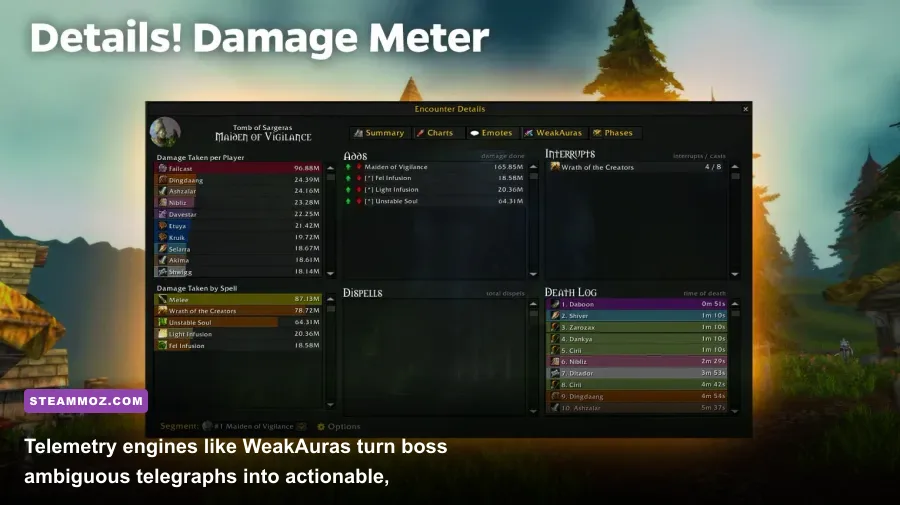
High-end dungeon crawling and raiding operate on razor-thin margins where sensory overload is your biggest enemy. Default game combat logs spit out hundreds of lines of raw text per second, making it impossible to diagnose why your tank suddenly folded or which DPS missed their interrupt on a lethal cast. Dedicated combat telemetry engines convert this torrent of back-end data into clean, visual prompts.
No PC gaming mod in history matches the transformative impact of WeakAuras. Operating as a modular framework inside WoW, WeakAuras allows you to build or import complex visual and auditory triggers based on combat log events, spell cooldowns, or internal buff stacks. Instead of guessing when a boss's tank-buster ability is charging, a WeakAura string can display a bold, countdown cast bar accompanied by a distinctive audio cue. To keep client performance silky smooth, always configure your triggers around combat event strings rather than relying on on-update frame loops; unthrottled frame loops force your CPU to check conditions every single render frame, which instantly tanks your minimum 1% low frame rates in heavy 24-player battles.
Tracking group efficiency requires an analytical engine, and Details! Damage Meter outclasses older utilities like Recount and Skada by a mile. Details captures combat log events via high-frequency multi-threaded parsing, displaying real-time Damage Per Second (DPS), Healing Per Second (HPS), damage taken by source, interrupt counts, and avoidable damage taken. You can spot an underperforming build instantly by reviewing an encounter's damage distribution across different spells. Much like diagnosing weapon utility in Everspace Deluxe upgrade weapons worth your credits, seeing the raw statistical throughput of your rotation exposes mathematical flaws you'd never feel through casual button-mashing.
| Mod / Addon Name | Target MMORPG | Primary Role | Frame Rate & Resource Impact | Tier Rating |
|---|---|---|---|---|
| WeakAuras | World of Warcraft | Custom Combat Event Triggers & Alerts | Low to Medium (Trigger-dependent) | S-Tier (Essential) |
| Blish HUD | Guild Wars 2 | Modular DirectX Overlay & Pathing | Minimal (0.5% GPU overhead) | S-Tier (Essential) |
| Details! Damage Meter | World of Warcraft | Multi-Layered Encounter Telemetry | Low (Lua garbage collector tuned) | S-Tier (Essential) |
| Bandit's User Interface | The Elder Scrolls Online | Complete HUD & Combat Info Redesign | Low (1-2 FPS impact max) | A-Tier (Highly Recommended) |
| NoClippy / XIVAlexander | Final Fantasy XIV | Animation Lock & Weaving Network Fix | Zero Visual Cost (Network hook) | S-Tier (Essential) |
| Questie | Classic MMORPGs | Map Objective Trackers & Route Finding | Low to Medium (Database caching) | A-Tier (Highly Recommended) |
Navigation and Exploration: Eradicating Needless Tedium
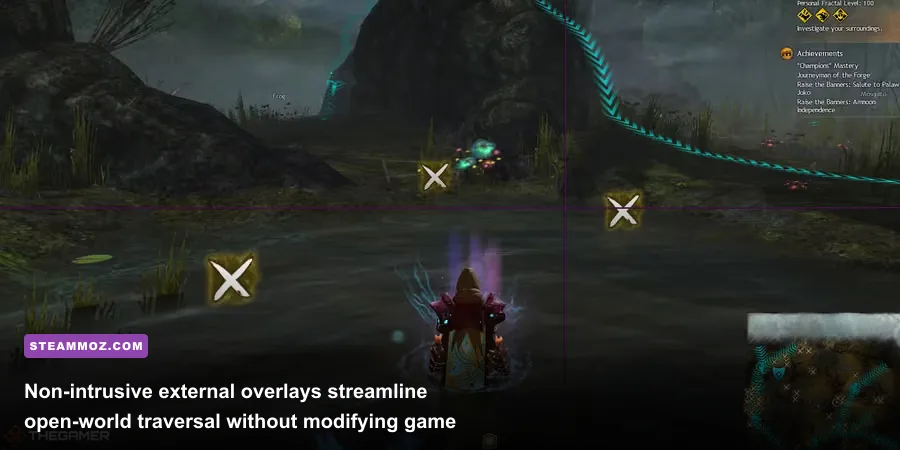
Exploring gargantuan open-world maps should feel adventurous, not exhausting. Unfortunately, developers often lean on confusing multi-tiered map markers or hide critical collection nodes behind obtuse terrain geometry. In games like Guild Wars 2: End of Dragons, hunting down Mastery points, jade bot upgrades, and fishing nodes across Cantha can devolve into hours of frustrating trial-and-error without proper spatial tools.
Enter Blish HUD, arguably the most technically impressive open-source overlay ever crafted for an MMORPG. Available via BlishHUD.com, this tool bypasses internal game file modification entirely. Instead, it runs as an external hardware-accelerated DirectX 11 overlay that reads player positional coordinates through official developer API bridges. Its standout feature—the Pathing and Marker Module running marker packs like Tekkit’s Guides—draws physical, semi-transparent 3D guide paths across your game world. Whether you are running optimal daily farming routes or navigating labyrinthine jumping puzzles, the overlay maps the exact vectors you need to leap across.
To ensure Blish HUD doesn't steal compute cycles from your rendering thread, cap the overlay refresh rate inside its internal settings window to 60 FPS while running your primary game client at 120 FPS or higher. This decouples background UI drawing calls from your main GPU pipelines. Similar to how we manage render budgets in our breakdown of Filament Marmalade Edition settings for higher FPS, preventing background utility loops from fighting over system memory ensures rock-solid frame pacing in busy public hubs.
Over in The Elder Scrolls Online, map exploration without mods is notoriously frustrating. By combining Map Pins with Quest Map, you immediately reveal the real-time locations of Skyshards, Lorebooks for the Mages Guild line, Psijic Portals, and antiquities digging sites. Skipping the endless alt-tabbing to web browser maps saves you dozens of hours across your leveling journey, streamlining character progression much like the strategies outlined in our guide to level fast and farm zeni in Kakarot Master Edition.
Engine Latency and Animation Fixes: Restoring True Input Control
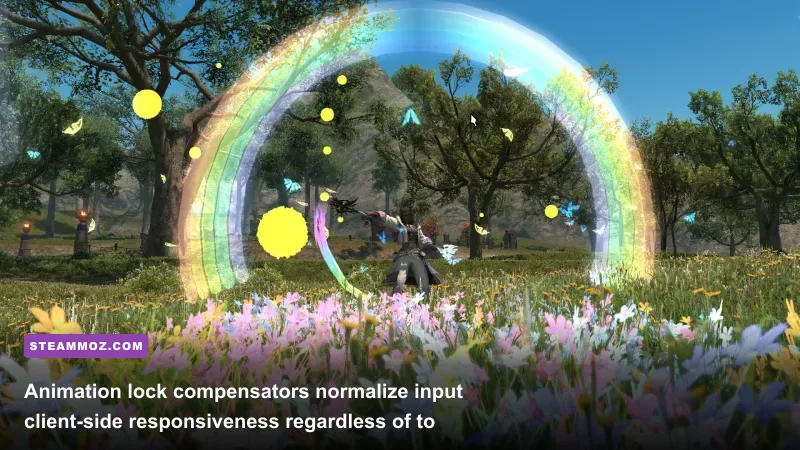
Not all essential mods alter visuals or crunch combat stats; some fix fundamental engine shortcomings that penalize players based on their geographical distance from game servers. Nowhere is this issue more notorious than in Final Fantasy XIV, where an inherently clunky server-authoritative netcode model directly hampers your mechanical execution.
In FFXIV, every off-global-cooldown (oGCD) action incurs a hardcoded animation lock of approximately 500 milliseconds. However, the client refuses to start clearing this animation lock until it receives an acknowledgement packet back from the game server. If your latency to the server is 100ms, your true animation lock balloons to 600ms or more. For fast-paced classes like Ninja, Gunbreaker, or Machinist—which demand "double weaving" two oGCD abilities between single 2.5-second weapon skills—this added latency clips into your next rotation window, causing your character to stutter and dropping your overall damage output by 8% to 15%.
The solution is XIVAlexander (or the NoClippy plugin integrated through the open-source XIVLauncher / Dalamud framework). These tools intercept outgoing ability packets locally. They calculate your actual ping, simulate a zero-latency local response, and subtract the artificial round-trip delay from the client-side animation timer. The server still validates every action according to strict anti-cheat parameters, but your local character responds with lightning-quick responsiveness. Double weaving becomes effortless regardless of whether you live next door to the datacenters or play across oceans, completely rescuing high-level raid viability.
Load Order, Addon Managers, and Stability Optimization
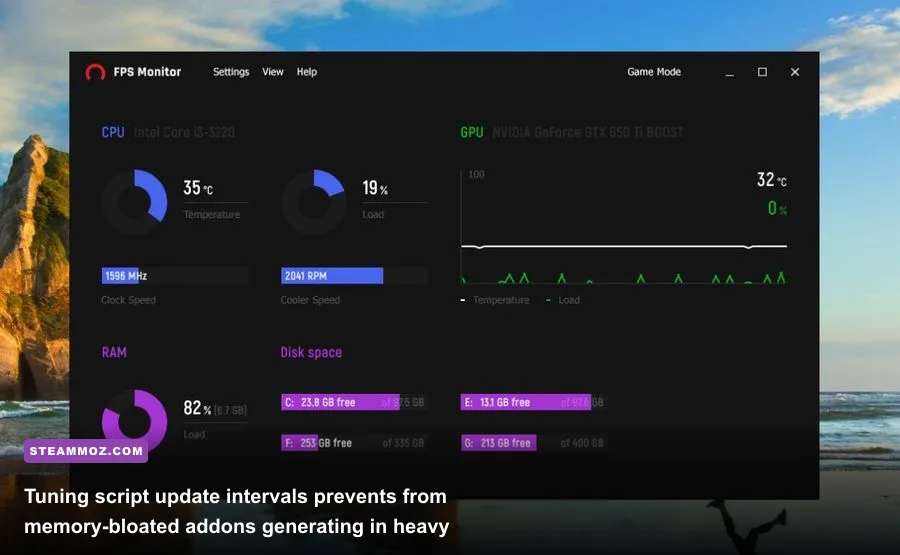
Stacking dozens of community mods haphazardly is a guaranteed recipe for desktop crashes, memory leaks, and massive frame stuttering. Modern MMORPG game engines rely on dynamic garbage collection routines to flush temporary variables. When poorly written addon scripts hoard unreferenced tables in system memory, the garbage collector triggers aggressive freeze frames while trying to scrub your RAM.
To maintain peak performance, manage your installation pipeline through dedicated, clean package managers. For World of Warcraft, tools like the standalone CurseForge App (configured with Overwolf telemetry disabled) or the open-source WowUp-CF client streamline versioning. For The Elder Scrolls Online, the Minion Addon Manager keeps your dependencies synchronized without corrupting your active saved-variable profiles. If you frequently suffer stability issues when injecting external hooks into game processes, our troubleshooting techniques in EscapeVR The Basement crashing and low FPS fixes offer a helpful roadmap for managing hook permissions and graphics driver conflicts.
| System Profile / Tool | Tuning Parameter | Safe Value / Configuration | Mitigated Risk |
|---|---|---|---|
| Lua Garbage Collector | Script Memory Flush | Set flush interval to 15 mins (or on zone exit) | Eliminates micro-stutter during active boss pulls |
| Blish HUD Overlay | Max Overlay Frame Rate | Lock to 60 FPS | Prevents GPU render-queue saturation on high-refresh monitors |
| Details! Damage Meter | Update Rate Interval | 0.20 Seconds (Up from 0.05s default) | Cuts background combat log CPU parse overhead by 60% |
| ESO Minion Addon Suite | SavedVariables Cleanup | Quarterly manual backup and purge | Prevents endless zone loading screens and UI freezes |
| XIVLauncher / Dalamud | Plugin In-Game Hooks | DirectX 11 Native Injection mode | Avoids third-party anti-virus false positives and crashes |
Always audit your addon folder every couple of months. Community developers routinely abandon outdated scripts when major patches drop, leaving behind deprecated API calls that spam the game client's error log in the background. A single broken addon quietly throwing thousands of script errors per minute into an internal log file can cut your frame rates in half without ever showing an error dialog on screen. Install dedicated error capture tools like BugSack and BugGrabber; if an addon throws recurring Lua exceptions during normal gameplay, disable it until an official patch rolls out.
Dialing in your UI takes an hour or two of patience, but the payoff is immense. Stripping away the messy default clutter and running responsive, latency-corrected tools transforms these sprawling online adventures into silky, razor-sharp gaming experiences that look and feel entirely cutting-edge.