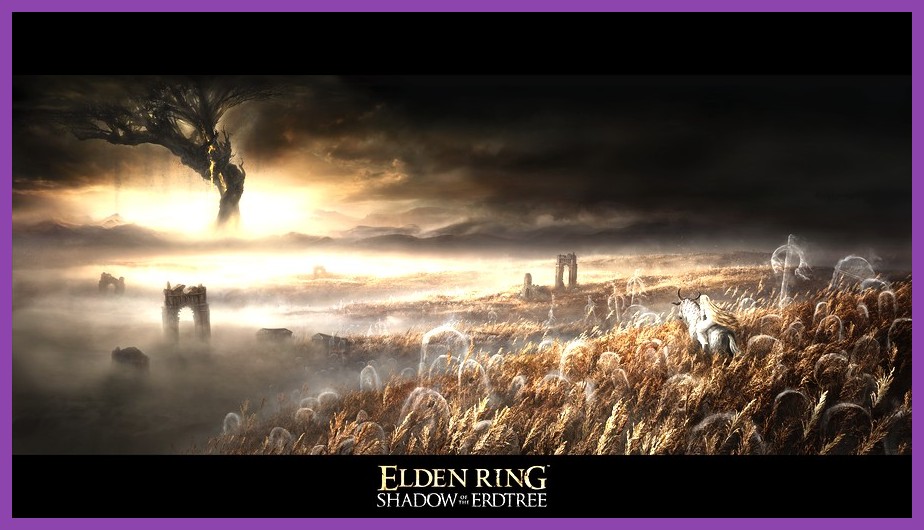
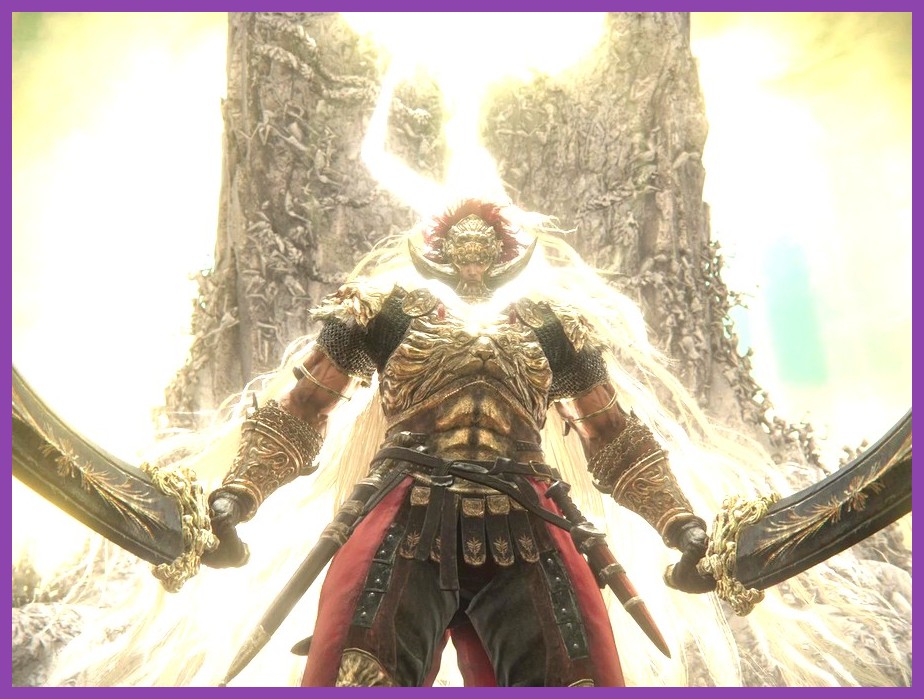
The Lands of Shadow arrived in June 2024 and immediately broke the souls-like genre wide open. FromSoftware's Elden Ring: Shadow of the Erdtree expansion is not just a story add-on — it is a graphical furnace that pushes even the most powerful rigs to their limits. The Land of Shadow is dense with volumetric fog, towering architecture, sprawling vistas, and horrifying bosses that demand every frame your machine can deliver. Unfortunately, the PC port has always been a touch unrefined, and the DLC magnifies every existing performance quirk.
Whether you are running a flagship RTX 4090, a mid-range RTX 4060, or a loyal older card still clinging to life, this guide will walk you through the exact settings that matter, the ones that barely move the needle, and the hidden tweaks that can transform a stuttering slideshow into a 60 FPS locked experience. The Land of Shadow deserves to be seen in motion, not through a slideshow of slides. Let's get your rig ready.
Before You Touch Anything: System Requirements and Expectations
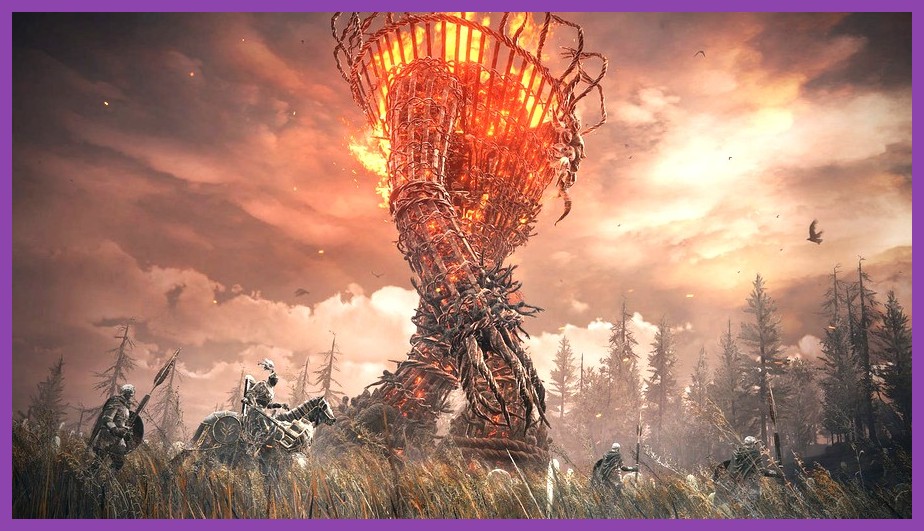
FromSoftware's official Elden Ring site lists reasonable minimum and recommended specs, but Shadow of the Erdtree raises the bar meaningfully. The base game ran acceptably on GTX 1060-era hardware; the DLC's denser environments, additional particle effects, and shadow-casting foliage demand a stronger GPU than you might expect. The 60 FPS cap remains in place for the base game, but Shadow of the Erdtree content can sometimes exceed it in uncapped scenarios on certain encounters.
If you are running 16 GB of DDR4 RAM, a Ryzen 5 3600 or Intel i5-10400, and an RTX 3060 or RX 6700 XT, you should target medium-high settings at 1080p with a stable 60 FPS. The 4K crowd will need at minimum an RTX 4070 Ti or RX 7800 XT, and the truly unhinged will want an RTX 4080 or better to push 4K at high refresh rates with ray tracing enabled. Knowing where you stand on this spectrum is step zero before diving into the settings menu.
The Quick Wins: Settings That Cost You Nothing and Gain Everything
Some settings look impressive on paper but produce almost no visible difference in the chaotic blur of a souls-like combat encounter. Others hide massive frame-time spikes behind a single toggle. Start here, because every one of these is essentially free performance.
Lock the Framerate to 60 FPS
The base Elden Ring frame cap is still present in the menu. Leave it locked at 60 unless you have a high-refresh display and a GPU that can comfortably push past that. Uncapping creates inconsistent frame times, which FromSoftware's engine hates far more than raw framerate. Consistent 59 FPS with even frame pacing feels smoother than a chugging 75 FPS that lurches between 40 and 90. If you have an unusual scenario where the engine spazzes, capping prevents micro-stutter cascading into full freezes.
Disable Motion Blur
Motion blur in Elden Ring does almost nothing for the cinematic feel and everything for obscuring your screen during high-speed Torrent rides. Turn it off. The visual loss is essentially zero, and you gain a small but measurable amount of GPU headroom. More importantly, you will be able to read boss telegraphs far more clearly, which matters more than any minor graphical fidelity.
Turn Off Depth of Field
Depth of field looks lovely in static screenshots, but during combat it produces a smeared, dreamlike haze that costs frames and obscures details. Disable it entirely. Elden Ring's art direction does not need artificial lens tricks; the design speaks for itself.
The Heavy Hitters: Settings That Define Your Experience
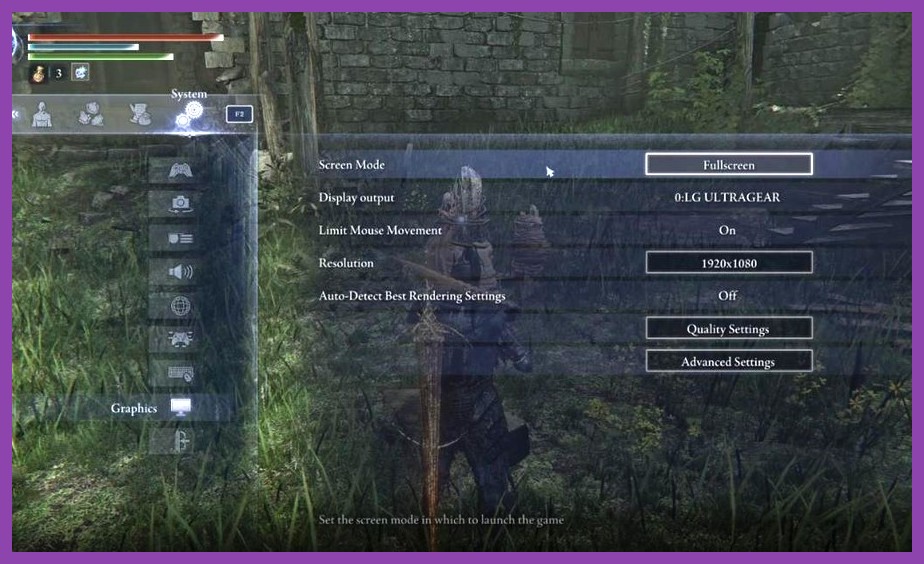
Now we descend into the settings that actually move the needle. These are the ones you will see referenced in every benchmark and the ones that have the largest impact on your final frame count. Knowing which to drop and which to defend is the key to finding your personal sweet spot.
Quality Preset: Where to Start
For most players, the smart play is to start at Medium and selectively upgrade from there. Medium in Elden Ring is impressively well-tuned. Textures look clean, lighting feels appropriate, and you retain enough visual fidelity to appreciate Shadow of the Erdtree's stunning art direction. The Ultra preset is essentially a vanity tier — most of its benefits are subtle shadow and lighting refinements that cost 15-20% of your frame budget for almost no perceptible change in motion.
From Medium, the most efficient upgrade path is usually to push Lighting Quality, Shadow Quality, and Effects Quality up to High, while keeping Anti-Aliasing, Volumetric Lighting, and Ray Tracing Quality on Medium or below. That hybrid approach tends to look nearly identical to Ultra in actual gameplay screenshots while saving 20-25% of your GPU's workload.
Shadows: The Biggest Performance Thief
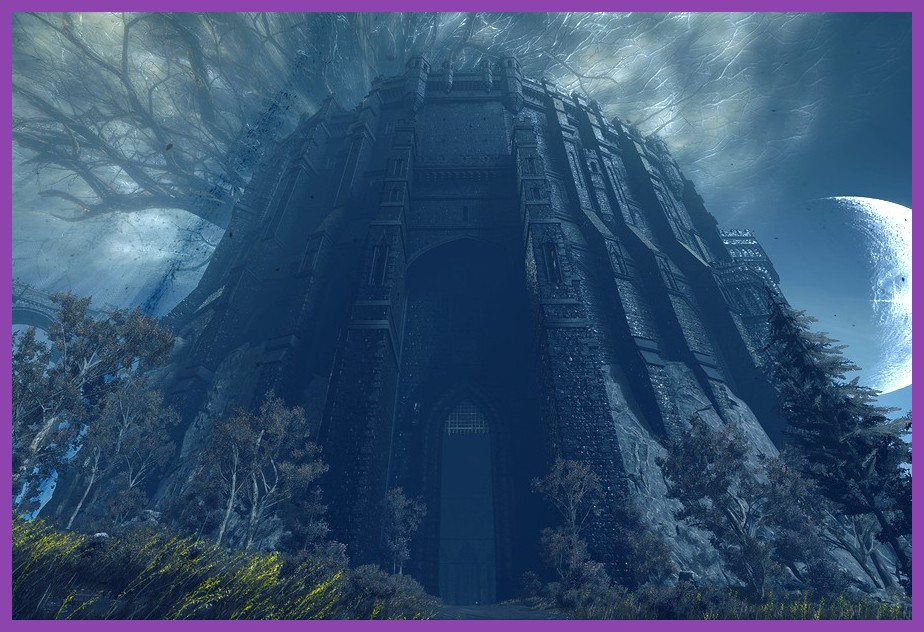
Shadow quality is the single most expensive setting in Elden Ring, and Shadow of the Erdtree's sprawling environments make it worse. Each torch, each leaves-rustling tree, each distant silhouette casts real-time shadows that hammer your GPU. Dropping Shadow Quality from High to Medium can net you 8-12% more frames in dense areas like the Shadow Keep or Belurat, with only a modest loss in visual depth. If you are truly struggling, drop to Low — the cost difference between Medium and Low is meaningful but not transformative, while High to Low is enormous.
Lighting Quality: Beautiful and Brutal
Lighting Quality governs the global illumination, light bouncing, and the way shadows interact with surfaces. The Land of Shadow uses dramatic lighting constantly — twilight spires, candle-lit cathedrals, fog-choked forests. The visual payoff for keeping this on High is genuine, but the cost is steep. If you are a lore obsessive who wants to soak in the atmosphere, keep this high. If you are chasing performance for raid-style boss attempts, drop to Medium.
Anti-Aliasing: The Surprise Frame Killer</h2></p>
Anti-aliasing is one of the most misunderstood settings in any PC game, and Elden Ring is no exception. The default TAA implementation softens the entire image, eats performance, and adds an irritating ghosting effect during fast camera movements. The right answer for most players in 2025 and 2026 is to turn AA off entirely and rely on PC upscaling technology instead. DLSS, FSR, and XeSS all provide their own form of anti-aliasing that is generally superior and far cheaper.
If you refuse to use upscaling, the second-best option is FXAA, which is essentially free and produces acceptable results for FromSoftware's painterly art style. SMAA is a solid middle ground. Avoid the high-end TAA options unless you are running a top-tier card and have frame headroom to burn.
Ray Tracing: Should You Bother?
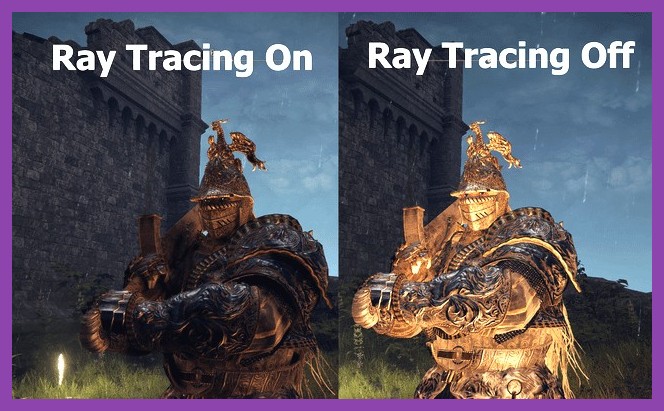
Elden Ring's ray tracing implementation is one of the most controversial in modern PC gaming. FromSoftware added it post-launch via patch, and the results are gorgeous in static screenshots and brutal in motion. The cost is enormous — typically 30-50% of your frame budget — and the visual benefit, while real, is largely subtle ambient occlusion and reflection refinement.
For Shadow of the Erdtree, the answer is clear: leave ray tracing off unless you are running an RTX 4080 or better and are willing to accept a 30-40% frame cost for marginally better reflections. The DLC's environments already look phenomenal through standard rasterization, and you can spend that GPU time far more wisely by enabling DLSS or pushing native resolution higher.
If you absolutely insist on enabling ray tracing, set the quality to Low or Medium and pair it with DLSS Performance mode. The combined effect is dramatic enough to recoup most of the frame cost while preserving the lovely reflective surfaces in the Shadow Keep and the murky waters of the Abyssal Woods. The official NVIDIA DLSS page is worth a read to understand how the technology works under the hood.
Upscaling Showdown: DLSS vs FSR vs XeSS
Upscaling is the single most powerful tool in your performance arsenal, and using it is no longer a compromise. Modern implementations are genuinely excellent, and Elden Ring supports all three major options natively. The choice between them depends entirely on your GPU vendor.
NVIDIA DLSS: The Gold Standard
If you have an RTX card, DLSS is the obvious choice. Frame Generation is supported, and it can effectively double your frame rate in GPU-bound scenarios. The Quality preset looks nearly identical to native rendering while delivering 30-50% more frames. The only catch is the added input latency from Frame Generation — at 60 FPS target you may want to skip it, but at 30 FPS base it is a godsend.
AMD FSR: Better Than Ever
FSR 2.2 and the newer FSR 3 with Frame Generation have closed the gap significantly. If you are on an RX 6000 or 7000 series card, FSR is the right call. Quality mode is the sweet spot — Performance introduces too much shimmer during particle-heavy boss fights, and Ultra Performance looks genuinely degraded in the dense environments of the Land of Shadow.
Intel XeSS: The Dark Horse
Intel's XeSS has matured into a genuinely competitive upscaler. If you are running an Intel Arc card or even an older NVIDIA or AMD GPU, XeSS often produces results that fall between DLSS and FSR in quality. The Arc A770 in particular pairs beautifully with XeSS, finally giving Intel's GPU division a real performance argument.
The Hidden Tweak: Windows and Driver Settings
Beyond the in-game menu, a few Windows-level and driver-level tweaks can squeeze extra performance out of your system. None of these are mandatory, but together they often net a 5-10% improvement that is otherwise left on the table.
Disable Fullscreen Optimizations
Windows 10 and 11 both apply fullscreen optimizations that can introduce frame pacing issues. Right-click the Elden Ring executable, navigate to Properties, and check Disable Fullscreen Optimizations. Force the game to use Exclusive Fullscreen rather than Borderless Windowed for the best results.
Set High Performance Power Plan
For laptops especially, the default Balanced power plan is silently throttling your CPU and GPU. Open Windows Power Options, select High Performance, and confirm. Desktop users should also check their BIOS to make sure any power-saving features are disabled for gaming sessions.
Update Your GPU Drivers
NVIDIA, AMD, and Intel all release Elden Ring-specific driver optimizations periodically. Check the official NVIDIA driver page or the equivalent for your vendor. A single driver update can net 10-15% more performance in a previously struggling area.
Recommended Presets by Hardware Tier
Putting it all together, here are the recommended starting points for the three most common PC gaming tiers in 2026. Treat these as baselines — fine-tune based on your specific encounters, since some bosses and zones are dramatically more demanding than others.
Budget Tier (GTX 1660 Super / RX 580 / RTX 3050)
Target 1080p, 60 FPS, High-Low hybrid. Quality preset on Medium, Shadow Quality Low, Lighting Quality Medium, Effects Quality Low, AA off, Volumetric Lighting Low, Motion Blur off, Depth of Field off, Ray Tracing off, FSR or DLSS Performance. You will sit around 50-60 FPS most of the time, dipping into the mid-40s in the densest areas. Check our PC stability guide if you encounter any crashes along the way.
Mid-Range Tier (RTX 4060 / RX 7700 XT / RTX 3060 Ti)
Target 1080p 60 FPS locked, or 1440p 60 FPS with selective drops. Quality preset on High, Shadow Quality Medium, Lighting Quality High, Effects Quality Medium, AA off, Volumetric Lighting Medium, Ray Tracing off, DLSS/FSR Quality. You should hold a comfortable 60 FPS lock at 1080p and land around 50-60 at 1440p. This is the sweet spot for most Shadow of the Erdtree solo players right now.
High-End Tier (RTX 4070 Ti / RX 7800 XT and above)
Target 1440p high refresh or 4K 60. Quality preset on Max, with selective reductions only on Shadow Quality if needed. AA off, Ray Tracing optional at Low with DLSS Quality, Frame Generation enabled if your monitor supports it. For builds at this level, the best weapons in Shadow of the Erdtree deserve to be wielded in their full visual glory.
Final Thoughts on Frame Pacing
Raw frame rate is only half the battle. Frame pacing — the consistency of the time between each frame — is what makes a game feel smooth or choppy. Elden Ring's engine is notorious for inconsistent frame times, and Shadow of the Erdtree's demanding environments can amplify this. Use tools like MSI Afterburner with the Rivatuner statistics server to monitor your frame times, not just the average FPS. A 60 FPS average with 16ms frame times is heaven. A 60 FPS average with 8ms to 30ms swings is choppy hell.
The Land of Shadow is a masterpiece of design, atmosphere, and brutal challenge. Do not let technical woes stop you from experiencing it at its best. Dial in these settings, take a deep breath, and step into the Shadow Keep knowing your rig is finally ready. The Erdtree awaits, and now your framerate can match your ambition. If you are still struggling with the endgame, our endgame build guide will carry you through the toughest fights the DLC has to offer.