
Dungeon Rushers has exceptionally low PC requirements: the official Steam listing asks for a 2 GHz processor, 2 GB of RAM, a DirectX 9-compatible graphics solution, and roughly 1 GB of storage at minimum. The recommended target raises memory to 4 GB and moves to Windows 10, but the game still does not demand a discrete gaming GPU. If your laptop can run a web browser, older indie games, or basic 2D RPGs, it is very likely capable of running Dungeon Rushers.
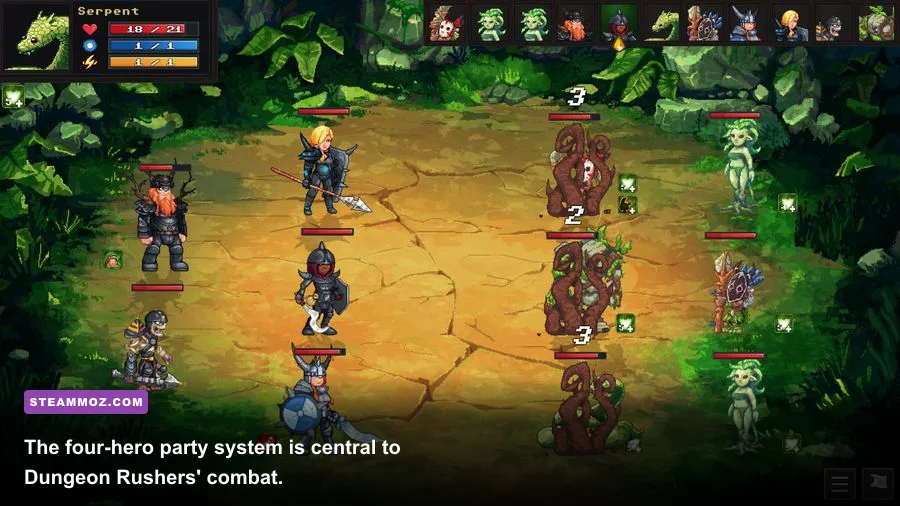
That low hardware bar makes sense. Dungeon Rushers is a stylized, 2D turn-based RPG rather than a modern 3D production with streamed open worlds, volumetric lighting, or shader-heavy environments. You spend your time moving through grid-based dungeon rooms, managing a party of four heroes, fighting enemies in turn-based encounters, crafting equipment, and designing your own dungeon. The important question is less “Can my PC launch it?” and more “What kind of older machine will run it comfortably without annoying stutter?”
Dungeon Rushers minimum and recommended requirements
The table below follows the PC specifications published on the official Dungeon Rushers Steam page. Steam lists a broad graphics requirement instead of naming a specific NVIDIA or AMD card, which is a strong signal that the game is designed for integrated graphics and older desktops.
| Component | Minimum | Recommended |
|---|---|---|
| Operating system | Windows 7 | Windows 10 |
| Processor | 2 GHz CPU | 2 GHz CPU |
| Memory | 2 GB RAM | 4 GB RAM |
| Graphics | DirectX 9-compatible graphics | DirectX 9-compatible graphics |
| Storage | 1 GB available space | 1 GB available space |
What those requirements mean in practice
The 2 GHz CPU requirement is not asking for a modern Core i5 or Ryzen 5. A reasonably recent dual-core laptop processor should clear it, while older Core 2 Duo-era systems may still qualify if the rest of the machine is healthy. CPU speed alone is not the entire story, though: a severely throttled notebook, an overloaded Windows installation, or a hard drive operating at 100 percent usage can make even a lightweight game feel sluggish.
The 2 GB RAM minimum is also technically sufficient, but it leaves Windows very little breathing room. On a machine with 2 GB total system memory, background browser tabs, update services, and overlays can compete with the game. Four gigabytes is the sensible floor for a pleasant experience, while 8 GB gives you plenty of headroom. The game itself does not need a high-end graphics card, and the official listing does not require a dedicated VRAM allocation.
Storage is similarly forgiving. Dungeon Rushers needs about 1 GB of free space, but leave more than the bare minimum for Steam updates, save backups, and Windows' temporary files. A small SSD will make launching the game and switching between menus feel snappier than an aging mechanical drive, although storage speed should not meaningfully change combat performance.

🎮 Dungeon Rushers
Looking to experience this game? Grab your digital key directly on our store for $2.99.
View on Steammoz Store →Can Dungeon Rushers run on an integrated GPU?

Yes. The DirectX 9-class graphics requirement puts Dungeon Rushers well within the reach of integrated GPUs such as Intel HD Graphics, Intel UHD Graphics, and older AMD Radeon integrated solutions. The game’s 2D art, fixed-camera dungeon presentation, and turn-based pacing avoid the demanding workloads that normally expose a weak laptop GPU.
That does not mean every integrated-graphics system is identical. Intel HD 3000-era hardware may be affected by driver support, especially on newer Windows installations, while Intel UHD 620, Radeon Vega integrated graphics, and newer AMD Radeon graphics should have considerable performance headroom. On very old PCs, compatibility is more likely to be the problem than raw frame rate.
| PC profile | Expected result | What to watch | Best approach |
|---|---|---|---|
| Older dual-core desktop, 2 GB RAM | Playable if the OS is clean | Background processes and loading delays | Close browsers and overlays |
| Entry-level laptop, 4 GB RAM | Comfortable for normal play | Thermal throttling on battery | Use the charger and Balanced or High Performance mode |
| Modern office laptop, 8 GB RAM | Very comfortable | Rare driver or fullscreen quirks | Use native resolution first |
| Gaming desktop with dedicated GPU | Massive performance headroom | Almost none | Prioritize stable frame pacing over maximum settings |
For reference, this is dramatically lighter than the PC games covered in Steamoz’s Ecognomix performance fixes or Fear Collection troubleshooting guide. You should not need GPU undervolting, aggressive fan curves, or a dedicated “gaming” laptop to play Dungeon Rushers.
Best Dungeon Rushers graphics settings for weak PCs
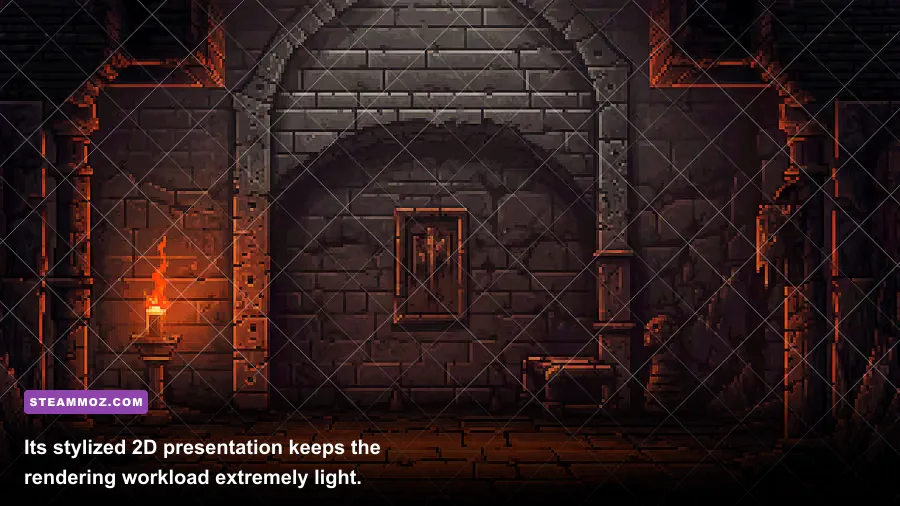
Dungeon Rushers does not present the kind of sprawling graphics menu found in a 3D action game. That is good news: there are fewer settings to fight with, and the default profile is already close to what most systems need. Start at your display’s native resolution, then only reduce it if you see persistent stutter, an unusual fullscreen issue, or poor responsiveness while moving between rooms.
| Setting or adjustment | Recommended value | Performance impact | Visual trade-off |
|---|---|---|---|
| Display resolution | Native monitor resolution | Low to moderate | Sharpest text and pixel art |
| Fullscreen mode | Fullscreen first; test windowed if needed | Usually low | Windowed mode may improve compatibility |
| V-Sync | Enable if tearing appears | Can add a small input delay | Cleaner scrolling and room transitions |
| Steam overlay | Disable only when troubleshooting | Small background overhead | No visual change in-game |
| Resolution scaling | Leave at 100 percent when available | Minimal on capable PCs | Lower values soften the image |
Why frame rate still matters in a turn-based RPG
You are not aiming at enemies or parrying attacks frame by frame, so Dungeon Rushers does not need 144 frames per second to feel good. A stable 60 FPS is more than enough for smooth menus, map movement, and combat animations. If your machine fluctuates between 30 and 60 FPS, a locked, consistent result will usually feel better than chasing a higher number.
V-Sync is worth enabling if your display shows horizontal tearing during movement. If it introduces noticeable delay on an older laptop, turn it off; the tactical combat does not depend on twitch timing. Keep the game at native resolution when possible because reducing a 2D title’s resolution can make character outlines and interface text look softer without delivering a major benefit.
How the hardware affects dungeon progression

Performance will not change your heroes’ damage, armor, turn order, or crafting results. Dungeon Rushers is fundamentally a planning game: you assemble a four-character team, explore room layouts, collect loot, craft equipment, and use each hero’s role to cover weaknesses in the party. A faster PC cannot rescue a badly balanced group or compensate for entering a difficult encounter with underpowered gear.
That said, smooth performance does improve the rhythm of progression. Dungeon runs involve repeated room transitions, inventory management, equipment comparisons, and combat turns. On a low-memory PC, background applications can cause menu pauses or delayed transitions, which makes this loop feel more cumbersome than it should. The practical benefit of the recommended 4 GB configuration is consistency rather than prettier graphics.
Party roles to keep in mind
Build your squad around complementary jobs instead of stacking four damage dealers. A frontline Warrior can absorb pressure, a Thief brings utility and opportunistic damage, a Mage handles magical offense, and a Healer keeps the party functioning through longer runs. The exact value of each role depends on enemy resistances, equipment, and your available skills, so watch what repeatedly causes failed encounters before changing the entire team.
Crafting is just as important as raw level progression. Replace outdated equipment when the material cost makes sense, and compare the practical benefit of defensive upgrades against another weapon damage increase. Dungeon Rushers rewards preparation because turn-based battles give you time to identify threats, select targets, and avoid wasting a limited ability on an enemy that is already close to defeat.
If you enjoy this slower, systems-focused loop, Steamoz’s Fated Souls hidden-rewards guide and Enter the Gungeon progression tips are useful comparisons, although both games demand different combat instincts.
Dungeon Rushers PC troubleshooting checklist
If the game refuses to launch despite meeting the listed requirements, begin with the boring fixes that solve most older PC compatibility problems. Update your graphics driver, restart Steam, and verify the game files through Steam’s Properties menu. Make sure Windows is fully updated, then test windowed mode if fullscreen produces a black screen or immediate crash.
Close hardware monitoring tools, recording software, browser tabs, and third-party overlays one at a time. Discord, GeForce Experience, Radeon overlays, and aggressive antivirus scans can interfere with small older games even when they barely use system resources. If the game runs fine for ten minutes and then slows down, check laptop temperatures and power settings rather than assuming the GPU is too weak.
| Symptom | Most likely cause | First fix | Next step |
|---|---|---|---|
| Game will not launch | Driver or compatibility issue | Verify files and update drivers | Try windowed mode and Windows compatibility settings |
| Black screen | Fullscreen resolution conflict | Launch windowed | Return to native resolution |
| Stutter during menus | Low RAM or background apps | Close browsers and overlays | Restart the PC before playing |
| Slowdown after extended play | Thermal throttling | Plug in the laptop and improve airflow | Check CPU temperatures |
| Missing visuals or glitches | Outdated graphics driver | Install the current stable driver | Roll back if the newest driver introduced the issue |
For the authoritative platform information, compare your setup with the Dungeon Rushers Steam requirements and the developer’s Goblinz Studio website. The short version is reassuring: 4 GB of RAM, a functional 2 GHz-class processor, DirectX 9 graphics support, and 1 GB of free storage are enough for the recommended target. Dungeon Rushers is one of those rare PC RPGs where an old office laptop is genuinely a viable gaming machine.