Cricket Through the Ages has exceptionally low PC requirements. The official Steam listing asks for just Windows 7 or later, an Intel Core i3 M380 processor, 2 GB of RAM, Intel HD Graphics 4000, and 2 GB of available storage. There is no separate official recommended-specification tier, so almost any modern Windows laptop, desktop, or handheld PC should run it comfortably. If your computer can handle basic 2D indie games, this is not a title that will push your hardware.
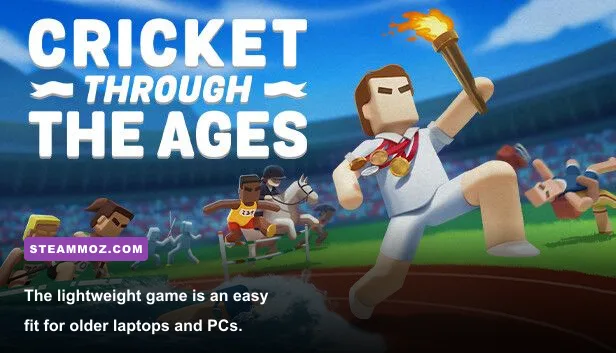
That low barrier is a perfect match for Free Lives' design. Cricket Through the Ages is a deliberately ridiculous, physics-driven sports game built around simple controls, quick matches, and increasingly strange historical scenarios. You aren't managing a full cricket simulation with real-world rosters, stadium licensing, or a deep graphics menu. You're swinging, throwing, catching, and occasionally launching players into absurd situations with a control scheme that is easy to understand but surprisingly difficult to master.
Cricket Through the Ages minimum PC requirements

The minimum specification is unusually modest by current PC standards. The listed Intel Core i3 M380 is an old mobile processor, while Intel HD Graphics 4000 launched more than a decade ago as integrated graphics. That tells you exactly where this game sits technically: it is a lightweight 2D and physics-focused production, not a demanding 3D sports simulator such as Cricket 24.
| Component | Official minimum requirement | What it means in practice |
|---|---|---|
| Operating system | Windows 7 or later | Windows 10 and Windows 11 are the sensible choices today |
| Processor | Intel Core i3 M380 | Any recent dual-core or quad-core CPU is comfortably faster |
| Memory | 2 GB RAM | 4 GB works, while 8 GB leaves plenty of room for background apps |
| Graphics | Intel HD Graphics 4000 | Integrated graphics on newer CPUs should be more than enough |
| Storage | 2 GB available space | Leave a little extra room for Steam updates and save data |
The key point is that the minimum specification is not a target for a demanding 3D title. Intel HD 4000 was never a powerhouse, but it can process this game's stylized arenas and compact visual effects without the workload associated with high-resolution textures, advanced lighting, or open-world streaming. A computer that barely meets the listed minimum may still show occasional stutter if Windows is busy, but the game itself should not need serious GPU horsepower.
Is the Intel Core i3 M380 still enough?
For the game itself, yes, assuming the rest of the system is healthy. The i3 M380 is a two-core mobile chip from the first-generation Core era, so it is ancient compared with even budget CPUs sold today. The caveat is system age. A laptop old enough to contain that processor may also have a slow mechanical hard drive, thermal throttling, outdated drivers, or only 2 GB of total system memory. Those surrounding limitations can make loading and multitasking feel sluggish even if the match runs correctly.
Don't confuse the processor requirement with a recommendation to buy or keep using a very old computer. It simply establishes the game's low technical ceiling. A modern Intel N-series chip, Ryzen 3, Core i3, or Apple Silicon Mac running a compatible version will have vastly more CPU headroom than the official baseline. The physics are playful rather than computationally complex, and the game doesn't simulate the full tactical detail of professional cricket.
How much storage does the game need?
Steam lists 2 GB of available storage. That's tiny beside most current releases, but you should still avoid filling an SSD to its final few gigabytes. Steam may need temporary space during installation or updates, and a nearly full drive can slow the whole operating system. Installing Cricket Through the Ages on an SSD won't transform the frame rate, but it can make launching and switching between matches feel snappier than an aging hard drive.

🎮 Cricket Through the Ages
Looking to experience this game? Grab your digital key directly on our store for $3.99.
View on Steammoz Store →Does Cricket Through the Ages have recommended PC specs?
No separate recommended specification is published on the game's official Steam system-requirements panel. That distinction matters. Many articles repeat a second “recommended” tier as if it were official, but the listed PC requirements provide one configuration only: Windows 7 or later, an Intel Core i3 M380, 2 GB of RAM, Intel HD 4000 graphics, and 2 GB of storage.
For a practical buying guide, a modern baseline is more useful than inventing a developer-approved tier. Any relatively recent Windows PC with 4 GB of RAM and integrated graphics should be treated as a comfortable setup. An 8 GB machine with a modern Core or Ryzen processor is the better everyday recommendation because it gives Windows, Steam, a browser, voice chat, and recording software room to run alongside the game.
| Use case | Practical PC target | Expected experience | Advice |
|---|---|---|---|
| Official minimum | Core i3 M380, 2 GB RAM, Intel HD 4000 | Playable if the laptop is maintained and background tasks are limited | Use this as a compatibility floor, not a modern shopping target |
| Comfortable modern laptop | Recent Core i3 or Ryzen 3, 4-8 GB RAM, integrated graphics | Smooth play with plenty of performance headroom | Best value for casual solo and local multiplayer |
| Recommended everyday PC | Core i5 or Ryzen 5, 8 GB RAM, modern integrated or entry GPU | Stable gameplay while streaming, recording, or multitasking | Ideal if friends and Discord are part of the setup |
| Gaming desktop | Any current quad-core CPU, 8 GB RAM, dedicated GPU | Massive headroom, though the extra GPU power is mostly unnecessary | Prioritize a responsive display and controller setup instead |
A dedicated graphics card is not required. If your PC has Intel UHD, Intel Iris Xe, AMD Radeon integrated graphics, or a similar modern solution, it is already beyond the spirit of the listed minimum. A GTX 1050, RX 560, or newer card will also run the game effortlessly, but buying a GPU specifically for this title would be wildly excessive.
The same logic applies to memory. Two gigabytes is the official floor, but modern Windows installations can consume much of that before Steam even launches. With only 2 GB, close Chrome, video players, overlays, and other unnecessary programs. With 4 GB, the game should be fine. With 8 GB, memory is no longer a meaningful concern for normal play.
Windows 10 and Windows 11 compatibility
The Steam listing says Windows 7 or later, which includes current Windows versions in the broad compatibility sense. Windows 10 and Windows 11 are preferable because they receive modern driver support and security updates. If you're using an old Windows 7 laptop solely because it meets the requirements, remember that the operating system itself is unsupported. The game's low demands don't make an unsupported OS a good long-term choice.
Before troubleshooting the game, update your graphics driver through Intel, AMD, or your laptop manufacturer. Also install pending Windows updates and restart Steam after an update. Tiny games can still behave badly when a driver installation is incomplete, especially on hybrid laptops that switch between integrated and dedicated graphics.
Best graphics settings for smooth performance

Cricket Through the Ages is not built around a long list of PC graphics options. Its visual identity comes from compact pixel-art characters, bold colors, simple arenas, and cartoon physics. That means there is no magic ultra-performance preset to discover. If the game runs poorly, the likely culprit is an old laptop under thermal pressure, an overloaded background process, a problematic driver, or a display-scaling issue rather than an overly ambitious visual effect.
| Setting or adjustment | Low-end profile | Modern profile | Performance impact |
|---|---|---|---|
| Display resolution | 1280×720 or the panel's native resolution | Native display resolution | Low at normal resolutions; reduce only if stutter appears |
| Fullscreen mode | Fullscreen | Fullscreen or borderless window | Fullscreen can reduce desktop compositing overhead |
| Frame-rate target | 60 FPS if available | 60 FPS or the display refresh rate | Consistency matters more than chasing very high numbers |
| V-Sync | Enable if tearing is visible | Enable for a stable presentation | May add a little input latency on some systems |
| Background apps | Close browsers, launchers, and recorders | Discord and lightweight overlays are usually fine | Most important adjustment on 2 GB systems |
| Power mode | Best performance while plugged in | Balanced or best performance | Prevents aggressive laptop power-saving behavior |
For the oldest supported hardware, start at 1280×720 in fullscreen and close every unnecessary application. If the game is already smooth, don't lower the resolution just because your PC is old; the simplified art can look softer when scaled away from the display's native output. On a modern laptop, native resolution is the obvious choice. The game won't suddenly become demanding because you use 1080p.
Frame pacing matters more than headline frame rate. Cricket Through the Ages depends on timing a swing, catch, or throw against fast-moving objects, so uneven delivery can feel worse than a locked 30 FPS result. A stable 60 FPS is the sensible target when your display and system support it. If you notice tearing, enable V-Sync. If V-Sync makes controls feel delayed, test fullscreen and borderless modes separately; window handling varies by GPU driver and Windows configuration.
Controller, keyboard, and local multiplayer performance
The game is designed around simple, immediate input, which makes controller latency especially noticeable during frantic local matches. Use a wired controller if a Bluetooth pad feels inconsistent, and connect controllers before launching the game so Steam Input assigns them correctly. On a laptop, plug in the charger and select a performance-oriented power profile. Battery-saving modes can reduce clock speeds even though the GPU load is tiny.
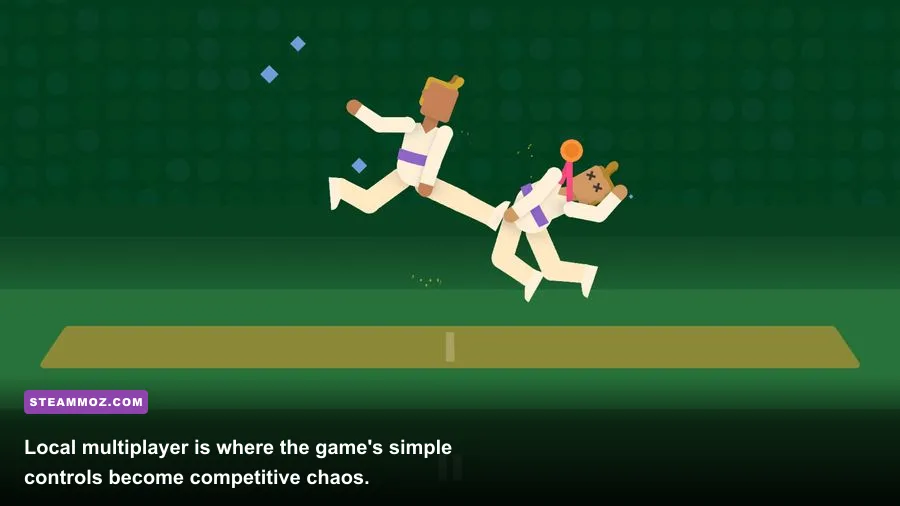
Local multiplayer doesn't raise the hardware requirements in any meaningful way. More players mean more input and more objects on screen, not a huge jump in texture or geometry processing. The bigger challenge is practical: use a display with a comfortable viewing angle, map each controller correctly, and leave enough space for everyone to react when a match inevitably turns into slapstick chaos.
What affects performance more than the PC specs?
Because the requirements are so low, troubleshooting should focus on the environment around the game. Start by checking whether the problem is actually frame rate. A delayed controller, Bluetooth interference, display tearing, or a laptop switching power states can feel like stutter. Test a wired controller, plug in the charger, disable battery saver, and try fullscreen before assuming your GPU is too weak.
Fixes for stutter, slow startup, or input delay
First, restart Steam and verify the installation through the game's Properties menu. This is especially useful after a failed update or interrupted download. Next, update the graphics driver and close browser tabs that are using hardware acceleration. A browser playing high-resolution video can consume more integrated-GPU resources than this game does.
On older laptops, check heat. Dust-filled vents and dried thermal paste can force the CPU to throttle, creating inconsistent performance even in a lightweight title. Place the machine on a hard surface, keep vents unobstructed, and compare performance immediately after booting with performance after an hour. If it gets worse over time, heat—not the official system requirement—is the likely explanation.
Disable overlays one at a time if input feels delayed. Steam Overlay, Xbox Game Bar, GPU overlays, screen recorders, and aggressive antivirus scans can all add another layer between your input and the game. You don't need to turn everything off permanently; isolate the culprit, then keep only the tools you actually use.
| Symptom | Most likely cause | First fix to try | Why it helps |
|---|---|---|---|
| Uneven motion | Power saving or thermal throttling | Plug in the laptop and select Best Performance | Restores stable CPU and GPU clocks |
| Screen tearing | Frame delivery not matching refresh rate | Enable V-Sync or use a stable frame cap | Synchronizes completed frames with the display |
| Input feels sluggish | Bluetooth, V-Sync, or overlays | Test a wired controller and disable overlays | Reduces extra input and presentation latency |
| Long launch time | Slow hard drive or Steam background work | Wait for downloads and move the game to an SSD | Improves file access without changing game visuals |
| Crashes or missing files | Corrupt installation or old driver | Verify files and update the driver | Repairs damaged data and compatibility issues |
If you're comparing this with more demanding shooters, the contrast is enormous. Our Hunt: Showdown 1896 FPS settings guide deals with GPU-heavy effects, resolution scaling, and serious frame-time trade-offs. Cricket Through the Ages needs none of that. Its performance profile is closer to a compact party game than a modern simulation.
Should you buy it for an old or low-end PC?
Yes, provided the computer can run a supported version of Windows and has at least the listed 2 GB of free storage. The official minimum is low enough that old office PCs, basic family laptops, and many entry-level handheld systems are viable candidates. You don't need a gaming tower, a discrete graphics card, or a high-refresh monitor.
The more important question is whether you want this particular kind of cricket. Cricket Through the Ages is not trying to reproduce batting technique, bowling lines, test-match strategy, or authentic team management. It uses cricket as the launchpad for a fast, goofy collection of scenarios with deliberately exaggerated physics. The one-button design makes it easy to hand a controller to a newcomer, while timing and positioning give experienced players enough room to turn a silly match into a tense contest.
For more context on unusual low-demand games, Steamoz's Layers of Fear guide is a reminder that not every game benefits from conventional build or hardware advice. Likewise, our games like Bottle Pilgrim recommendations are useful if you're hunting for more compact indie experiences rather than another enormous installation.
Before purchasing, check the current Cricket Through the Ages Steam page for platform details, updates, and the latest requirement listing. You can also visit Free Lives' official website for information about the developer and Devolver Digital's official site for publisher news.
Bottom line: the minimum requirements are Windows 7 or later, an Intel Core i3 M380, 2 GB of RAM, Intel HD 4000 graphics, and 2 GB of storage. There is no officially published recommended tier, but any modern 4 GB or 8 GB Windows PC with integrated graphics is already a comfortable match. If you encounter trouble, troubleshoot power mode, drivers, overlays, thermals, and controller latency before blaming the hardware. For this particular game, a reliable input setup matters far more than owning a powerful GPU.