Yes, your PC can probably run Sea of Thieves if it has 8GB of RAM and a graphics card around the GTX 1060 or RX 580 level, but the official minimum is much lower than the hardware needed for a genuinely smooth 1080p experience. Rare's pirate adventure is playable on surprisingly old CPUs and GPUs, yet its frame rate can swing sharply during storms, skeleton forts, crowded outposts, and battles involving several ships. The honest target is 60 frames per second at 1080p, not merely launching the game.
That distinction matters because Sea of Thieves is an always-online sandbox with a constantly changing workload. A quiet island can run beautifully, then a storm rolls in, four crews converge on an event, and frame pacing suddenly becomes more important than the average FPS number. The figures below reflect the game's published PC tiers alongside realistic performance expectations from comparable hardware, rather than pretending every system behaves identically.
Sea of Thieves PC Requirements Explained
The lowest official configuration is aimed at 720p and 30 FPS. It lists an Intel Q9450 or AMD Phenom II X6, 4GB of RAM, and a GeForce GTX 650 or Radeon 7750. Those parts are enough to meet the letter of the minimum specification, but they are not a comfortable modern recommendation. You should expect aggressive quality compromises, occasional stutter, and poor headroom when the game becomes busy.
For the experience most players actually want, the recommended tier is more useful: an Intel Core i5-4690 or AMD FX-8150, 8GB of system memory, and a GeForce GTX 770 or Radeon R9 380x. Sea of Thieves is available through its official Steam listing, where storage and operating-system requirements are also shown. Install it on an SSD if possible; the game can run from a hard drive, but loading and texture streaming feel noticeably less pleasant.
| Target | CPU | GPU | RAM | Realistic Result |
|---|---|---|---|---|
| Minimum, 720p/30 | Core 2 Quad Q9450 or Phenom II X6 | GTX 650 or Radeon HD 7750 | 4GB | Playable only on low settings; heavy dips likely |
| Recommended, 1080p/60 | Core i5-4690 or FX-8150 | GTX 770 or Radeon R9 380x | 8GB | Medium-to-high settings with variable 45-60 FPS |
| Comfortable 1080p/60 | Ryzen 5 1600 or Core i5-8400 | GTX 1060 6GB, RX 580, or RX 590 | 16GB | High settings near 60 FPS with better frame pacing |
| 1440p/60 | Ryzen 5 3600 or Core i5-10400 | RTX 2060, RTX 3060, RX 6600 XT | 16GB | High settings around 60 FPS; storms can still dip |
| 4K/60 | Ryzen 5 5600 or Core i5-12400 | RTX 3070, RTX 4060 Ti, RX 6800 | 16GB | Achievable with tuned settings and upscaling |
Those comfort tiers aren't official requirements. They are practical buying and upgrade guidance. A modern six-core CPU is especially valuable because the game has to simulate water, ships, AI, physics, network activity, and a large streaming world at once. If your machine has only 4GB of RAM, upgrading memory is a priority before chasing a more expensive GPU.
What the Real Benchmarks Look Like
At 1080p, a GTX 1060 6GB or RX 580 remains the sensible baseline for Sea of Thieves. On high settings, these cards commonly sit around 55-75 FPS in ordinary sailing and island exploration, with dips into the mid-40s when waves, volumetric effects, cannon smoke, and several ships appear together. A locked 60 FPS is realistic after tuning, but a perfect 60 in every event is not.
An RTX 2060, RTX 3060, RX 6600, or similar modern card has considerably more breathing room. At 1080p high, expect roughly 80-120 FPS depending on the CPU and scene. At 1440p high, the same class generally lands around 60-90 FPS, while 4K becomes a 40-70 FPS conversation unless you use a quality upscaler. The game looks excellent at 1440p, and that resolution is the sweet spot for midrange hardware.
Older quad-core processors are where benchmark charts can become misleading. A GTX 1080 paired with an aging i5 may show a healthy average, but one-percent lows can collapse at an outpost or during a world event. Ryzen 5 and newer Core i5 systems tend to deliver much steadier frame times. If the game feels jerky despite a respectable average FPS, the CPU or memory configuration is usually the culprit, not the headline GPU speed.
| Hardware Class | 1080p High | 1440p High | Stress-Scene Behavior |
|---|---|---|---|
| GTX 650 / HD 7750 | 25-35 FPS, low settings | Not recommended | Frequent stutter and severe dips |
| GTX 770 / R9 380x | 40-60 FPS | 30-45 FPS | Storms and forts can fall below 40 |
| GTX 1060 / RX 580 | 55-75 FPS | 40-60 FPS | Mostly smooth after shadow and water tuning |
| RTX 2060 / RX 6600 | 80-120 FPS | 60-90 FPS | Good lows, occasional CPU-limited dips |
| RTX 3060 Ti / RX 6700 XT | 100-150 FPS | 80-120 FPS | Excellent 60 FPS lock; 144Hz possible at 1080p |
These are performance ranges, not a promise for every driver, patch, or background application. Rare's official support hub is the right place to check current troubleshooting notices, while the Sea of Thieves news feed tracks major updates that can alter performance.
The Settings That Actually Change FPS
Sea of Thieves gives you a useful quality scale, but blindly choosing Legendary is wasteful on many systems. Water quality, shadows, lighting, and model detail create the biggest visible performance costs. Texture quality is less dangerous if your GPU has 6GB or more of VRAM, so don't sacrifice texture clarity first.
| Setting | Recommended Value | FPS Impact | Visual Trade-Off |
|---|---|---|---|
| Resolution Scale | 100%; use FSR quality if needed | Very high | Lowering it softens the entire image |
| Water Quality | Common or Uncommon on older GPUs | High | Less detailed reflections and wave shading |
| Shadow Quality | Uncommon | High | Shadows lose definition but gameplay barely changes |
| Model Detail | Rare or Uncommon | Medium | Ships, rocks, and distant geometry simplify |
| Lighting Quality | Rare | Medium-high | Less atmospheric lighting in storms and caves |
| Texture Quality | Mythical with 6GB VRAM; Rare with 4GB | Low-medium | Mostly affects surface sharpness and VRAM use |
| Particle Effects | Uncommon | Medium | Less smoke, spray, and event spectacle |
| Screen Effects | Uncommon | Low-medium | Reduces bloom and post-processing clutter |
| Animation Quality | Rare | Low | Fewer distant animation details |
For a GTX 1060 or RX 580, start at 1080p, 100% resolution scale, Rare model detail, Uncommon water and shadows, Rare textures, and Uncommon lighting. This profile preserves the game's gorgeous color and material work while cutting the settings that punish frame rate. On an RTX card, test FSR 2 in Quality mode at 1440p only if native resolution won't hold your target; aggressive upscaling can blur distant ship silhouettes.
Three Profiles That Make Sense
Low-end 720p survival profile
Use 1280x720, Common quality, 90-100% resolution scale, Uncommon textures, Common water, and Common shadows. Cap the frame rate at 30 if your system cannot hold 45. A stable 30 feels much better than a frantic 25-45 swing, particularly while aiming cannons. Disable unnecessary overlays and close browsers, because 4GB systems have almost no memory headroom.
Balanced 1080p profile
This is the best choice for the GTX 1060, RX 580, GTX 1660, and similar cards. Set 1920x1080, Rare overall quality, 100% resolution scale, Uncommon water, Uncommon shadows, Rare textures, and Rare model detail. Cap at 60 FPS if your monitor supports standard refresh, or use a 72/90 FPS cap on a high-refresh display. The cap reduces distracting spikes and keeps the GPU from running flat-out in quiet scenes.
High-refresh competitive profile
Sea of Thieves isn't an esports shooter, but smoother camera movement helps when tracking a boarder or lining up a chainshot. Use 1080p, Rare or Mythical textures, Rare model detail, Uncommon shadows, and Rare water. An RTX 3060 Ti or RX 6700 XT can often push beyond 100 FPS, although the CPU remains the limit in busy areas. Keep view distance and model detail higher than shadows; spotting a distant mast is more valuable than pretty foliage.
If you regularly troubleshoot other demanding PC games, the same habits apply. Our guides to ELEX crash and FPS fixes, EscapeVR stutter fixes, and Filament performance settings cover the usual driver, overlay, and frame-pacing problems.
How to Test Your Own PC Properly
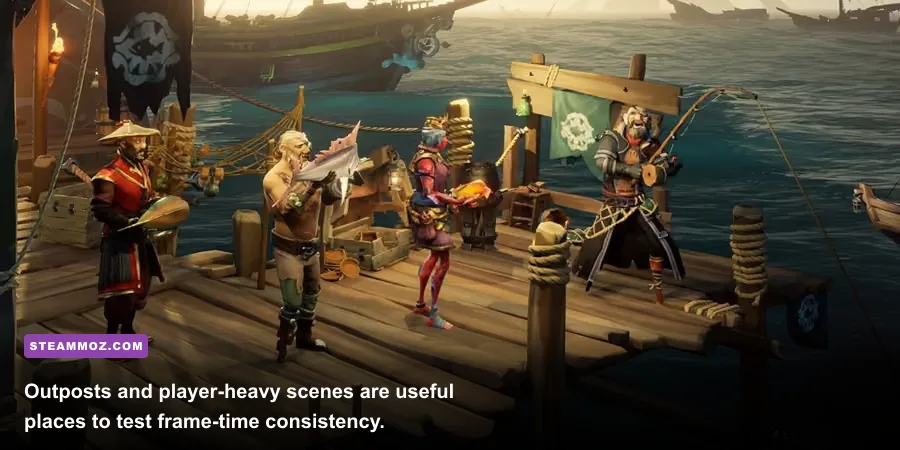
Don't benchmark Sea of Thieves by staring at the opening menu or walking around an empty beach. Load into a session, sail through open water, visit a busy outpost, and deliberately test a storm or world event. Those situations expose different bottlenecks. Outposts stress CPU simulation and streaming; storms hammer water, lighting, and particles; naval combat adds smoke, fire, animation, and network activity.
- Update the GPU driver and reboot. Don't compare results with a browser, recording tool, or game launcher downloading in the background.
- Choose one resolution and cap. Test native 1080p or 1440p at 100% scale before experimenting with upscaling.
- Record average FPS and one-percent lows. The low figure explains why a game feels rough even when the average looks impressive.
- Repeat the same route. Sail from an outpost into open sea, then return and fight a small encounter. Consistent scenes make comparisons meaningful.
- Watch VRAM and system RAM. Texture pop-in, hitching, or delayed asset loading often points to memory pressure rather than insufficient shader power.
Also check the basics: Windows 10 or 11 64-bit, the latest chipset driver, dual-channel RAM, and enough free storage for updates. Sea of Thieves is not a game where chasing a massive FPS number always improves the experience. A steady 60 FPS with sensible frame pacing makes steering, sword lunges, cannon aim, and spotting a distant player feel more reliable than an unstable 100 FPS average.
For the definitive platform information, compare your setup with the official Sea of Thieves website and Microsoft's official Xbox game page. The bottom line is straightforward: a GTX 1060, RX 580, or newer GPU paired with a modern six-core CPU and 16GB of RAM is enough for a great 1080p voyage. Older minimum-spec hardware can run the game, but it won't deliver the smooth, storm-ready performance that makes Sea of Thieves at its best.