
Yes, your PC can run Hogwarts Legacy if it meets the official 16GB RAM requirement, but the honest answer depends on your GPU, VRAM, SSD, and target resolution. A GTX 1060 6GB or RX 580 can deliver a workable 1080p experience with upscaling and tuned settings, while a modern RTX 3060 Ti, RX 6700 XT, or better is a much safer choice for high settings. Ray tracing is the trap: it can cut performance dramatically without transforming every scene.
The official Hogwarts Legacy Steam page lists a surprisingly demanding baseline, and that baseline still matters after patches. This is a large Unreal Engine 4 open-world game with shader compilation, rapid area streaming, crowded hubs, and occasional traversal stutter. Think in terms of sustained frame rate, not the number you see while standing in an empty classroom.

Hogwarts Legacy PC requirements, explained honestly
Warner Bros. Games officially targets 720p at 30 fps for minimum hardware and 1080p at 60 fps for the recommended tier. Those labels are useful, but they don't tell the whole story. The minimum GTX 960 and RX 470 class cards have only 4GB of VRAM, leaving very little room for high-resolution textures or ambitious shadow settings. They can launch the game, but smooth exploration is a different challenge.
| Target | CPU | GPU | Memory and storage | Realistic result |
|---|---|---|---|---|
| Official minimum | Core i5-6600 or Ryzen 5 1400 | GTX 960 4GB or RX 470 4GB | 16GB RAM, 85GB HDD | 720p Low, around 30 fps with dips |
| Official recommended | Core i7-8700 or Ryzen 5 3600 | GTX 1080 Ti or RX 5700 XT | 16GB RAM, SSD strongly preferred | 1080p High, roughly 60 fps in favorable scenes |
| Practical 1080p target | Core i5-12400F or Ryzen 5 5600 | RTX 3060 12GB or RX 6700 XT | 16GB dual-channel RAM, NVMe SSD | High settings, 60 fps with sensible upscaling |
| Comfortable 1440p target | Core i5-13600K or Ryzen 7 5700X | RTX 4070 or RX 7800 XT | 32GB RAM recommended, NVMe SSD | High or Ultra, usually 60 fps without RT |
That official recommended GPU, the GTX 1080 Ti, remains a useful reference point. It has raw rendering power, but modern RTX cards gain smoother frame pacing from DLSS and better support for shader compilation. A newer RTX 3060 Ti can often feel better at 1080p than its age suggests, although its 8GB VRAM can become uncomfortable at 1440p with maximum textures and ray tracing.
Storage is not a footnote. The game can run from a hard drive, but loading and asset streaming are noticeably less consistent there. An SSD won't magically raise your average fps, yet it can reduce the pauses and texture-pop-in that make open-world traversal feel rough. If you are diagnosing stutters in another demanding PC title, Steamoz's ELEX crash and FPS fixes offers the same useful checklist for drivers, overlays, and background processes.
🎮 Hogwarts Legacy
Looking to experience this game? Grab your digital key directly on our store for $59.99.
View on Steammoz Store →Real benchmark expectations at 1080p and 1440p
Here is the practical performance picture with current PC drivers, the game installed on an SSD, 16GB dual-channel memory, and ray tracing disabled. These are sensible sustained ranges rather than best-case screenshots. Hogsmeade and the exterior approach to Hogwarts are heavier than most interiors, and your 1% lows will always look worse during fast broom travel or rapid transitions.
| Hardware class | Resolution and profile | Average fps | Likely 1% low | What to expect |
|---|---|---|---|---|
| GTX 1060 6GB / RX 580 8GB | 1080p Low-Medium, FSR 2 Quality | 38-52 fps | 24-34 fps | Playable, but Hogsmeade traversal stutters |
| GTX 1660 Super / RX 5600 XT | 1080p Medium-High, FSR 2 Quality | 48-65 fps | 32-45 fps | Good compromise with reduced shadows |
| RTX 3060 / RX 6700 XT | 1080p High, DLSS or FSR Quality | sixty-five to eighty-five fps | 45-60 fps | Strong 60 fps experience without RT |
| RTX 3060 Ti / RX 6750 XT | 1440p High, DLSS or FSR Quality | 55-75 fps | 40-55 fps | Excellent image quality with occasional traversal dips |
| RTX 4070 / RX 7800 XT | 1440p Ultra, native or Quality upscaling | 75-105 fps | 55-75 fps | Comfortable high-refresh play without RT |
| RTX 4080 / RX 7900 XTX | 4K High, DLSS or FSR Quality | 55-80 fps | 40-60 fps | Playable 4K, but Ultra and RT remain expensive |
The unusual “sixty-five to eighty-five” range above is deliberate: averages vary heavily by route, patch, and upscaler version. The important pattern is consistent. A GPU that delivers 70 fps in the Room of Requirement may drop into the 40s around Hogsmeade. That isn't necessarily a broken system; it is the cost of streaming a dense open-world hub while the CPU handles NPCs, animation, and asset requests.
CPU upgrades help the lows more than the headline average. A six-core Ryzen 5 5600 or Core i5-12400F is enough for a solid 60-fps target, but an older four-core processor can cause hitching even when the graphics card is underused. Close Chrome, RGB utilities, recording software, and launchers before testing. Also check the Windows page file: disabling virtual memory can turn a tolerable traversal hitch into a crash.
The graphics settings that actually change performance

Don't blindly select the Ultra preset. Hogwarts Legacy's visual hierarchy is uneven: texture quality mostly depends on VRAM, while shadows, fog, view distance, and population affect performance far more. Start with High, disable ray tracing, then adjust the settings below one at a time. The official Hogwarts Legacy website is also worth checking after major updates because settings behavior and supported features can change with patches.
| Setting | Recommended value | FPS impact | Visual trade-off |
|---|---|---|---|
| Upscale Type | DLSS Quality on RTX; FSR 2 Quality elsewhere | High positive impact | Small loss of fine detail; Quality is clearer than Balanced |
| Texture Quality | High with 8GB VRAM; Ultra with 12GB or more | Low average, high VRAM demand | Changes material sharpness and reduces texture streaming pressure |
| Shadow Quality | Medium or High | Medium to high | Lower settings soften castle and character shadows |
| Fog Quality | Medium | Medium | Atmospheric depth drops, especially in the Forbidden Forest |
| View Distance | High | Medium CPU and GPU impact | Lower values make distant geometry and foliage appear later |
| Population Quality | Medium | Medium CPU impact | Fewer NPCs and less crowd density in Hogsmeade |
| Effects Quality | High | Low to medium | Controls spell particles, smoke, and environmental effects |
| Ray Tracing Reflections | Off unless using RTX 4070-class hardware or better | Very high | Less accurate reflective floors, windows, and water |
| Ray Tracing Shadows | Off for a stable 60 fps | High | Less physically accurate shadow softness and contact lighting |
| Ray Tracing Ambient Occlusion | Off | Medium to high | Reduced depth in corners and around objects |
DLSS Quality is the standout option for Nvidia users. It gives the GPU more breathing room while retaining a cleaner image than Balanced or Performance. FSR 2 Quality is a capable fallback for Radeon cards, though fine foliage and hair can shimmer during movement. Intel XeSS is worth trying on some systems, but don't assume the newest-sounding option is automatically the sharpest.
Ray tracing deserves a blunt warning. Enabling all three RT options can reduce frame rate by 30 to 50 percent depending on the scene, and the effect is worst in wet courtyards, reflective interiors, and nighttime areas. If you have an RTX 4070 or faster, RT Reflections alone can be fun at 1440p with DLSS Quality. On an RTX 3060, turning RT on usually means sacrificing smoothness for subtle reflections you may barely notice during combat.
Why Hogwarts Legacy stutters even on powerful PCs
The game's most frustrating performance problem is traversal stutter. You can have a 100-fps average and still feel the game hitch when sprinting from the castle toward the lake. This is usually a frame-time issue caused by shader compilation, asset streaming, CPU scheduling, or VRAM pressure rather than a simple lack of GPU power.
Shader compilation and first-run hitching
After a driver update or fresh installation, the first visit to certain locations can feel rough while shaders settle. Let the game sit at the main menu for a minute, run through several areas, and avoid judging performance from the opening cutscene alone. Updating drivers can help, but a clean driver install may also erase shader caches and temporarily make things worse.
VRAM limits and texture streaming
At 1080p, 8GB is generally workable. At 1440p Ultra with RT, however, 8GB cards can hit a wall. Symptoms include textures arriving late, sudden frame-time spikes, and a GPU usage percentage that looks oddly low. Lower Texture Quality and disable RT before lowering resolution; those changes directly reduce memory pressure.
CPU scheduling and background software
Hogwarts Legacy streams a lot while you move quickly. A modern six-core chip handles the workload, but old quad-core CPUs and aggressive background utilities can disrupt frame pacing. Use a wired controller or mouse for testing, disable overlays from Steam, Discord, GeForce Experience, and Xbox Game Bar, and make sure the game is using the high-performance GPU in Windows Graphics settings.
For a broader troubleshooting routine, Steamoz's crashing and low-FPS fixes guide covers driver rollback, overlays, thermal checks, and installation repair. The same principles apply here, even though the games use different engines.
The best settings profiles for different PCs
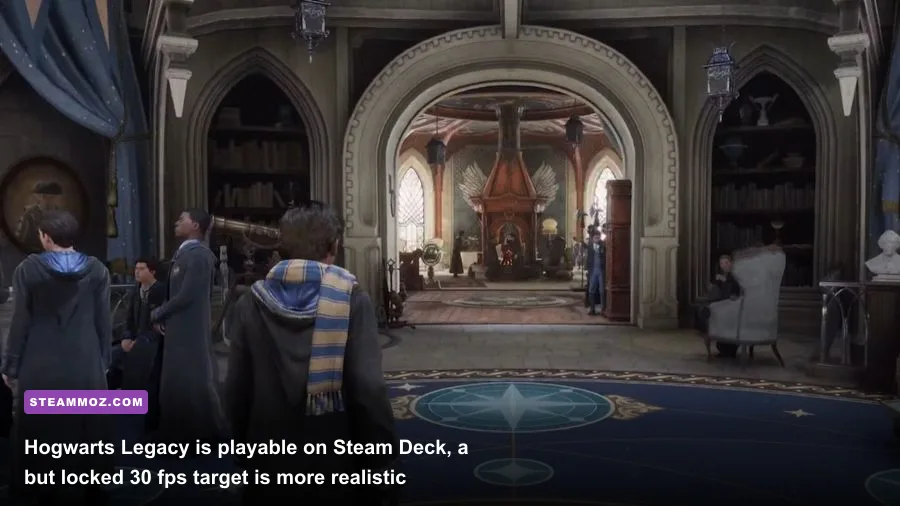
These profiles are more useful than chasing a single “best” preset. Your goal should be a frame-time curve you can maintain while leaving Hogwarts, entering Hogsmeade, and flying across the map.
| PC type | Resolution | Core settings | Target |
|---|---|---|---|
| Older 4GB GPU | 1080p | Low preset, textures Medium, fog Low, RT Off, FSR 2 Balanced | 30-45 fps |
| Mainstream 6GB-8GB GPU | 1080p | Medium-High, textures High, shadows Medium, DLSS or FSR Quality | 50-75 fps |
| Modern midrange GPU | 1440p | High, textures High, population Medium, RT Off, Quality upscaling | 60-90 fps |
| High-end GPU | 1440p | Ultra textures, High shadows and fog, RT Reflections optional, DLSS Quality | 70-120 fps |
| 4K enthusiast system | 4K | High rather than Ultra, RT selectively enabled, DLSS or FSR Quality | 55-80 fps |
Cap the frame rate slightly below your monitor's refresh rate if frame pacing feels uneven. A locked 60 fps is often more enjoyable than a fluctuating 48-85 fps range. If you use G-Sync or FreeSync, keep adaptive sync enabled and test a 60, 72, or 90 fps cap depending on your display.
Don't confuse motion blur with stutter. Motion Blur, Depth of Field, and Film Grain are preference settings, and disabling them makes the image cleaner but won't repair poor frame times. For competitive-level clarity during spell fights, turn Motion Blur and Film Grain off, keep Effects High, and spend your performance budget on resolution rather than cinematic extras.
Can Hogwarts Legacy run on Steam Deck and laptops?
Steam Deck can run Hogwarts Legacy, but 30 fps is the sensible target. Use 1280x800, a 30-fps cap, FSR 2, Medium textures, Low shadows, Low fog, and ray tracing off. Keep the game on the internal SSD or a fast microSD card. Busy locations can still dip, and battery life will suffer during long sessions, but the experience is absolutely playable with those expectations. Valve's Steam Deck compatibility information is useful, though verified status shouldn't be mistaken for a guaranteed locked frame rate.
Gaming laptops need a separate reality check. An RTX 3060 laptop is not identical to a desktop RTX 3060 because power limits vary widely. Plug the laptop in, select its performance mode, ensure the discrete GPU is active, and watch temperatures. If the CPU or GPU sits near its thermal limit, clock speeds can fall after ten minutes, turning a good opening benchmark into a stuttery session.
For older laptops, 16GB of RAM and an SSD are more important than squeezing every last visual option. Lower the render resolution only after trying FSR 2 Quality, because a soft 720p image can look worse than a carefully tuned 1080p output. You can also find useful comparisons in Steamoz's PC settings guide for Far Cry 6, especially the advice on laptop power modes and upscaling.
The final verdict on Hogwarts Legacy PC performance
If your PC has 16GB of RAM, a six-core modern CPU, an SSD, and a GTX 1660 Super, RX 5600 XT, or better, Hogwarts Legacy is worth installing with a 1080p performance profile. For consistently comfortable 1440p play, aim for an RTX 3060 Ti, RX 6750 XT, or stronger card with at least 8GB of VRAM. For ray-traced 1440p, an RTX 4070-class GPU is a far more realistic starting point.
The key is accepting that no graphics card completely removes traversal stutter in every situation. Keep ray tracing off unless you have abundant GPU headroom, use DLSS or FSR 2 Quality, lower shadows and fog before textures, and test Hogsmeade rather than an empty corridor. Those choices produce a smoother, sharper game than simply selecting Ultra and hoping the benchmark number tells the truth.
Before buying, compare your hardware against the official Hogwarts Legacy FAQ, then use these ranges as a realistic expectation rather than a promise. Hogwarts Legacy is demanding, occasionally messy, and still one of the better-looking open-world RPGs on PC when its settings are tuned with a little care.