Yes, your PC can probably run DayZ on Steam if it has a modern four-core processor, 8GB of RAM and a GTX 760-class graphics card, but that only covers entry-level play. For the stable 60 FPS experience most survivors actually want, aim for a six-core CPU, 16GB of memory, an SSD and a GTX 1060, RX 580 or newer GPU. DayZ is less about spectacular GPU effects than streaming a huge, busy world without CPU spikes, stutter or painfully slow town loading.
That distinction matters. DayZ can show a healthy average frame rate in an empty forest and then stumble when you sprint into Elektro, Cherno or a packed military compound. The official Steam listing still describes the baseline hardware, but real performance depends heavily on resolution, server population, object density, storage and whether your system is fighting background applications. The practical answer below separates “will launch,” “is playable” and “feels good,” because those are three very different targets.
DayZ Steam system requirements explained
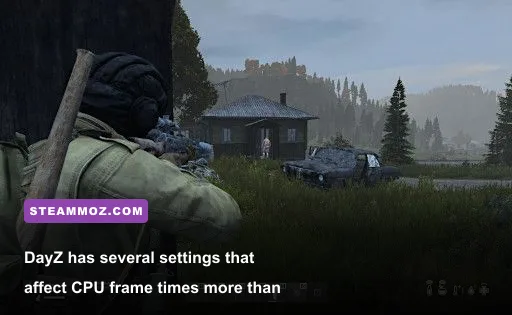
DayZ runs on Bohemia Interactive’s Enfusion technology, and its performance profile is unusual for a survival shooter. The GPU renders the image, but the CPU also handles world simulation, network updates, AI infected, inventory interactions and the constant stream of objects around you. That is why dropping resolution may barely improve a bad town-area frame rate: the processor, not the graphics card, has become the limiter.
The official minimum requirement lists Windows 10 64-bit, an Intel Core i5-4430 or AMD FX-6300, 8GB of RAM, a GeForce GTX 760 or Radeon R9 270X with 2GB of VRAM, DirectX 11 and 25GB of storage. The recommended tier moves to an Intel Core i5-6600K or AMD Ryzen 5 1600X, 12GB of RAM and a GTX 1060 or Radeon RX 580 with 6GB of VRAM.
Those specifications are a floor, not a promise of locked performance. The i5-4430 is a four-core chip from 2013, while the FX-6300 has six older modules that are notably weaker per thread. Both may launch the game, but they can struggle with one-percent lows in busy areas. Modern integrated graphics are another trap: a recent laptop CPU might be fast enough, yet its shared-memory GPU can fall well below the dedicated GTX 760 target.
| Target | CPU | GPU | Memory and storage | Realistic result |
|---|---|---|---|---|
| Minimum launch | Core i5-4430 / FX-6300 | GTX 760 / R9 270X, 2GB | 8GB RAM, 25GB HDD or SSD | Playable at 1080p Low, but uneven towns |
| Official recommended | Core i5-6600K / Ryzen 5 1600X | GTX 1060 / RX 580, 6GB | 12GB RAM, SSD preferred | 1080p Medium-High around 50-70 FPS |
| Comfortable modern target | Ryzen 5 5600 / Core i5-12400F | RTX 3060 / RX 6600 or better | 16GB dual-channel RAM, NVMe SSD | Stable 60 FPS at 1080p High in most areas |
| 1440p enthusiast | Ryzen 7 5700X3D / Core i5-13600K | RTX 4060 Ti / RX 7700 XT | 16-32GB RAM, NVMe SSD | 60-100 FPS with sensible settings |
Before buying anything, compare your parts with the official DayZ Steam page. Also check Bohemia Interactive’s DayZ forums for update-specific reports. Patches can alter stutter, server behavior and rendering performance, so an old benchmark should be treated as a guide rather than a guarantee.
What DayZ actually feels like at each hardware level
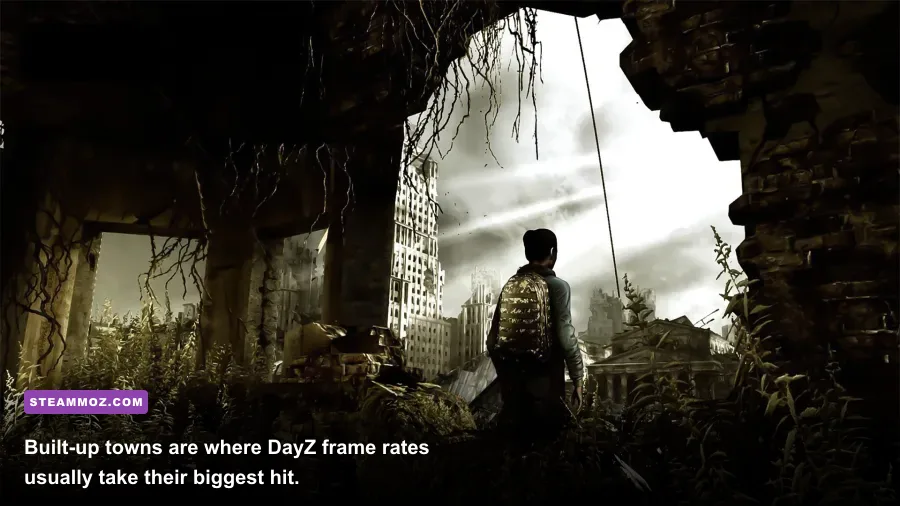
“Can it run?” is too blunt a question for DayZ. A machine that delivers 40 FPS in a quiet woodland may produce 22-30 FPS when looking across a dense settlement. Conversely, a faster GPU paired with a weak CPU may report impressive wilderness numbers while still producing rough frame pacing in combat. The following ranges are practical expectations for a clean Windows install, 1080p output and a reasonably populated official or community server, not laboratory promises for every patch.
Minimum hardware: survival is possible, comfort is not
A GTX 760 or R9 270X paired with 8GB RAM can start DayZ and make the coast playable at Low settings. Expect roughly 35-55 FPS in forests and open roads, with dips toward 25-35 FPS around large towns, military bases and crowded player hotspots. The bigger problem is not the headline average; it is hitching when assets stream from a hard drive or when Windows begins paging because 8GB is nearly full.
Use 1600x900 or 1280x720 if 1080p feels inconsistent. That lowers GPU work, but it will not solve a CPU-limited Cherno dip. Keep texture quality at Medium if your card has 4GB or more VRAM, because very low textures make distant objects ugly without fixing processor stalls. An SSD upgrade is often the first sensible purchase for an older DayZ machine.
Recommended hardware: the sensible 1080p zone
The official recommended class remains a reasonable starting point. A GTX 1060 6GB or RX 580 can generally manage 50-70 FPS at 1080p with Medium-High settings, though dense towns may still fall into the 40s. A Ryzen 5 1600X or Core i5-6600K is much better than the minimum CPUs, but newer six-core chips deliver noticeably cleaner one-percent lows.
Modern hardware: high refresh without wasting money
With a Ryzen 5 5600, Core i5-12400F or similar CPU and an RTX 3060 or RX 6600, 60 FPS is a realistic baseline at 1080p High. You may see 80-120 FPS in open country, but don’t mistake that for a universal frame rate. Towns, firefights, rain and servers with heavy object activity remain the stress tests. At 1440p, the GPU matters more, yet the CPU still determines how smooth the worst moments feel.
| Hardware profile | Open country | Large towns | Recommended resolution | Best expectation |
|---|---|---|---|---|
| i5-4430, GTX 760, 8GB | 35-55 FPS | 25-35 FPS | 900p-1080p Low | Playable with compromises |
| i5-6600K, GTX 1060, 12GB | 60-85 FPS | 40-60 FPS | 1080p Medium-High | Good casual experience |
| Ryzen 5 5600, RTX 3060, 16GB | 90-130 FPS | 60-90 FPS | 1080p High | Comfortable and responsive |
| Ryzen 7 5700X3D, RX 7700 XT, 32GB | 110-160 FPS | 75-120 FPS | 1440p High | Excellent frame pacing with headroom |
These figures are best read as performance bands, not a synthetic score. A community server with custom traders, base objects, huge mod collections or an aggressive AI setup can behave very differently from a lightly populated official server. If another game also suffers from stutter, our PC crash and FPS fixes cover several broadly useful checks, including overlays, drivers and background load.
The DayZ settings that change FPS the most

DayZ’s settings menu rewards targeted tuning rather than blindly selecting Low. The expensive options are generally object detail, terrain detail, shadows, ambient occlusion and cloud quality. Texture quality mainly consumes VRAM. If your GPU has enough memory, you can keep textures high while reducing CPU-heavy scene detail. That produces a sharper image than the all-Low preset without sacrificing as much performance.
| Setting | Recommended value | Typical FPS impact | Visual trade-off |
|---|---|---|---|
| Overall quality | Custom | Varies | Manual control is better than presets |
| Object detail | Medium or High | High CPU impact | Lower values reduce distant building and prop detail |
| Terrain detail | Medium | Medium CPU/GPU impact | Changes ground geometry and draw distance |
| Texture filtering | 16x | Low impact | Improves surfaces at oblique angles |
| Texture quality | High with 4-6GB VRAM | Low if VRAM is sufficient | Sharper clothing, roads and structures |
| Shadow quality | Low or Medium | Medium-high GPU impact | Lower quality makes shadows flatter |
| Ambient occlusion | Disabled or Low | Medium GPU impact | Less contact shading around objects |
| Cloud quality | Low | Medium GPU impact | Clouds look simpler, especially in bad weather |
| Hardware anti-aliasing | Low or Off | Medium impact | More jagged edges, but useful FPS savings |
| Post-process anti-aliasing | SMAA Low | Low impact | Softens shimmer without heavy cost |
Start by lowering object detail and shadows, then test the same route through a town. Don’t benchmark by staring at the ground: look toward apartment blocks, tree lines and industrial yards, because those scenes reveal CPU and draw-call limits. If GPU usage sits below 90 percent while FPS is poor, turn down object detail or investigate CPU temperature, power limits and background programs rather than buying a faster graphics card immediately.
For a 60 FPS target, cap the frame rate slightly below your monitor’s refresh rate if frame pacing feels erratic. A 60Hz display can benefit from a 58-60 FPS cap, while a 144Hz monitor may feel better with a stable 90 or 120 than with violent swings between 70 and 150. DayZ’s gunfights reward consistent input more than a flashy peak number.
Why DayZ stutters even when average FPS looks fine
The most common DayZ complaint is not simply low FPS; it is the sudden hitch when entering a settlement, opening a storage-heavy base or turning toward a busy compound. Several causes overlap.
CPU frame-time spikes
DayZ’s world simulation and object streaming can stress a few primary threads. An older quad-core processor may show only 50 percent total CPU usage while one thread is maxed out. That misleading overall percentage makes the GPU appear guilty. Close browser tabs, launchers and recording tools, then use a monitoring overlay that shows per-core activity, GPU utilization and one-percent lows.
8GB of RAM and memory pressure
Windows, Steam, voice chat and DayZ can push an 8GB machine into virtual memory. The result is hitching rather than a simple FPS reduction. Sixteen gigabytes in a dual-channel configuration is the practical sweet spot. If you are upgrading an older desktop, matching two memory modules is preferable to running one stick, because single-channel bandwidth can hurt minimums and asset streaming.
Hard-drive streaming
DayZ can run from a hard drive, but the experience is far less convincing. Slow asset reads show up as delayed textures, pauses when crossing dense areas and longer waits after joining a server. Moving the game to a SATA SSD is already a major improvement; an NVMe drive helps more with general system responsiveness than with peak FPS, but it is still the best home for a frequently played survival game.
Server-side problems
Not every hitch is your PC. Server simulation, ping, packet loss, badly configured mods and enormous player bases can create rubber-banding or delayed interactions that look like performance trouble. Test an official server and a lightly modded community server from the same region. If one is smooth and another constantly snaps you backward, the server is part of the diagnosis.
Keep Windows, chipset drivers and your GPU driver current, but don’t install random “FPS booster” utilities. Disable unnecessary overlays one at a time and record the result. Our low-FPS troubleshooting checklist is also useful for isolating overlays, fullscreen behavior and power-management issues across PC games.
Best DayZ graphics profiles for weak and strong PCs
Use these profiles as starting points, then adjust after testing a demanding town. DayZ’s visual clarity matters in an ambush: excessive blur, shimmering foliage or crushed shadows can hide a player just as effectively as a bad tactical decision. The goal is not maximum quality; it is a readable image with dependable frame times.
Budget profile for GTX 760-class systems
Choose 1600x900 if 1080p cannot hold 35 FPS. Set textures to Medium, object detail to Low, terrain to Low or Medium, shadows to Low, clouds to Low, ambient occlusion Off and anti-aliasing to Low. Keep texture filtering at 8x or 16x if VRAM allows. This profile sacrifices distant detail but avoids turning the whole game into a muddy blur. Cap the frame rate around 40 or 45 if your machine swings wildly between 25 and 70.
Balanced profile for GTX 1060 and RX 580 systems
At 1080p, use High textures, Medium object detail, Medium terrain, Low-Medium shadows, Low clouds and low post-process anti-aliasing. Keep ambient occlusion Off if towns remain below 50 FPS. This is the profile I’d choose for the official recommended tier: it preserves useful texture detail while protecting the CPU-heavy settings that cause the nastiest dips.
High-refresh profile for modern six-core PCs
Use 1080p High or 1440p High depending on your GPU. Keep textures High, filtering 16x, object detail High and terrain Medium-High. Shadows can sit at Medium, while clouds and ambient occlusion should be raised only if GPU usage leaves room. A powerful GPU cannot compensate for an overloaded server or a badly placed base packed with hundreds of objects, so leave headroom rather than maxing every slider.
| Profile | Resolution | Key settings | Target hardware | Practical target |
|---|---|---|---|---|
| Budget survival | 900p-1080p | Textures Medium, objects Low, shadows Low | GTX 760, R9 270X, 8GB RAM | 30-45 FPS |
| Balanced survivor | 1080p | Textures High, objects Medium, terrain Medium | GTX 1060, RX 580, 12-16GB RAM | 50-70 FPS |
| Competitive clarity | 1080p | Textures High, objects Medium-High, AO Off | RTX 3060, RX 6600, modern six-core CPU | 60-100 FPS |
| High-resolution explorer | 1440p | Textures High, terrain High, shadows Medium | RTX 4060 Ti, RX 7700 XT, 16GB RAM | 60-100 FPS |
What to upgrade first for better DayZ performance
If your PC misses the minimum requirements, replace the weakest link rather than upgrading at random. An SSD is the cheapest quality-of-life fix for a hard-drive system. It won’t magically double average FPS, but it can reduce streaming pauses and make server joins less painful. If you have 8GB RAM, moving to 16GB dual-channel is often the next smart step, especially if you play with Discord, a browser or recording software open.
For persistent town dips with low GPU utilization, prioritize the CPU. A modern Ryzen 5 5600 or Core i5-12400F is a much stronger DayZ foundation than an old i7 with four slow cores. Check motherboard compatibility and memory support before buying. If the CPU is modern but GPU usage sits near 99 percent at your chosen resolution, then move up from a GTX 1060 or RX 580 to an RTX 3060, RX 6600 or better.
| Symptom | Likely bottleneck | First fix | What not to do |
|---|---|---|---|
| Low GPU usage and town FPS drops | CPU or server simulation | Lower object detail; check per-core load | Buy a stronger GPU blindly |
| Stutters while entering towns | RAM or storage | Use 16GB dual-channel and an SSD | Rely on a “game booster” app |
| GPU usage near 99 percent | Graphics card | Lower resolution, shadows or clouds | Overclock before checking temperatures |
| Rubber-banding and delayed actions | Server or network | Try a nearby official server | Assume higher FPS fixes latency |
Also watch temperatures. A laptop that runs DayZ well for ten minutes but slows after an hour may be throttling rather than underpowered. Clean vents, use a balanced fan profile and connect the charger. Desktop players should confirm that the game is using the dedicated GPU, especially on systems with integrated graphics enabled.
Final verdict: can your PC run DayZ Steam?
If your computer matches the listed minimum, DayZ will likely run, but you should expect compromises: Low settings, occasional town dips, and a much better experience from an SSD. The official recommended specification is the real entry point for enjoyable 1080p play, not a guarantee of 60 FPS everywhere. For smooth combat and reliable frame pacing, 16GB RAM, a modern six-core CPU and a GTX 1060-class GPU or newer are the safer target.
The most important lesson is that DayZ benchmarks must include stressful locations. Test Chernogorsk, Elektrozavodsk, Novodmitrovsk, military bases and player-built compounds, not just a quiet patch of woodland. Watch one-percent lows, GPU utilization and frame-time graphs. If those numbers remain steady, you have a machine ready for the real DayZ experience: long silent treks, sudden infected attacks and the terrifying moment a supposedly empty apartment building starts shooting back.
For official patch notes and development information, follow the official DayZ website and the Bohemia Interactive site. And if you’re comparing older PC games while planning an upgrade, Steamoz’s Far Cry 2 system-spec breakdown offers a useful reminder: minimum requirements tell you whether a game starts, while the right modern hardware determines whether you actually enjoy playing it.