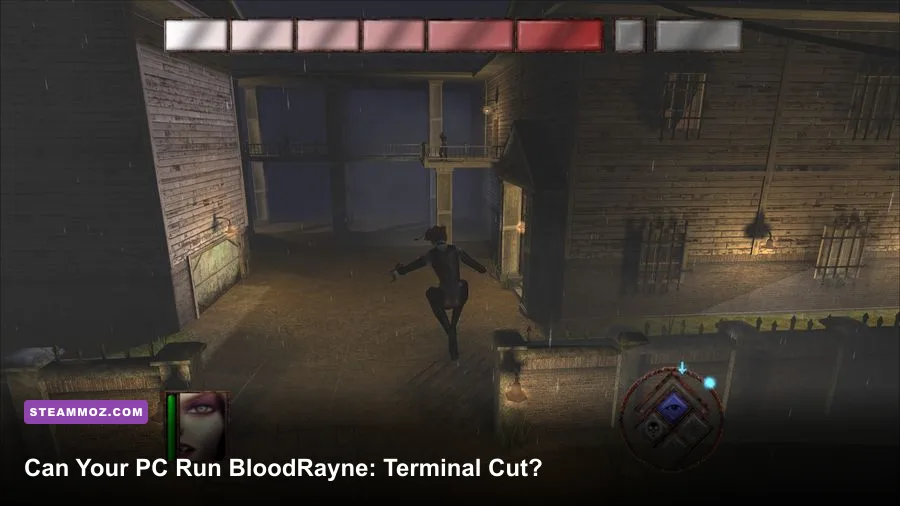
BloodRayne: Terminal Cut runs on surprisingly modest hardware. The official PC minimum calls for a 64-bit version of Windows 7, an Intel Core 2 Duo E8400 or AMD equivalent, 2 GB of RAM, and a GeForce GTX 260 or Radeon HD 4870-class graphics card. The recommended target rises to a Windows 10 64-bit system with an Intel Core i5-class processor, 4 GB of memory, and a GeForce GTX 660 or Radeon HD 7870-class GPU. In practical terms, almost any gaming PC with integrated graphics from the last several years should clear the CPU and RAM requirements, although a dedicated GPU remains the safer choice for consistent frame rates.
That sounds wonderfully easy by modern standards, but there are a few wrinkles. Terminal Cut is an enhanced edition of the 2002 action game, not a modern remake built around contemporary rendering technology. The listed requirements are therefore useful as a compatibility baseline, not a promise that every laptop will deliver a flawless 4K experience. Resolution, driver support, background applications, and laptop power limits matter more than the numbers suggest.
BloodRayne: Terminal Cut Minimum PC Specs

The minimum specification is low enough that older office desktops can look tempting, but don't confuse “boots the game” with “plays comfortably.” The Core 2 Duo E8400 is a two-core processor from 2008, while the GTX 260 and Radeon HD 4870 were performance cards from the same era. If your computer genuinely matches those parts, it can meet the paper requirement, but you'll want to stay at 1080p or below and avoid loading the system with browser tabs, recording software, or overlays.
Here is the practical minimum listed for the Steam release:
| Component | Minimum Requirement | What It Means Today |
|---|---|---|
| Operating system | Windows 7 64-bit | Windows 10 and Windows 11 are the sensible modern targets |
| Processor | Intel Core 2 Duo E8400 or AMD equivalent | Any recent dual-core desktop CPU should be faster |
| Memory | 2 GB RAM | 4 GB is workable; 8 GB gives the operating system more breathing room |
| Graphics | GeForce GTX 260 or Radeon HD 4870 | A modern integrated GPU may work, but dedicated graphics are safer |
| Storage | About 10 GB available space | An SSD improves loading and reduces stutter from a busy hard drive |
The 2 GB RAM requirement is the biggest trap for old machines. Windows itself can consume a large share of that memory before the game launches, particularly after updates and security tools are loaded. A system with only 2 GB may technically start Terminal Cut but still hitch during transitions or when other applications compete for memory. Four gigabytes is a much healthier floor, while 8 GB is ideal for a general-purpose Windows gaming machine.
For a quick comparison, the official Steam page is the best place to verify the current listing before buying. Store requirements can change as publishers update compatibility notes, and older games sometimes receive small fixes after launch.

🎮 BloodRayne: Terminal Cut
Looking to experience this game? Grab your digital key directly on our store for $5.99.
View on Steammoz Store →Recommended Specs for Smooth 1080p Play
The recommended specification is much more comfortable than the minimum and still looks tiny beside a current gaming PC. A Core i5-class CPU, 4 GB of RAM, and a GTX 660 or Radeon HD 7870 should provide plenty of headroom for 1080p. In fact, a modern Core i3, Ryzen 3, or laptop processor will generally have more than enough single-threaded performance for the game, provided the laptop isn't throttling under heat or running in a low-power mode.
| Component | Recommended Requirement | Modern Equivalent to Look For |
|---|---|---|
| Operating system | Windows 10 64-bit | Windows 10 or Windows 11 64-bit |
| Processor | Intel Core i5 or AMD equivalent | Recent Core i3/i5 or Ryzen 3/Ryzen 5 |
| Memory | 4 GB RAM | 8 GB preferred for background apps and multitasking |
| Graphics | GeForce GTX 660 or Radeon HD 7870 | GTX 1050, RX 560, Arc A310, or newer integrated graphics |
| Storage | About 10 GB available space | Any SSD with at least 15 GB free space |
The important distinction is that recommended specs target the game's intended high-quality experience, not necessarily ultrawide or 4K. The visual upgrade is still based on a compact early-2000s action title, so pushing every pixel to a huge resolution can expose texture softness rather than transform the game. At 1080p, however, the enhanced presentation looks clean and the combat remains easy to read.
If you are comparing this game with older PC releases, our guide to Far Cry 2 PC specs offers a useful reference point: both games are light by current standards, but older engines can be more sensitive to compatibility quirks than raw GPU load. Don't judge performance solely by the age of the hardware listed on Steam.
Can Integrated Graphics Run Terminal Cut?
Usually, yes—but “usually” deserves an asterisk. Modern Intel UHD, Iris Xe, AMD Radeon 680M, and Radeon 780M graphics are dramatically faster than the GTX 260-class hardware named in the minimum specification. Their real-world results depend on memory configuration, because integrated GPUs borrow system RAM. A laptop with one stick of memory can perform noticeably worse than the same model using dual-channel RAM.
For an integrated-graphics laptop, begin with 1920×1080 if the game detects the display correctly. If frame pacing feels uneven, try 1600×900 or 1280×720 before immediately dropping every visual setting. Older games often gain more from a lower render resolution than from aggressively reducing texture or model quality. Keep the laptop plugged in, select its Best Performance power profile, and make sure the game is using the high-performance GPU if your system includes both integrated and discrete graphics.
| Hardware Profile | Suggested Resolution | Recommended Approach | Expected Experience |
|---|---|---|---|
| GTX 260 / HD 4870 era | 1280×720 to 1920×1080 | Use moderate settings and cap the frame rate if needed | Playable, but limited headroom |
| Modern Intel UHD or Vega graphics | 1280×720 to 1080p | Use dual-channel memory and close background apps | Generally comfortable at sensible settings |
| Iris Xe or Radeon 680M | 1080p | Run high settings and test frame pacing | Good performance in most scenes |
| GTX 1050 / RX 560 or newer | 1080p and above | Use the recommended profile as a starting point | Ample performance for the game's design |
One warning: frame-rate problems can be mistaken for GPU weakness. If the game runs smoothly in a quiet room but stutters during combat, monitor CPU usage, temperatures, and background processes. Recording utilities, RGB software, browser video, and aggressive antivirus scans can create interruptions that a game this old cannot hide gracefully.
Graphics Settings That Matter Most
BloodRayne: Terminal Cut does not need the kind of optimization ritual demanded by a modern open-world release. You won't find ray tracing, advanced global illumination, or a long menu of shader presets here. The useful approach is to establish a stable baseline, then adjust resolution and synchronization based on your monitor rather than chasing theoretical maximum frame rates.
| Setting or Option | Recommended Value | Performance Impact | Visual Note |
|---|---|---|---|
| Resolution | Native 1080p | Highest GPU impact | Provides the clearest image and sharpest HUD |
| Texture quality | High | Low on modern GPUs | Preserves environmental detail and character surfaces |
| Shadows | High, then reduce if needed | Moderate | Important for atmosphere but less critical than resolution |
| Anti-aliasing | Highest stable option | Moderate at high resolutions | Softens jagged edges on Rayne and geometry |
| V-Sync | On for 60 Hz displays | Can add latency or cap output | Reduces tearing during fast camera movement |
| Frame-rate cap | 60 FPS if available | Minimal | Improves consistency and avoids unnecessary GPU load |
V-Sync is especially worth testing because the game was designed around older hardware and older display standards. If you see tearing while swinging Rayne's blades or using her movement abilities, enable it first. If input feels sluggish, disable it and use your GPU driver's frame limiter instead. A stable 60 FPS is preferable to a wildly fluctuating result that spikes high in empty rooms and collapses during effects-heavy fights.
Don't expect a lower resolution to fix every issue. If the frame rate barely changes between 1080p and 720p, the limitation is probably CPU-side, an engine quirk, or a frame-pacing problem. That is useful information: lowering more visual settings won't solve it. You may get better results by disabling overlays, switching display modes, or updating the graphics driver.
Performance in Combat and Demanding Areas
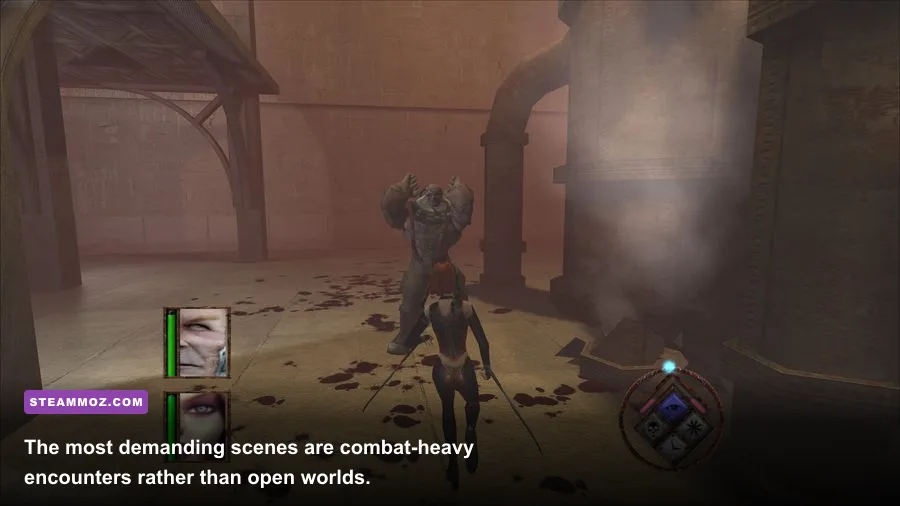
The game is fundamentally a linear action experience, so the demanding moments aren't vast open environments. They are crowded encounters where Rayne chains her arm blades, firearms, movement, and vampiric abilities across several enemies. Those scenes can produce more visual effects and animation updates than a quiet corridor, making them the correct place to test your PC.
Rayne's combat kit also makes frame pacing more important than a headline average. Her blades, harpoon-like movement options, guns, and supernatural powers encourage rapid directional changes. A system that averages 100 FPS but regularly drops frames can feel worse than a locked 60 FPS. Test in an encounter with multiple enemies, rotate the camera quickly, and watch for hitching when new areas load. That's more representative than standing in an empty room.
Storage speed matters modestly but noticeably. An SSD won't turn the game into a higher-fidelity title, yet it can shorten level transitions and reduce the irritation of an old mechanical hard drive seeking data. Keep at least 10 GB free for installation, and preferably leave additional room for Windows' temporary files. If Steam reports a missing executable or the game refuses to launch, verify the installation files before attempting complicated fixes.
For broader troubleshooting habits, see our ELEX PC fixes guide. The games are very different, but the fundamentals—checking drivers, removing overlays, verifying files, and watching temperatures—apply just as well to older action games.
Expecting a flawless 144 Hz experience can also create unnecessary frustration. A high-refresh monitor may display the game correctly, but the title's age and animation timing make 60 FPS the sensible target. If your system delivers more, enjoy the extra responsiveness, but don't sacrifice stability for a number the combat was never designed around.
Best PC Profiles for Different Players
The simplest way to choose settings is to match the profile to your hardware instead of blindly copying the recommended line. The following profiles are conservative starting points. Apply one, play through a busy combat sequence, and then adjust only the setting that is actually limiting performance.
| Player Profile | Hardware | Resolution and Settings | Priority |
|---|---|---|---|
| Legacy desktop | Core 2 Duo with GTX 260-class GPU | 720p or 900p, medium shadows, V-Sync on | Stable frame pacing over image quality |
| Budget laptop | Recent Core i3/Ryzen 3 with integrated graphics | 1080p low-to-medium; reduce resolution if combat hitches | Plugged-in power mode and dual-channel RAM |
| Mainstream gaming PC | Core i5/Ryzen 5 with GTX 1050 or RX 560 | 1080p high, V-Sync or a 60 FPS cap | Clean presentation with plenty of headroom |
| Modern gaming PC | Any recent six-core CPU and mid-range GPU | 1080p, 1440p, or higher with maximum settings | Use display scaling only if the image looks too soft |
The modern gaming-PC profile is almost comically generous for the game, but that doesn't mean every problem disappears. Windows 11 compatibility, fullscreen behavior, controller detection, and overlay conflicts can still affect the experience. If the game launches to a black screen, try switching between fullscreen and windowed modes, then restart after changing resolution. If input is doubled or menus scroll by themselves, disconnect unused controllers and test again.
Players interested in older PC action and role-playing releases may also enjoy Steamoz's Dungeon Siege classic PC review. It covers a similarly old-school release where modern hardware is rarely the challenge; compatibility details and sensible expectations are.
Bottom Line on BloodRayne: Terminal Cut Requirements
BloodRayne: Terminal Cut is an easy game to run compared with virtually any current AAA release. Meet the minimum specification and you'll likely be able to play, but 4 GB of RAM, a recent 64-bit Windows installation, and a modest dedicated GPU—or a genuinely modern integrated GPU—are the better practical baseline. The recommended GTX 660/Radeon HD 7870 tier is more than enough for a smooth 1080p session.
The smartest purchase check is simple: confirm that your PC has a supported 64-bit operating system, at least 4 GB of available memory, current graphics drivers, and roughly 10 GB of free storage. Then aim for a stable 60 FPS rather than an inflated benchmark number. The game is at its best when Rayne's movement, blades, and vampiric abilities respond cleanly, and that means consistent frame pacing matters more than ultra-high resolution.
Before installing, consult the Ziggurat Interactive official site for publisher information and the Steam community hub for player-reported fixes. If you want the original game's atmosphere without building a period-correct PC, Terminal Cut is refreshingly undemanding—just remember that old hardware requirements don't always guarantee modern compatibility.