If your gaming PC has a mid-range processor, 4GB of memory, and a GTX 970-class graphics card, it can run Astrea: Six-Sided Oracles at its listed minimum settings. The recommended target is an Intel Core i7-8700 or AMD Ryzen 5 3600, 8GB of RAM, and a GTX 1080 or Radeon RX 5700 XT. Because this is a turn-based dice deckbuilder rather than a demanding 3D action game, the official requirements are comfortably achievable on older gaming desktops and many budget laptops with a dedicated GPU.
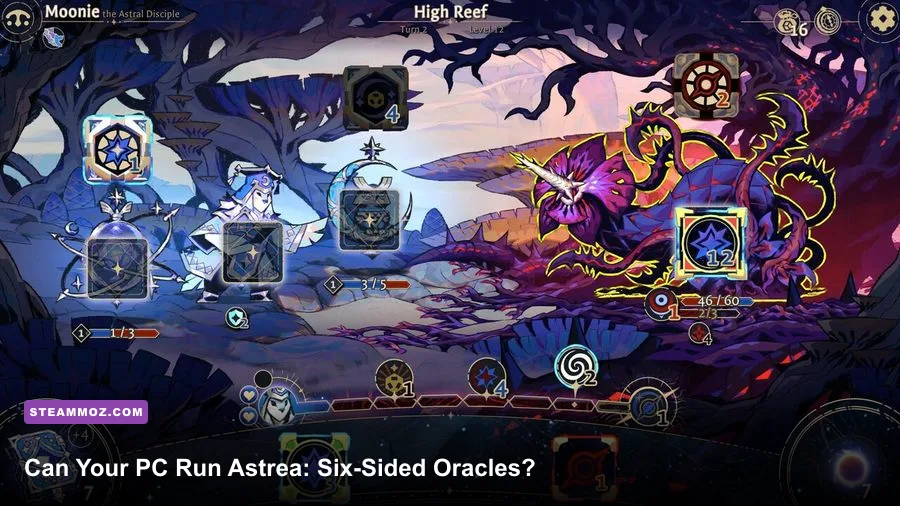
That said, a spec sheet doesn't tell the whole story. Astrea fills the screen with animated dice, particle effects, layered status icons, glowing attack markers, and constantly changing combat information. The game isn't likely to punish your graphics card, but an aging CPU, a laptop running on integrated graphics, or a crowded background process can still create stutter during busy encounters. Here's what the listed requirements mean in practice, which parts matter most, and the settings profile I'd use for smooth runs.
Astrea: Six-Sided Oracles PC requirements at a glance
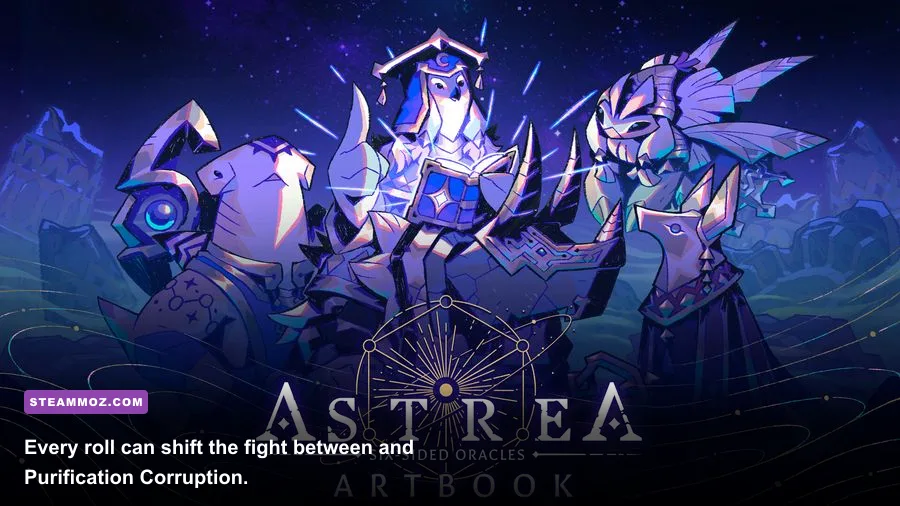
The official Steam listing asks for Windows 10 64-bit, DirectX 11 support, 4GB of RAM, and around 10GB of available storage. The minimum graphics card is an NVIDIA GeForce GTX 970 or AMD Radeon R9 290, while the recommended tier moves up to a GTX 1080 or Radeon RX 5700 XT. Those GPUs are much more powerful than the game's art style might suggest, but the recommended card also provides plenty of headroom for high-resolution rendering and stable animation.
| Component | Minimum requirement | Recommended requirement | What it means |
|---|---|---|---|
| Operating system | Windows 10 64-bit | Windows 10 64-bit | 64-bit Windows is required; Windows 11 should be compatible. |
| Processor | Intel Core i5-6500 or AMD Ryzen 3 1200 | Intel Core i7-8700 or AMD Ryzen 5 3600 | The CPU matters most for menus, loading, and effect-heavy encounters. |
| Memory | 4GB RAM | 8GB RAM | 4GB can launch the game, but 8GB is the safer everyday target. |
| Graphics card | GeForce GTX 970 or Radeon R9 290 | GeForce GTX 1080 or Radeon RX 5700 XT | Dedicated DirectX 11 graphics are the practical baseline. |
| DirectX | Version 11 | Version 11 | No DirectX 12-only feature is required. |
| Storage | 10GB available space | 10GB available space | An SSD is preferable for quicker launches and run transitions. |
These are the developer's listed PC specifications, not a guarantee of a particular frame rate. Hardware condition, driver version, resolution, and background software all matter. A clean desktop with a GTX 970 can feel better than a thermal-throttled laptop with a newer mobile GPU.
For the official baseline, check the Astrea Steam page. The store listing is the best place to confirm any requirement changes after updates. You can also find studio information through the Little Leo Games official website.

🎮 Astrea: Six-Sided Oracles
Looking to experience this game? Grab your digital key directly on our store for $12.49.
View on Steammoz Store →What the minimum specs actually deliver
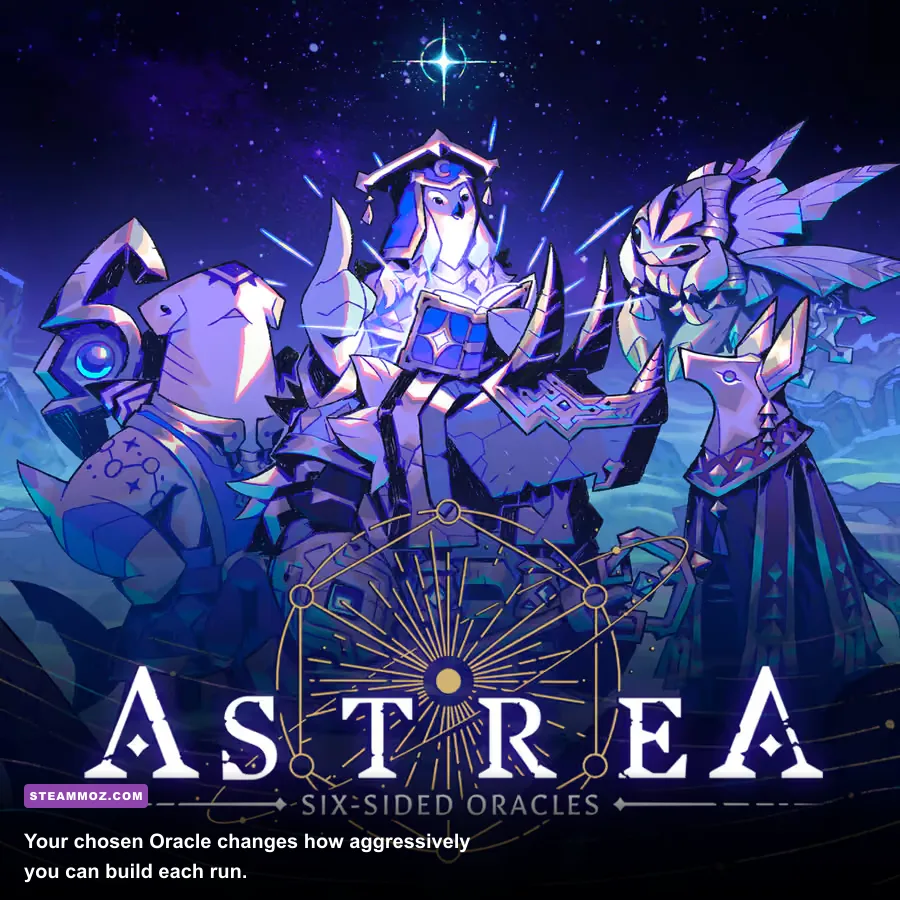
A PC built around the minimum specification should handle Astrea at 1080p with a sensible mix of low and medium settings. Don't expect the minimum list to mean “every option maxed out at a locked 144 frames per second.” It means the game should be playable with the expected visual effects enabled, provided the machine is healthy and isn't trying to run the game from a nearly full hard drive.
The GTX 970 and Radeon R9 290 are old cards now, but they remain far above the performance level of basic integrated graphics. That distinction is important. Intel UHD graphics, older Radeon Vega integrated chips, and office-focused laptop GPUs may launch the game, yet they aren't the hardware the official minimum is designed around. If you only have integrated graphics, start at 1280x720, disable heavy effects, and judge the result in a real combat encounter rather than the title screen.
The Core i5-6500 and Ryzen 3 1200 are four-core processors with enough power for a turn-based game, but they're no longer roomy multitasking chips. Streaming, browser tabs, Discord overlays, recording software, and aggressive antivirus scans can consume the headroom that Astrea needs for smooth transitions. Close unnecessary programs before starting a long run, especially if your system has only 4GB of RAM.
Four gigabytes is the biggest weakness of the minimum configuration. Windows itself can use a large portion of that memory, leaving little for the game and background services. You may see longer loading, more frequent asset swapping, or sluggishness when switching between the map, rewards, and combat. An upgrade to 8GB is inexpensive and will usually improve the entire PC, not just this game.
Minimum-spec profile I would use
- Resolution: 1920x1080 if the GPU stays stable; otherwise 1600x900.
- Preset: Low or Medium, then raise texture quality first.
- Frame-rate target: 60fps, with a 30fps cap if clocks fluctuate.
- Effects: Medium when combat remains smooth; lower them before reducing textures.
- Background apps: close browsers, launchers, capture tools, and unnecessary overlays.
For comparison, Steamoz's Drawful 2 PC specs guide covers a much lighter game, while our Dragonkin settings guide shows why the same “minimum” label can mean something very different in a real-time action RPG.
Recommended specs and the best performance target
The recommended Core i7-8700 or Ryzen 5 3600 paired with a GTX 1080 or RX 5700 XT is overkill for basic 1080p play, which is good news. This tier gives you enough spare power to run high-quality effects, use a 1440p display, keep voice chat and a browser open, and avoid the small hitches that can interrupt a long roguelike session.
Don't read “recommended” as a requirement for entry. Astrea isn't a ray-traced showcase, and the game spends much of its time displaying menus, cards, dice, and relatively contained battle scenes. The recommended GPU is more useful as a longevity and resolution target than as an admission ticket. A GTX 1660, RTX 2060, RX 5600 XT, or newer equivalent should also be a comfortable 1080p option, even though those models aren't named in the official listing.
At 1440p, GPU memory and texture handling become more relevant than raw shader power. Keep textures high if your card has sufficient VRAM, but lower effects or render resolution if animated overlays cause dips. The visual difference between high and medium effects is usually less noticeable than a sudden hitch when several dice outcomes, damage indicators, and status animations resolve together.
| Hardware level | Suggested resolution | Settings target | Likely experience |
|---|---|---|---|
| Below official minimum | 720p | Low, reduced effects | May launch, but integrated graphics performance is not guaranteed. |
| GTX 970 / R9 290 class | 1080p | Low to Medium | Playable 60fps target with sensible background-app management. |
| GTX 1060 / RX 580 class | 1080p | Medium to High | Comfortable mainstream setup with useful performance headroom. |
| GTX 1080 / RX 5700 XT class | 1080p or 1440p | High | Strong target for stable animation and multitasking. |
| Modern RTX or RX card | 1440p or ultrawide | High, capped refresh rate | More than enough GPU power; CPU and frame pacing become the focus. |
The sensible performance goal is a stable 60fps rather than chasing a very high refresh rate. Turn-based combat doesn't need 240fps, and a cap can reduce power draw, fan noise, and inconsistent frame pacing. If your monitor supports variable refresh rate, enable it after confirming that the game remains inside the display's supported range.
Which settings affect Astrea performance most?
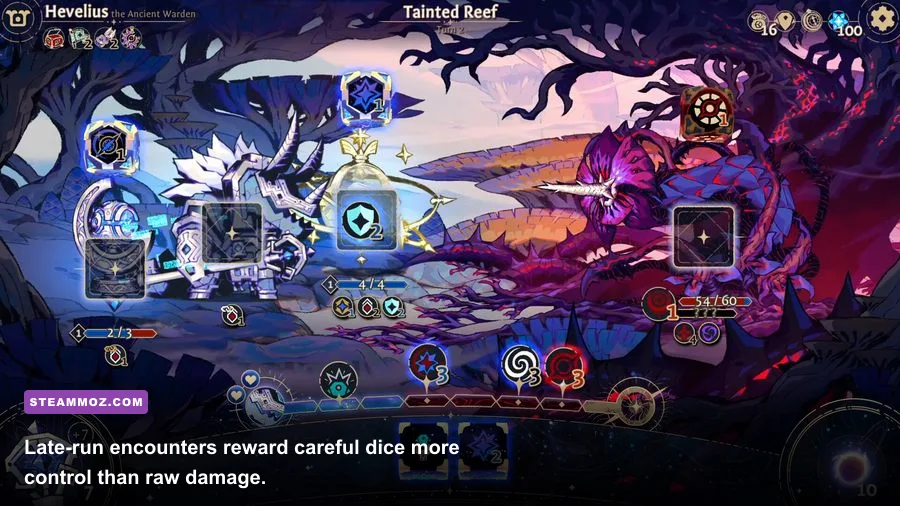
Settings names can vary between builds, so use the in-game menu as the final authority. The important rule is to change one option at a time and test it during a busy battle. The opening menu and a quiet map screen won't reveal the same performance problems as a full board covered in effects and floating combat text.
| Setting or adjustment | Recommended value | Performance impact | Visual trade-off |
|---|---|---|---|
| Resolution | Native 1080p on minimum; native 1440p on recommended | High | Lowering it is the fastest way to recover GPU headroom, but text becomes softer. |
| Effects and particles | Medium on GTX 970; High on GTX 1080 or newer | Medium to high | Lower values reduce flashes and combat spectacle. |
| Textures | High when VRAM allows; Medium on older cards | Low to medium | Mostly changes sharpness, so it is a good setting to preserve. |
| Shadow quality | Medium | Medium | Lower shadows matter less than keeping dice and UI readable. |
| Anti-aliasing | Application default or Medium | Low to medium | Lowering it can add jagged edges around interface and character art. |
| V-sync or frame cap | 60fps cap; V-sync if tearing appears | Indirect | Improves consistency rather than increasing raw frame rate. |
| Resolution scale | 100%; reduce to 90% only if necessary | High | Small reductions can soften text and illustrated assets. |
Start with the native resolution and medium effects. If the frame rate is already stable, raise textures and then shadows. If it falls during effect-heavy turns, lower effects before touching the resolution. This keeps the game's crisp dice faces, combat labels, and Oracle artwork readable.
On a laptop, plug in the charger and select the high-performance GPU in Windows Graphics settings. Hybrid graphics systems sometimes launch a game on the integrated chip even when a dedicated NVIDIA or AMD GPU is installed. Update the graphics driver, check that the laptop isn't in a silent or battery-saving mode, and give the cooling system room to breathe. A hot laptop can technically meet the requirements while still delivering ugly frame-time spikes.
How Astrea's gameplay affects your PC
Astrea is built around six-sided dice, not conventional card draws. Each Oracle uses a pool of dice with different faces and effects, and your decisions revolve around balancing Purification and Corruption. That system creates a lot of small visual and rules checks: dice are rolled, faces resolve, statuses update, enemy intent changes, and rewards appear after combat. The workload is still modest compared with a 3D action game, but it explains why CPU responsiveness and frame pacing can matter more than a huge modern GPU.
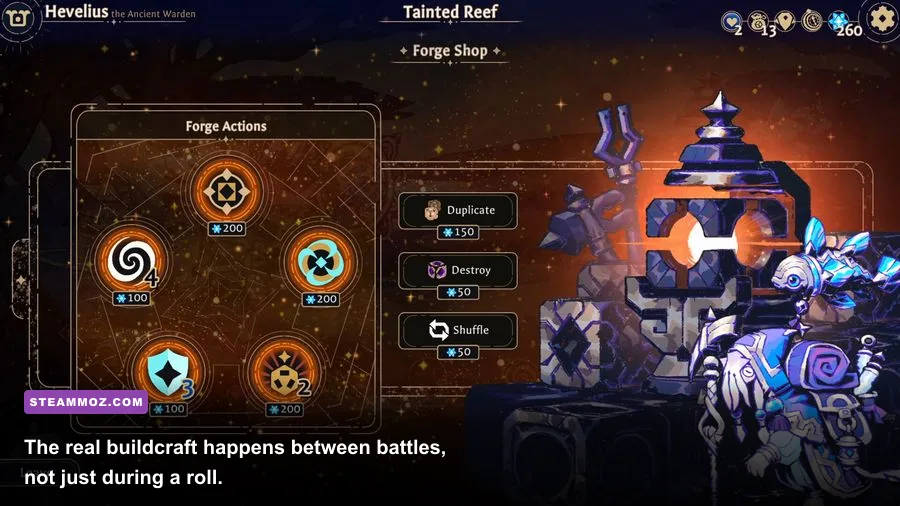
The game's roguelike structure also means you'll repeat encounters and menus constantly. A slow hard drive won't necessarily reduce combat frame rate, but it can make each run feel more fragmented through longer launches and transition pauses. Installing the game on an SSD is one of the easiest quality-of-life improvements, especially if your operating-system drive is already busy.
Resolution has a second practical effect here: UI readability. At 720p, small dice symbols, status icons, enemy intent markers, and descriptions can become harder to parse. Don't automatically choose the lowest resolution for a few extra frames. Try medium effects at 1080p first; a clear interface is more valuable than a higher but unstable frame count in a game where one missed symbol can ruin a run.
Why CPU and memory still matter
The recommended six-core processors aren't needed because Astrea simulates a huge open world. They're useful because they leave room for the operating system and background software while the game handles animation, UI logic, save operations, and combat resolution. With 8GB of RAM, Windows has breathing room. With 4GB, every browser tab and overlay becomes a potential source of hitching.
If a run stutters, watch whether the GPU is actually busy. A GPU sitting at low usage while the game pauses points toward CPU scheduling, memory pressure, storage activity, or an overlay rather than a graphics-quality problem. Disable Steam, Discord, Xbox Game Bar, and recording overlays one by one. This diagnostic step is more useful than immediately dropping every setting to Low.
Final verdict: the real PC to buy or use
You don't need a new gaming rig for Astrea: Six-Sided Oracles. The official GTX 970/R9 290 minimum is the practical floor for a proper 1080p experience, while 8GB of RAM should be treated as the real comfort baseline. If your PC reaches the recommended i7-8700/Ryzen 5 3600 and GTX 1080/RX 5700 XT tier, you'll have plenty of room for high settings, 1440p, and background applications.
For most players, the best upgrade order is simple: move from 4GB to 8GB or more RAM, install the game on an SSD, then address the GPU if you are below the GTX 970 class. A processor upgrade is worth considering only when you see CPU-limited stutter or your system struggles with other games. Astrea rewards stable frame pacing and readable UI far more than extravagant graphics hardware.
Before buying, compare your exact CPU and GPU against the official Steam system requirements, then update your drivers and leave more than the listed 10GB free on the installation drive. If you enjoy demanding roguelikes, Steamoz's FPS troubleshooting guide for Everspace 2 has useful general diagnostics, while our PC crash and performance fixes cover the same driver, overlay, and thermal checks.
Bottom line: a healthy mid-range desktop from the GTX 970 era can play Astrea well, and a modern budget gaming PC will cruise through it. The dice may be unpredictable, but your hardware requirements aren't.