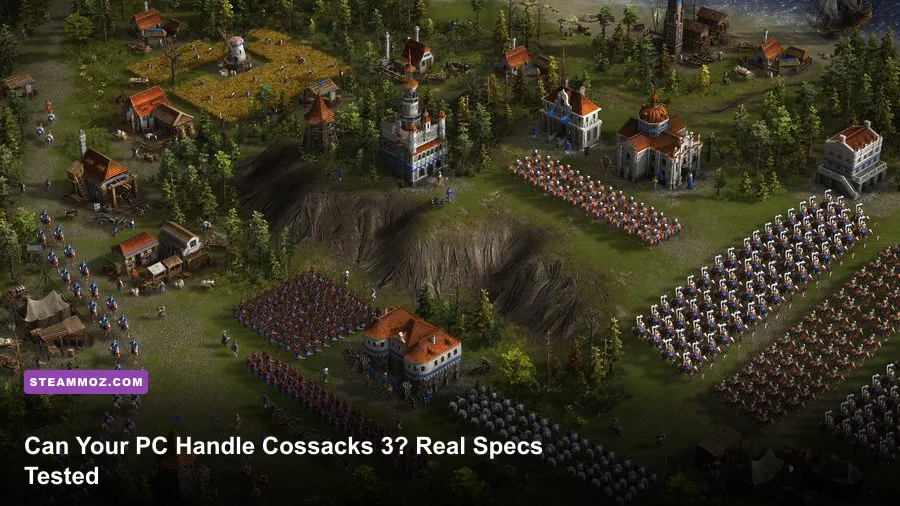
Cossacks 3 will run on surprisingly old hardware, but the minimum listing only covers getting into the game—not keeping enormous armies smooth. A dual-core processor, 2 GB of RAM, and a GeForce 9600 GT-class graphics card meet the official minimum, while a modern four-core CPU, 8 GB of memory, and a GTX 1060-class GPU provide a far more comfortable experience. If your goal is stable performance during 1,000-unit battles, CPU headroom matters more than chasing ultra graphics.
That distinction is the important part of the COSSACKS 3 EXPERIENCE system requirements question. Cossacks 3 is an old-school real-time strategy game built around huge armies, production chains, and crowded maps. It doesn't look like a modern blockbuster, but its simulation can become busy fast. A PC that handles the opening minutes at 60 frames per second may dip badly once several nations are harvesting resources, training troops, firing artillery, and pathfinding across the same battlefield.
This guide separates the official floor from the hardware I would actually recommend, explains where the bottlenecks appear, and gives you practical settings profiles. The figures below reflect the PC version listed on the official Steam page for Cossacks 3. Treat the minimum specification as a launch target, not a promise of perfect late-game performance.
Official Cossacks 3 Minimum and Recommended Specs
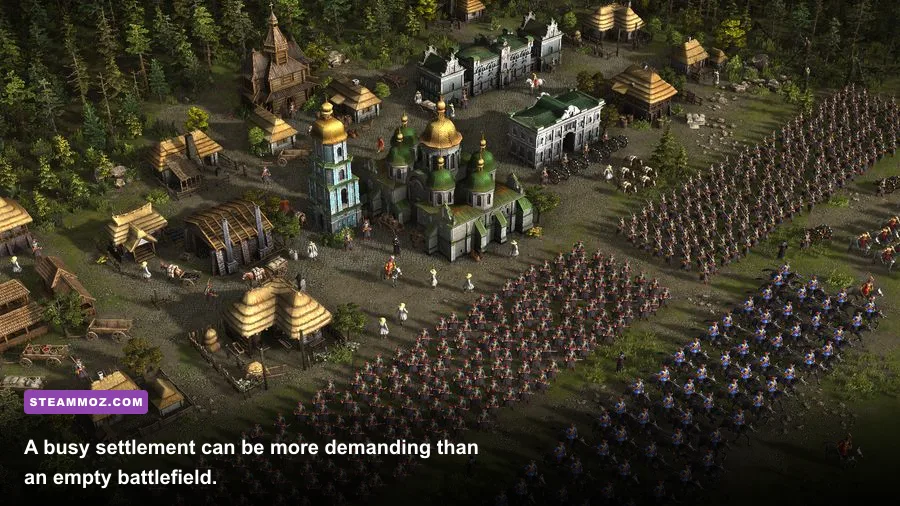
The published minimum requirements are modest by today's standards. Cossacks 3 asks for a 64-bit version of Windows 7, Windows 8, or Windows 10, an Intel Core 2 Duo 2.0 GHz processor, 2 GB of RAM, and a DirectX 9.0c-compatible graphics card with 512 MB of video memory. The listed storage requirement is 3 GB.
The recommended specification raises the processor target to an Intel Core i5 running at 3.0 GHz, doubles memory to 4 GB, and moves the graphics recommendation to a GeForce GTX 550 Ti with 1 GB of VRAM. Those numbers are old, but they tell you something useful: the game was designed for low-to-midrange PCs and does not require a modern ray-tracing card.
| Component | Official Minimum | Official Recommended | What I Recommend Today |
|---|---|---|---|
| Operating system | Windows 7/8/10 64-bit | Windows 7/8/10 64-bit | Windows 10 or Windows 11 64-bit |
| Processor | Intel Core 2 Duo 2.0 GHz | Intel Core i5 3.0 GHz | Modern 4-core CPU or better |
| Memory | 2 GB RAM | 4 GB RAM | 8 GB RAM |
| Graphics | GeForce 9600 GT, 512 MB | GeForce GTX 550 Ti, 1 GB | GTX 1050 Ti, GTX 1650, or integrated Radeon 680M-class graphics |
| DirectX | Version 9.0c | Version 9.0c | DirectX 11-compatible hardware |
| Storage | 3 GB available space | 3 GB available space | 3 GB on an SSD for faster loading |
There is one subtle catch with those official numbers. A Core 2 Duo and 2 GB of RAM may technically satisfy the requirement, but Windows background services, Steam, browser tabs, and security software can consume a meaningful portion of that memory before the first match begins. With only 2 GB installed, map loading may be slower and alt-tabbing can become unpleasant. The game itself is light; the surrounding modern PC environment is not.
For a brand-new budget build, don't deliberately aim for the minimum. Even an inexpensive used office PC with a Core i5-6500, 8 GB of RAM, and a GTX 1050 Ti will deliver a much more consistent experience. Cossacks 3 doesn't need expensive hardware, but it benefits from hardware that isn't already operating at its limit.

🎮 COSSACKS 3 EXPERIENCE
Looking to experience this game? Grab your digital key directly on our store for $12.35.
View on Steammoz Store →What the Minimum PC Can Actually Handle
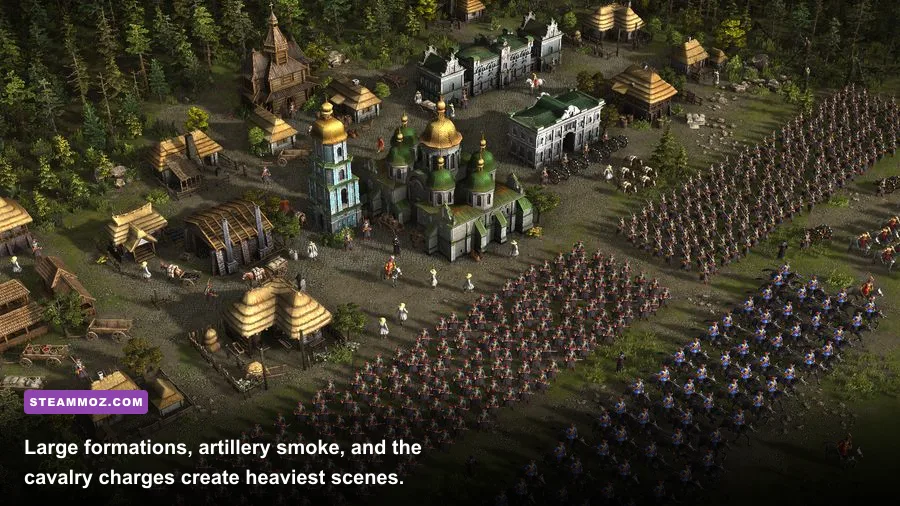
On minimum-class hardware, Cossacks 3 is playable with sensible expectations. The early campaign missions and small skirmishes should be manageable at 720p or 1080p with low settings. You can build a town, establish farms, train musketeers, and fight compact engagements without the game becoming a slideshow.
The trouble begins with scale. Cossacks 3 supports battles containing thousands of units, and every soldier is part of a broader simulation. Units must receive orders, maintain formations, calculate movement, react to morale and ranged fire, and search for routes through buildings and terrain. In a quiet corner of the map, the GPU has little to do. During a full-screen clash involving infantry blocks, cavalry, cannons, smoke, and multiple construction queues, the CPU becomes the star of the show.
A minimum PC is therefore best suited to the campaign, smaller custom battles, and multiplayer matches with restrained unit limits. It can still deliver the distinctive Cossacks rhythm—expand quickly, secure iron and coal, protect your farms, and overwhelm the opponent—but it won't provide a locked 60 FPS in every spectacular late-game confrontation.
| Scenario | Minimum-class PC Expectation | Main Limitation | Useful Adjustment |
|---|---|---|---|
| Campaign opening | Playable at 720p to 1080p, low settings | Slow loading and limited memory | Close browsers and background launchers |
| Small skirmish | Generally smooth with modest unit counts | Older dual-core CPU | Use a 30 or 45 FPS cap if available |
| Large settlement | Noticeable dips as production expands | Simulation and pathfinding load | Lower shadows and effects first |
| Mass battle | Playable, but inconsistent during peak action | CPU saturation and combat effects | Reduce unit count and visual effects |
| Multiplayer siege | Unpredictable on very old CPUs | Simulation must keep pace with other players | Prefer wired networking and moderate match size |
Don't confuse a frame-rate dip with an internet problem. In an offline skirmish, a crowded battle can slow because your processor is struggling with simulation. In multiplayer, network delay can add another layer of frustration. If units respond late but animations remain smooth, investigate your connection. If the entire game visibly slows when armies collide, lower the load on the machine instead.
Why Cossacks 3 Is More CPU-Heavy Than It Looks
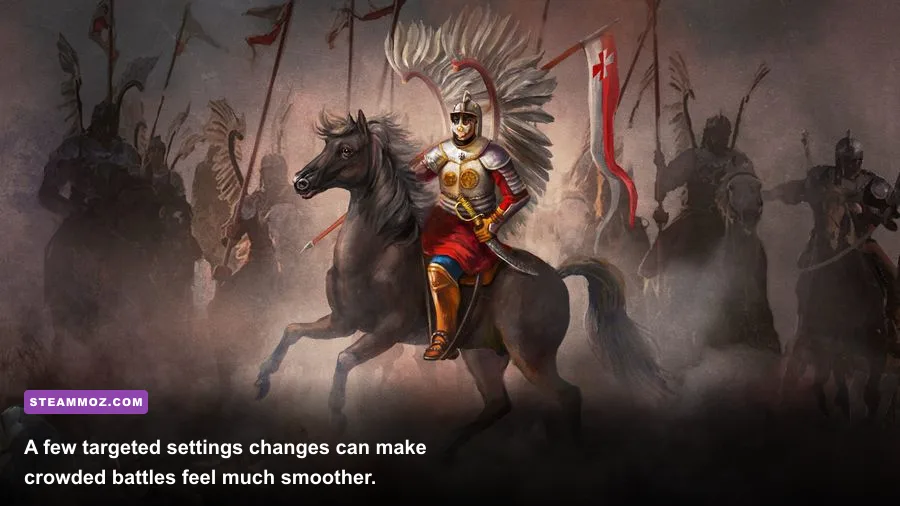
The visual style is deceptively simple. Cossacks 3 uses a top-down camera, relatively small individual models, and an art direction that doesn't demand a powerful GPU. That makes it easy to assume any modern graphics card will solve every performance issue. In reality, the biggest late-game limiter is usually the processor.
Every large formation creates work beyond drawing pixels. Infantry units need to preserve ranks, cavalry must navigate around friendly troops, artillery searches for firing opportunities, and workers continue collecting resources across the map. Add several computer-controlled factions and the number of active decisions rises quickly. A faster CPU with stronger per-core performance can improve the feel of the game even when the graphics card is barely working.
RAM matters too, although the requirement is not enormous. With 4 GB, the game can run, but 8 GB gives Windows enough breathing room to avoid aggressive paging. If your system has a slow hard drive, memory pressure becomes especially noticeable when loading campaign maps or switching between the game and another application.
Storage speed won't raise your average FPS, but an SSD reduces loading times and makes restarts less painful after a failed campaign attempt. Cossacks 3's small installation size means it barely uses any SSD space, so there is little reason to keep it on a mechanical drive unless you're working with a very old system.
GPU power is the easy part
Almost any entry-level dedicated GPU released in the last decade exceeds the official requirement. A GTX 1050, GTX 1650, Radeon RX 560, or newer integrated graphics solution can handle the game's rendering workload at 1080p. The exceptions are weak laptop chips, very old Intel integrated graphics, and systems using shared memory while also running with only 4 GB of system RAM.
Video memory is rarely the first problem. Cossacks 3 doesn't require 6 GB or 8 GB of VRAM, and buying a much stronger graphics card won't guarantee smoother battles if the processor is an aging dual-core model. Spend your budget on a balanced system rather than pairing a high-end GPU with a ten-year-old CPU.
Best Graphics Settings for Stable FPS
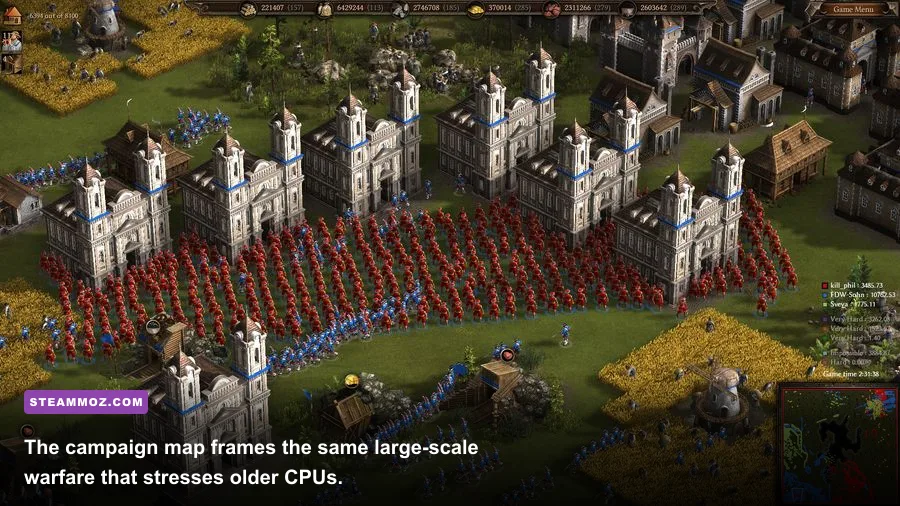
The best settings strategy is simple: protect CPU performance first, then trim the effects that create visual clutter. You don't need to turn the game into a blurry mess. Cossacks 3 remains attractive with medium settings, and the battlefield is readable as long as unit silhouettes, terrain contrast, and interface scaling remain clear.
| Setting | Budget Profile | Recommended Profile | Performance Impact |
|---|---|---|---|
| Resolution | 1280x720 or 1600x900 | 1920x1080 | High GPU impact, minimal simulation impact |
| Texture quality | Medium | High | Mostly VRAM and image-quality dependent |
| Shadows | Low | Medium | Useful reduction on older GPUs |
| Effects | Low or medium | High if stable | Can dip during artillery-heavy battles |
| Anti-aliasing | Off or low | Medium | GPU cost with modest visual benefit |
| Terrain detail | Medium | High | Small to moderate GPU impact |
| Unit scale | Moderate battle sizes | High or unrestricted | Major CPU and simulation impact |
| V-sync | On for stable output | On unless using a VRR display | Prevents tearing but may add latency |
Start with 1080p, medium textures, medium terrain detail, low shadows, and medium effects. Play a skirmish long enough to create a developed settlement, then stage a large fight. Testing only the first five minutes tells you almost nothing about real performance. The game is at its most demanding after you have multiple barracks, stables, mines, farms, and a crowded front line.
If the frame rate remains high while the game feels sluggish, don't keep lowering resolution. That points to a CPU or simulation bottleneck. Reduce the match's unit limit, avoid running several giant armies through narrow chokepoints, and check whether background applications are consuming processor time. Resolution changes help when the GPU is full; they don't fix a processor that is overwhelmed by unit logic.
For additional PC troubleshooting habits, Steamoz's guide to PC fixes that stop crashes and rescue FPS has useful general steps, while the Drawful 2 PC specs breakdown explains why official minimum requirements can be misleading on modern Windows systems.
Recommended Hardware for the Best Cossacks 3 Experience
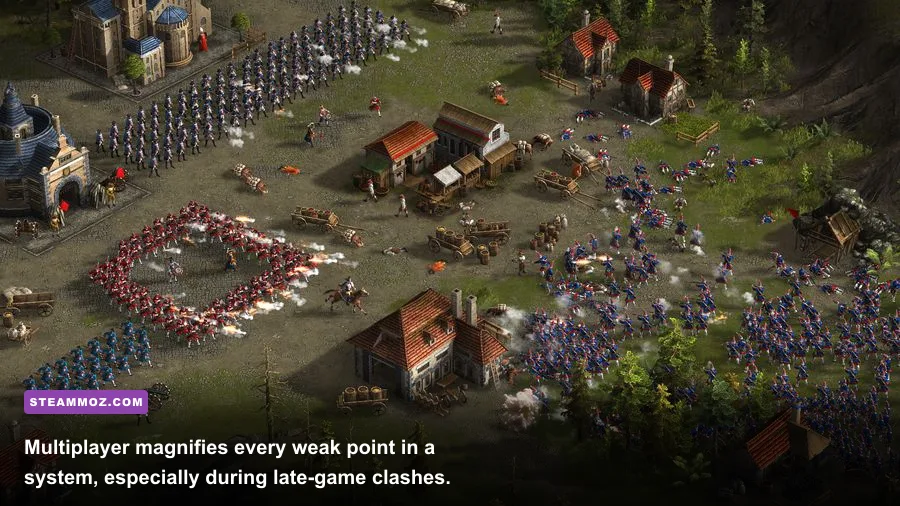
For a genuinely comfortable Cossacks 3 experience, aim for a modern quad-core processor, 8 GB of RAM, and any sensible entry-level gaming GPU. An Intel Core i5-6500 or Ryzen 3 3100 already provides plenty of headroom compared with the official recommendation. Newer chips such as the Core i3-12100, Ryzen 5 5600, or laptop Ryzen 5 processors are comfortably ahead of the game's needs.
That extra CPU capacity gives you more than a higher average frame rate. It improves responsiveness while the economy is active, reduces hitching when the camera sweeps across a developed base, and keeps orders feeling immediate when dozens of units are selected. In an RTS, that responsiveness is more valuable than a flashy graphics preset.
A GTX 1650, GTX 1060, Radeon RX 570, or newer equivalent is enough for 1080p with high visual settings. Integrated graphics can also work on current AMD APUs, but dual-channel memory is important. A laptop with one 8 GB memory stick may perform noticeably worse than the same machine with two 4 GB or two 8 GB modules because integrated graphics rely on system memory bandwidth.
| Target Experience | CPU | RAM | GPU | Expected Use |
|---|---|---|---|---|
| Minimum playable | Core 2 Duo 2.0 GHz | 2 GB | GeForce 9600 GT 512 MB | Small battles and low settings |
| Comfortable budget | Core i5-6500 or Ryzen 3 3100 | 8 GB | GTX 1050 Ti or RX 560 | 1080p medium-high and normal skirmishes |
| Strong 1080p setup | Core i3-12100 or Ryzen 5 5600 | 8 GB | GTX 1650 or RX 570 | High settings and large battles |
| Streaming and multitasking | Six-core modern CPU | 16 GB | GTX 1660 or newer | Large matches while recording or streaming |
You don't need a premium gaming PC to play every campaign and expansion. In fact, spending heavily on the graphics card is usually wasteful unless you also play newer games. Put that money toward a better CPU, an SSD, and 16 GB of RAM if you plan to stream, record, or keep a browser open while playing.
Campaign, Skirmish, and Multiplayer Performance
Performance changes depending on how you play. Campaign missions often begin quietly and then introduce scripted attacks, extra factions, or fortified settlements. A low-end PC may look perfectly healthy during the opening economy phase before suffering a major dip when the mission fills the map with troops.
Skirmishes are easier to control because you choose the map, number of opponents, starting resources, and unit limits. If your computer is near minimum spec, use a smaller map and two or three factions rather than creating a maximum-size free-for-all. This isn't just a visual concession; fewer active economies reduce the amount of simulation happening outside your camera view.
Multiplayer can feel excellent on modest hardware when players agree on sensible limits. It becomes much tougher when everyone rushes toward a late-game artillery war. Large battles also punish poor pathfinding. If you order a giant formation through a single bridge or gap, units bunch together, recalculate routes, and create a temporary performance spike. Split the army into groups and use wider approaches whenever the terrain allows it.
For strategy-game readers, our Empires of the Undergrowth leveling guide covers a different kind of simulation-heavy RTS, while the Dungeons 3 strategy tips offer useful advice for managing crowded encounters and production priorities.
Fixes for Stutter, Crashes, and Slowdowns
If your hardware exceeds the requirements but Cossacks 3 still stutters, begin with the basics. Update your GPU driver, verify the installation through Steam, disable unnecessary overlays, and make sure the game is using the dedicated GPU on a laptop. Windows can occasionally assign older games to integrated graphics, particularly when the system has both an iGPU and a discrete card.
- Verify the game files. Corrupted files can cause crashes when loading specific campaigns or maps.
- Use the dedicated GPU. In Windows Graphics settings, add the game's executable and select High performance.
- Close overlays. Steam, Discord, recording tools, and GPU overlays can add hooks that older DirectX titles don't always like.
- Check memory pressure. With 4 GB or less, close browsers and launchers before starting a large match.
- Test windowed and borderless modes. Some systems behave better outside exclusive fullscreen, while others prefer fullscreen.
- Install on an SSD. This won't cure low FPS, but it can reduce long loads and apparent pauses between maps.
- Limit battle scale. If the slowdown only appears during enormous clashes, the simulation—not the installation—is the likely culprit.
Also check whether the slowdown is consistent or only appears after prolonged play. Thermal throttling can make a laptop perform well for ten minutes and then lose speed once the CPU heats up. Keep vents clear, use a hard surface, and watch CPU clock speeds with a monitoring tool. If clocks drop sharply during a battle, lowering graphics settings won't solve the real problem.
The Far Cry 2 PC requirements guide is another useful reference for judging older PC games, especially when modern operating systems introduce compatibility quirks that aren't reflected in the original store listing.
The Verdict on Cossacks 3 PC Requirements
Cossacks 3 is easy to launch and harder to run perfectly at maximum scale. The official minimum—Core 2 Duo, 2 GB RAM, and a GeForce 9600 GT-class GPU—is enough for entry-level play, particularly at lower resolutions and moderate battle sizes. The official recommended specification is a better starting point, but it still feels conservative if you want smooth performance during huge late-game battles.
My practical recommendation is an 8 GB system with a modern four-core processor, an SSD, and a GTX 1050 Ti or comparable GPU. That combination is inexpensive, widely available, and balanced for the game's real workload. If your machine has a stronger graphics card but an old dual-core CPU, expect the processor to become the weak link once the battlefield fills up.
So, can your PC handle the COSSACKS 3 EXPERIENCE? If it meets the minimum, probably yes—but keep your expectations focused on smaller engagements. If it matches the practical recommendation, you'll be able to enjoy the game's real appeal: expanding a living settlement, turning resources into an enormous army, and watching an entire front collapse under the pressure of disciplined formations and artillery. That's where Cossacks 3 shines, and that's also where the extra CPU headroom pays for itself.