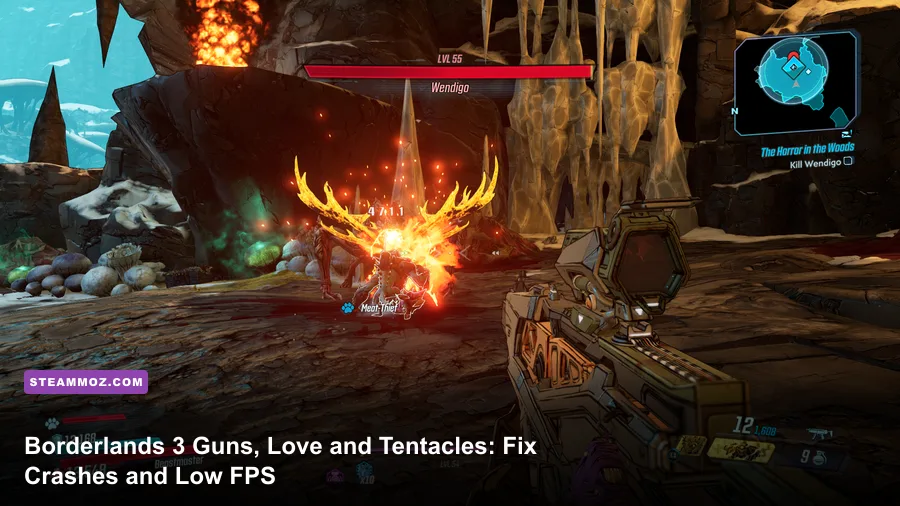
If Borderlands 3: Guns, Love and Tentacles keeps crashing or running at low FPS on PC, start with the practical fixes: verify the game files, update your GPU driver, switch between DX11 and DX12, disable overlays, and lower volumetric fog, screen-space reflections, and foliage first. The Xylourgos DLC is not automatically broken, but its snow, fog, elemental particles, and crowded combat arenas can magnify shader stutter, VRAM pressure, and unstable frame times in the base game.
This guide focuses on the problems players actually hit: crashes when entering Xylourgos, freezes after fast travel, black screens on startup, severe stutter during gunfights, and frame rates that collapse even when the average FPS looks healthy. Work through the fixes in order. Don't change ten variables at once, because you'll never know which solution helped.

Check your PC before changing the graphics menu
Guns, Love, and Tentacles uses the same Unreal Engine 4 foundation as Borderlands 3, so the expansion doesn't have a separate executable or independent performance profile. Your first checkpoint is whether the full game is operating close to its official PC target. Gearbox's published requirements list an Intel Core i5-3570 or AMD FX-6350, 6 GB of RAM, and a GeForce GTX 680 2 GB or Radeon HD 7970 for minimum play. The recommended target rises to an Intel Core i7-4770 or AMD Ryzen 5 2600, 16 GB of RAM, and a GTX 1060 6 GB or Radeon RX 590.
Those specifications are a floor, not a promise of a locked 60 FPS in the DLC. Borderlands 3 streams large environments, calculates physics-heavy weapons, and throws multiple elemental effects across the screen. A six-core processor with 16 GB of memory is a much more comfortable baseline today, while a 6 GB graphics card helps at 1080p. At 1440p, 8 GB of VRAM is preferable, especially if texture streaming is set aggressively.
| Component | Official Minimum | Practical 60 FPS Target | What It Prevents |
|---|---|---|---|
| CPU | Core i5-3570 or FX-6350 | Core i5-10400 or Ryzen 5 3600 | Heavy combat and traversal hitching |
| Memory | 6 GB RAM | 16 GB dual-channel RAM | Streaming pauses and background paging |
| GPU | GTX 680 2 GB or HD 7970 | GTX 1060 6 GB, RX 590, or newer | Texture and particle-related stutter |
| Storage | Hard drive supported | SSD with 100 GB or more free space | Slow area loads and texture pop-in |
Install the game on an SSD if possible. An SSD won't magically raise your average FPS, but it can reduce the long pauses that look like crashes while Xylourgos streams a new zone. Close browsers, recording tools, RGB utilities, and hardware monitors for the first test run. Borderlands 3 is sensitive to CPU scheduling when Discord, GeForce Experience, Xbox Game Bar, and third-party overlays all hook into the same render process.
For official baseline information, compare your setup against the Borderlands 3 Steam page and the official Borderlands website. If your PC is near minimum, use the low-FPS profile below before assuming the DLC itself is crashing.
🎮 Borderlands 3: Guns Love and Tentacles
Looking to experience this game? Grab your digital key directly on our store for $10.04.
View on Steammoz Store →Use the right DirectX mode and repair the installation
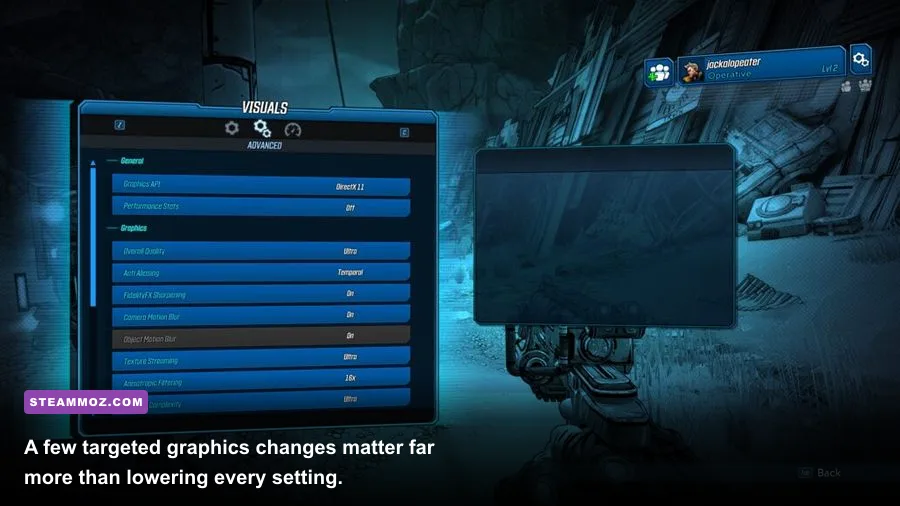
DirectX mode is one of the most important Borderlands 3 crash variables. DX12 can deliver smoother performance after its shaders have compiled, but some systems experience long first launches, black screens, or crashes while entering a new area. DX11 is usually the better diagnostic mode because it tends to be more predictable across older GPUs and driver versions. If the game crashes before reaching the main menu, force DX11 first.
Steam launch fix
- Open Steam, right-click Borderlands 3, and choose Properties.
- Stay on the General tab and find Launch Options.
- Enter
-dx11, close the window, and launch the game. - Test the Xylourgos entrance, a fast-travel transition, and one busy combat encounter.
Don't stack old commands from random troubleshooting posts. Test -dx11 alone first. If DX11 fixes the crash but your frame rate is lower, remove the command and test DX12 only after clearing the game's shader cache and updating your GPU driver. The first DX12 session may stutter as shaders compile; let the game sit at the menu for a minute and play through a few areas before judging it.
Epic Games and file repair
On Epic, open your Library, select the three-dot menu beside Borderlands 3, choose Manage, and click Verify. Steam users should open Properties, select Installed Files, then choose Verify integrity of game files. This replaces damaged base-game files and DLC data without deleting saves. It is particularly useful after a power cut, interrupted patch, or failed update.
Next, update your GPU driver using a clean installation option where available. A driver update matters most when the crash began immediately after a Borderlands 3 patch or a Windows update. If the problem started right after a driver update, rolling back to the previous stable driver is reasonable. Turn off overlays for the test: Steam Overlay, Discord Overlay, Xbox Game Bar, NVIDIA overlay, AMD Radeon overlay, MSI Afterburner OSD, and ReShade.
Gearbox's official Borderlands 3 support hub is worth checking before reinstalling. A complete reinstall is a last resort, not step one. For broader PC troubleshooting habits, Steamoz's guide to crash fixes and FPS recovery covers the same clean-testing approach.
Lower the settings that actually cost frames
Don't immediately set every option to Low. Borderlands 3 often looks nearly identical after a few targeted cuts, while the wrong changes can make the game blurry without fixing the real bottleneck. Volumetric fog is the biggest suspect in snowy outdoor scenes. Screen-space reflections and foliage also become expensive when the camera faces a detailed section of Xylourgos.
| Setting | Recommended Value | FPS Impact | Visual Trade-Off |
|---|---|---|---|
| API | DX11 for stability; DX12 for testing | High stability impact | DX12 may improve frame pacing after shader compilation |
| Volumetric Fog | Low | High | Less dense mist and snow haze |
| Screen Space Reflections | Off or Low | Medium to high | Fewer wet-surface reflections |
| Foliage | Medium | Medium | Less grass and environmental detail |
| Material Complexity | Medium | Medium | Subtler surface shading |
| Texture Streaming | High on 6 GB or more VRAM | VRAM dependent | Lower values reduce texture sharpness |
| Anti-Aliasing | FXAA or Low | Low to medium | More jagged edges at distance |
| View Distance | Medium | Medium | Objects appear at shorter range |
| Resolution Scale | 100%; 90% if GPU-limited | High | Lower internal resolution softens the image |
Start at 1080p, 100% resolution scale, medium overall quality, low volumetric fog, low reflections, and medium foliage. Cap the frame rate to a number your PC can actually hold. A stable 60 FPS usually feels better than a wild 90 FPS that dives to 38 during every firefight. If you have a 144 Hz monitor, try a 72 or 90 FPS cap before chasing maximum output.
Use the in-game benchmark after every meaningful change, but don't treat its average as gospel. The benchmark can miss the exact combination of effects that causes a crash in the Negul Neshai zones or during a boss fight. Watch the one-percent lows and frame-time graph with a tool such as CapFrameX, then manually test a snowstorm, a vending-machine hub, and a four-player fight.
If the GPU sits around 95 to 99 percent usage while FPS is low, lower resolution scale, fog, reflections, and anti-aliasing. If GPU usage is low but the frame rate still falls, the limit is probably CPU-side, shader compilation, streaming, or a background process. In that case, lowering textures won't help. Drop view distance and foliage, cap FPS, close overlays, and check temperatures and clock speeds.
Stop crashes caused by settings, saves, and overlays
Borderlands 3 stores configuration and save data in the Documents folder, commonly under Documents\My Games\Borderlands 3\Saved. Before deleting anything, copy the entire Saved folder to your desktop. Cloud synchronization can restore an older file, and a bad shutdown can leave configuration data in a state that causes repeat crashes. Keep the backup until the game has launched, loaded a character, and completed a fast-travel test.
Reset corrupted configuration data
- Exit Borderlands 3 and close Steam or Epic completely.
- Back up
Documents\My Games\Borderlands 3\Saved. - Rename the
Configfolder toConfig-backup. - Launch the game so it creates fresh settings files.
- Set DX11, 1080p, medium quality, and a 60 FPS cap before restoring anything.
This resets graphics settings without immediately throwing away character progress. If the crash disappears, reapply settings one at a time. A corrupted or overly aggressive configuration is more likely when the game crashes at startup, after changing resolution, or after switching APIs.
Disable cloud saves temporarily while testing a suspected save issue. If only one character crashes while other characters load normally, the problem may be tied to that character's location, inventory state, or a damaged local profile rather than your GPU. Don't overwrite the backup. Contact 2K Support with your system specs, crash timing, DX11 or DX12 mode, and the affected save situation.
Also remove launch commands such as -notexturestreaming unless you have a specific reason to use them. That command can increase VRAM pressure and make crashes more likely on 4 GB and 6 GB cards. Run the game as a normal user first; compatibility mode and forced administrator settings can create permission problems with Documents and cloud synchronization.
Build a stable FPS profile for Guns, Love and Tentacles

Once the crashes stop, tune for consistent frame time rather than a screenshot-friendly average. The DLC's most demanding moments tend to be long sightlines, heavy weather effects, elemental explosions, and enemy packs spawning together. Maliwan weapons with sustained beams, Torgue sticky projectiles, and splash-heavy launchers can create more visible particle load than a simple Jakobs pistol, so test with the weapons you actually use.
| Profile | Resolution | Key Settings | Expected Use |
|---|---|---|---|
| Stable 60 | 1080p, 100% | Medium preset, fog Low, reflections Low, foliage Medium | Most mid-range GPUs and smooth co-op play |
| High Refresh | 1080p, 90-100% | Low-medium preset, fog Low, view distance Medium, 72-90 FPS cap | Competitive-feeling gunplay without wild dips |
| 1440p Quality | 1440p, 100% | High textures, medium effects, fog Low, reflections Off | 8 GB GPUs with a strong six-core CPU |
| Older Hardware | 900p or 1080p, 75-90% | Low preset, textures Medium, fog Low, foliage Low | Minimum-spec systems prioritizing playability |
For a quick diagnostic sequence, load a character in Sanctuary III, travel to Xylourgos, stand still for 30 seconds, then sprint through a busy area and trigger a fight. Note the FPS, one-percent lows, GPU memory use, and whether the hitch occurs during a new effect or a new zone. Repeat with DX11 and DX12, but allow DX12 time to compile shaders before comparing it.
Keep the frame cap below your monitor's refresh rate if you use VRR. A 58 or 60 FPS cap on a 60 Hz display, or an 87 or 90 FPS cap on a 100 or 120 Hz display, can reduce synchronization swings. V-Sync is useful when tearing bothers you, but test it separately because it can turn a small performance dip into a more obvious input and frame-time jump.
Finally, don't confuse a network hitch with a graphics crash. In co-op, host migration, packet loss, or a split-second player disconnect can freeze the action even when your GPU is healthy. Test the same area solo. If solo play is smooth but co-op stutters, troubleshoot the connection and host rather than destroying your graphics profile.
The fastest order of operations
- Verify the Borderlands 3 installation.
- Update or clean-install the GPU driver.
- Disable every overlay and remove unnecessary launch commands.
- Force DX11 and test Xylourgos.
- Reset the Config folder after backing up saves.
- Lower volumetric fog, reflections, foliage, and resolution scale in that order.
- Test a capped frame rate in solo play before returning to co-op.
That sequence solves most Guns, Love, and Tentacles PC crashes without sacrificing the game's distinctive comic-book look. If you're still fighting stutter after the repair, compare your results with Steamoz's settings guide for frame-time tuning and the crash-and-FPS troubleshooting breakdown. The goal isn't the highest number in an empty hallway; it's reliable frame pacing when Xylourgos fills the screen with snow, enemies, and explosive loot.