
Assassin's Creed Origins runs on older gaming PCs, but the official minimum only promises 720p at 30 FPS on Low settings. For a smoother 1080p experience, aim for at least an Intel Core i7-3770 or AMD Ryzen 5 1600, 8GB of RAM, and a GTX 760 4GB or Radeon R9 280X 3GB. The real performance catch is the game's CPU-heavy open world: Alexandria, Memphis, and other crowded settlements can drag frame rates down even when your graphics card looks powerful on paper.
That makes Origins a slightly trickier game to judge than a corridor shooter. Bayek's journey through Ancient Egypt streams enormous environments, simulates crowds, renders long sightlines, and constantly loads new terrain. A PC that handles the opening desert smoothly may still stumble when you ride into a packed city. Here are the exact Assassin's Creed Origins system requirements, what they mean in practice, and the settings worth changing first.
If you're comparing performance advice across Ubisoft's older catalogue, our guide to Far Cry 2 PC specs is a useful reminder that official minimums rarely equal a modern 60-FPS target.

The official Assassin's Creed Origins PC requirements
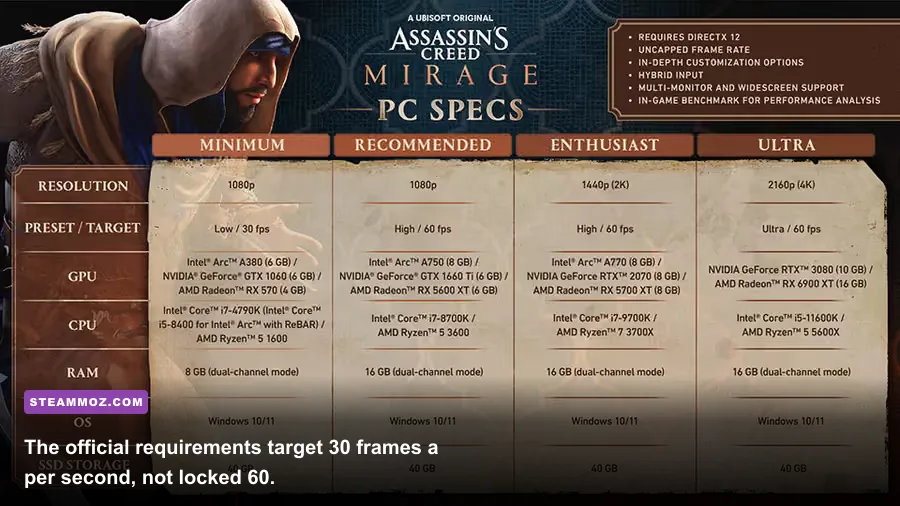
Ubisoft's published requirements are split around a 720p Low target and a 1080p High target. Both profiles list 30 FPS, which is the detail many quick spec summaries leave out. The game may launch on hardware below the recommended tier, but that doesn't mean it will hold a clean 30 FPS during heavy scenes.
| Target | Processor | Memory | Graphics card | Operating system and storage |
|---|---|---|---|---|
| Minimum: 720p Low, 30 FPS | Intel Core i5-2400 3.1 GHz or AMD FX-6350 3.9 GHz | 6GB RAM | Nvidia GeForce GTX 660 2GB or AMD Radeon R9 270 2GB | Windows 7 SP1, 8.1, or 10 64-bit; 42.7GB storage |
| Recommended: 1080p High, 30 FPS | Intel Core i7-3770 3.5 GHz or AMD Ryzen 5 1600 | 8GB RAM | Nvidia GeForce GTX 760 4GB or AMD Radeon R9 280X 3GB | Windows 7 SP1, 8.1, or 10 64-bit; 42.7GB storage |
The GTX 660 and R9 270 are old 2GB cards now, and their advertised target is modest. The recommended GTX 760 is not a 60-FPS guarantee either; it is the card Ubisoft associated with High settings at 1080p and 30 FPS. Treat that as a baseline for playability, not a modern enthusiast target.
Origins also needs a 64-bit operating system. A 32-bit installation won't meet the requirement, and Windows 10 or 11 users should make sure the game is running through a current graphics driver rather than relying on an old Windows Update package. You can verify the original listing through the Assassin's Creed Origins Steam page before buying or reinstalling.
🎮 Assassin's Creed Origins
Looking to experience this game? Grab your digital key directly on our store for $8.99.
View on Steammoz Store →What the minimum specs really deliver

The minimum profile is enough for playing Origins, but it demands sensible expectations. A Core i5-2400 or FX-6350 paired with a GTX 660-class card should target 1280x720, Low quality, and a 30-FPS cap. That combination is designed to reduce GPU load, while the lower resolution also gives the older processor less scene data to push through the frame pipeline.
The biggest practical limitation is the 2GB graphics memory. Origins can exceed that budget when texture quality, resolution, and environment detail are pushed together. Once VRAM fills, you may see hitching rather than just a lower average frame rate. Texture quality should therefore stay on Low or Medium on a 2GB card, even if the GPU benchmark looks acceptable.
| Hardware situation | Starting profile | Likely experience | First compromise |
|---|---|---|---|
| GTX 660 or R9 270, 2GB | 720p Low, 30 FPS cap | Playable exploration with dips in cities and combat-heavy scenes | Lower resolution scale and texture quality |
| Older quad-core CPU | 720p Low with reduced crowd settings | CPU-related stutter during settlements and fast travel | Lower World and Environment Detail |
| 8GB system with a hard drive | Low or Medium, capped frame rate | Longer loading and occasional streaming pauses | Move the installation to an SSD |
Don't chase 60 FPS on this tier by simply dropping every visual option. The engine can still encounter CPU-side slowdowns in Alexandria, where crowds, buildings, shadows, and streaming all compete for time. A locked 30 FPS with consistent frame pacing often feels better than a wildly fluctuating 35-55 FPS.
There is also a difference between the benchmark and the campaign. Ubisoft's built-in benchmark is handy for comparing settings, but it cannot fully represent every city, quest encounter, or animal-heavy wilderness scene. Test your final profile in Alexandria or Memphis for at least ten minutes, then ride, sprint, and enter a crowded market before deciding that the performance is fixed.
The recommended specs are a 30-FPS target

The recommended Core i7-3770, Ryzen 5 1600, 8GB RAM, and GTX 760 or R9 280X combination is still perfectly usable for a budget build, but it shouldn't be confused with a high-refresh setup. At 1080p High, the official promise remains 30 FPS. You may see higher numbers in open desert areas, yet the processor can become the limiting part once the game starts managing crowds and dense geometry.
The Ryzen 5 1600 is especially interesting because its six cores and twelve threads generally provide more breathing room than the older four-core i7-3770 in background streaming. Neither processor is new, of course, but Origins benefits from extra thread capacity when Windows, Ubisoft Connect, and recording software are open at the same time.
For a modern 1080p 60-FPS goal, think beyond Ubisoft's recommended card. A newer six-core CPU and a graphics card in the modern entry-level range will give you much more headroom, particularly if you want High or Very High settings. The exact result depends on resolution scale, driver version, and whether the GPU has enough VRAM for your texture setting.
| Goal | Practical hardware direction | Suggested resolution | Expected compromise |
|---|---|---|---|
| Official minimum | i5-2400 or FX-6350 with GTX 660/R9 270 | 720p | Low settings and 30 FPS cap |
| Official recommended | i7-3770 or Ryzen 5 1600 with GTX 760/R9 280X | 1080p | High settings with a 30 FPS target |
| Modern 1080p target | Recent six-core CPU and current entry-level gaming GPU | 1080p | High settings, with city dips depending on hardware |
| 1440p enthusiast target | Modern six-core CPU and mid-range GPU with ample VRAM | 1440p | Adjust volumetric effects and shadows first |
Storage matters more than the old specification sheet suggests. The listed 42.7GB is the base requirement, but patches, save backups, and platform overhead mean you shouldn't fill a drive down to its final few gigabytes. An SSD won't magically increase average FPS, but it noticeably improves loading and can reduce the ugly pauses that occur when the world streams in during fast travel.
For another example of why storage and frame pacing deserve attention, see our breakdown of ELEX PC fixes. Open-world games often need more than a raw GPU upgrade.
The graphics settings worth changing first
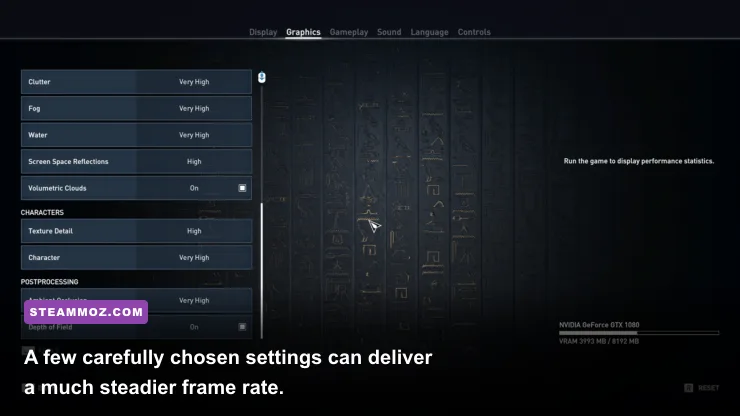
Origins gives you enough control to make a sensible performance profile instead of accepting an ugly Low preset. Start with resolution and the frame-rate limiter, then work through the expensive options one at a time. The goal is consistent frame delivery, not a benchmark screenshot with a large peak number.
| Setting | Recommended value | FPS impact | Visual trade-off |
|---|---|---|---|
| Resolution | Native resolution, or 90% scale for extra headroom | Very high | Lower scale softens distant detail |
| Environment Detail | Medium or High | High, especially on CPU-limited systems | Changes world geometry and distant objects |
| Character Detail | High | Medium | Lower values make NPCs and Bayek look rougher |
| Shadows | Medium | Medium to high | Less precise shadow edges and coverage |
| Volumetric Clouds | Medium | High on the GPU | Sky and haze lose some depth |
| Texture Quality | Match it to available VRAM | Low average impact, high VRAM impact | Lower textures are visibly softer |
| Ambient Occlusion | Medium | Medium | Less contact shading around objects |
| Anti-Aliasing | High or Medium | Medium | Lower values produce more shimmer |
On a GPU-limited system, reduce Volumetric Clouds, Shadows, and resolution scale before touching Character Detail. Those options usually buy more performance per visual sacrifice. On a CPU-limited system, Environment Detail and crowd-related workload matter more; lowering texture quality won't solve a processor bottleneck because textures mostly affect memory bandwidth and VRAM.
Use the in-game benchmark after each major change, but confirm the result in a city. If the benchmark reports 45 FPS and Alexandria still feels like a slideshow, the issue is probably a CPU or streaming limit rather than pure graphics power. A 30-FPS cap can also smooth out uneven frame times when your system swings between 38 and 60 FPS.
Players with variable-refresh monitors should enable adaptive sync if available, then cap the game slightly below the display's refresh ceiling. For a 60Hz screen, 30 or 60 FPS is easy to reason about. For a 144Hz display, a stable 60-FPS cap may feel cleaner than allowing an erratic 70-100 FPS range with frequent city drops.
Upgrade priorities and troubleshooting
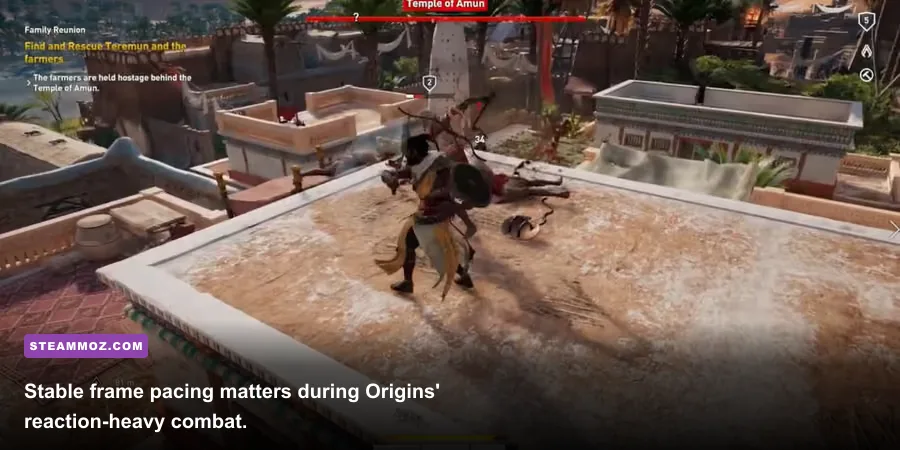
If Origins runs poorly, identify the bottleneck before buying anything. Monitor GPU usage, CPU usage per core, RAM consumption, VRAM allocation, and frame-time spikes. A GPU sitting at 98-99% usually means lowering resolution, clouds, or shadows will help. A GPU at 60% while one or two CPU cores are saturated points toward the processor, background tasks, or the game's open-world simulation.
1. Update the basics
Install the latest driver that supports your graphics card, verify the game's files through Steam or Ubisoft Connect, and close overlays you don't need. Discord, browser tabs, capture software, and RGB utilities rarely destroy performance by themselves, but an older system with only 8GB RAM can feel every background process. Keep Windows on a 64-bit installation and make sure the page file isn't disabled.
2. Move the game to an SSD
An SSD is the best quality-of-life upgrade if the game lives on a heavily fragmented hard drive. Expect faster loading and fewer streaming stalls, not a dramatic average-FPS increase. Leave free space available on the drive; a completely full SSD can also behave poorly during updates and cache operations.
3. Fix the CPU bottleneck
If cities cause the biggest drops, lower Environment Detail and cap the frame rate. Don't expect a new graphics card to repair a weak processor. Origins' simulation-heavy streets can remain CPU-bound even at 720p. Reducing resolution in that situation may actually make the imbalance more obvious because the GPU finishes its work sooner and waits on the CPU.
4. Watch temperatures and power limits
Check whether the CPU or GPU is throttling after 20-30 minutes. Dust, an undersized laptop cooling system, or an aggressive silent-mode profile can turn a capable machine into a stuttery one. Laptop players should use the performance power profile, play while plugged in, and avoid judging the game on battery mode.
For broader PC troubleshooting habits, our coverage of Dragonkin performance settings and Drawful 2's real PC requirements covers the same useful principle: match the fix to the actual bottleneck.
Can your PC run Assassin's Creed Origins?
Yes, if your system meets the GTX 660/R9 270 and Core i5-2400/FX-6350 minimum, you can run Assassin's Creed Origins at 720p Low with a 30-FPS target. That is the honest answer, and it comes with the expected city-area caveat. For 1080p High, use Ubisoft's i7-3770/Ryzen 5 1600 and GTX 760/R9 280X tier as the floor, not a promise of 60 FPS.
The smartest profile for most older gaming PCs is 1080p or 900p, Medium-to-High detail, reduced clouds and shadows, textures matched to VRAM, and a firm frame-rate cap. That combination preserves the golden deserts, Egyptian architecture, and readable combat without wasting performance on settings that barely improve the image.
Before purchasing, compare your exact CPU and GPU against the official Assassin's Creed game page and check Ubisoft's support information for Origins. If you're close to the minimum, prioritize an SSD and stable settings over chasing Ultra. Origins is at its best when its huge world feels steady—not when a benchmark briefly flashes a bigger number.