
When Com2uS ported Summoners War: Sky Arena natively to PC via Steam, they delivered far more than buttery 120 FPS farming loops and macro-friendly mouse clicks. Pushing the client into native 1440p and 4K ultrawide resolutions stripped away a decade of mobile-focused field-of-view limits, accidentally exposing background oddities, deliberate developer signatures, and interactive environmental quirks you literally could not see on a smartphone screen. If you have spent hundreds of hours letting repeat battles run in the background while working or browsing, you have almost certainly auto-battled right past some of the weirdest world-building Com2uS ever tucked into the game.
Between uncapped zoom margins on your personal Sky Island, uncompressed dungeon skyboxes in Cairos, and bizarre prop reactions that only trigger via rapid mouse inputs, the PC version turns Summoners War into a surprisingly rich playground for secret hunters. While optimizing your daily mana grind is essential—much like balancing economy in our fast leveling and gold farming guide—taking a few minutes to inspect the corners of the world map reveals a side of this legendary turn-based battler most veterans never knew existed. Grab your mouse, adjust your resolution scaling, and let's hunt down every major secret spot and Easter egg Com2uS stashed across the PC client.
The Ultra-Wide Sky Island Border Secrets and Hidden Flora
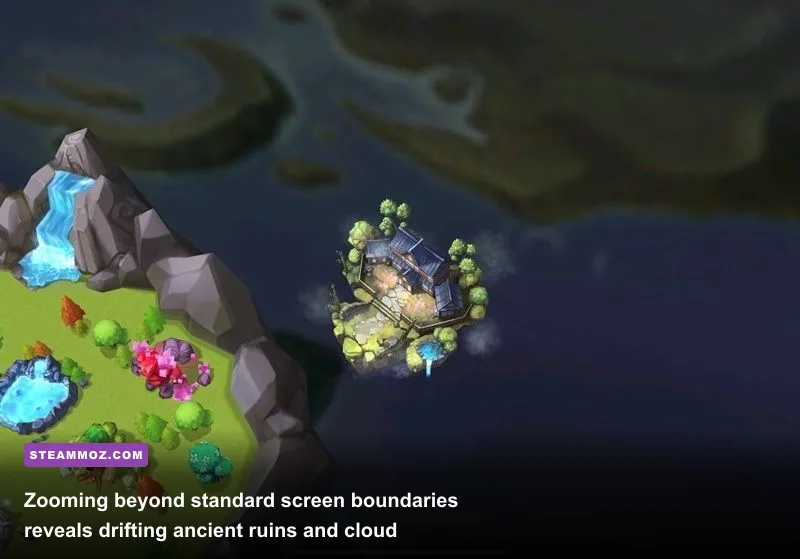
On mobile devices, your Sky Island camera is tightly locked behind aggressive horizontal pinch-to-zoom limits designed to prevent underpowered phone GPUs from rendering complex geometry off-screen. On the Summoners War Steam Store Page client, however, running at 21:9 or 32:9 aspect ratios pushes the camera field of view significantly further backward. If you hold down the middle mouse wheel and sweep your viewing plane to the far western edge of the main island archipelago at maximum zoom-out, you will encounter the floating remnants of an ancient stone aqueduct drifting silently in the cloud layer.
This shattered bridge structure is not just random clutter. It features distinct classical masonry identical to the architecture seen in early 2013 concept art from the Com2uS Official Portal archives, representing the original concept of an interconnected island transport railway that was scrapped before global launch. Furthermore, during the in-game night cycle—which syncs to your local PC system clock—the cloud shelf directly beneath this broken aqueduct occasionally generates a faint, wandering shadow silhouette resembling a colossal celestial leviathan. While mobile players only ever see static mist gradients, high-resolution PC rendering brings out this wandering sky beast every hour on the hour between midnight and 4:00 AM server time.
There is also an interactive botanical secret hiding along the southern boundary of Island Four (unlocked at Summoner Level 40). Tucked right against the cliff edge is a patch of deep violet luminescent flora. Left-clicking this plant cluster three times consecutively causes tiny glowing pollen sprites to burst upward and drift across your monster pens for roughly thirty seconds. It offers zero combat bonuses, but discovering these hidden interactive map elements scratches the exact same itch as exploring tucked-away areas in our secret locations and hidden rewards worth hunting guide.

🎮 Summoner
Looking to experience this game? Grab your digital key directly on our store for $4.99.
View on Steammoz Store →Cairos Dungeon Background Cameos Most Players Auto-Battle Past
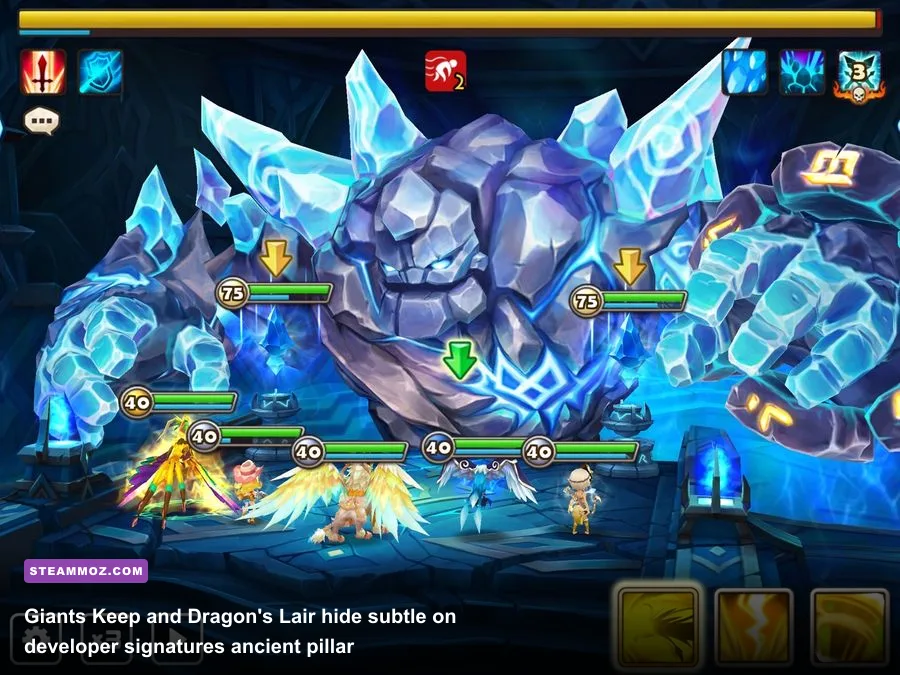
Cairos Dungeon is the beating heart of the game's endless rune grind. Players spend thousands of hours staring at Giants Keep, Dragon's Lair, and Necropolis, yet virtually everyone runs these stages on high-speed auto-battle while watching a second monitor. If you hit the pause button during wave transitions on the PC client, crank your graphics settings to High, and actually inspect the background 3D models, you will find several clever visual tributes that Com2uS environmental artists snuck into the scenery.
In Giants Keep (specifically B10 and the newer Abyss Hard stages), look closely at the crumbling basalt pillars flanking the Giant's throne. Embedded into the stone on the third pillar to the right is the unmistakable silhouette of a petrified 3-star Hellhound—a subtle visual callback to the early 2014 meta when Sieq (Fire Hellhound) was an undisputed offensive buffer for budget starter teams. Even wilder is the runic etching running along the base of the central stone dais. If you cross-reference the runic alphabet provided in early artbooks on the Summoners War Fandom Wiki, the runes spell out the phonetic letters "C-2-U-S-A-L-P-H-A", paying tribute to the game's original development build.
Meanwhile, in the Dragon's Lair, the molten magma falls beneath the bridge feature an optical treat you can only appreciate with high frame rate rendering enabled. As the magma cascades into the void, tiny rock debris occasionally forms the unmistakable grinning face of a standard 1-star Mimic monster before dissolving into the lava river. Because mobile screen response times and battery-saver 30 FPS modes smudge these fast-moving particles, spotting this fire sprite is almost exclusively a PC player's privilege.
| Location / Dungeon | Secret or Easter Egg | Trigger / Requirement | Visual or Lore Significance |
|---|---|---|---|
| Sky Island (Far West) | Celestial Leviathan Shadow | Ultrawide (21:9+), Zoom Out, 00:00 - 04:00 | Massive mythical sky beast roaming the cloud bank under the broken aqueduct. |
| Sky Island (Sector 4) | Luminescent Pollen Burst | Click purple cliffside flora 3 times | Spawns floating fairy particles that drift over monster pens for 30s. |
| Giants Keep (B10 / Abyss) | Petrified Hellhound & Alpha Runes | Pause wave 3, inspect right-side stone pillars | Nod to 2014 starter meta (Sieq) and Com2uS internal project alpha code. |
| Dragon's Lair (Bridge) | Magma Mimic Face Silhouette | Run at 120 FPS, observe magma drops | Falling molten lava particles briefly form the classic Mimic monster smirk. |
| Tartarus' Labyrinth | Draco-Hydra World Map Silhouette | Full zoom-out on labyrinth floor view | The entire labyrinth path grid forms the profile of an ancient dragon skull. |
| Rift of Worlds (Khi'zar) | Primordial Skybox Tether Chains | Max FOV during boss ultimate charge | Reveals colossal void chains anchoring the platform to a shattered planet core. |
Ellia's Secret Reactions and Island Prop Interactive Gags
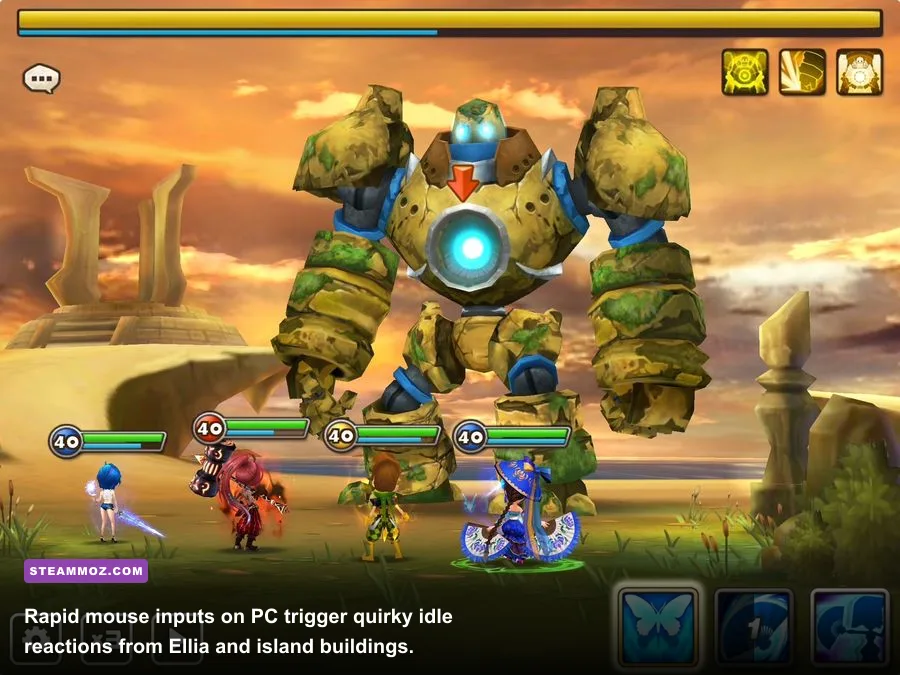
Ellia is the ever-present guide greeting you whenever you return to your base of operations. While mobile players treat her purely as an event menu shortcut, the native PC client map interaction allows for rapid left-click input spam that uncovers several amusing programmed quirks. If you rapidly click Ellia five to seven times within two seconds while she is idling near her cottage, she will break out of her usual polite waving cycle and perform an exasperated facepalm animation, accompanied by a tiny sweat-drop emoji popping above her avatar.
Equipping Ellia with special mounts—such as the Chocobo-esque riding bird or the mechanical airship obtained through seasonal achievements—unlocks an additional Easter egg on PC. Rapidly clicking her while she rides causes the mount to dash in frantic circles before coming to a screeching halt with cartoonish skidding tire tracks burned temporarily into your island grass. Digging into hidden environmental quirks like this is just as satisfying as uncovering buried secrets in our Everspace 2 secret locations and hidden rewards guide.
The interactive fun extends to your decorative buildings as well. Placing the Bonfire craftable structure next to an Arcane Booster Tower creates an unlisted environmental synergy: any unassigned 1-star monster (like a Water Slime or Fire Forest Ranger) placed within two grid tiles of the flame will drop their idle combat stance. Instead, they will turn toward the fire, perform a frantic shivering animation, and occasionally jump as if scorched by flying sparks. It is an extraordinary level of miniature environmental detail that Com2uS quietly left running under the hood for observant players to discover.
The Dimensional Rift Void and Rift of Worlds Lore Silhouettes
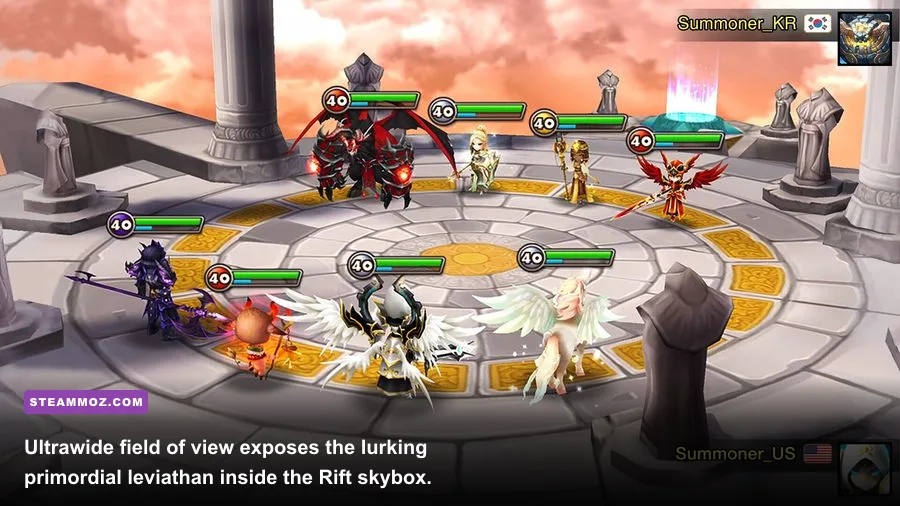
When raiding the Rift of Worlds to battle the multi-headed behemoth Khi'zar Kha'jul, mobile screens restrict your field of view strictly to your frontline and backline monster formations. The PC client, however, renders the full expanse of the cosmic storm enveloping the floating combat arena. If you set your display resolution to 2560x1440 or 3840x2160 with camera shake enabled, watch the upper quadrant of the cosmic storm during Khi'zar's total wipeout charge phase.
Fading in and out of the dimensional lightning is the colossal silhouette of a world-eating serpentine entity. Lore enthusiasts have long debated whether this massive entity is the mythical creator dragon mentioned in the ancient summoner archives or an early visual teaser for high-tier dimensional rift content. Furthermore, the four massive stone obelisks holding the floating raid arena together are tethered to immense, planetary-scale iron chains plunging thousands of feet downward into a fractured core. Mobile fog-of-war shaders completely obscure this, but on PC, the depth of the arena gives the battle a genuinely terrifying scale.
A similar visual Easter egg exists in the Tartarus' Labyrinth interface. When your guild opens the labyrinth floor plan, zoom out fully using the PC mouse wheel. The arrangement of explorable tiles, boss chambers (Kotos, Leos, Guilles), and Tartarus' central lair is not randomized arbitrary placement; the perimeter of active and inactive stone walls forms the stark silhouette of an ancient horned dragon skull. Guild leaders who have mapped Tartarus for years often miss this simply because they stay focused on tile coordinates rather than taking in the macro layout.
Developer Chat Channel Codes and Hidden UI Features
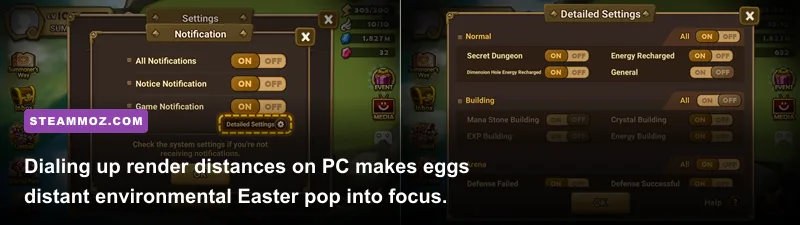
The PC client introduced dedicated keyboard bindings for menu navigation, chat shortcuts, and battle speed toggles. While hotkeys like Spacebar to pause and 1-3 to select combat skills are documented in the settings menu, there are several lesser-known chat commands and special room behaviors carried over from legacy builds that behave uniquely on desktop hardware.
Typing specific community codes into the in-game chat interface unlocks legacy system notifications. For instance, tuning to Channel 1050 or Channel 8088 has served as the universal community rallying point for Secret Dungeon sharing for nearly a decade. However, entering Channel 65—an old developer testing channel dating back to the 2015 global tournament qualifiers—temporarily shifts the chat header text color to a subtle gold tint until you log out. While it grants no moderator powers, it serves as an enduring nod to early competitive summoner tournaments.
To ensure your PC is optimized to render these subtle visual cues without dropping frames during intense 10x repeat battle loops, you need to configure your client settings properly. Just as we break down frame-rate stability and stuttering solutions in our ELEX PC fixes that rescue your FPS, running Summoners War on PC requires balancing visual clarity against background CPU usage.
| PC Display Setting | Recommended Value | Framerate Impact | Visual / Easter Egg Benefit |
|---|---|---|---|
| Resolution Mode | Borderless Windowed (Native) | Negligible | Prevents aspect ratio stretching; unlocks true ultrawide FOV for island borders. |
| Target Frame Rate | 120 FPS / Uncapped | Low - Moderate | Smooths out background particle animations (magma drops, drifting cloud beasts). |
| Anti-Aliasing (MSAA) | High (4x) | Low | Eliminates pixel crawl on distant dungeon carvings and floating skybox chains. |
| Effect Quality | Maximum | Low | Renders subtle environmental lighting sprites (flora pollen, bonfire embers). |
| Camera Shake | Enabled | None | Required to expand the raid camera during Khi'zar's ultimate charge phase. |
Secret Transmogrification Idle Poses and Audio Quirks
One of the most rewarding rabbit holes on the PC client lies within the Building of Transmogrification. When previewing monster skins on mobile, you are restricted to basic attack animations and a standard victory pose. On PC, using precise mouse drag-and-drop mechanics allows you to rotate monster models on full 360-degree horizontal and 90-degree vertical axes, triggering unlisted secondary idle animations that rarely fire in standard combat.
For example, previewing the Beach Girl transmogrification for the Occult Girl family (Anavel, Charlotte, Rica) and holding the left mouse click on Teddy for three continuous seconds causes the stuffed bear to aggressively shake its head and toss its beach ball into the air before fumbling the catch. Similarly, inspecting the Mecha Archangel skin (Artamiel, Velajuel) and rapidly dragging the model horizontally in quick succession causes the thruster wings to stall, emit black engine smoke, and reboot with a distinct high-voltage mechanical sound effect.
These detailed sound bites are easily drowned out by mobile phone speakers, but running high-end PC gaming headsets exposes an impressive acoustic layer. The Dimensional Hole hub features an ambient background drone that subtly shifts musical key depending on which Guardian boss you currently have highlighted. If you leave your cursor hovering over the Karzhan area for over a minute, the mystical synth ambient track subtly incorporates the melody of the classic Summoners War opening theme song played in reverse at half tempo.
Whether you are power-leveling your monster roster at lightning speed—similar to the grind mechanics detailed in our guide to level fast and farm zeni in Kakarot—or simply managing daily guild wars, Summoners War on PC is packed with surprising visual craftsmanship. Next time your 30-run auto battle is clearing Cairos, do not just minimize the window. Zoom out your camera, crank your frame rate, and take a closer look at the living, breathing world drifting right beneath your Sky Island.