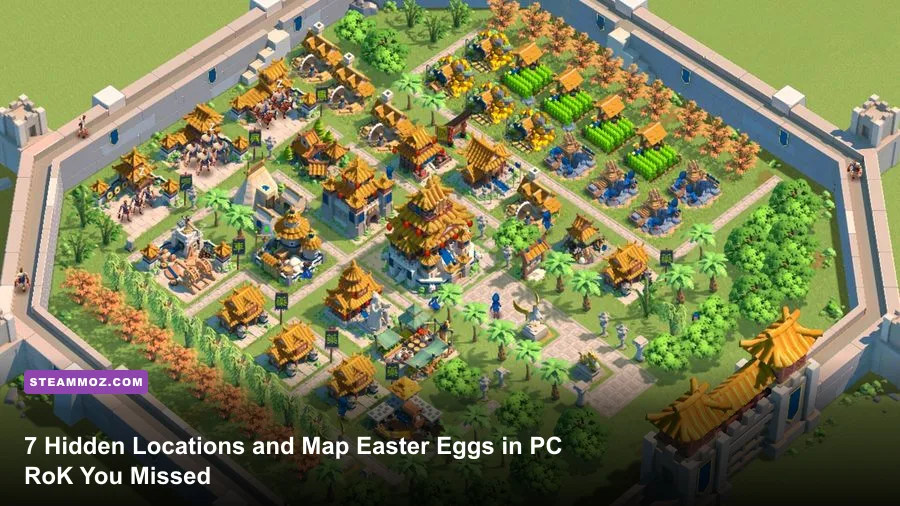
Finding the rarest secret locations and developer Easter eggs in the official PC client of Rise of Kingdoms (RoK PC) comes down to taking full advantage of the platform's uncapped field of view, crisp 4K texture rendering, and mouse-hover interactions that touchscreens simply cannot reproduce. While mobile players spend their time squinting at cramped displays and flicking past terrain crevices, the dedicated PC client exposes hidden Level 3 Caves nestled behind impassable mountain spines, cryptic boundary carvings at the edge of the Lost Kingdom, interactive ambient wildlife, and satirical developer flavor text tucked into monument inspect windows. If you want to scoop up free high-tier VIP tokens, harvest overlooked exploration caches, and appreciate the quirky lore Lilith Games baked into the engine, you need to know where to aim your camera.
The Blind Valley Caves: Scoring Hidden Tier 3 Loot Behind Impassable Peaks
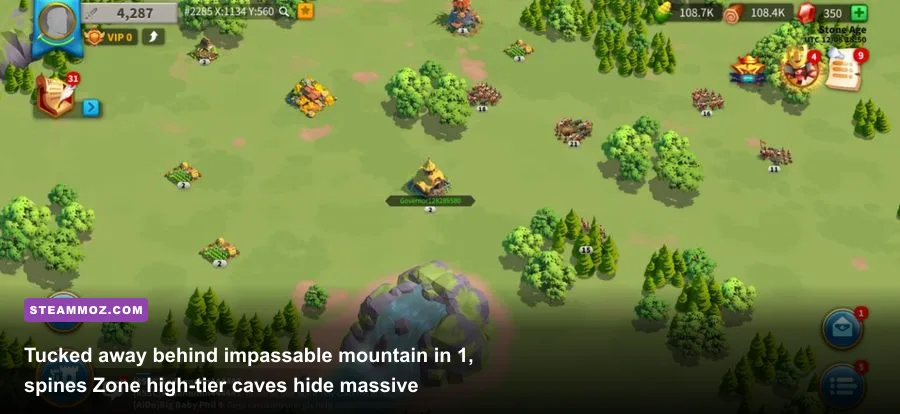
During the opening chapters of any fresh kingdom or Season of Conquest cycle, fog clearance is a grueling chore. Most players send their scouts auto-pathing across wide plains, completely overlooking the geometric blind spots carved into Zone 1 mountain barriers. When terrain meshes generate near the outer borders of provinces like Castilla, Cedonia, and Ethelfled, towering ridgelines create narrow, pocketed valleys. On mobile, the aggressive level-of-detail (LOD) pop-in culls whatever sits behind these ridges, making them look like solid rock. On RoK PC, however, running at maximum draw distance renders the narrow crevices where elusive Level 3 Mysterious Caves tuck away in plain sight.
These aren't your typical Level 1 caves that toss out meager handfuls of 50-point Action Point recovery potions and wood tokens. Level 3 Caves drop guaranteed Gold Chest keys, valuable 8-hour speedups, and massive chunk VIP points that fast-track your progression toward VIP 10 and VIP 12 daily Gold Commander Sculptures. Similar to hidden reward hunting across massive maps in classic exploration games, clearing these blind valleys requires targeted waypoint manipulation rather than relying on automated scout routines.
To access these hidden cave caches, use your PC client's high-precision cursor to plot scout paths along the outer ridge vertices. If a cave is tucked directly behind a jagged cliff face, your scout's automated line-of-sight check will often fail if you click through the mountain. Instead, manually cue a sequence of waypoints by holding Shift and clicking along the crevice mouth. Once the scout rounds the rocky outcropping, the dense fog of war lifts, revealing an unlooted cave that nearby alliances completely missed. For optimal gathering routines alongside your exploration, check out our breakdown of efficient resource farming strategies to keep your builders busy while scouts hunt map edges.
| Hidden Point of Interest | Map Region / Zone | Detection Method on PC | Key Rewards & Secret Benefits |
|---|---|---|---|
| Obscured Level 3 Cave | Zone 1 Perimeter Mountain Spines | Manual Shift-Click Scout Pathing | VIP Points, Gold Keys, 8h Universal Speedups |
| Enclosed Tribal Sanctuary | Zone 2 Plateau Cliffs | 21:9 Ultrawide Camera Tilt | Level 5 Troop Tech Boosts, Free T2 Units |
| The Rim Runestone Cache | Lost Kingdom Border Coordinates | Edge-Panning at Min Zoom | Developer Historical Lore, Rune Drops |
| Passage Valley Camp | Zone 3 Mountain Defiles | Camera Elevation Angle Rotation | Undetected Forward March Staging Grounds |
🎮 1bitHeart
Looking to experience this game? Grab your digital key directly on our store for $2.99.
View on Steammoz Store →The KvK Lost Kingdom "Edge of the World" Developer Tribute
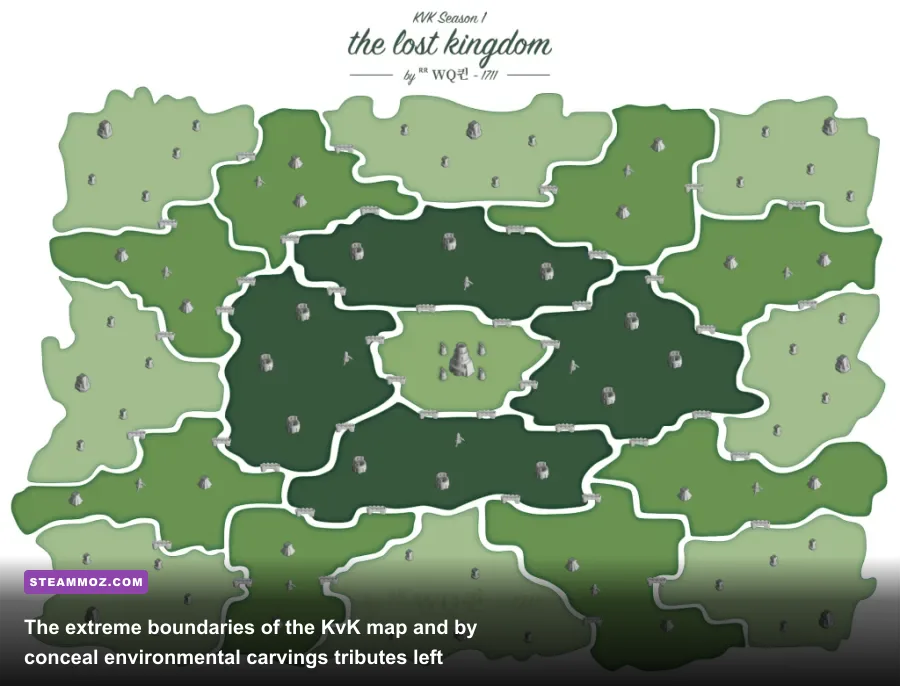
Kingdom versus Kingdom (KvK) is legendary for brutal cross-server wars, relentless open-field ball fighting, and endless flag construction burns. Yet few commanders ever bother to pan their view past the outermost border outposts into the null-zone void surrounding the Lost Kingdom map. If you navigate your PC camera right up against the invisible boundary walls near the extreme coordinates (such as the far southern corners of the map during KvK 1 and KvK 2), the high-resolution texture streaming reveals environmental oddities that don't appear anywhere on the normal home kingdom map.
Scattered along the edge of the world map are submerged stone relief carvings depicting early production concepts of the game when it was still known internally as Rise of Civilizations. Among these assets sits a lone campfire beside a ruined watchtower containing stone-carved coordinate numbers. Veteran players who scouted this spot found that the coordinates match the real-world longitude and latitude of the software park where Lilith Games was headquartered during the title's 2018 alpha testing phase.
Hunting down these obscure geographical oddities scratches the same itch as tracking down secret locations and hidden caches in expansive open-world titles. While clicking this campfire doesn't spawn an instant chest of 10,000 gems, visiting the area often yields high-tier combat runes dropped by wandering elite barbarians that path along the edge of the playable boundary. Because casual players never sweep the world rim, rare +15% March Speed and +10% Defense Runes frequently sit untouched here for hours.
The Hidden Monument Clickables and Audio Easter Eggs
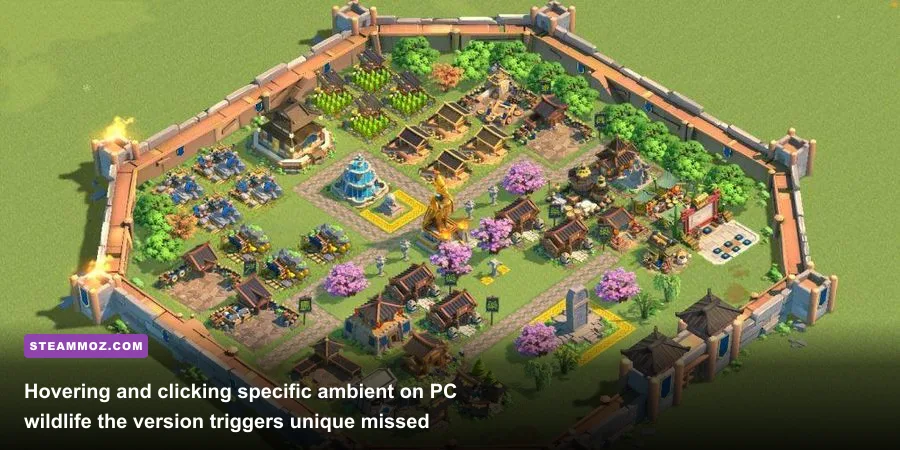
One of the quiet perks of running the dedicated PC architecture is the direct translation of mouse input into dynamic hover states. Touch devices only recognize tap or drag inputs, but the PC client processes hovering over world objects, triggering environmental micro-animations and Easter eggs that the mobile community rarely ever sees.
If you zoom in to close-range view within your alliance's home territory, observe the local wildlife roaming the forests and riverbanks. In the PC client, rapidly clicking on specific roaming animals triggers comedic easter eggs:
- The Stubborn Mountain Goat: Clicking a goat perched on a cliffside rock face multiple times causes it to lose its footing, play an over-the-top cartoon slip animation, and leap safely across the valley, leaving behind a brief burst of party confetti.
- The River Fish School: Clicking the ripples of jumping fish near large freshwater lakes causes a tiny wooden fishing raft to drift out from under the tree line, whistling a traditional folk tune before disappearing into the mist.
- The Lost Falcon: Spanning high over mountain peaks, clicking on the circling predator hawk prompts it to execute an aggressive barrel-roll dive toward your camera, dropping a decorative white feather that drifts down and dissolves onto your cursor coordinates.
Beyond fauna, commander audio Easter eggs are hidden within the PC client's voice engine. On mobile, tapping commanders in the roster plays standard selection barks. On PC, repeatedly clicking a commander's character model within their talent tree menu without assigning points bypasses their default combat dialogue. Sun Tzu will break the fourth wall to question whether you're overthinking his talent path, while Joan of Arc delivers an energetic, unlisted line in classic medieval French. These witty audio interactions reward patient players who love tinkering with builds, much like spending hours tuning abilities in our beginner progression builds.
The Secret Holy Site Passages: Navigating Untracked Chokepoints
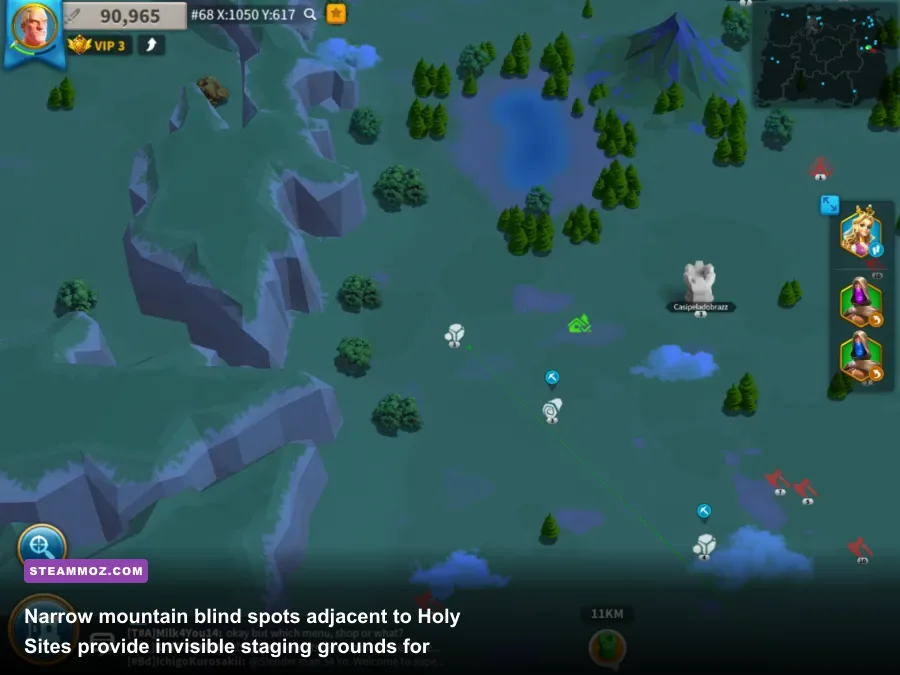
When battle breaks out over Sanctums, Altars, and Shrines across Zones 1 and 2, map awareness decides who controls the buff timers. Most alliance officers assume the topography surrounding these Holy Sites consists of impassable stone barriers. However, several Holy Sites—most notably the Altar of Earth in northern quadrant layouts—feature razor-thin crevices between the site's protective barrier and the neighboring mountain asset.
On mobile touchscreens, attempting to drag an army of cavalry through this narrow corridor usually fails. The pathfinding system reads the clumsy finger touch as an order to engage the mountain, forcing your march to take a massive detour into enemy territory. With the PC client's pixel-perfect right-click precision, you can thread single-file marches through this physical gap.
This trick lets strategic alliances sneak a fast cavalry strike team (commanded by mobility specialists like Belisarius or Cao Cao) behind an active garrison without tripping enemy watchtower alerts. You can park entire reinforcement marches inside the shadow of the cliff out of sight from normal camera zooms, creating a devastating ambush when the enemy launches their rally. Mastering precise positioning and unit paths here is just as vital as understanding resource management when trying to level fast and optimize your economy under intense pressure.
| Exploration & Secret Hunting Feature | Mobile Architecture Experience | Dedicated RoK PC Client Advantage | Tactical Field Impact |
|---|---|---|---|
| Field of View & Camera Zoom | Capped vertical zoom with aggressive edge fogging | Uncapped ultrawide view with full LOD streaming | Spots unlooted caves and remote barbarian forts instantly |
| March Pathfinding Precision | Broad-radius finger taps prone to terrain misclicks | Pixel-precise right-click and Shift-queue navigation | Enables transit through narrow, untracked mountain passes |
| Micro-Asset Interaction | Tap-only input, skips subtle hover states | Dynamic cursor hovering triggers hidden animations | Unlocks ambient fauna secrets and commander voice Easter eggs |
| Multi-Scout Waypoint Control | Tedious individual dispatch menus | Custom macro hotkeys and rapid drag-box grouping | Clears province-wide fog of war up to 400% faster |
Historical In-Jokes and Localization Easter Eggs in Item Descriptions
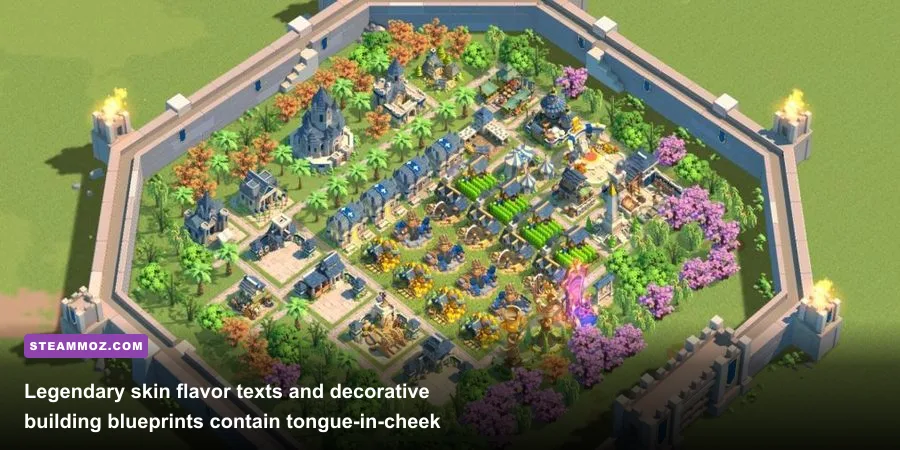
Lilith Games’ localization and writing team packed surprising personality into the item descriptions of rare cosmetic assets, festival blueprints, and legendary city hall skins. Because mobile screens prioritize tiny text boxes and quick taps to dismiss menus, the vast majority of players skip reading flavor lore. On the PC client, opening the inspect menu scales the artwork to high resolution and displays full historical flavor paragraphs that reveal playful insider jokes and developer history.
Take the flavor text on decorative civil blueprints earned through historic holiday events, such as the Midsummer Festival and Spring Blossoms. Tucked inside the architectural notes for the Twilight Falls and Flight of the Falcon city themes are subtle references to infamous balance patches from the game's earliest seasons. One description jokes about "architects obsessing over the exact curvature of shields," a cheeky reference to the infamous Richard I versus Yi Seong-Gye balance disputes that dominated the official Rise of Kingdoms Wiki communities back in 2019.
Similarly, inspect the historical monuments built inside your Alliance Territory. Reading the localized historical codex reveals obscure real-world trivia alongside comedic commentary. From Joan of Arc's stubborn interactions with French heralds to Sun Tzu's theoretical critiques of siege ladders, these item texts are full of charm for any gamer who appreciates sharp writing tucked away in sub-menus.
Mastering RoK PC Camera Controls to Hunt Map Secrets Like a Pro
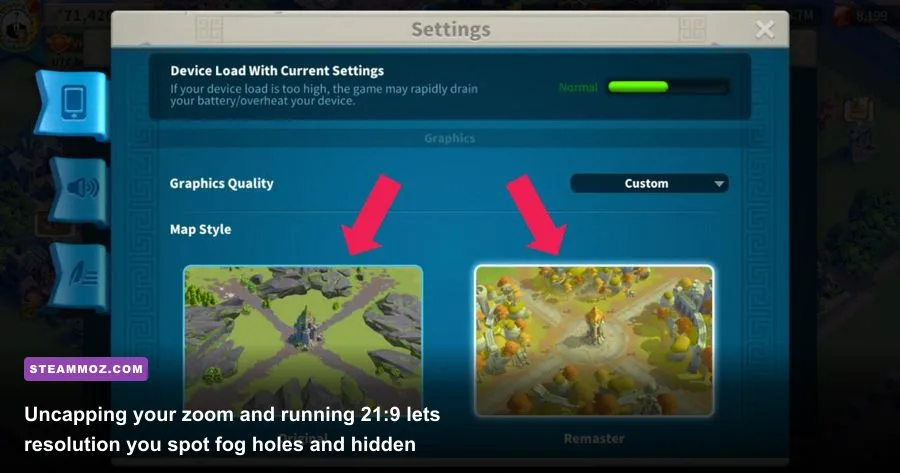
To consistently track down these hidden mountain locations, cryptic border tributes, and unlooted high-tier caves, you need to configure your PC setup specifically for open-world recon. The default settings are fine for casual farming, but fine-tuning your visual client transforms your reconnaissance efficiency.
First, dive into the graphic options on the official Rise of Kingdoms portal PC client. Crank your rendering resolution to match your native display and ensure the frame rate is locked to 60 or 120 FPS. Turning off dynamic resolution scaling is crucial: this prevents the engine from dropping texture quality when you rapidly pan across huge sections of the kingdom. High-resolution terrain rendering keeps small cave entrances and narrow mountain clefts crisp even when zoomed out to regional view.
Next, remap your hotkeys to create a seamless scout sweep cycle. Assign your primary scout buildings to quick-select numbers (such as 1 through 3) and use smooth edge-panning with middle-mouse dragging rather than slapping arrow keys. When exploring outer borders, hold your screen at the 45-degree angle zoom tier. This specific camera elevation strikes the sweet spot between lifting regional fog and keeping local assets like caves, tribal villages, and Holy Site chokepoints fully rendered.
By treating the RoK PC client like a true tactical RTS rather than a glorified mobile port, you uncover an entirely different game. The world map isn't just an endless flat canvas for open-field skirmishes; it's packed with hidden topography, rewarding exploration secrets, and clever developer nods waiting for any commander observant enough to look past the fog.