If you mean mods inside Rockstar’s official GTA Online sessions, the essential answer is simple: don’t use them. Rockstar prohibits unauthorized modifications in online play, and tools that inject scripts, alter memory, automate actions, or change player inventories can trigger suspensions or permanent bans. The smart setup is a clean GTA Online install, a separate modded story-mode installation, and FiveM when you want genuinely customized multiplayer.
That doesn’t mean your PC version has to stay vanilla. OpenIV, Script Hook V, visual overhauls, ReShade, custom cars, trainers, and total-conversion projects can radically improve Grand Theft Auto V—as long as they stay in single-player. Meanwhile, FiveM gives you dedicated roleplay, racing, survival, and freeroam servers without pretending those servers are official GTA Online.
What counts as a safe GTA Online PC mod?
There’s a critical difference between modifying your copy of GTA V and modifying Rockstar’s live service. A story-mode mod changes local files or runs scripts while you play offline. An online cheat changes the competitive environment, interacts with Rockstar’s services, or gives you an unfair advantage. The first category can be manageable; the second is a direct account-risk problem.
Start by reading Rockstar’s official support guidance and the game’s Steam listing. Keep two separate environments rather than relying on memory. One installation should remain untouched for GTA Online. The other can contain OpenIV’s “mods” folder, Script Hook V, visual presets, and trainers for offline experimentation.
| Tool or Mod Type | Best Use | Official GTA Online Risk | Safe Location |
|---|---|---|---|
| OpenIV | Archive editing and story-mode replacements | High if modified files load online | Story mode with a protected mods folder |
| Script Hook V | Offline scripts and trainers | Do not use in GTA Online | Story mode only |
| ReShade | Color, contrast, and sharpening effects | Use caution; never pair with injectors or cheats | Prefer story mode or approved server rules |
| FiveM resources | Custom multiplayer servers | Not loaded into official GTA Online | FiveM client and its own server ecosystem |
| Money, RP, unlock, or combat tools | Artificial progression or advantage | Extreme ban risk | Never use online |
Before launching GTA Online, remove or disable Script Hook V and any trainer. Some mod loaders automatically block online launches, but that’s a safety net—not permission. Also back up your save files and game directory. If a visual mod breaks after a patch, Steam’s file verification can repair the base installation, while a clean backup saves hours of troubleshooting. Our PC crash-fixing checklist is useful for the same verify, driver, and overlay checks.
🎮 FORM
Looking to experience this game? Grab your digital key directly on our store for $14.99.
View on Steammoz Store →OpenIV and Script Hook V are the essential foundation
OpenIV is the practical starting point for GTA V modding. Its strongest feature isn’t flashy; it’s the ability to work through a dedicated mods folder instead of overwriting original archives. That separation lets you install replacement vehicles, textures, maps, and configuration files while preserving a clean baseline.
Use OpenIV’s edit mode sparingly, then copy modified archives into the matching path under mods. For example, vehicle replacements commonly touch files inside update.rpf, but the exact path depends on the mod. Read each project’s installation notes instead of blindly dragging files into the root directory. A replacement pack designed for an older build may cause missing textures, broken collisions, or endless loading after a GTA V update.
Script Hook V is different. It provides the runtime needed by many single-player scripts, including trainers and sandbox tools, but its purpose is explicitly offline. A trainer can let you spawn the Pegassi Zentorno, change weather, teleport around Los Santos, or test weapons such as the Heavy Sniper Mk II without grinding. Those conveniences are brilliant for cinematics and experimentation—and completely inappropriate for GTA Online.
Three story-mode mods worth installing
Menyoo is the broad sandbox choice. It offers object placement, vehicle spawning, weather control, pedestrian manipulation, and scene-building tools. It’s ideal for testing custom maps or recording machinima, but its power is precisely why it should never be active during an online launch.
Simple Trainer is faster and less elaborate. Its menus handle vehicle spawning, player options, time, weather, and teleport locations without the enormous scene-building toolkit. If you just want to test the handling of the Benefactor Krieger or compare Los Santos weather cycles, it’s usually the cleaner option.
Open All Interiors expands the offline sandbox by making locations such as the FIB building, Lifeinvader office, and several normally restricted interiors accessible. It adds atmosphere rather than raw power, making it a favorite for exploration and screenshots.
Install only one major trainer first. If the game crashes, you’ll know which component caused it. That small discipline matters because Script Hook V and trainer builds often need updates after Rockstar patches. For extra backup and troubleshooting habits, see Steamoz’s FPS optimization guide.
The best visual mods for a transformed Los Santos
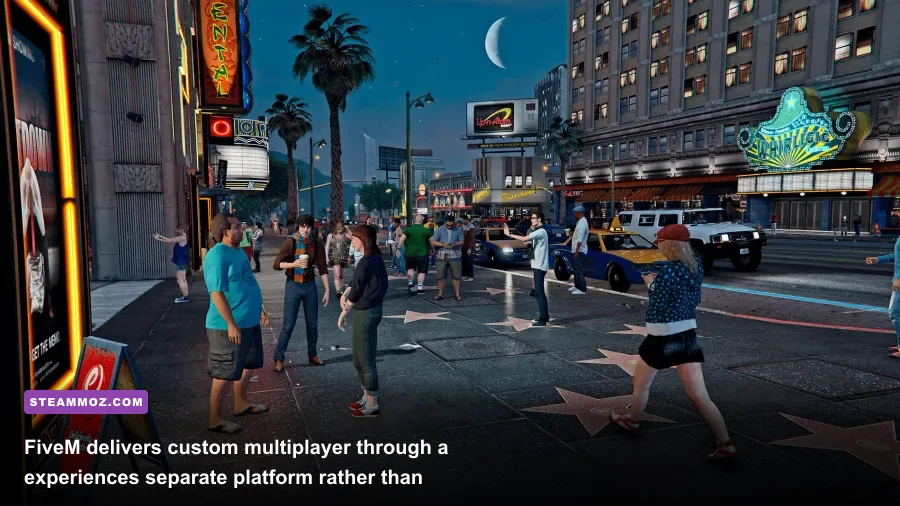
Graphics mods produce the most obvious transformation, but they also create the largest performance bill. NaturalVision-style overhauls improve sunlight, cloud contrast, wet roads, vegetation, and color grading. VisualV focuses on a balanced atmosphere with upgraded weather, lighting, and road presentation. Neither should be treated as a free upgrade: volumetric effects, high-resolution reflections, and denser vegetation can cost 10 to 25 FPS depending on your GPU and resolution.
ReShade is the lighter option. A mild sharpening pass can make distant road signs and foliage look cleaner at 1440p, while a restrained color preset can fix GTA V’s often-greenish nighttime tone. Avoid stacking five cinematic presets. Excessive clarity creates halos around power lines, and heavy ambient-occlusion shaders can make interiors look muddy while adding input latency on weaker systems.
| Graphics Setting or Mod | Recommended Value | Typical FPS Impact | Visual Trade-Off |
|---|---|---|---|
| Texture Quality | Very High | Mostly VRAM usage | Keep it high if your GPU has 4GB or more VRAM |
| MSAA | Off or 2x | 10–25 FPS | Excellent edge smoothing, but expensive at 1440p |
| Reflection MSAA | Off | 5–12 FPS | Small benefit beside the performance cost |
| Grass Quality | High | 5–15 FPS | Very High looks better but punishes CPU and GPU |
| Extended Distance Scaling | 25–50% | 5–20 FPS | Improves distant detail; reduce it first in crowded areas |
| ReShade Sharpening | Light, 0.2–0.4 strength | 0–3 FPS | Cleaner image with minimal latency |
| Heavy Visual Overhaul | One package only | 10–25 FPS | Better lighting and weather, but higher VRAM demand |
For a stable 60 FPS target, prioritize frame-time consistency over screenshot quality. GTA V’s Advanced Graphics options—especially Extended Distance Scaling, Extended Shadows Distance, and High Resolution Shadows—can hammer performance during fast driving even when the average frame rate looks healthy. If you’re using a GTX 1660-class card, 1080p High or Very High settings with MSAA disabled is a sensible baseline. An RTX 3060 or RX 6700 XT can push 1440p more comfortably, but a visual overhaul may still make 60 FPS inconsistent.
Why FiveM is the right choice for modded multiplayer
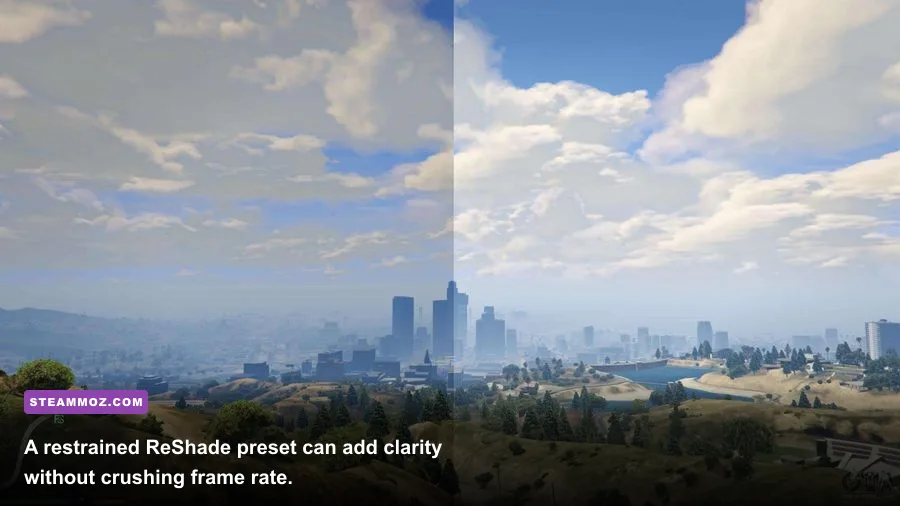
FiveM is not a magic mod for official GTA Online. It’s a separate multiplayer platform built around custom servers, and that distinction protects both your expectations and your account. Server owners can add roleplay jobs, custom maps, emergency-service frameworks, racing systems, economy rules, and entirely new vehicle packs.
The experience changes dramatically depending on the server. A serious roleplay community may require applications, voice communication, and strict rules about character behavior. A freeroam server might let you test custom cars immediately. Racing communities can build organized events around vehicle classes, checkpoints, and lap timing—systems the standard game doesn’t expose in the same way.
FiveM’s biggest cost is friction. You’ll download server-specific assets, wait for resources to cache, and learn each community’s rules. Performance can also fluctuate because poorly optimized custom maps or scripts may produce CPU spikes. Treat server selection like choosing a mod pack: check update frequency, player counts, moderation quality, and required downloads before committing.
Use the official FiveM site and consult Cfx.re community documentation for installation and server-specific requirements. Never download a random executable that claims to be a “FiveM bypass,” “free money tool,” or “anti-ban launcher.” Those files are common malware bait.
A practical modded-PC setup that won’t wreck GTA Online
The cleanest arrangement is a three-profile workflow. Profile one is official GTA Online: unmodified files, no Script Hook V, no trainer, and no questionable overlays. Profile two is story mode: OpenIV, visual mods, scripts, and backups. Profile three is FiveM: custom multiplayer resources managed through the FiveM client.
| Profile | Install | Launch Rule | Best Experience |
|---|---|---|---|
| Official GTA Online | Clean GTA V files | No script loaders or trainers | Heists, businesses, races, and progression |
| Story Mode Modded | OpenIV, Script Hook V, trainer, visual overhaul | Stay offline | Sandbox testing, screenshots, exploration |
| FiveM | FiveM client and server resources | Use only trusted servers | Roleplay, custom maps, racing, freeroam |
Before installing anything, record your current game version and back up the update, mods, and save-game folders. Add one mod at a time, launch story mode, test for five minutes, and only then continue. Keep graphics mods modest until you know your VRAM headroom. At 1080p, 4GB is workable for the base game; high-resolution texture packs and advanced lighting benefit from 6GB or more.
For troubleshooting, disable overlays from Discord, GeForce Experience, and recording software before blaming the mod. Check whether the crash happens during loading, entering a vehicle, or approaching a custom map; each pattern points to a different conflict. If a patch breaks everything, remove Script Hook V first, verify files through Rockstar’s PC troubleshooting hub, and reinstall compatible versions only.
One last rule keeps the whole setup painless: never chase an advantage in official GTA Online. Mods are at their best when they expand creativity, visuals, exploration, and community-made multiplayer—not when they automate grinding or inject impossible weapons into someone else’s session. Keep the live-service install clean, let story mode become your laboratory, and use FiveM when you want Los Santos to play by entirely different rules.