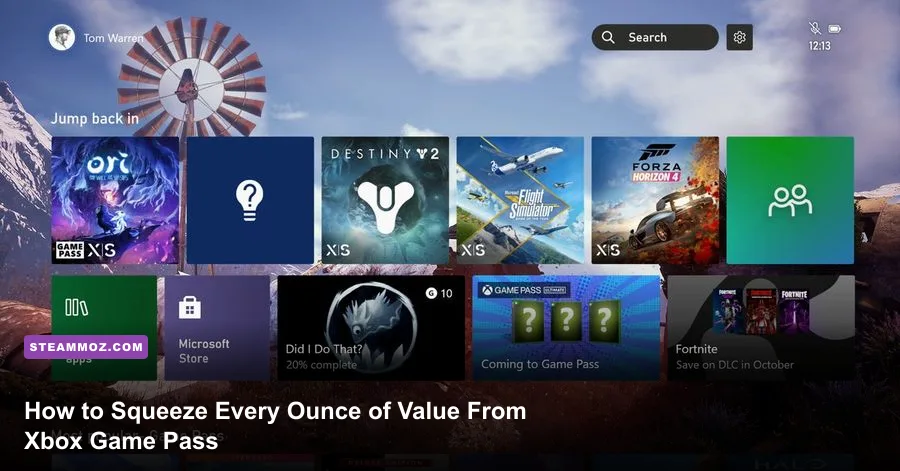
Xbox Game Pass is either the most cost-effective deal in interactive entertainment or an open-ended subscription fee you forget to use while playing the exact same live-service title every night. Getting actual value out of your subscription requires looking far beyond the default "Recently Added" carousel. To truly master the service, you need to exploit automated Microsoft Rewards routines, unlock PC file structures for custom modding, configure browser-level rendering flags to eliminate Cloud Gaming stream latency, and utilize mobile pre-installation loopholes before launch licenses even go live.
Whether you are tackling sprawling space epics like Everspace 2 or trying to maximize your hardware output across PC and console, a few deliberate configuration changes will transform how you interact with the library. Here is your operational playbook for wringing every drop of value out of Microsoft's ecosystem.
1. Exploit Microsoft Rewards to Pay Zero Dollars for Game Pass Ultimate
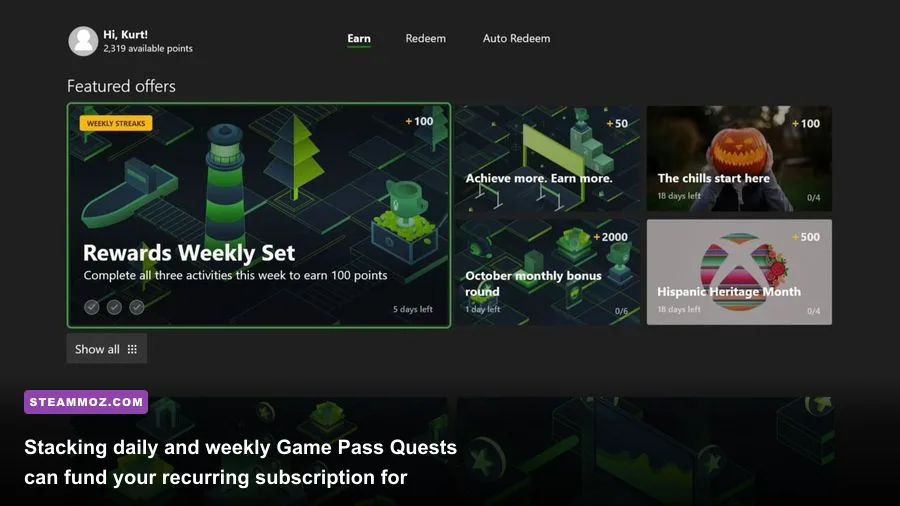
The single biggest mistake subscribers make is paying cash for renewals month after month. Microsoft maintains an integrated currency loop through the Microsoft Rewards dashboard that reliably generates between 12,000 and 15,000 reward points every single month with roughly three minutes of daily effort. A single month of Xbox Game Pass Ultimate via the Auto-Redeem feature costs roughly 12,000 points—meaning the entire subscription can perpetually fund itself.
To establish this free loop, build a rock-solid daily cadence across three specific surfaces:
- The Mobile Xbox App: Launch the native mobile app daily to claim the login bonus, play a round of Microsoft Jewel, and trigger the "Play a PC game" background ping by booting any lightweight Game Pass title on your desktop for two minutes.
- Bing Daily Searches: Run 30 PC searches and 20 mobile searches through Microsoft Edge. Setting up a dedicated bookmarks folder filled with 30 innocuous search terms allows you to middle-click "Open All" in Edge, claiming your daily 150 search points in five seconds flat.
- Xbox Console Quests: Head to the Game Pass tab on your console or PC. Complete the Daily Play quest (boot any Game Pass game), then knock out the Weekly Quests, which usually mandate unlocking three achievements or completing specific tasks in spotlight titles.
Turn on the "Auto-Redeem" toggle inside the console Rewards app. If you forget to enable Auto-Redeem, buying code redemptions manually costs roughly 14,000 points, losing you valuable margin. Treat points like an operational bankroll and you will never see a credit card charge on your subscription again.
2. Master Cloud Gaming Latency and Stream Settings
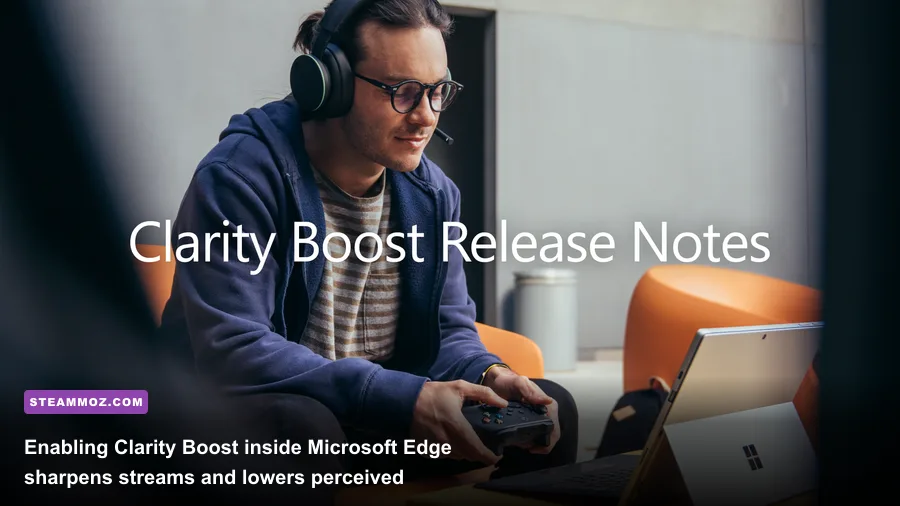
Xbox Cloud Gaming (xCloud) runs on custom Xbox Series X server blades, but running it through the default Windows Xbox App frequently results in muddy compression artifacts and sluggish 120ms input lag. If you rely on cloud streaming during travel or on low-spec hardware, stop using the desktop app and shift your sessions to a Chromium-based browser like Microsoft Edge.
When you stream directly through the Xbox Cloud Gaming hub in Edge, you gain access to Clarity Boost. This proprietary spatial upscaling shader runs client-side on your GPU, sharpening image resolution, stabilizing anti-aliasing edges, and eliminating the visual smearing typical of fast horizontal camera pans in third-person shooters.
For an even bigger competitive edge, use the third-party open-source script extension Better xCloud. It unlocks manual stream bitrate overrides up to 15-20 Mbps (bypassing Microsoft's aggressive 9-11 Mbps server throttles), forces local 1080p 60fps video streams, enables native IPv6 routing to lower packet hops, and gives you a real-time HUD displaying network jitter, frame loss, and decode lag. If your games feel sluggish, you can also resolve baseline frame rate and rendering stutters on PC by consulting our deep dives on PC crash fixes and frame stabilization.
3. PC Optimization: Modding, File Unlocks, and EA Play Linking

In the past, PC Game Pass was notorious for locking game installations inside encrypted, inaccessible WindowsApps directories. That system broke third-party modding, prevented custom config tweaks, and caused severe headaches for PC enthusiasts. Microsoft has since added standard file-tree management, but it is not enabled on older game directories by default.
Open the PC Xbox App, click your Gamertag in the top-left, navigate to Settings > General, and locate the "Game Install Options" section. Set your installation folder to an explicit, root-level directory (such as C:\XboxGames or an internal NVMe partition like D:\Games). For previously installed titles, right-click the game in your sidebar, select Manage > Files, and choose Verify and Repair or hit Browse to migrate it out of the virtual container.
Once freed, you can drop standard .ini tweaks, reshade injectors, and custom community patches directly into game directories. When diving into demanding releases, dialling in proper graphics configurations makes a night-and-day difference; take notes from our system breakdowns like Far Cry 6 PC settings for max FPS to keep your frame delivery buttery smooth without stressing your hardware.
Do not forget the mandatory account links, either. Game Pass Ultimate and PC Game Pass include full access to the EA Play membership portal. Download the standalone EA App, link your Xbox Gamertag to your EA Account, and verify the subscription registers. This immediately expands your available catalog with heavy hitters like the Dead Space remake, Star Wars Jedi: Survivor, and the Mass Effect Legendary Edition at no added cost.
4. The 'Leaving Soon' Rotation Cycle and Pre-Install Tactics

Microsoft operates Game Pass on a rigid bi-weekly rotation rhythm. New games land on unpredictable dates throughout the month, but departing titles consistently exit the platform on two fixed dates: the 15th and the final day of every month. The "Leaving Soon" shelf populates approximately two weeks before each purge.
If an expansive RPG or story-heavy title you are halfway through hits that shelf, you have two specific tactics to deploy:
- The 20% Subscriber Discount: Every active Game Pass title comes with an automatic 20% purchase discount in the Microsoft Store, alongside a 10% discount on corresponding DLC and add-ons. That discount vanishes the second the game leaves the service. If you want to finish it, purchase it while the license is still active on Game Pass.
- The Offline License Cache Trick (Console): If you only need two or three extra days to wrap up a campaign before a game leaves on the 30th, boot the game while connected to Xbox Live on the morning of the departure. Without quitting the game, set your Xbox to Go Offline under Network Settings. As long as your console remains offline and the application stays suspended in Quick Resume, the system will not ping the revocation server, granting you a short grace window to roll credits.
On the flip side, take advantage of the Xbox Mobile App's unrestricted remote pre-install feature. You do not need to own a game or wait for a Day-One launch time to download files. The mobile app lets you instruct your console or PC to remotely install any game listed in the Microsoft Store—even unreleased games. If an upcoming title has a 120GB install footprint, pre-download the files a week early. When your Game Pass entitlement unlocks at midnight, you can jump straight into the action while everyone else is throttled by congested server downloads.
5. Xbox Game Pass Feature & Value Optimization Breakdown
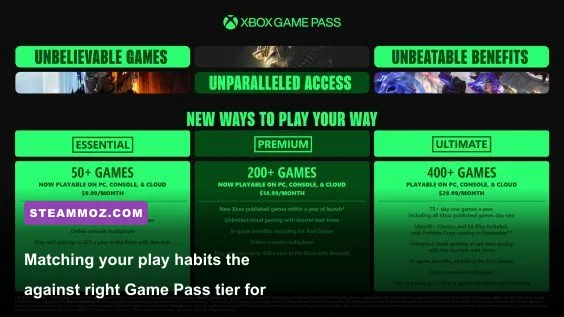
Deciding which tier matches your actual playtime prevents you from throwing money at platforms you never use. Check the comprehensive breakdown below to balance price, platform privileges, and hidden savings.
| Subscription Tier | Target Audience | Included Ecosystem Perks | Key Optimization Strategy |
|---|---|---|---|
| Game Pass Ultimate | Multi-platform gamers, Cloud streamers, and console multiplayer enthusiasts | Xbox Cloud Gaming, EA Play (PC & Console), Core multiplayer access, Perks Gallery | Fund solely via Microsoft Rewards Auto-Redeem; claim monthly Perks for high-value third-party subscriptions. |
| PC Game Pass | Dedicated desktop and laptop gamers who never touch a home console | Full PC catalog, EA Play for PC, Day-One first-party drops, Riot Games unlocks | Move install folders to open directories for mod support; bypass third-party launchers via native shortcuts. |
| Game Pass Standard | Budget console players who do not care about Day-One releases or streaming | Curated console back-catalog, online console multiplayer access | Avoid if you plan to play major first-party blockbusters at launch; upgrade during promotional conversion windows. |
| Game Pass Core | Minimalists who only need online console multiplayer and a baseline library | 25+ curated legacy titles, online console multiplayer network access | Purchase 12-month Core retail cards and convert them to Ultimate at the official 3:2 ratio for massive discounts. |
For savvy shoppers, the Core-to-Ultimate Conversion remains one of the best pricing tricks around. If you let your Ultimate subscription expire completely, you can stack up to three years of prepaid Xbox Game Pass Core codes on your account. Once loaded, buy a single month of Ultimate. Microsoft's system will convert your accrued Core time into Ultimate time at a 3:2 ratio. Instead of paying full monthly retail for three years of Ultimate, you slash your overall cost down significantly.
6. Hidden Perks, Riot Games Unlocks, and Cloud Touch Controls

Buried in the Game Pass dashboard sits the Perks Gallery, an area most players completely ignore. Microsoft continuously swaps out bonus promotional licenses, ranging from free 3-month trials of Discord Nitro, Apple TV+, and Spotify Premium to full in-game cosmetic bundles and expansion packs. Popular live-service games featured on the platform often grant seasonal Battle Passes or starter bundles directly through this tab. These perks do not apply automatically; you have to manually open the gallery, generate the unique code, and redeem it.
If you play competitive PC titles, linking your Xbox profile to a Riot Games account pays off massively. An active Game Pass subscription unlocks all 160+ champions in League of Legends, every agent in Valorant the millisecond they release, and grants premium XP boosters across Teamfight Tactics. These unlocks alone represent hundreds of dollars in character acquisitions, and they remain unlocked as long as your subscription stays active.
Finally, do not sleep on Custom Cloud Touch Controls. If you are away from home without an Xbox Wireless Controller, avoid virtual thumbstick overlays. Microsoft has custom-engineered bespoke touch interfaces for over 100 Game Pass titles—including narrative gems, turn-based tactics, and indie hits. Playing turn-based strategy or managing resource chains feels natural on a tablet or phone screen without lugging around extra hardware.
Take the time to explore deep builds and character setups in these titles to maximize your gameplay efficiency; whether it is setting up combat rotations in tactical RPGs, optimizing mechanics using our fast leveling and resource farming guide, or piecing together a survival setup like our beginner character build breakdown, having your games tuned and ready will ensure Game Pass remains the absolute sharpest tool in your gaming arsenal.