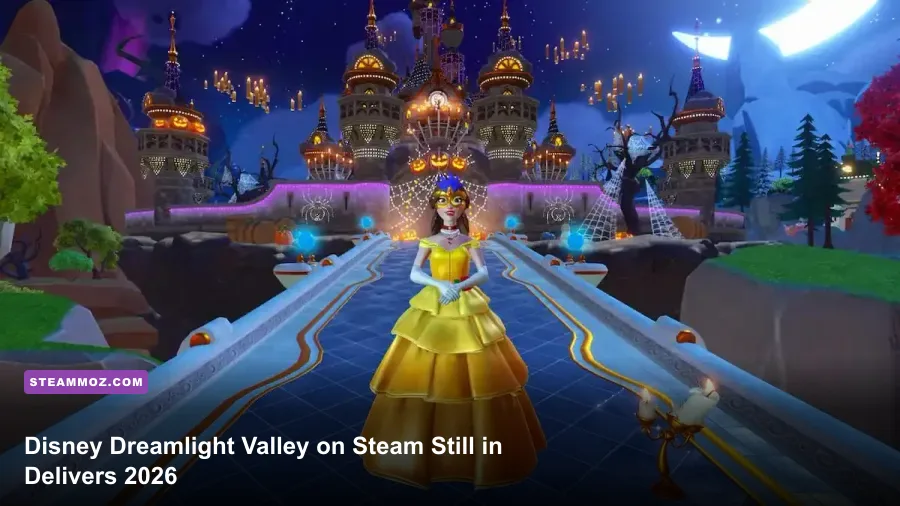
Yes, Disney Dreamlight Valley is still worth playing on Steam in 2026—but only if you enjoy a relaxed, collection-heavy life sim more than a game with a definitive ending. Its strongest systems remain the character friendships, flexible decorating, farming economy, and constant parade of Disney worlds. Its weakest habits also remain: inventory friction, repetitive resource loops, uneven quest writing, and a live-service structure that can make the Valley feel like a second job. On PC, however, mouse-and-keyboard controls, faster loading, community troubleshooting, and Steam Deck support make this the best version for most players.
This is an honest retrospective rather than a launch review. The important question is no longer whether Gameloft's Disney life sim has potential. It clearly does. The question is whether the routine of harvesting, mining, cooking, decorating, and escorting characters through friendship quests still feels rewarding after years of updates. For me, the answer is a qualified yes—especially for newcomers who have a large backlog of content waiting for them.
The 2026 verdict is cozy, generous, and unmistakably grindy
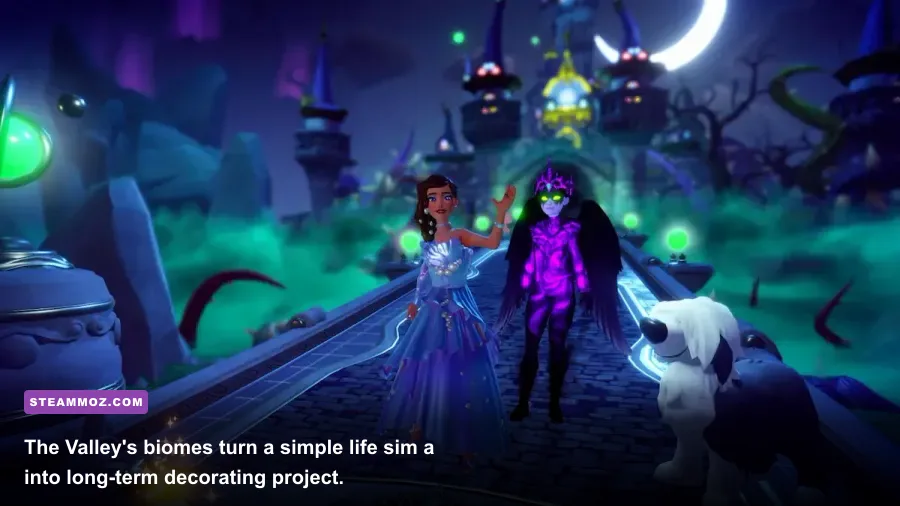
Dreamlight Valley succeeds because it understands the fantasy at its core: you aren't just visiting Disney locations; you're building a shared neighborhood where Wall-E can garden, Remy can run Chez Remy, and Moana can fish near a house you placed beside a waterfall. That sense of ownership is more compelling than the individual quests. The Valley gradually becomes yours, not merely a backdrop for objectives.
The basic loop is wonderfully readable. You gather Star Coins and materials, unlock a character or biome with Dreamlight, complete friendship quests, then use the rewards to decorate and expand. Dreamlight comes from Dreamlight Duties, achievements, and everyday tasks such as cooking, mining, fishing, and selling crops. The game rarely asks you to master difficult mechanics; it asks you to establish habits.
That simplicity is both the appeal and the problem. A player who likes optimizing routes can create a morning circuit through the Plaza, Peaceful Meadow, Dazzle Beach, and the Forest of Valor, clearing mining nodes and harvesting crops before checking Scrooge McDuck's shop. A player who wants constant novelty may find the same circuit exhausting after the first 20 hours.
What still feels excellent
- Character integration: Disney personalities aren't isolated collectibles. Their houses, schedules, friendship rewards, and dialogue give the Valley a sense of activity.
- Decorating freedom: Furniture placement, paths, fencing, landscaping, and house skins let you build themed districts rather than simply dropping objects in fixed slots.
- Low-pressure progression: There is no combat build to ruin and no deadline that permanently locks you out of content.
- Cross-save convenience: Gameloft's account system makes it easier to move progress between supported platforms, though platform-specific purchases and cloud-sync behavior still deserve attention before switching devices.
Where the cracks show
Inventory management is the biggest long-term irritant. Even after upgrading your backpack and opening additional storage, you will constantly juggle gems, flowers, crafting ingredients, event items, and quest objects. A chest-based organization system helps, but the game never makes sorting feel as frictionless as it should in a title built around collecting.
There is also a lot of waiting. Character houses, shop refreshes, daily gifts, resource respawns, and some quest steps encourage you to return later. That pacing can feel charming when you're checking in casually and manipulative when a quest stalls because a specific item or time window has not appeared.
For a technical baseline, keep the official Steam listing bookmarked, since system requirements and supported features can change as the game expands.

🎮 Dream
Looking to experience this game? Grab your digital key directly on our store for $14.99.
View on Steammoz Store →The progression loop has more depth than first-time players expect
Dreamlight Valley is not an RPG with traditional combat stats, but it does have meaningful progression decisions. When you assign a companion role at friendship level 2, you choose from digging, fishing, mining, gardening, foraging, or gathering. That choice cannot be casually changed early on, so assign roles based on how you actually spend time.
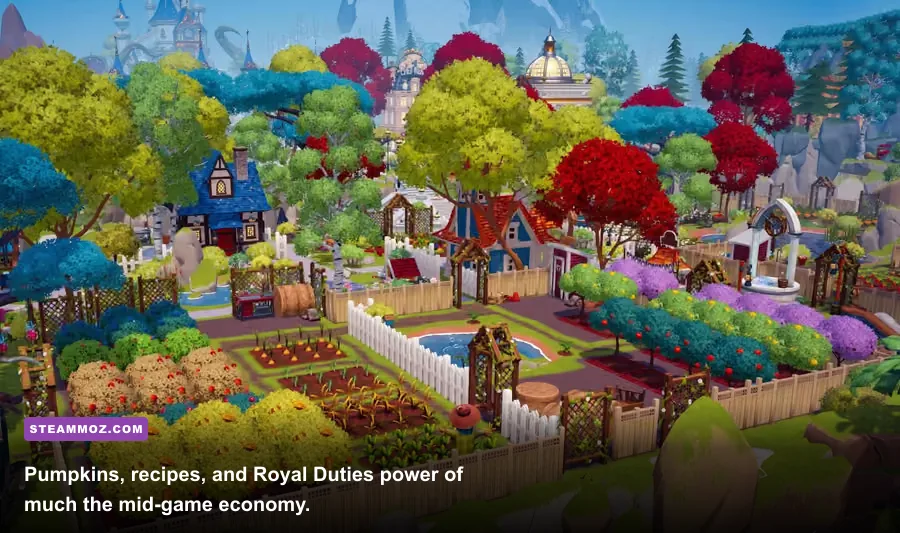
Gardening companions are the strongest economic investment for many players. Pumpkin seeds from the Forgotten Lands are expensive, but mature pumpkins sell for 664 Star Coins each, making a large pumpkin plot the most famous money engine in the base game. With a high-level gardening companion and a well-watered field, one harvest can fund house upgrades, furniture purchases, and Scrooge's rotating shop without much effort.
Mining companions are better if you want gems, iron ingots, and passive material accumulation. Iron is needed for fences, paths, furniture, and quests, while shiny gems can be sold for a quick injection of cash. Fishing companions pair nicely with cooking-focused players because recipes such as Lancetfish Paella and Bouillabaisse turn common ingredients into more valuable meals.
| Progression Activity | Best Reward | Companion Role | Best Use in 2026 |
|---|---|---|---|
| Pumpkin gardening | 664 Star Coins per pumpkin | Gardening | Large-scale money farming |
| Mining biomes | Gems, coal, iron ore | Mining | Crafting and upgrade materials |
| Fishing pools | Fish and rare quest catches | Fishing | Cooking, energy, and collections |
| Digging spots | Clay, soil, sand, fossils | Digging | Crafting paths and quest supplies |
| Foraging routes | Flowers, wood, spices | Foraging | Furniture crafting and gifting |
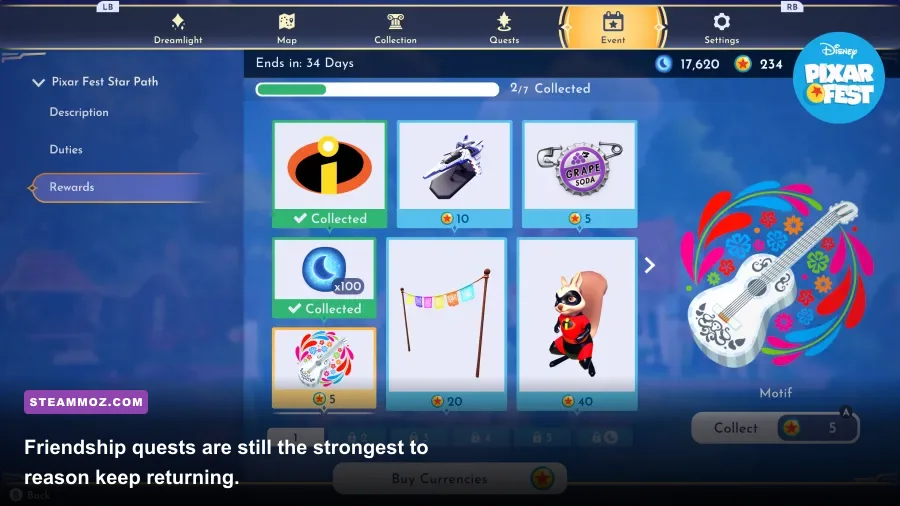
Friendship levels also matter more than they look. Each character gives a fixed sequence of rewards and unlocks a personal quest chain. Mickey Mouse, Goofy, Merlin, Scrooge McDuck, and other early residents establish the core tutorial rhythm, while later arrivals such as Belle, Jack Skellington, and Oswald bring more specialized quest themes. Reaching level 10 with a character generally requires repeated gifting, conversations, hangouts, and quest completion, so don't treat every villager as a quick unlock.
The best gifting strategy is not blindly buying random favorite items. Check each character's three daily favorite gifts, then use easy cooked meals, gems, flowers, or crafted items when available. Keeping a small reserve of common flowers and polished gems saves time. You can also use hangouts while doing your normal route; the companion doesn't need to be used exclusively for the associated activity to earn friendship.
Dreamlight Duties are another reason to play in short sessions. They reward Dreamlight for actions you were probably going to perform anyway. Rather than chasing every duty immediately, focus on broad categories—cooking, harvesting, mining, and friendship—and let the objectives overlap. That turns progression into a background reward instead of a checklist you resent.
Expansions improve the adventure, but they change the value equation
The base game is already a substantial time sink, but the paid expansions are what determine whether Dreamlight Valley feels like a living platform or an expensive collection of add-ons. A Rift in Time adds Eternity Isle, new biomes, characters, crafting ingredients, the Royal Hourglass, and the Ancient Machines system. Eternity Isle's layout is larger and more maze-like than the original Valley, which creates more room for ambitious decorating but also makes navigation less immediate.
The Royal Hourglass adds a new gathering layer: it can reveal hidden objects and interact with time-bending resources that don't exist in the original regions. Ancient Machines can automate parts of the routine, including cooking, gardening, and gathering, but they require investment. This is meaningful expansion design because it doesn't simply add another character house; it changes how experienced players manage chores.
Paid story expansions are strongest when you want more systems, not merely more costumes. They give veteran players new reasons to gather resources and rebuild routines. The downside is fragmentation. If you play with friends or family on different platforms, check which edition and expansion access each account owns. The official Disney Dreamlight Valley site and Gameloft support center are safer sources for current purchase and account details than old launch-era guides.
| Content Path | What You Get | Best For | Value Warning |
|---|---|---|---|
| Base game | Original Valley, core villagers, seasonal updates | New players and casual decorators | Enough content to judge the loop before buying more |
| A Rift in Time | Eternity Isle, Royal Hourglass, Ancient Machines | Completionists and resource optimizers | More systems also mean more inventory management |
| Ongoing premium shop | Cosmetics, house skins, outfits, companions | Players focused on customization | Cosmetics don't improve progression |
| Star Path events | Limited-time themed rewards | Collectors who play regularly | Requires consistent event participation |
The premium shop is easier to evaluate now than it was at launch because its role is clear: it sells cosmetics, not essential power. If you care about outfits, furniture sets, animal companions, and house styles, the rotating catalog can be tempting. If you primarily want quests and mechanics, ignore it. The base progression doesn't require premium furniture.
My advice in 2026 is simple: buy the base game first, play through several biomes, and only then consider an expansion. If the activity loop already feels repetitive after unlocking the Forest of Valor and Dazzle Beach, Eternity Isle won't magically fix that. If you enjoy optimizing farms, designing neighborhoods, and completing collections, the expansion has a much stronger case.
Steam and Steam Deck performance are good, not flawless
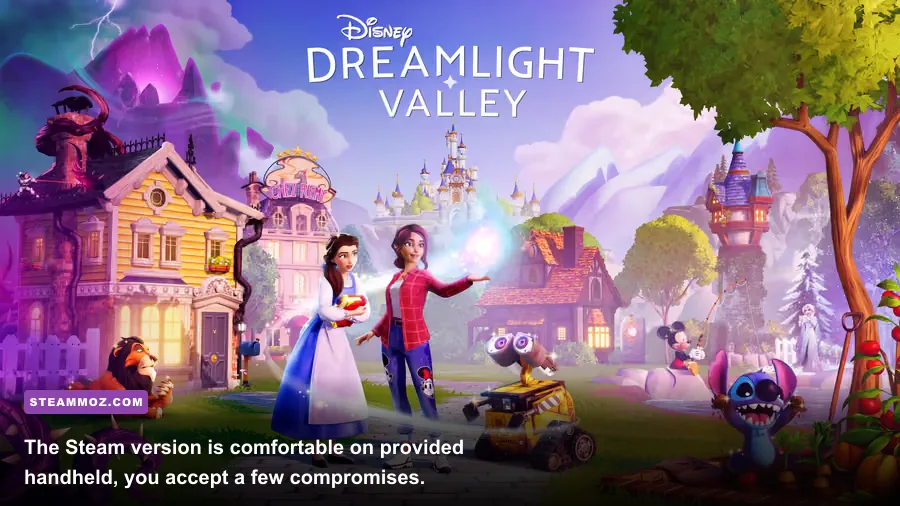
On a modern desktop, Dreamlight Valley is generally a comfortable 60 FPS game at 1080p, but crowded plazas and heavily decorated districts can cause dips. The game streams a surprisingly busy world: animated characters follow schedules, water effects remain active, particles appear around crops and cooking stations, and dense furniture layouts increase the rendering workload. A completely empty Valley may run smoothly while your most elaborate plaza becomes the performance test.
There is no competitive advantage to chasing ultra settings. The visual difference between High and Ultra is modest compared with the frame-time cost of shadows, foliage, and post-processing. On Steam Deck, a locked 30 FPS profile is the safer target, especially in Eternity Isle. A 40 FPS cap can feel excellent in quiet areas but may not hold consistently in decorated zones.
| Setting | Recommended Value | FPS Impact | Visual Note |
|---|---|---|---|
| Resolution | 1080p desktop, 1280x800 Deck | High | Lower first if GPU usage stays maxed |
| Texture quality | High desktop, Medium Deck | Medium | Mostly affects surface detail and memory use |
| Shadow quality | Medium | Medium to high | One of the best settings to reduce stutter |
| Foliage and effects | High desktop, Low or Medium Deck | Medium | Noticeable around dense biomes and water |
| Frame limit | 60 desktop, 30 Deck | Stability gain | A cap often feels smoother than unstable maximum FPS |
| VSync | Use if tearing appears | Low | Disable only when latency matters more than consistency |
If your game crashes or stutters, start with a clean driver update, verify Steam files, disable overlays, and reduce shadows before blaming your hardware. Keep cloud saves enabled, but don't treat cloud sync as a substitute for backups when moving between devices. Our guides on PC crash and FPS fixes and practical graphics settings cover the same troubleshooting fundamentals.
Steam's biggest advantage is flexibility. You can use a controller, mouse, or keyboard; install the game on a fast SSD to reduce loading irritation; and play on a desktop, laptop, or Steam Deck without buying a separate PC edition. The interface is clearly designed with controllers in mind, but mouse navigation is useful when rearranging furniture or sorting a growing inventory.
Who should play Dreamlight Valley in 2026?

Dreamlight Valley remains an easy recommendation for players who want a cozy game with a long runway. It is especially good if your ideal evening involves planting pumpkins, redesigning a plaza, completing a few friendship quests, and logging off without pressure. The Disney license is more than decoration here; character homes, music, costumes, recipes, and dialogue all feed into the fantasy of one shared world.
It is a weaker recommendation for anyone expecting a traditional adventure game. There is no deep combat system, no elaborate enemy roster, and no dramatic skill tree. The Royal Tools—pickaxe, fishing rod, shovel, watering can, and camera—are useful but deliberately simple. Even the most complicated quest usually asks you to gather, craft, cook, speak to a character, or visit a biome.
The game is also not ideal if you dislike live-service habits. Seasonal events, limited-time rewards, rotating shop items, and recurring daily routines are central to the experience. You can ignore much of that content, but the structure is still visible. If you prefer a self-contained game with a clear final chapter, a traditional RPG such as those covered in our single-player progression guide may suit you better.
| Player Type | Recommendation | Why |
|---|---|---|
| Disney fan and decorator | S-Tier purchase | Characters and customization make the Valley feel personal |
| Relaxed farming player | A-Tier purchase | Clear routines, flexible goals, and satisfying upgrades |
| Completionist | A-Tier with expansion | Collections, friendship levels, recipes, critters, and events add hundreds of tasks |
| Action-game fan | C-Tier purchase | Very little mechanical challenge or combat depth |
| Live-service skeptic | B-Tier purchase | Core content is generous, but premium rotations and time gates remain noticeable |
The final verdict is less about whether Dreamlight Valley has flaws and more about whether its rhythm fits your free time. In 2026, the game is richer, broader, and easier to recommend than its early version, but it hasn't transformed into something fundamentally different. It is still a gentle Disney life sim built on repetition, personalization, and small daily rewards.
Buy it on Steam if you want a polished PC home for that routine, especially if you value Steam Deck play and long-term decorating. Start with the base edition, choose companion roles around your favorite activities, prioritize storage upgrades, and don't rush to purchase every cosmetic or expansion. Give the Valley a week of normal play. If you find yourself redesigning the Plaza at midnight, you've got your answer: Disney Dreamlight Valley is still worth playing.
For current patch notes, event schedules, and platform information, check the official news page before making a purchase. Live-service details can change, but the core judgment is stable: this is one of the most inviting Disney sandboxes on PC, provided you can make peace with the grind.