
Dead Rising 2 is surprisingly easy to run by modern standards: the original PC version asks for just 2GB of RAM, a Core 2 Duo-class processor, and a GeForce 8800 GT or Radeon HD 3850 at minimum. For a smoother experience, aim for 3GB of RAM, a Core 2 Quad Q9550 or Phenom II X4 945, and a GTX 260 or Radeon HD 4870. Any recent gaming PC clears those requirements, but the 2010 port still benefits from a few sensible settings tweaks.
This guide covers the original Dead Rising 2, not Dead Rising 2: Off the Record or the later remaster. That distinction matters because Capcom published separate PC builds with different store listings and hardware expectations. Before downloading, check the official Steam page for Dead Rising 2 and confirm that you’re buying the correct version.
Dead Rising 2 minimum and recommended PC specs

The minimum specification is aimed at running the game, not guaranteeing a perfectly stable 60 frames per second. Dead Rising 2 was designed around Xbox 360 and PlayStation 3 hardware, then brought to Windows during the era of Windows XP and DirectX 9. Its listed requirements look tiny beside a modern PC, but the game can still stress older dual-core CPUs when hundreds of zombies occupy the same street.
| Component | Minimum | Recommended | What it means today |
|---|---|---|---|
| Operating system | Windows XP, Vista, or 7 | Windows 7 | Modern Windows versions generally run it through Steam, but compatibility can vary. |
| Processor | Intel Core 2 Duo E4600 2.4GHz or AMD Athlon 64 X2 4800+ 2.5GHz | Intel Core 2 Quad Q9550 2.83GHz or AMD Phenom II X4 945 3.0GHz | CPU threads matter most in crowded areas and during large fights. |
| Memory | 2GB RAM | 3GB RAM | Any current 8GB or 16GB system has ample headroom. |
| Graphics card | Radeon HD 3850 or GeForce 8800 GT | Radeon HD 4870 or GeForce GTX 260 | Integrated graphics may launch the game but aren’t a safe performance bet. |
| DirectX | DirectX 9.0c | DirectX 9.0c | The game uses an old rendering path rather than modern DX12 features. |
| Storage | 8.5GB available space | 8.5GB available space | Reserve extra room for Steam files, updates, and shader or compatibility data. |
The recommended tier is unusually modest now. A Ryzen 5, Core i5, GTX 1650, Radeon RX 570, or newer equivalent is comfortably beyond it. The bigger question isn’t whether your machine can render the game; it’s whether the port behaves correctly on your operating system, display resolution, controller, and frame-rate target.

🎮 Dead Rising 2
Looking to experience this game? Grab your digital key directly on our store for $4.99.
View on Steammoz Store →What the minimum specification actually delivers
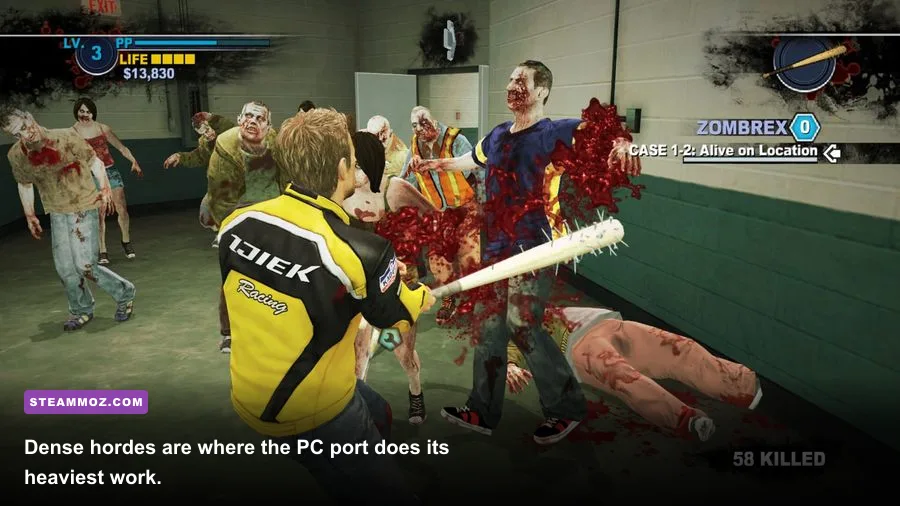
A machine close to the minimum should be treated as a 720p, low-to-medium-settings system. The Core 2 Duo E4600 and Athlon 64 X2 4800+ were respectable budget CPUs in 2010, but their two cores have limited room for Dead Rising 2’s simulation workload. Zombie density, survivor AI, physics objects, and the game’s constant streaming between Fortune City areas all compete for CPU time.
That workload explains why a minimum-spec PC may report acceptable average performance while still feeling uneven. Walking through an empty maintenance corridor is easy. Driving the SUV through Royal Flush Plaza with a packed road ahead is another story. The game’s most demanding moments are usually not quiet interiors; they’re crowded outdoor routes, panic-heavy survivor groups, and fights where explosions, particle effects, and dozens of hit reactions happen together.
The GeForce 8800 GT and Radeon HD 3850 are also 512MB-era graphics cards. They can handle the game’s basic textures and effects, but they leave little margin for high resolutions or heavy anti-aliasing. If you’re using an old office PC with Intel HD graphics, don’t assume a launch is proof of playability. Integrated GPUs vary wildly, and old DirectX 9 games can behave unpredictably even when their technical demands look low.
For a minimum-tier setup, start at 1280x720, disable anti-aliasing, keep shadows low, and close browser tabs or recording software. A locked 30fps can feel better than an unstable 45fps in a melee game where camera movement and hit timing matter. You’ll also want the latest available graphics driver for your card and a clean Steam installation rather than a heavily modified executable.
The best settings for a modern gaming PC
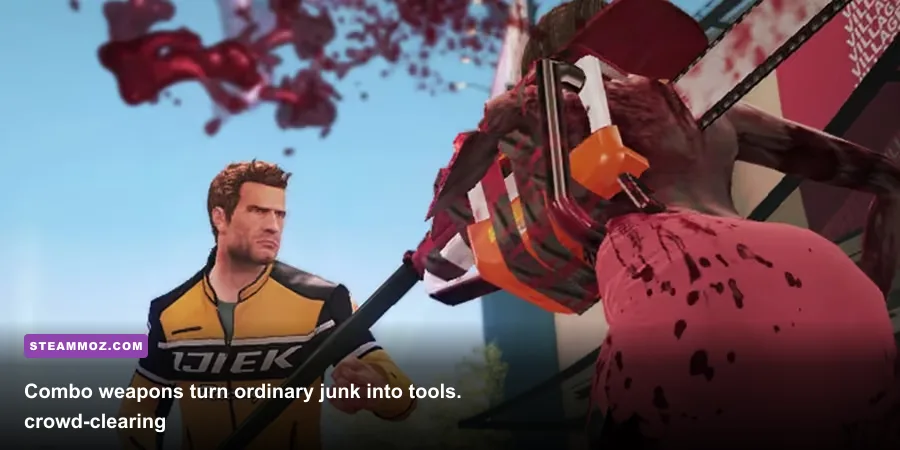
Current hardware can push Dead Rising 2 far beyond its recommended specification, but simply selecting maximum settings doesn’t solve every problem. Old PC games often expose their weaknesses through frame pacing, refresh-rate handling, or physics behavior. The goal is a stable frame rate with sensible image quality, not an inflated counter in an empty hallway.
| Setting | Recommended value | Performance impact | Visual result |
|---|---|---|---|
| Resolution | Native monitor resolution | Moderate GPU impact | Produces the clearest HUD and character edges. |
| Anti-aliasing | Start at 2x or 4x | Medium GPU impact | Reduces jagged edges on weapons, railings, and zombie silhouettes. |
| Texture quality | High if VRAM allows | Low to medium | Keeps Fortune City signage and clothing details sharper. |
| Shadow quality | Medium or High | Medium CPU/GPU impact | Improves depth, but is one of the first settings to lower during dips. |
| Effects and particles | High | Medium during explosions | Preserves fire, sparks, blood effects, and combo-weapon feedback. |
| V-Sync | Use only if tearing appears | May add latency or cap output | Can stabilize presentation on fixed-refresh displays. |
| Frame-rate target | Stable 60fps, or locked 30fps on weak hardware | Depends on CPU headroom | Consistent motion matters more than peak fps. |
At 1080p, a modern entry-level gaming GPU should have no trouble with high settings. At 1440p or 4K, the graphics card has more work to do, especially with anti-aliasing enabled, but the CPU can still become the limiting factor in a horde. If your GPU usage drops while the frame rate falls, that’s a classic sign that the processor or the game’s own engine is holding performance back.
Don’t chase extreme refresh rates here. A 144Hz monitor won’t magically make the original game behave like a modern action title. Use your driver software or an external limiter if the frame pacing feels erratic, and test the cap in a busy area rather than in the safe room. For broader PC optimization ideas, our guide to PC fixes that stop crashes and rescue FPS has useful troubleshooting habits that also apply to older ports.
Why zombie crowds punish the CPU first

Dead Rising 2’s signature spectacle is its scale. Chuck Greene can move through Fortune City while hundreds of zombies fill plazas, casino floors, loading areas, and roads. Every zombie isn’t a sophisticated modern simulation, but the game still has to update positions, collision checks, attack states, hit reactions, animation changes, and object interactions. Add survivors, psychopaths, vehicles, and breakable props, and the processor becomes much more important than the minimum graphics card list suggests.
The problem is most visible during traffic-heavy routes. A vehicle can flatten a line of zombies efficiently, but it also creates a burst of collision and animation events. The SUV and wheelchair-based combo vehicles are especially good at exposing uneven frame delivery because the camera, movement speed, and impact effects all change rapidly. If the game feels smooth indoors but judders while driving through Fortune Park, lowering texture quality won’t necessarily fix it. Lower shadows and effects first, then reduce the resolution only if GPU usage is genuinely high.
Memory is less dramatic on a current PC. The official 2GB minimum was appropriate when background applications were lighter, but Windows itself consumes far more today. A system with 4GB total RAM may technically meet the requirement yet struggle with paging, browser tabs, overlays, or recording tools. Eight gigabytes is a practical floor for the entire computer, while 16GB gives the game plenty of breathing room.
Storage speed can improve loading and reduce the annoyance of moving between areas, though it won’t transform the underlying frame rate. Installing the game on an SSD is still worthwhile because Fortune City involves frequent transitions, especially when you’re following the Case File timer and bouncing between casinos, shelters, and maintenance rooms.
Graphics settings that matter most
If your performance is inconsistent, change one setting at a time and test a crowded location. Dead Rising 2 doesn’t provide a modern benchmark, so a repeatable route is more useful than staring at an average number. Start near the safe house, travel toward Royal Flush Plaza, and watch the frame rate while approaching the densest street-level groups. Repeat the same route after each adjustment.
Anti-aliasing
Anti-aliasing cleans up the game’s noticeably jagged geometry, particularly around zombie limbs, metal railings, casino signs, and Chuck’s weapons. It can be expensive on old GPUs because the original renderer was never designed for modern high-resolution output. On a current card, 2x or 4x is a good compromise. If you’re using a GeForce 8800 GT-class card, turn it off before sacrificing texture quality.
Shadows
Shadows are a frequent performance trap. They improve depth in outdoor plazas and make crowds easier to read, but they can involve both the GPU and CPU. Medium shadows usually preserve the visual improvement without demanding maximum quality. This is one of the first changes to make if the frame rate collapses during a large fight.
Effects and motion clarity
Explosions, fire, sparks, and blood are part of the game’s personality, especially when you combine weapons at the maintenance tables. Turning effects down can help during boss encounters and vehicle pileups, but the visual difference is more noticeable than a small texture reduction. Keep effects high on a modern system; lower them only after shadows and anti-aliasing have been tested.
Resolution and scaling
Resolution is the broadest performance lever. If 1080p is unstable, try 1600x900 or 1280x720 rather than immediately dropping every quality option. At 1440p and 4K, a strong modern GPU should manage the workload, but the game’s dated interface may look soft or oddly scaled. Check the HUD, subtitles, and inventory screen before committing to a non-native resolution.
Compatibility checks before you buy or launch
Dead Rising 2’s listed operating systems are ancient, so the official specification should be read as historical guidance rather than a promise about Windows 11. The game may run successfully on a modern installation, but older middleware, fullscreen behavior, controller detection, and overlay software can all cause trouble. Keep Steam’s file verification tool in mind, and avoid stacking several injectors or visual mods until the unmodified game is stable.
Use the official Capcom games site for publisher information, and check Steam Support if the title fails to install, launch, or recognize ownership. A clean driver update is sensible, but don’t automatically assume the newest driver will fix every old-game issue. Sometimes the practical solution is windowed or borderless mode, disabling an overlay, or using a stable frame cap.
Controller users should test inputs before starting the Case Files. The game’s timed story structure makes technical troubleshooting especially frustrating if it happens after you’ve committed to a long session. Save frequently at bathrooms and safe locations, then check camera, aim, attack, and weapon-swap controls in a quiet area. Keyboard and mouse work, but the game’s original console-first design generally feels more natural with a controller.
If you enjoy older PC games and want another example of how to diagnose dated hardware demands, Steamoz’s Drawful 2 PC specs breakdown shows how to separate official requirements from real-world compatibility. For a different kind of classic-PC perspective, our Dungeon Siege review explores why older games can remain compelling even when their technical foundations show their age.
The best PC target for Dead Rising 2
For most players, the sweet spot is simple: a modern four-core processor, 8GB or more of RAM, and any dedicated GPU from the last several generations. Run at 1080p with high textures, medium-to-high shadows, 2x or 4x anti-aliasing, and a stable 60fps cap. That profile keeps Fortune City sharp without asking an old engine to perform silly tricks.
| PC profile | Suggested hardware | Resolution and settings | Expected experience |
|---|---|---|---|
| Minimum-era | Core 2 Duo E4600, 2GB RAM, 8800 GT or HD 3850 | 720p, Low to Medium, no anti-aliasing | Playable, but expect dips in dense outdoor crowds. |
| Recommended-era | Core 2 Quad Q9550, 3GB RAM, GTX 260 or HD 4870 | 1080p, Medium to High, modest anti-aliasing | Much smoother, with CPU dips still possible in chaotic scenes. |
| Modern budget gaming PC | Recent Core i3 or Ryzen 3, 8GB RAM, GTX 1650 or RX 570-class GPU | 1080p, High, 2x to 4x anti-aliasing | Comfortable 60fps target in most situations. |
| Modern gaming PC | Recent Core i5 or Ryzen 5, 16GB RAM, RTX or RX graphics card | 1440p or 4K, High, tuned frame cap | Plenty of GPU headroom; engine and frame pacing become the variables. |
The short version is reassuring: almost any gaming PC you can buy today exceeds the Dead Rising 2 system requirements by a wide margin. The minimum specs are enough to identify whether an ancient machine has a chance, while the recommended list tells you what the original developer considered comfortable in 2010. On modern hardware, focus less on raw power and more on stable frame pacing, sensible anti-aliasing, and compatibility.
That’s the right way to experience Chuck Greene’s run through Fortune City: enough performance to keep the horde readable, enough CPU headroom for survivor chaos, and no unnecessary settings sacrificed just because the game is old.