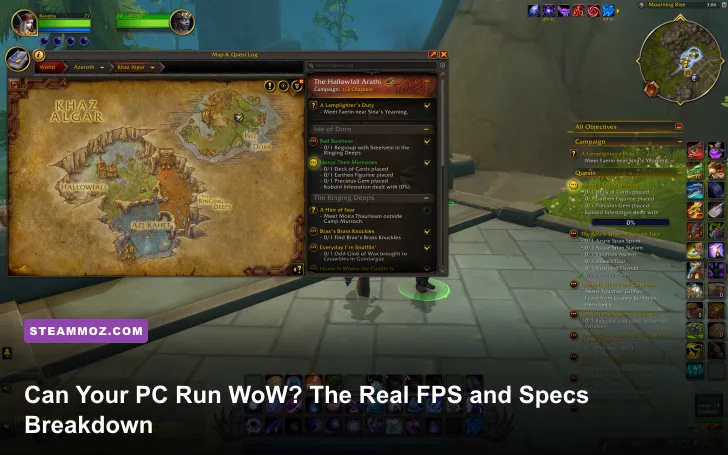
Yes, most modern gaming PCs can run World of Warcraft, but “can run” and “runs well” are very different claims. Blizzard’s current baseline calls for an older quad-core CPU, 8GB of memory, a 2GB graphics card, and an SSD with roughly 128GB free. For a consistently smooth 60 FPS at 1080p, though, you’ll want 16GB of RAM, a modern six-core processor, and something around a GTX 1660, RTX 2060, Radeon RX 5600 XT, or better. The real catch is the CPU: WoW can run beautifully in the wilderness and still collapse below 30 FPS in Dornogal, Valdrakken, or a 30-player raid.
This breakdown separates Blizzard’s published requirements from realistic play expectations. The figures below reflect the way WoW actually behaves across questing, dungeons, capitals, and raids—not the flattering FPS number you see while staring at an empty hillside.
WoW system requirements versus reality
World of Warcraft’s engine is scalable, but it isn’t equally demanding everywhere. The game uses DirectX 12, streams a large amount of world data, and leans heavily on one or two CPU threads when dozens of characters, animations, nameplates, and combat calculations appear at once. A fast GPU helps at higher resolutions; it won’t completely rescue a weak processor in a crowded hub.
Blizzard lists Windows 10 64-bit or newer, an SSD, 8GB of RAM, and a 2GB DirectX 12-capable GPU for the minimum configuration. Its recommended class of hardware steps up to a modern six- or eight-core CPU, 16GB of RAM, and an 8GB graphics card. Check the current details on the official WoW system requirements page, because expansion patches can raise storage and hardware expectations.
| Component | Blizzard minimum | Practical 1080p target | 1440p or Ultra target |
|---|---|---|---|
| Operating system | Windows 10 64-bit | Windows 11 64-bit | Windows 11 64-bit |
| CPU | Core i5-3450 or FX-8300 | Core i5-10400, Ryzen 5 3600, or better | Core i5-12600K, Ryzen 5 7600, or better |
| Memory | 8GB RAM | 16GB RAM | 16–32GB RAM |
| GPU | GTX 760 2GB, RX 560 2GB, or UHD 630 | GTX 1660, RTX 2060, RX 5600 XT | RTX 3060 Ti, RX 6700 XT, or better |
| Storage | 128GB SSD recommended | NVMe SSD with 150GB free | NVMe SSD with 150GB free |
The minimum GPU can launch the game, but it is not a promise of 60 FPS. The old GTX 760 and RX 560 class typically need reduced shadows, liquid detail, and view distance. An HDD may technically work, yet zone transitions and texture streaming will feel noticeably rougher. If you’re checking another demanding PC game too, our Far Cry 2 PC specs breakdown shows why age alone doesn’t predict performance.
Real FPS expectations by hardware tier

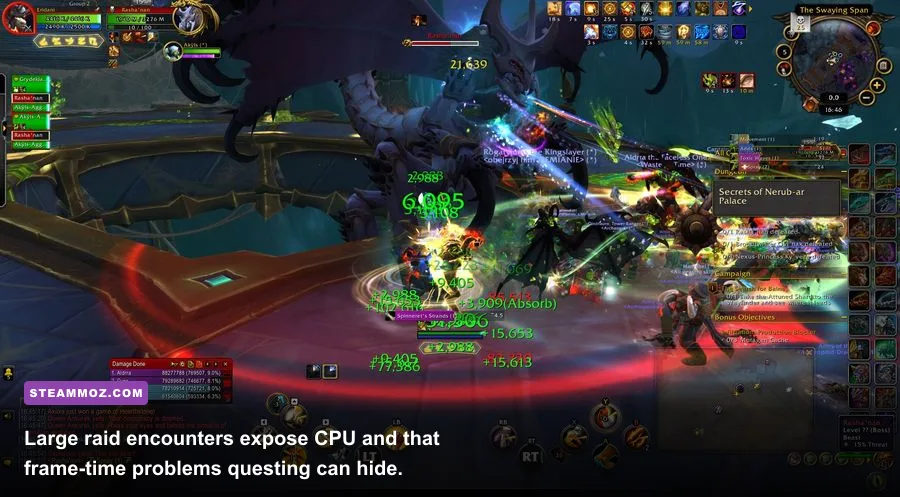
These are realistic ranges for 1080p using DirectX 12, current drivers, and a sensible mix of medium-to-high settings. They are not locked guarantees: WoW’s FPS changes with camera angle, addons, combat effects, server activity, and the number of players visible. The important number is the 1% low, which tells you whether the game feels consistently responsive.
| Hardware class | Questing and dungeons | Crowded capital | Large raid pull | Recommended preset |
|---|---|---|---|---|
| UHD 630 integrated graphics, 8GB RAM | 30–45 FPS | 18–28 FPS | 15–24 FPS | Low, 1080p or 900p |
| GTX 760 / RX 560, 8GB RAM | 35–55 FPS | 22–35 FPS | 20–30 FPS | Low-medium, 1080p |
| GTX 1660 / RX 5600 XT, 16GB RAM | 75–110 FPS | 45–70 FPS | 40–65 FPS | 7–8 mix, 1080p |
| RTX 3060 Ti / RX 6700 XT, modern six-core CPU | 100–165 FPS | 65–100 FPS | 55–90 FPS | 8–10 mix, 1440p |
| RTX 4070 / RX 7800 XT, fast CPU | 140–220 FPS | 85–140 FPS | 70–120 FPS | 10, 1440p or 4K mix |
The uncomfortable truth is that a GTX 1660 paired with a Ryzen 5 3600 can feel better than an RTX 4070 paired with an old FX processor in a capital city. At 1080p, the GPU often sits below full utilization while the main game thread becomes the bottleneck. That’s why lowering resolution may barely change FPS in Dornogal but makes a major difference during solo play.
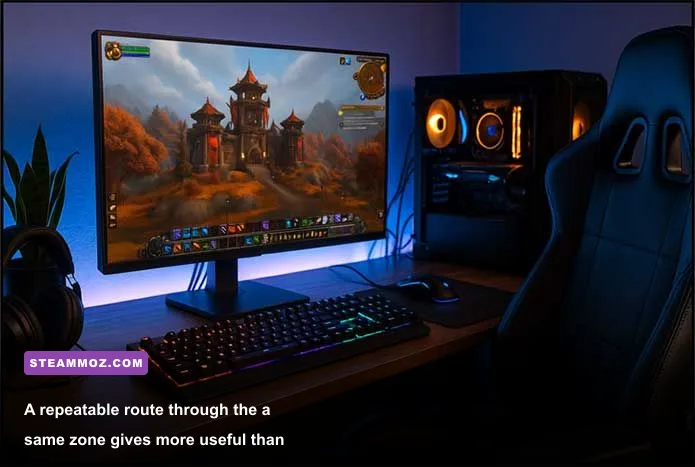
For a useful home test, log into a busy capital, disable frame-rate smoothing, enable the in-game FPS display, and walk the same route for two minutes. Then repeat during a world event or dungeon pull. Addons such as Details! and Plater can also cost performance, especially when hundreds of combat events are processed. Blizzard’s official World of Warcraft site is the best place to check current expansion and patch information.
The graphics settings that actually change FPS
Don’t drop every option to Low first. WoW’s preset system makes broad compromises, while a few individual settings carry most of the performance cost. View distance, environment detail, shadows, liquid quality, and projected textures deserve attention before texture resolution. Texture quality mainly consumes VRAM; it has a smaller FPS impact when your graphics card has 6GB or more.
| Setting | Recommended value | Typical FPS impact | Visual trade-off |
|---|---|---|---|
| View distance | 7–8 | High in capitals | Lower values remove distant geometry and players |
| Shadow quality | Low or fair | Medium to high | Less contact shadow depth, large CPU/GPU gain |
| Liquid detail | Good | Medium | Water reflections and particles become simpler |
| Environment detail | 7 | Medium | Reduces foliage and object density |
| Projected textures | Enabled | Low | Keep this on so ground mechanics remain visible |
| Spell density | Dynamic or essential | High during raids | Preserves important effects without visual clutter |
| Ray-traced shadows | Disabled | Very high | Small visual upgrade for a substantial performance cost |
| Render scale | 100% | Very high if reduced | Use 90% only when GPU-limited |
Projected textures are the setting you should protect. Turning them off may produce a few extra frames, but it can hide important encounter indicators and make mechanics harder to read. Spell density is more valuable than people expect: Dynamic keeps explosions from burying your screen while retaining the ground effects that matter.
At 1440p, start with texture resolution high, render scale at 100%, shadows at fair, view distance at 8, and ray tracing off. At 4K, an RTX 4070-class card can handle high settings in the open world, but raids still benefit from Dynamic spell density and reduced shadows. If your game crashes or stutters rather than simply running slowly, our PC crash and FPS fixes guide covers the same driver, overlay, and background-process problems that affect WoW.
Why WoW stutters even on powerful PCs
WoW stutter is often a frame-time problem, not a low-average-FPS problem. A powerful GPU can render 140 frames per second, yet a CPU spike from nameplates, combat logs, or an addon can produce a single 200-millisecond hitch. You feel that hitch as a freeze even though the counter still reports a healthy average.
CPU and memory checks
Use a modern six-core processor, close browser tabs and launchers, and keep 16GB of RAM available. Eight gigabytes is enough to meet the minimum, but Windows, Discord, a browser, and addons can push the system into paging. That creates the awful “smooth, then sudden hitch” pattern during zone changes. Enable XMP or EXPO in the motherboard firmware if your memory supports it; running DDR4 or DDR5 at its safe base speed can leave CPU-limited games with avoidable frame-time penalties.
Addons and interface load
Details!, WeakAuras, ElvUI, auction-house tools, and damage meters can all be useful, but their update frequency matters. Test performance with addons disabled using the character-selection AddOns menu. If the stutter disappears, re-enable packages in groups and inspect script usage with /console scriptProfile 1 only while testing, since profiling itself can reduce performance. Keep essential combat alerts, but trim redundant aura scans and excessive nameplate information.
For graphics-driver troubleshooting, install a current WHQL driver, disable unnecessary overlays, and test DirectX 12 against DirectX 11 if your system behaves strangely. DX12 is generally the better choice on current hardware, while older GPUs and unusual driver combinations can sometimes be steadier on DX11. Don’t expect this switch to transform a weak CPU into a fast one.
Best WoW settings for your PC
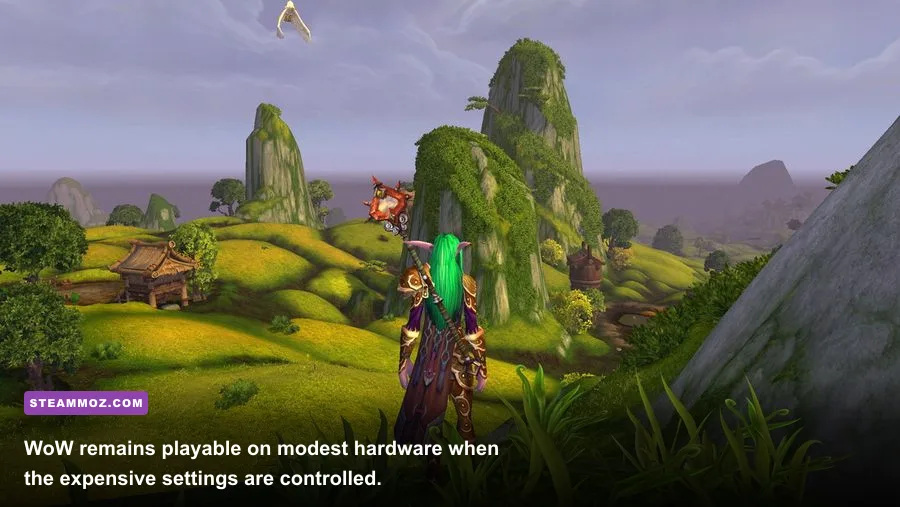
The best profile depends on whether you want visual quality, competitive responsiveness, or a stable raid experience. Here are three profiles that make sense instead of chasing a meaningless Ultra label.
| Profile | Hardware | Core settings | Expected result |
|---|---|---|---|
| Playable minimum | GTX 760/RX 560, 8GB RAM | Preset 3–4, view distance 5, shadows low, spell density essential | 30–50 FPS outdoors, lower in hubs |
| Balanced 1080p | GTX 1660/RX 5600 XT, 16GB RAM | Preset 7, view distance 7, shadows fair, textures high | 60 FPS target with raid dips |
| High-refresh 1440p | RTX 3060 Ti or better, fast six-core CPU | Preset 8–10, render scale 100%, spell density dynamic | 80–144 FPS outside heavy encounters |
For a 60Hz monitor, cap FPS at 60 or 90 to reduce unnecessary heat and fan noise. For a 144Hz display, cap slightly below the refresh rate—around 141 FPS—and prioritize stable 1% lows over a peak number. WoW’s combat feels better at a steady 90 FPS than it does swinging from 180 to 45 every time a raid boss casts a visual effect.
Finally, keep at least 20GB of free space beyond the game’s installed footprint, update addons after major patches, and avoid judging performance in an empty training area. Blizzard’s official Battle.net WoW page confirms the active PC release, while the Wowhead database remains useful for checking current encounters, spells, and patch changes.
Bottom line: if your PC has 16GB of RAM, an SSD, and a recent six-core CPU with a GTX 1660-class GPU, you can run WoW comfortably at 1080p. Minimum-spec hardware can launch and quest, but it won’t deliver a reliably smooth capital-city or raid experience. Spend your upgrade money on CPU performance first when your GPU usage is low; buy a stronger GPU first when you play at 1440p or 4K with the card pinned near 100%.