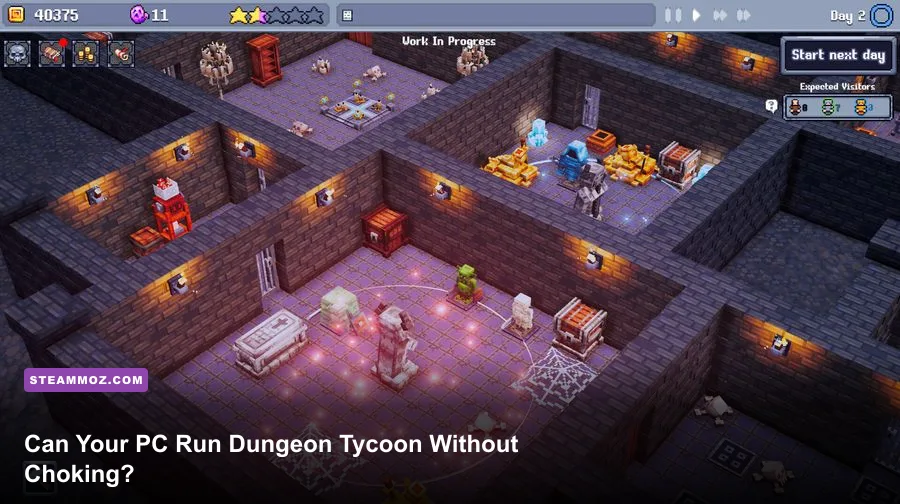
Dungeon Tycoon should run comfortably on a modern mid-range gaming PC, but the recommended specification is the safer target once your dungeon fills with rooms, traps, monsters, decorations, and active visitors. The listed minimum is a 64-bit Windows 10 system with an Intel Core i5-8400 or AMD Ryzen 5 2600, 8GB of RAM, and a GeForce GTX 1060 6GB or Radeon RX 580 8GB. The recommended target rises to a Core i7-9700 or Ryzen 7 3700X, 16GB of memory, and an RTX 2070 or Radeon RX 5700 XT. You’ll also want roughly 10GB of free storage, preferably on an SSD.
Those numbers are more useful than they first appear. Dungeon Tycoon is a management game, so the GPU handles the visual presentation while the CPU and memory deal with the increasingly busy simulation underneath. A small starter dungeon may perform well on hardware close to minimum, yet a sprawling fortress with dozens of rooms, animated creatures, particle effects, pathfinding, and a busy visitor flow can expose CPU or RAM limitations long before the graphics card gives up.
This guide breaks down the Dungeon Tycoon system requirements, explains what each component actually affects, and gives you practical settings profiles for 1080p play. The important caveat is that the official requirements are not a promise of a locked 60 frames per second in every late-game situation. They’re a launch point, not a detailed benchmark.
Dungeon Tycoon minimum and recommended requirements

The minimum specification is aimed at getting the game running, not guaranteeing a flawless experience in a mature save file. An i5-8400, Ryzen 5 2600, GTX 1060, or RX 580 is still capable 1080p hardware, but these parts are now several generations old. If your system matches the minimum specification exactly, expect to make a few sensible compromises with shadows, lighting, resolution scaling, and background applications.
| Component | Minimum | Recommended | What It Means |
|---|---|---|---|
| Operating system | Windows 10 64-bit | Windows 10/11 64-bit | A 64-bit Windows installation is required. |
| Processor | Intel Core i5-8400 or AMD Ryzen 5 2600 | Intel Core i7-9700 or AMD Ryzen 7 3700X | The CPU matters for simulation updates, visitors, creatures, and pathfinding. |
| Memory | 8GB RAM | 16GB RAM | More headroom helps large saves and reduces Windows background swapping. |
| Graphics card | GeForce GTX 1060 6GB or Radeon RX 580 8GB | GeForce RTX 2070 or Radeon RX 5700 XT | Determines resolution, lighting quality, shadows, and visual smoothness. |
| Storage | About 10GB available | About 10GB on an SSD | An SSD mainly improves loading and save-related responsiveness. |
The most important difference between the two tiers is not simply “old GPU versus new GPU.” The recommended processor is substantially stronger in sustained simulation workloads, while 16GB of RAM gives the game room to grow alongside your fortress. If you’re buying or upgrading specifically for Dungeon Tycoon, prioritize a modern six-core CPU and 16GB of dual-channel memory before chasing an expensive graphics card.
For the official listing, check the Dungeon Tycoon Steam search page and compare the requirements against your exact CPU and GPU models. Steam’s listing is the authority if the developer changes the specification after a major update.

🎮 Dungeon Tycoon
Looking to experience this game? Grab your digital key directly on our store for $7.49.
View on Steammoz Store →What hardware actually affects performance?
Dungeon Tycoon’s workload changes as you play. At the beginning, you’re placing a few rooms and watching a relatively small number of characters move around. Later, the game has to track a larger network of corridors, more AI agents, more objects, more decorative effects, and more simultaneous events. That makes the performance profile different from a linear action game.
CPU: the late-game bottleneck
The CPU is the component most likely to become important after several hours in one save. Every additional visitor, monster, worker, room interaction, and pathfinding request adds simulation work. A weak processor may show up as uneven frame pacing rather than a permanently low average frame rate: the camera feels fine while the dungeon is quiet, then briefly stutters when many agents converge on the same area.
The Core i5-8400 and Ryzen 5 2600 meet the listed minimum, but newer six-core chips such as the Ryzen 5 5600 or Core i5-12400 provide considerably more headroom. You don’t need a flagship CPU. You do want strong per-core performance and enough threads to keep Windows, Discord, a browser, and the game from fighting over the same resources.
GPU: resolution, shadows, and lighting
The GTX 1060 6GB and RX 580 8GB are the minimum graphics targets. They should be treated as 1080p cards with sensible settings rather than ultra-preset hardware. The recommended RTX 2070 and RX 5700 XT are much better suited to high-quality shadows, higher ambient lighting, and a denser scene at 1080p.
GPU usage is usually easier to diagnose. If your graphics card is pinned near 99 percent and lowering resolution gives you a large FPS improvement, reduce resolution scale, shadows, reflections, and ambient occlusion first. If GPU usage is low while frame time spikes whenever the dungeon becomes crowded, the processor or simulation is the more likely limitation.
RAM and storage
8GB is enough for the game itself on a clean system, but it leaves little breathing room. Windows, a browser with several tabs, a voice client, and recording software can push an 8GB machine into paging. That is when loading pauses and hitching become much more common. Sixteen gigabytes is the sensible target for a new build.
An SSD won’t magically increase your average FPS, but it can noticeably improve loading, save transitions, and general responsiveness. Keep at least 15–20GB free on the drive rather than filling it to the last gigabyte. Solid-state drives tend to slow down when almost completely full, and management games often create several save files as your campaign develops.
Best 1080p graphics settings for each PC tier
There’s no reason to accept a blurry image just because you’re using minimum-spec hardware. The key is to lower settings that affect scene complexity or lighting before sacrificing resolution. Dungeon Tycoon is viewed from a strategic camera, so a stable 60 FPS and crisp room edges are more valuable than glossy shadows that add little tactical information.
| Setting | Minimum-spec profile | Recommended profile | Performance impact |
|---|---|---|---|
| Resolution | 1920×1080; use 90% scale only if needed | 1920×1080 native | Resolution scale has a large GPU impact. |
| Texture quality | Medium or High | High | Mostly limited by VRAM; the GTX 1060 6GB is adequate. |
| Shadows | Low or Medium | High | One of the easiest settings to reduce for extra frames. |
| Ambient occlusion | Off or Low | Medium or High | Adds depth around rooms but can cost GPU time. |
| Lighting and effects | Medium | High | Particle-heavy rooms and visual effects can create short spikes. |
| View distance | Medium | High | Higher values increase visible objects and scene workload. |
| Anti-aliasing | Medium | High | Useful for smoothing diagonal walls and room edges. |
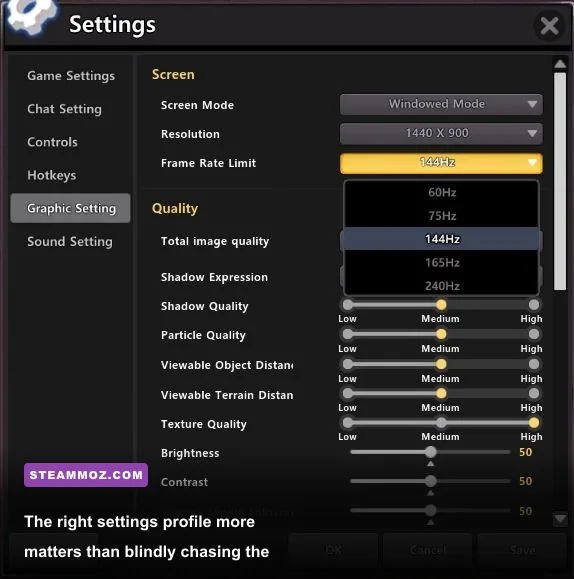
| Frame cap | 60 FPS | 60 or 120 FPS | A cap reduces heat and makes frame pacing more consistent. |
For a GTX 1060 or RX 580, start with 1080p, medium shadows, medium lighting, low ambient occlusion, and high textures. Textures generally have a smaller performance cost than dynamic shadows, provided your card has enough VRAM. If the game still dips, reduce view distance before dropping below native resolution.
On an RTX 2070, RX 5700 XT, or newer card, high settings at 1080p should be the comfortable starting point. If you’re playing at 1440p, keep textures high but lower shadows and ambient occlusion first. The recommended GPU is best understood as a strong 1080p target, not a guarantee that every setting remains maxed at 4K.
How large dungeons change the performance equation
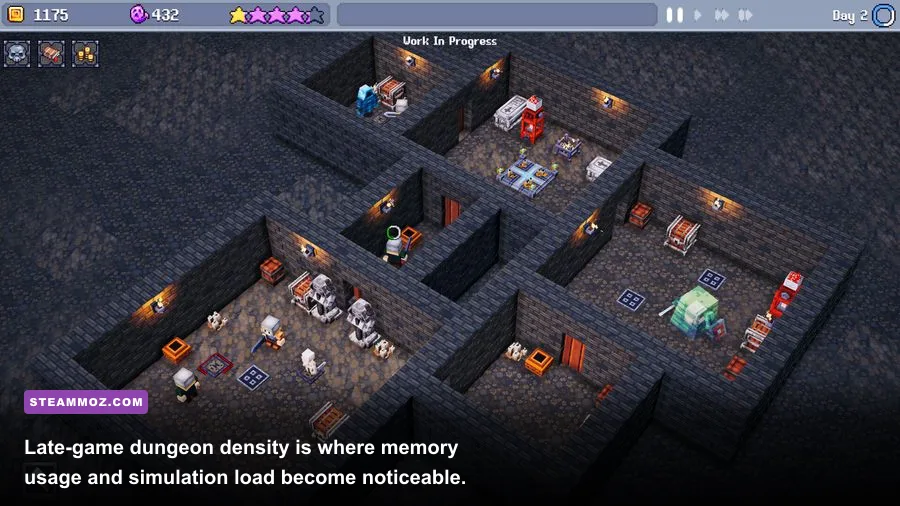
The first few hours can give you a misleading impression of performance. A small dungeon has fewer active agents, fewer rooms to render, and fewer decisions for the simulation to process. As your layout expands, the game’s cost rises in ways that aren’t always visible from the graphics menu.
Long corridors and sprawling networks can create more pathfinding work than a compact layout. A fortress packed with decorative objects may also render more individual items than a functional room with minimal clutter. Meanwhile, a busy entrance or central hub can become a hotspot because many characters are visible and moving in the same region at once.
That doesn’t mean you should build a tiny dungeon. It means performance-friendly design is worth considering. Group related rooms into compact districts, avoid creating huge empty sightlines if your frame rate is struggling, and don’t cover every spare tile with decorative objects until you know your system has headroom. Pause the game before making large structural changes if you notice hitching; this reduces the chance that simulation updates and construction changes collide in the same frame.
Memory usage matters here too. A save with a large, heavily decorated dungeon can remain open for a long session, and 8GB systems have less room for background applications. Close Chrome tabs, launchers, recording tools, and overlays before blaming the game. This is basic advice, but it makes a real difference on minimum-spec machines.
Players coming from other dungeon-management games may recognize the pattern. Our Dungeons 3 strategy guide covers practical base organization, while the Dungeons 2 leveling route explains why efficient layouts help more than flashy expansion. The same principle applies here: fewer wasted paths usually means a cleaner, easier-to-manage dungeon.
Best upgrade path for a weak Dungeon Tycoon PC
If your system falls below the official minimum, upgrade in the right order. The ideal purchase depends on what fails first, but a balanced machine is far more useful than pairing a powerful graphics card with an ancient processor.
| Current problem | First upgrade | Why it helps | What not to do |
|---|---|---|---|
| Frequent stutter in crowded dungeons | CPU and platform | Improves simulation, pathfinding, and frame pacing. | Don’t replace the GPU first if usage is consistently low. |
| Low FPS with GPU near 100% | Graphics card | Improves resolution, shadows, lighting, and visual effects. | Don’t expect a CPU upgrade to fix a GPU-bound scene. |
| Loading pauses and system swapping | 16GB RAM and SSD | Reduces paging and speeds up loading and saves. | Don’t rely on more RAM to fix a graphics bottleneck. |
| Only integrated graphics | Dedicated GPU | Moves rendering away from shared system memory. | Don’t assume 8GB system RAM equals 8GB graphics memory. |
For a budget upgrade, 16GB of dual-channel RAM is the cheapest meaningful improvement if you currently have 8GB or less. After that, a Ryzen 5 5600-class processor or Core i5-12400-class processor offers excellent simulation headroom. On the graphics side, cards around the RTX 3060, RX 6600 XT, or newer comfortably exceed the listed minimum and are more sensible modern purchases than trying to find an overpriced GTX 1060.
Also check the unglamorous stuff. Update your GPU driver, verify the game files through Steam, install the game on an SSD, and disable overlays one at a time if hitching continues. If the game crashes rather than merely running slowly, our PC crash and FPS troubleshooting guide has a useful diagnostic order. Don’t start by deleting random configuration files; first identify whether the issue is memory, drivers, thermals, or corrupted data.
Is Dungeon Tycoon demanding on PC?
Dungeon Tycoon is not an unusually demanding game at its minimum, but its recommended specification is the more realistic target for a long campaign. A GTX 1060 or RX 580 paired with 8GB RAM should be able to deliver a playable 1080p experience when settings are tuned sensibly. The catch is that the minimum tier offers less protection against late-game slowdowns, background applications, and large, object-heavy dungeons.
If your PC matches the recommended Core i7-9700/Ryzen 7 3700X, RTX 2070/RX 5700 XT, and 16GB RAM class, you’re in a much better position for high-quality 1080p play. Newer equivalent hardware is naturally preferable, but you don’t need a modern high-end GPU to enjoy the game.
Before buying, compare your machine with the official Steam listing, keep your drivers current, and remember that the game’s real test arrives when your dungeon is busy. If your priority is a smooth, stable management experience rather than screenshot-perfect lighting, a modern six-core CPU, 16GB RAM, and an SSD are the sweet spot.
For broader context, Steam’s official hardware survey is useful when judging whether a planned upgrade is still common among PC players. And if you enjoy comparing older dungeon games, Steamoz’s Dungeon Siege retrospective is a good companion read. Dungeon Tycoon doesn’t demand a monster rig; it simply rewards a balanced one.