
Yes, almost any modern Windows gaming PC can run Deponia Doomsday. The official Steam requirements call for just a 2 GHz dual-core processor, 2 GB of RAM, a DirectX 9-compatible graphics card, and 10 GB of storage. For a smoother modern setup, aim for a 2.4 GHz dual-core CPU, 4 GB of memory, a dedicated DirectX 9/11-era GPU, and an SSD. Those targets leave a huge safety margin on current laptops and desktops.
That low hardware bar makes sense. Deponia Doomsday is a 2016 point-and-click adventure from Daedalic Entertainment, not an open-world game with streaming terrain, physics-heavy combat, or hundreds of animated characters on screen. Its biggest performance demands come from high-resolution 2D art, scene transitions, video sequences, and compatibility with newer versions of Windows—not raw graphical complexity. If your PC can handle ordinary HD video playback and basic 3D acceleration, it is probably ready for Rufus's latest disaster.
Deponia Doomsday minimum and recommended PC specs
The table below separates the published baseline from the sensible target for a modern Windows PC. The minimum specification is enough to launch and play the game, while the recommended profile gives you more breathing room for background applications, higher-resolution displays, and smoother scene transitions.
| Component | Minimum requirement | Recommended target | What it means today |
|---|---|---|---|
| Operating system | Windows 7 | Windows 10 or Windows 11 | Modern 64-bit Windows is the safest choice |
| Processor | 2 GHz dual-core CPU | 2.4 GHz dual-core CPU | Almost any Intel Core or AMD Ryzen chip exceeds this |
| Memory | 2 GB RAM | 4 GB RAM | 8 GB is preferable if you multitask |
| Graphics | DirectX 9-compatible graphics | Dedicated DirectX 9-compatible GPU | Integrated graphics from the last decade should cope |
| DirectX | Version 9 | Version 9 or later | Windows 10 and 11 include newer DirectX runtimes |
| Storage | 10 GB available space | 10 GB, preferably on an SSD | An SSD improves loading and patching, not core FPS |
| Sound | DirectX 9-compatible sound card | Integrated motherboard audio is fine | Any working modern audio device should qualify |
One important distinction: these are not demanding “recommended” specs in the way you would see for a modern RPG. A current entry-level laptop with an Intel UHD or AMD Radeon integrated GPU will usually sit far above the listed graphics requirement. Likewise, 4 GB of RAM is technically enough for the game, but 8 GB is the realistic floor for a comfortable Windows 10 or Windows 11 desktop with a browser, Discord, and the Steam client open.
Before buying, check the official Deponia Doomsday Steam page for the current listing. Store requirements can change slightly with updates, operating-system support, or publisher edits.

🎮 Deponia Doomsday
Looking to experience this game? Grab your digital key directly on our store for $1.99.
View on Steammoz Store →What those requirements mean for laptops and older PCs

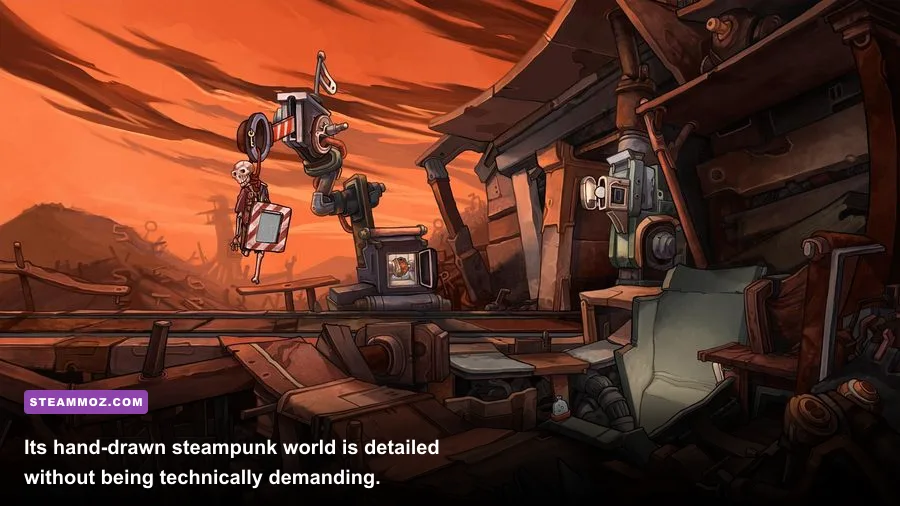
Deponia Doomsday is unusually forgiving because its visual identity comes from painted backgrounds and character animation rather than shader-heavy 3D rendering. The game follows Rufus through Deponia, Elysium, and multiple variations of the timeline, but those locations are presented as discrete adventure scenes. The PC is not constantly loading a giant world or simulating a crowd.
Integrated graphics should be enough
The minimum listing only asks for DirectX 9-compatible graphics. That is an extremely low bar by modern standards. Intel HD Graphics 4000, Intel UHD 620, AMD Vega integrated graphics, and newer Radeon 680M-class solutions all offer far more API and shader capability than the game requires. The same applies to older low-end cards such as the GeForce GT 630 or Radeon HD 6450, provided the driver and operating system cooperate.
That does not mean every old machine will feel identical. A very weak laptop may struggle with video playback, asset decompression, or switching between scenes if it is still using a mechanical hard drive. Those moments can look like a graphics problem even when the GPU is barely working. If the game pauses briefly when moving from a dialogue scene into a new puzzle area, storage and background processes are more likely suspects than insufficient 3D power.
CPU and RAM matter more for overall smoothness
The listed 2 GHz dual-core processor is enough for the game's logic, dialogue, inventory interactions, and time-travel sequences. A four-core Intel Core i3, Ryzen 3, or newer mobile chip is already comfortably beyond that requirement. The CPU advantage helps less with average frame rate than it does with responsiveness while Steam, a browser, cloud sync, and recording software are running together.
RAM deserves a similar reality check. The game can fit within 2 GB, but Windows itself consumes a meaningful portion of that amount. On a 4 GB laptop, close Chrome tabs and overlays before playing. An 8 GB system is the sweet spot, while 16 GB is useful only because it makes the rest of your PC feel better—not because Deponia Doomsday needs it.
| PC type | Expected experience | Likely limitation | Best move |
|---|---|---|---|
| Modern office laptop with integrated graphics | Comfortable 1080p play | Background applications | Use an SSD and keep drivers current |
| Older dual-core desktop with 4 GB RAM | Playable at the listed baseline | Scene loading and multitasking | Close overlays and unnecessary startup apps |
| Gaming laptop with a dedicated GPU | Easy 1080p or higher-resolution play | Compatibility rather than performance | Use the dedicated GPU profile if needed |
| Very old Windows 7 machine | Potentially playable | Drivers, updates, and storage speed | Verify DirectX components and free 10 GB |
If you're comparing the hardware bar with another older PC release, Steamoz's breakdown of Drawful 2's real PC requirements offers a useful reference point. Deponia Doomsday belongs in that same low-demand category, though its art assets and story scenes make storage space slightly more important.
Best graphics settings for Deponia Doomsday

There is no need to chase a complicated competitive configuration here. Deponia Doomsday is a story-driven adventure, and the ideal setup prioritizes clean text, stable video playback, and the correct aspect ratio. If your copy exposes resolution and fullscreen options, start at your monitor's native resolution and only step down if the interface becomes sluggish or the game behaves badly in exclusive fullscreen.
| Setting or profile | Recommended value | Performance impact | Visual or gameplay note |
|---|---|---|---|
| Resolution | Native monitor resolution | Low to moderate | Keeps dialogue text and hand-drawn details sharp |
| Display mode | Borderless window if available | Negligible | Usually the easiest option for alt-tab stability |
| Fullscreen | Use exclusive fullscreen if borderless stutters | Negligible | Can help older Windows systems manage focus correctly |
| V-Sync | On if you see tearing | Small latency cost | Useful for a locked, consistent presentation |
| Frame-rate cap | 60 FPS, if exposed | Reduces power use | Anything beyond 60 FPS adds little to a point-and-click game |
| Scaling | Keep aspect ratio | None | Prevents characters and backgrounds looking stretched |
| Overlays | Disable unnecessary overlays | Small CPU/RAM saving | Helpful on 4 GB systems and older laptops |
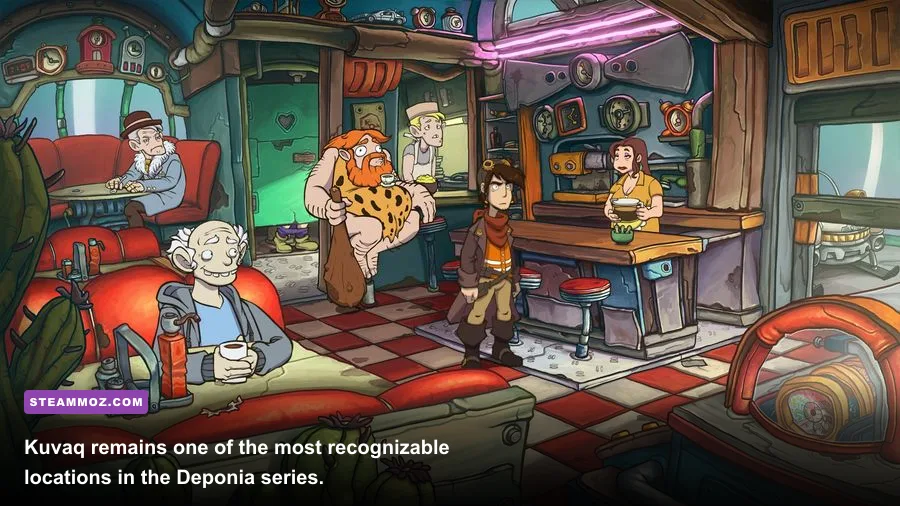
The most visible upgrade is often not a higher frame rate but a sharper presentation. Deponia's locations—especially the cluttered junkyard spaces around Kuvaq—use small objects and visual jokes as puzzle clues. Running below native resolution can soften those details and make interactive objects harder to read. If your display is 1440p or 4K, test native resolution first; if menus appear unusually small, 1080p with correct aspect-ratio scaling is a sensible compromise.
Don't expect a powerful graphics card to transform the game. An RTX 4060 and an integrated Radeon GPU can both deliver a perfectly playable experience because the bottleneck is not GPU horsepower. If you experience stutter, try disabling the Steam overlay, closing hardware-monitoring utilities, and switching between borderless and exclusive fullscreen before lowering resolution. Our broader PC settings guide for Dragonkin covers the same troubleshooting logic for a much more demanding game.
Compatibility fixes for Windows 10 and 11
Modern Windows systems generally run Deponia Doomsday without drama, but older adventure games can expose edge cases that the published requirements don't mention. The first launch should be done through Steam with cloud synchronization allowed to finish. Give the game a moment after launching, particularly on a hard drive, because the opening video and save directories may initialize in the background.
Use this troubleshooting order
- Verify the installation. In Steam, open the game's Properties, choose Installed Files, and run “Verify integrity of game files.” This is the fastest fix for missing videos, failed launches, or a crash after an update.
- Update the graphics driver. Integrated graphics are supported in practice, but old Intel, AMD, or Nvidia drivers can mishandle legacy DirectX calls. Install a stable driver from your laptop or GPU manufacturer's support page.
- Try compatibility settings only if necessary. If fullscreen causes a black screen, test borderless windowed mode first. Windows compatibility mode should be a fallback, not the opening move.
- Check display scaling. Windows high-DPI scaling can make an older game's interface appear soft or incorrectly sized. Test the application's high-DPI override if text or clickable areas look wrong.
- Disable conflicting overlays. Steam Input, Discord, GeForce Experience, Radeon Software, and capture tools can all hook into a game. Turn them off one at a time to identify the offender.
- Keep save backups. Copy the game's save folder before experimenting with compatibility options or moving between PCs. Adventure games are not demanding, but losing progress after solving a long inventory puzzle is still painful.
For a deeper look at how older PC games behave after years of updates, Steamoz's ELEX crash-fix guide has a useful driver-and-overlay checklist. The same principles apply here, even though Deponia Doomsday needs dramatically less hardware.
Is Deponia Doomsday worth buying on your PC?
From a hardware perspective, this is one of the safest PC purchases for anyone with an older machine. The minimum requirements are genuinely low rather than artificially optimistic: a dual-core processor, 2 GB of RAM, DirectX 9 graphics, and 10 GB of storage cover the core experience. A recent office laptop should outperform that profile by a wide margin.
The bigger question is whether you enjoy Daedalic's particular brand of adventure design. You play as Rufus, revisit familiar faces such as Goal and Cletus, and work through elaborate item combinations, visual clues, dialogue gags, and timeline twists. There is no combat build, no weapon progression, and no reaction-based boss encounter to stress-test a GPU. The challenge is recognizing that a bizarre object has a second use, then surviving the consequences of Rufus's next terrible idea.
That design also explains why stable 60 FPS is more than enough. The game rewards careful observation, not twitch reflexes. A well-lit 1080p display, working audio, a comfortable mouse, and enough free storage will improve the experience far more than an expensive graphics card. If you enjoy classic adventure games, you can safely focus your budget elsewhere—or compare it with Steamoz's look at whether another classic PC game still holds up.
Bottom line: Deponia Doomsday runs on remarkably modest hardware. Meet the 2 GHz dual-core, 2 GB RAM, DirectX 9, and 10 GB minimum, and the game should launch; meet the 2.4 GHz dual-core and 4 GB recommended target, and you have ample headroom. On a modern Windows 10 or Windows 11 PC with 8 GB of RAM and an SSD, use native resolution, cap the experience at 60 FPS, and spend your time solving Rufus's puzzles instead of fighting your settings menu.