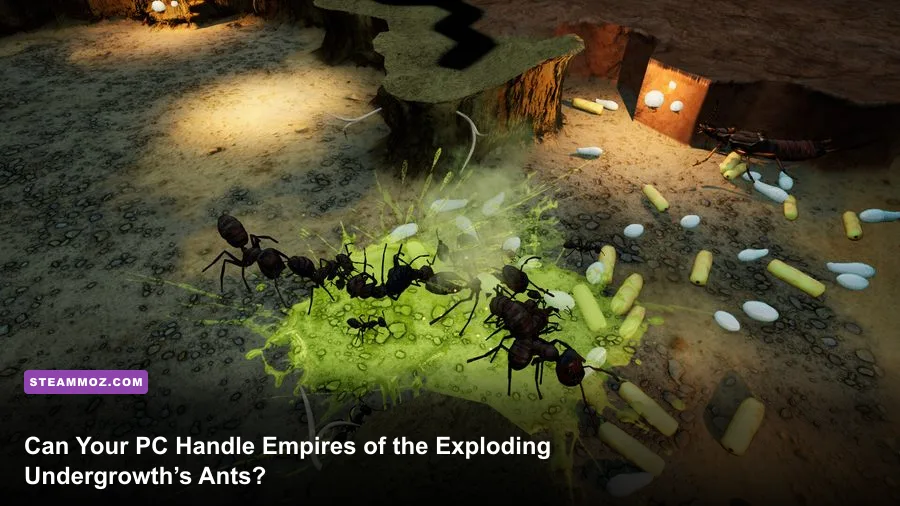
Yes, most modern gaming PCs can run Empires of the Undergrowth, but Exploding Ants battles are much tougher than the early campaign. The official minimum target is an Intel Core i5-2300 or AMD FX-4350 with 4 GB of RAM and a GeForce GTX 660 or Radeon HD 7870. For smoother large-colony play, the recommended target is an Intel Core i5-8400 or Ryzen 5 2600, 8 GB of memory, and a GTX 1060 or Radeon RX 580. The graphics card gets you onto the battlefield; the processor and memory decide how gracefully your colony survives a screen full of ants, brood, enemies, and effects.
That distinction matters in the Exploding Ants scenario. This isn't a conventional action game where a lower frame rate mainly affects aiming. Empires of the Undergrowth is a real-time colony strategy game. Hundreds of individual units can path, gather food, attack, retreat, and react to changing orders at once. If your system struggles, you'll usually feel it as stutter during a massive engagement or a sluggish camera rather than a dramatic visual crash.
Below, you'll find the official Empires of the Undergrowth system requirements, what each component actually means, and a practical settings plan for stable performance. For broader progression advice, pair this with Steamoz's fast leveling and gold farming guide.
Empires of the Undergrowth system requirements at a glance

The requirements published on the game's official Steam page are relatively modest by current PC standards. The minimum hardware dates back several generations, while the recommended CPU and GPU represent a sensible 1080p baseline for a fuller colony experience.
| Component | Minimum | Recommended |
|---|---|---|
| Operating system | Windows 10 64-bit | Windows 10 64-bit |
| Processor | Intel Core i5-2300 or AMD FX-4350 | Intel Core i5-8400 or AMD Ryzen 5 2600 |
| Memory | 4 GB RAM | 8 GB RAM |
| Graphics | NVIDIA GeForce GTX 660 2 GB or AMD Radeon HD 7870 2 GB | NVIDIA GeForce GTX 1060 6 GB or AMD Radeon RX 580 8 GB |
| DirectX | Version 11 | Version 11 |
| Storage | 8 GB available space | 8 GB available space |
Those figures are a floor, not a promise of locked performance in every mission. A minimum-spec machine may launch the game and handle the opening levels, but late-game colonies can expose weaknesses that a short benchmark misses. The game has to simulate the colony even when you zoom out, and the number of active creatures can rise sharply once you begin expanding food rooms, nurseries, worker routes, and combat groups.
Keep at least 8 GB free on the installation drive, but leaving extra space is smart. A drive with only a few hundred megabytes remaining can suffer slower updates and less breathing room for Windows background operations. An SSD won't magically raise your average frame rate, yet it can reduce loading friction and make restarting missions far less painful.
🎮 Empires of the Undergrowth - Exploding Ants
Looking to experience this game? Grab your digital key directly on our store for $3.99.
View on Steammoz Store →What the minimum PC specs really mean
The Core i5-2300 and FX-4350 are old quad-core processors. They meet the listed requirement, but their age matters more in a simulation-heavy strategy game than it would in a small linear adventure. If you own a modern four-core laptop CPU, you're likely in better shape than the raw model names suggest. If you're using an older dual-core chip, however, don't assume a capable-looking GPU will save the experience.
The GTX 660 and Radeon HD 7870 are also legacy cards. Their 2 GB of VRAM is enough for the game's basic rendering target, particularly at 1080p with sensible settings. It isn't a comfortable foundation for cranking every effect to maximum while running high-resolution supersampling. The game’s stylized presentation is fairly forgiving, so reducing shadows and effects usually costs less visual clarity than it does in a photorealistic shooter.
Four gigabytes of system memory is the most restrictive part of the minimum specification. Windows 10 and background applications can consume a large portion of that before the game starts. With 4 GB installed, close browsers, launchers, recording software, and overlays. More importantly, expect less multitasking headroom and a greater chance of hitching when the colony becomes busy.
Minimum hardware is best suited to small nests, conservative camera distances, and a 30-frame-per-second expectation. That can still be playable because colony management isn't built around twitch reactions, but it won't deliver the cleanest feel during Exploding Ants' busiest encounters. If your processor is close to the minimum and you notice pauses whenever combat begins, lowering resolution may not fix the root cause; reducing unit density on screen and background CPU activity will help more.
Why Exploding Ants can hit performance harder

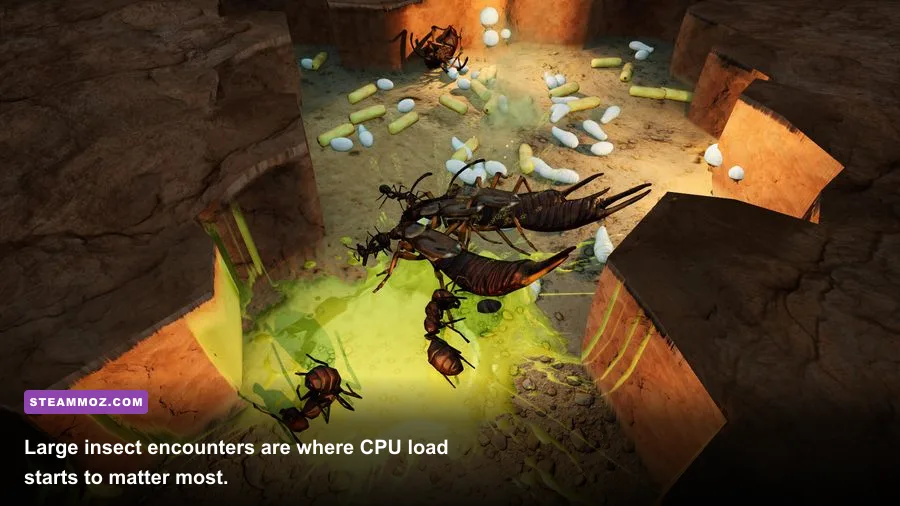
Exploding Ants is demanding for a different reason than a graphically lavish open-world game. The scene can fill with ants whose positions, targets, attack states, and movement routes must be updated continuously. Add hostile insects, food pickups, nest tunnels, environmental activity, and camera-wide visibility, and the processor has a lot of small jobs to juggle.
That creates two separate performance ceilings. The GPU handles resolution, lighting, shadows, textures, and effects. The CPU handles simulation work: unit decisions, pathfinding, combat updates, and the management logic behind a growing colony. A GTX 1060 paired with an old i5 may render the scene beautifully but still dip when dozens of units collide. Conversely, a strong CPU paired with a very old GPU may maintain simulation speed while struggling with high resolution and shadows.
Exploding ants can also make the dips feel sharper because their attacks add a burst of visual activity to an already crowded fight. Don't judge your PC only by standing inside an empty nest. Test a real engagement with several groups selected, the camera zoomed out, and the colony actively harvesting or defending. That is the workload that reveals whether your system has useful headroom.
RAM affects consistency rather than just headline frame rate. Eight gigabytes gives the game and Windows a more comfortable margin, especially if you're using voice chat or a browser on a second monitor. Sixteen gigabytes isn't required by the official listing, but it's a sensible modern pairing if you're buying or upgrading today. It helps eliminate avoidable memory pressure without pretending it replaces a weak CPU.
For an exact feature reference, check the Slug Disco developer site and the game's official Steam community hub. Updates can change balance, missions, and optimization, so treat community anecdotes about performance as useful clues rather than universal benchmarks.
The best graphics settings for stable colony performance

Start with the recommended preset if your machine matches the i5-8400/Ryzen 5 2600 and GTX 1060/RX 580 class. Then test one of the game's busiest scenes. A stable average is less important than avoiding ugly frametime spikes when your army and the enemy army meet. If your goal is a consistent 60 FPS, leave room below your monitor's maximum refresh rate rather than running every option at its limit.
| Setting or profile | Recommended value | FPS impact | Visual trade-off |
|---|---|---|---|
| Resolution | Native 1080p | High GPU impact | Best clarity for tiny units and tunnel details |
| Resolution scale | 100%; try 90% if needed | High GPU impact | Lower values soften the image but preserve interface scale |
| Shadows | Medium | Medium to high | Good compromise during large surface fights |
| Effects | Medium or High | Medium | Lowering can reduce visual punch from explosions |
| Textures | High if VRAM allows | Low to medium | Important for nest and insect detail; watch 2 GB cards |
| Anti-aliasing | Medium | Low to medium | Smoother edges without a major performance hit |
| Camera distance | Moderate during combat | CPU and GPU impact | Fewer visible units can reduce the busiest spikes |
| Frame cap | 60 FPS or your monitor target | Stability benefit | Reduces unnecessary heat and fluctuating frame times |
If the game looks smooth in an empty nest but stutters during combat, lower shadows and resolution scale only if the GPU is clearly saturated. Otherwise, keep the resolution and turn down effects first, then close background software. A frame counter can tell you the symptom, but frametime graphs tell you whether the problem is a constant low frame rate or short simulation spikes.
On a minimum-spec PC, use 1600x900 or 1280x720 if native 1080p becomes unstable, choose medium-to-low shadows, and cap at 30 FPS. That profile won't look as crisp, but it can feel more consistent than chasing 45 to 60 FPS through heavy battles. On a recommended PC, native 1080p, medium shadows, high textures, and a 60 FPS cap are a strong starting point. A higher-end GPU can push resolution, but the CPU may remain the limit once the colony grows.
Upgrade priorities for a better Exploding Ants experience
Upgrade the processor first if your frame rate collapses specifically during large battles while GPU usage remains modest. The i5-8400 and Ryzen 5 2600 recommended CPUs aren't exotic, but they offer a major step over the i5-2300 and FX-4350 class. A modern six-core processor gives simulation-heavy scenes more room and makes Windows background activity less disruptive.
Upgrade the graphics card first if GPU usage sits near 100 percent, resolution changes produce obvious gains, or the game struggles even when only a small number of ants are visible. The GTX 1060 6 GB and RX 580 8 GB are the official recommended examples. Current mid-range cards exceed them comfortably, although a faster GPU won't eliminate CPU-bound dips in a huge colony.
| Symptom | Likely limit | Best first fix | What not to expect |
|---|---|---|---|
| Stutter begins when armies clash | CPU simulation or frametime spikes | Close background apps; lower visible effects; use a frame cap | A GPU upgrade alone may not solve it |
| Low FPS at native resolution everywhere | GPU rendering load | Lower resolution scale, shadows, and effects | More RAM won't raise rendering performance |
| Hitching while multitasking | 4 GB RAM or memory pressure | Move to 8 GB or more; close browsers and overlays | RAM can't compensate for an ancient CPU |
| Long loading and update delays | Slow or crowded storage drive | Install on an SSD with free space | An SSD won't guarantee higher battle FPS |
If you're building a PC specifically for this game, don't overspend on the graphics card while pairing it with a bargain-bin processor. A balanced modern six-core CPU, 16 GB of RAM, and a mainstream GPU with at least 6 GB of VRAM will give you far more useful headroom than an expensive GPU attached to a decade-old platform. The official recommended specification remains the sensible baseline, not an invitation to ignore simulation performance.
How to test your PC before committing to a campaign
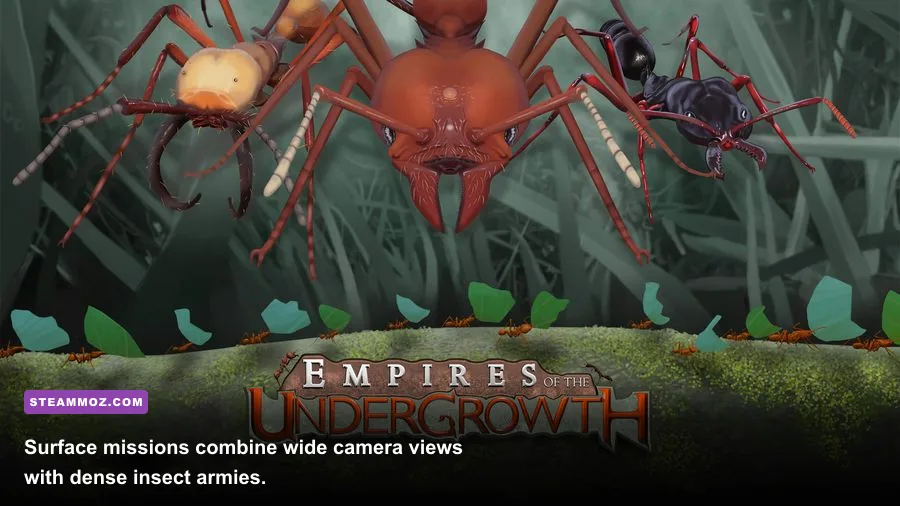
Run the opening tutorial or an early mission first, but don't stop there. Build enough chambers to create a functioning food economy, place multiple groups, and trigger a large surface encounter. Watch the frame rate while zoomed in, then zoom out until the entire fight is visible. The second test is more revealing because the game has to draw and update a much larger slice of the colony.
Use the same resolution and graphics preset for each test, and repeat the busiest scene after restarting the game. If performance improves after closing a browser or overlay, the issue wasn't the listed game requirement; it was available system headroom. Laptop users should test while plugged in and confirm that Windows is using the high-performance GPU rather than integrated graphics.
Also check thermal behavior. An older desktop can appear fine for ten minutes before the CPU or GPU reduces clock speed under sustained load. Clean dust, keep vents clear, and avoid testing on a soft surface. A modest fan curve adjustment can prevent the kind of late-session slowdown that gets mistaken for a game optimization problem.
The most useful target is consistency. Empires of the Undergrowth doesn't need esports-level latency, but a stable 30 FPS is dramatically nicer than a wildly fluctuating 30-to-60 range. If your PC lands between minimum and recommended, prioritize a steady cap, medium shadows, sensible resolution, and closed background applications. That's enough to let the colony strategy shine instead of making every Exploding Ants encounter a hardware stress test.
Players coming from dungeon strategy games may also enjoy Steamoz's coverage of Dungeons 3 strategy tips and the Dungeons 4 hidden rewards. The games handle armies differently, but both reward the same habit: understand where your system and your economy start to buckle before the biggest fight arrives.
Final verdict on the PC requirements
Empires of the Undergrowth is approachable on older hardware, and its official minimum requirements are low enough for many aging gaming PCs. The catch is that Exploding Ants and other crowded colony battles expose the difference between merely launching the game and playing it comfortably. Four gigabytes of RAM and a minimum-class CPU can work for small missions, but 8 GB of RAM and recommended-class processing power are far safer for large nests.
Choose the recommended specification as your practical target: an i5-8400 or Ryzen 5 2600, 8 GB RAM, and a GTX 1060 or RX 580. At 1080p with medium shadows and a sensible frame cap, that hardware should provide a much smoother foundation than the minimum tier. Just remember that no graphics card can completely erase simulation-heavy dips when your colony becomes enormous. Build smart, test the busiest battle, and leave your PC some headroom before the ants start exploding.