BloodRayne 2: Terminal Cut is extremely easy to run by modern PC standards. The official Steam listing asks for roughly a dual-core processor, 2GB of RAM, a DirectX 9-class graphics card with 512MB of video memory, and about 15GB of storage at minimum. For a smoother experience, aim for a modern quad-core CPU, 4GB or more of RAM, and a GTX 660-class GPU or better. The bigger challenge isn't raw performance; it's making an older game behave properly at your monitor's resolution and refresh rate.
Terminal Cut is an updated release of the 2004 action game, not a modern remake built around demanding lighting or huge open worlds. Rayne's adventure uses comparatively light geometry, compact levels, and older rendering technology. That means an office laptop with integrated graphics may handle it, while a gaming desktop should have no trouble pushing 1080p at high frame rates. Still, compatibility matters: Windows scaling, fullscreen behavior, driver profiles, and legacy DirectX support can affect the experience more than your GPU's advertised power.
BloodRayne 2: Terminal Cut minimum and recommended requirements

The table below summarizes the published PC target and a more comfortable modern setup. The minimum column is suitable for launching and playing the game at conservative settings. The recommended column gives you enough breathing room for 1080p, higher texture quality, background applications, and steadier frame pacing.
| Component | Minimum | Recommended |
|---|---|---|
| Operating system | Windows 7 | Windows 10 or later |
| Processor | 2 GHz dual-core CPU | Intel Core i5-class quad-core CPU or equivalent |
| Memory | 2GB RAM | 4GB RAM or more |
| Graphics | DirectX 9-compatible GPU with 512MB VRAM | NVIDIA GeForce GTX 660-class GPU or equivalent |
| DirectX | Version 9.0c | Version 9.0c or compatible Windows runtime |
| Storage | Approximately 15GB available space | 15GB on an SSD recommended |
Specs can vary slightly between storefront listings and updated packaging, so check the official Steam page before buying. The important takeaway is that the listed minimum GPU is ancient compared with current hardware. A recent integrated Radeon or Intel Arc-enabled laptop is generally far beyond the original graphics target, although integrated graphics performance still depends on cooling, memory configuration, and laptop power limits.

🎮 BloodRayne 2: Terminal Cut
Looking to experience this game? Grab your digital key directly on our store for $5.99.
View on Steammoz Store →Can your PC run BloodRayne 2 Terminal Cut?
If your computer can run any recent 3D game at 1080p, it can almost certainly run Terminal Cut. Even a machine with 8GB of RAM and a low-end GTX 1050, RX 560, or modern integrated GPU exceeds the game's basic requirements. You don't need a ray-tracing card, 16GB of memory, or a high-end gaming CPU.
The one exception is a very old laptop using Intel HD graphics, especially a model with only 2GB of system memory. Those systems may launch the game but suffer from hitching when Windows swaps data to disk. Close browser tabs, disable unnecessary overlays, and use a lower resolution if frame delivery feels uneven. A dual-channel memory setup also helps integrated graphics because the GPU shares system RAM.
Storage is another practical consideration. The game itself is small by current standards, but an SSD can reduce loading pauses and make restarts less irritating. If you already have an SSD, install it there; you won't gain dramatic visual quality, but the overall rhythm of replaying levels feels cleaner.
For broader troubleshooting habits, the fixes in our guide to PC crashes and low FPS are also useful here, particularly checking overlays, drivers, and background applications.
Best graphics settings for 1080p and high FPS
Terminal Cut doesn't expose the enormous settings menus found in modern PC releases. Its visual options are comparatively simple, and the biggest gains come from resolution, anti-aliasing, shadows, and effects. On a modern gaming PC, start at 1920x1080 with every available quality option enabled. If the image looks soft or the frame rate fluctuates, adjust settings in the order shown below.
| Setting | Recommended value | Performance impact | Visual trade-off |
|---|---|---|---|
| Resolution | Native monitor resolution | High | Lowering it improves FPS but makes the image softer |
| Texture quality | High | Low on modern GPUs | Lower settings make surfaces look noticeably muddy |
| Shadows | High, then Medium if needed | Medium | Reduced shadows flatten rooms and enemy silhouettes |
| Anti-aliasing | Enabled | Medium | Disabling it produces jagged hair, weapons, and railings |
| Effects | High | Low to medium | Lower values reduce visual impact from supernatural attacks |
| V-sync | Use only if tearing appears | Potential latency | Can smooth presentation but may add input delay |
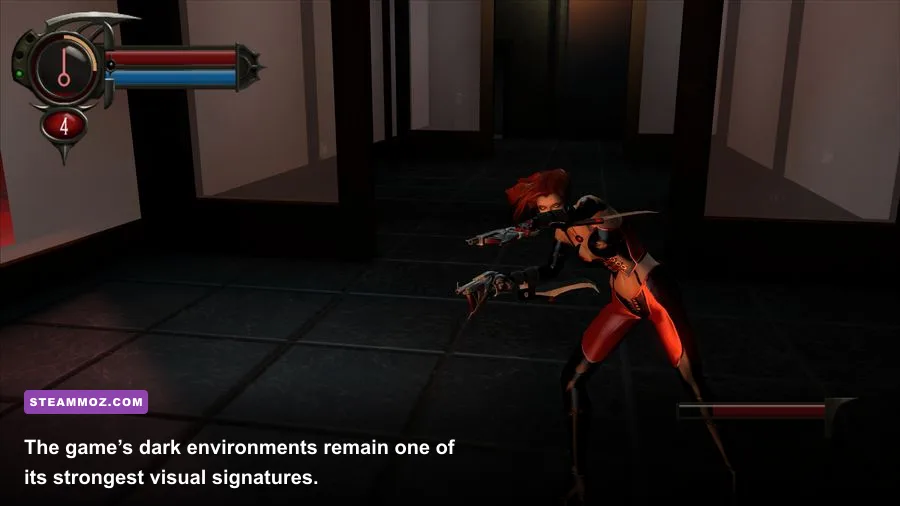
For a low-end laptop, use 1280x720 or 1600x900, medium shadows, enabled textures, and reduced effects. Keeping textures high while lowering shadows usually looks better than dropping every option to low. Rayne's red-and-black character model, weapon trails, and enemy animations remain readable, which matters during crowded encounters.
For a 60Hz display, a stable 60 frames per second is the sensible target. At 120Hz or 144Hz, you may see higher numbers, but the game's age means animation and physics behavior can become less predictable depending on the port and display mode. If you notice odd timing, lock the game to 60 FPS through your GPU control panel or an external frame limiter. Avoid chasing 300 FPS just because your graphics card can do it.
What Terminal Cut actually adds to the PC version
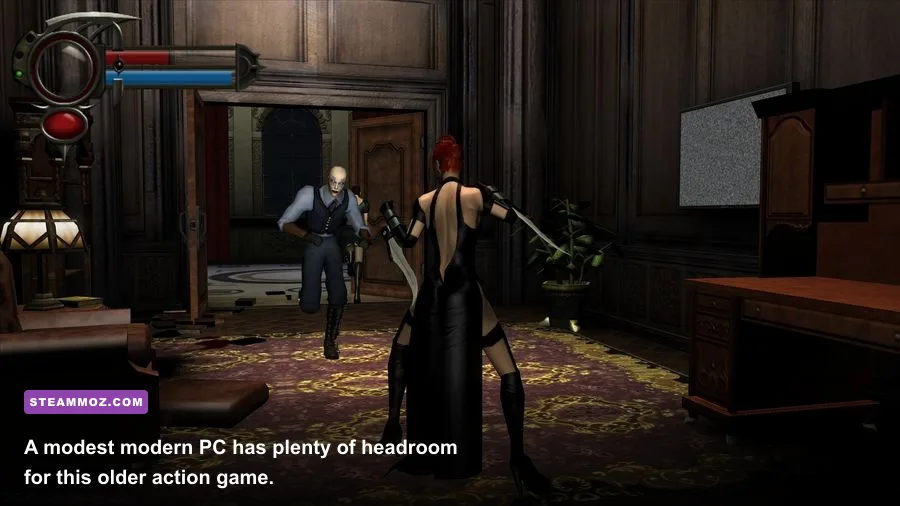
Terminal Cut isn't simply the original executable dropped onto Steam. It includes visual and technical adjustments intended to make BloodRayne 2 more comfortable on current systems, while preserving the original game's dark industrial style. The release supports modern display resolutions better than the 2004 version and packages the game for current storefront distribution.
That said, “updated” doesn't mean every modern PC feature is guaranteed. You shouldn't expect physically based materials, ultrawide cinematics, HDR, DLSS, or the kind of granular shader controls found in a 2020s action game. Cutscenes, menus, and aspect ratios can still feel like products of their era. That isn't a hardware failure; it's part of the game's old technology.
Rayne's combat remains the reason to play. Her twin blades, Blood Rage, Blood Fury, Aura Vision, and feeding mechanics create a fast loop of slicing through enemies, repositioning, and managing health through vampiric attacks. The environments, including gothic interiors and industrial spaces, are built around combat arenas rather than seamless exploration. Once you understand that structure, the modest system requirements make perfect sense: the game is CPU- and GPU-light compared with a contemporary open-world title.
New players can pair the game with the practical mindset from our essential tips for new players: save often, learn the arena layout, and don't assume a visual upgrade has modern checkpoint design underneath it.
Performance problems and fixes worth trying first
If Terminal Cut crashes, stutters, or opens in a strange resolution, work through the simple fixes before blaming your hardware. First, verify the installation through Steam's file-integrity tool. Corrupted legacy files can cause startup failures that look like compatibility problems.
Use compatibility settings carefully
Right-click the executable, open Properties, and test Windows compatibility modes only if normal launching fails. For display issues, try disabling fullscreen optimization and running the game at your desktop resolution. Windows DPI scaling can distort older menus, so the high-DPI override options are worth testing on a 1440p or 4K monitor.
Control overlays and driver interference
Turn off Steam Overlay, Discord Overlay, GeForce Experience recording, and other injectors one at a time. Old DirectX games can react badly to multiple overlays competing for fullscreen control. Update your graphics driver, but don't assume the newest driver automatically fixes every legacy title. A clean driver profile with forced V-sync or a 60 FPS cap can be more useful than aggressive global settings.
Fix black bars and stretched images
If the game stretches a 4:3 scene across a widescreen display, use your GPU's scaling controls. “Maintain aspect ratio” preserves the original composition, while “full panel” fills the screen but distorts circles and character proportions. Ultrawide users should expect some cinematic and menu elements to remain centered or pillarboxed. That's normal for a game designed around older aspect ratios.
For more genre-specific PC tuning, Steamoz's guide to checking whether your PC can handle demanding games explains how to separate GPU limits from CPU and memory problems. Terminal Cut is much lighter, but the diagnostic approach still applies.
The best PC profile for most players
For a modern desktop with a Core i5 or Ryzen 5 processor, 8GB of RAM, and any GTX 1060-class GPU or newer, use native 1080p, high textures, high shadows, enabled anti-aliasing, and a 60 FPS cap. This profile keeps the image crisp without encouraging unnecessary frame-rate problems. On a mid-range laptop, choose 1080p only if cooling is good; otherwise, 900p with medium shadows delivers a steadier session.
Owners of very old systems should prioritize stability over visual ambition. Use 720p, medium or low shadows, limited effects, and a locked 30 or 60 FPS target depending on what the machine can sustain. Don't lower textures first unless you are running out of VRAM. With only 512MB available, texture memory can become a genuine limitation, but most PCs sold in the last decade have far more than enough.
| PC profile | Resolution | Quality target | Frame-rate target |
|---|---|---|---|
| Legacy dual-core PC | 1280x720 | Low to medium | 30-60 FPS |
| Modern integrated laptop | 1600x900 or 1920x1080 | Medium textures, medium shadows | 60 FPS |
| Mainstream gaming PC | 1920x1080 | High across the board | 60-144 FPS |
| High-end desktop | 1440p or higher | High, with external frame cap | 60 FPS for consistency |
Ultimately, BloodRayne 2: Terminal Cut has forgiving requirements. If your PC meets the minimum listing, it should be capable of running the game, though a stronger CPU and SSD will make the experience more comfortable. The sweet spot is a modest modern gaming PC at 1080p, where Rayne's acrobatics, blades, and supernatural effects can run cleanly without asking your hardware to break a sweat.
Before purchasing, compare the store listing with your operating system and check the publisher's official site for release information. If you want another combat-focused game with a distinct progression loop, our coverage of Blood Knights progression and farming is a useful next stop.