
The best Beautiful Desolation starting build for beginners is a balanced control setup: keep Mark focused on reliable direct damage, use Don as your defensive and utility anchor, and spend early resources on survivability rather than flashy damage upgrades. Most importantly, Beautiful Desolation does not use a traditional RPG class tree, so the winning “build” is really a combination of equipment discipline, companion roles, dialogue choices, and smart combat positioning.
That distinction matters. You aren’t choosing between a tank, rogue, and mage during character creation. Mark Leslie’s journey through a devastated future South Africa gradually opens access to weapons, consumables, equipment, and companions, while Don Leslie and other allies add different tools to your party. If you treat the game like a loot-heavy action RPG, you’ll waste resources and miss what makes its opening systems work. Treat it as a narrative adventure with tactical battles layered on top, and the first several hours become much smoother.
This guide focuses on a first playthrough, normal difficulty, and players who want a dependable route without spoiling the story’s major revelations. It also explains what not to spend, how to approach the game’s optional content, and why a defensive opening is stronger than chasing maximum damage.
The Beginner Build That Actually Works

Build Mark as your consistent damage dealer, Don as your stabilizer, and every additional party member around the weakness your current encounter exposes. That sounds simple, but it prevents the most common beginner mistake: giving every character the same offensive role and then collapsing when enemies focus one target.
| Build Element | Beginner Recommendation | Why It Works | What to Avoid |
|---|---|---|---|
| Mark Leslie | Reliable ranged or direct-damage equipment | Mark is your safest source of repeatable damage while you learn enemy behavior | Replacing dependable damage with novelty gear you cannot support |
| Don Leslie | Defensive, healing, control, or utility equipment | Don gives the party time to recover and prevents one bad turn becoming a reload | Building both brothers as pure damage dealers |
| Additional allies | One specialist role per recruit | Specialization makes enemy encounters easier to read | Duplicating a role before your core party is stable |
| Consumables | Carry healing and emergency utility items | Supplies turn difficult battles into manageable ones | Hoarding every item until the final act |
| Dialogue choices | Explore every conversation branch | Information and access often matter more than combat rewards | Rushing through dialogue to reach the next fight |
There is no single “perfect weapon” that invalidates everything else. Beautiful Desolation’s progression is deliberately tied to exploration and story routes, so your best equipment depends on what you have discovered. Mark should normally receive the item that offers the most dependable damage from a safe position. Don should receive the equipment that protects the party, restores health, interferes with enemies, or creates breathing room.
That setup is much more forgiving than an all-in offensive party. Damage upgrades look attractive early, but a defensive tool that prevents a character from losing a turn is often worth more than a small increase to your attack output. A dead character contributes zero damage, and the game’s encounters are frequently decided by whether you can preserve your action economy.

🎮 BEAUTIFUL DESOLATION
Looking to experience this game? Grab your digital key directly on our store for $5.19.
View on Steammoz Store →How Beautiful Desolation’s Progression Really Works
New players often search for a skill-tree build because the game’s combat presentation resembles a conventional tactical RPG. That expectation leads to bad advice. Beautiful Desolation is primarily a point-and-click adventure, and its progression is built around exploration, inventory management, equipment discoveries, party composition, and narrative decisions rather than a deep numerical stat-allocation system.
Mark and Don are not blank-slate classes. You do not begin by assigning 10 points into strength or choosing a permanent profession. Instead, you shape their effectiveness through the gear you equip and the tools you bring into individual encounters. The practical progression loop looks like this:
- Search every accessible area before leaving.
- Speak to characters more than once when a new story event changes the conversation.
- Inspect your inventory after receiving unusual devices, weapons, or quest items.
- Test equipment in low-risk encounters before committing your best supplies.
- Return to previously visited areas when new information unlocks another interaction.
The fourth step is especially important. Beautiful Desolation does not always explain an item’s long-term value immediately. Some objects are quest tools rather than combat upgrades, while others become useful only when paired with a particular party role or situation. Selling or discarding something just because its immediate description looks unimpressive can create unnecessary backtracking.
Save before major conversations and before committing to a new region. The game’s choices are not merely cosmetic, and a first playthrough is more enjoyable when you can compare a decision without replaying an entire chapter. Don’t turn every conversation into a laboratory experiment, though. The story is built around consequence, and blind curiosity is part of the appeal.
For broader equipment-ranking habits, our Bug Fables weapon tier list has a useful lesson that applies here: raw damage is not the same thing as practical value. In Beautiful Desolation, utility and access are often more important than a larger number.
Early Combat Rotation and Positioning
Your opening combat rotation should be deliberately boring. Start by identifying the enemy most likely to disable, surround, or burst down a party member. Mark then applies reliable damage to that target. Don uses a defensive or control option if the enemy can threaten a quick knockout; otherwise, he supports Mark or attacks the same target. Focus fire until the threat is removed before spreading damage across the battlefield.
Turn one: establish control
Do not immediately spend every powerful ability. First, check distances, cover, enemy reach, and whether a hostile unit can attack through your intended position. The best first move is frequently a reposition rather than an attack. Place Mark where he can continue contributing without standing in the center of the encounter, then use Don to make the party harder to punish.
Turn two: remove the priority target
Once you understand the threat order, concentrate both offensive actions on one enemy. A damaged enemy still attacks at full effectiveness, while a defeated enemy cannot consume another turn. This is the single most reliable combat principle for new players.
Turn three and beyond: preserve resources
After the immediate danger is gone, stop spending premium abilities simply because they are available. Use ordinary attacks or low-cost tools against weakened enemies and save powerful effects for the next wave, a tougher champion, or a fight with environmental pressure. If an encounter feels easy, that is the time to practice resource conservation.
| Combat Situation | Mark’s Priority | Don’s Priority | Beginner Mistake |
|---|---|---|---|
| One dangerous ranged enemy | Focus fire from a safe angle | Protect or disrupt the shooter | Splitting damage across melee targets |
| Several weak enemies | Finish the lowest-health target | Control the group or preserve health | Using your strongest ability on the first target |
| Party member is exposed | Reposition before attacking | Defend, heal, or create distance | Trading damage while ignoring positioning |
| Long encounter | Use repeatable attacks | Hold emergency tools for the second half | Burning every consumable in round one |
| Unknown enemy type | Probe with dependable damage | Stay ready to respond | Committing a rare item before seeing the threat |
Beautiful Desolation is not built around twitch reflexes, but that doesn’t mean battles are passive. The important decisions happen before an action is confirmed. Check the battlefield, identify the enemy that can change the fight, and keep your party close enough to support one another without allowing a single area attack to punish everyone.
Equipment Priorities for the First Few Hours
For a beginner, equipment should be ranked by consistency rather than maximum theoretical output. A weapon that deals dependable damage every turn is usually a better Mark option than an item that hits harder but requires a narrow condition. Don’s gear should be evaluated by how often it prevents damage, restores momentum, or gives you a safer answer to an enemy effect.
| Priority | Gear Type | Best User | Reason |
|---|---|---|---|
| S-Tier | Reliable damage with safe range or repeatable use | Mark | Improves every ordinary encounter without draining supplies |
| S-Tier | Healing, protection, or emergency recovery | Don | Prevents failed encounters and reduces reloads |
| A-Tier | Reliable crowd control or interruption | Don or a specialist ally | Buys turns against groups and dangerous elites |
| A-Tier | Strong single-target burst | Mark | Excellent for priority targets when used at the right moment |
| B-Tier | Situational damage with a narrow trigger | Any specialist | Useful after you understand the encounter |
| C-Tier | Unclear quest or experimental equipment | Temporary test slot | Keep until its purpose is confirmed; don’t build around it |
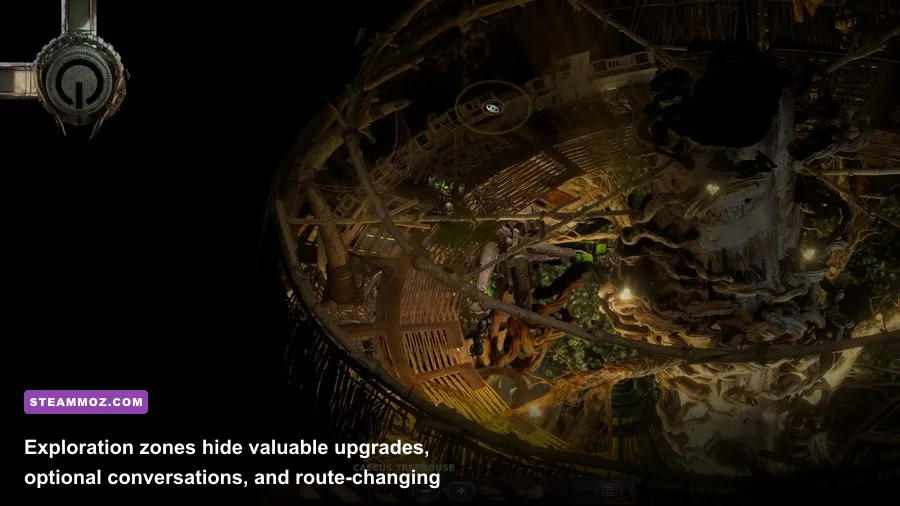
Keep at least one flexible slot open whenever the game allows it. Inventory space is not just a storage concern; it is how you respond to the game’s strange objectives and unusual interactions. Beautiful Desolation regularly asks you to think laterally, and a quest object may matter more than an upgrade that looks immediately useful.
Healing items should not be treated as sacred relics. If a character is close to being knocked out and the battle still contains multiple threats, use the recovery item. Reloading because you refused to spend a consumable is not efficient resource management. At the same time, don’t heal a character who can safely survive one more turn if Don can instead remove the threat or establish protection.
For another perspective on farming and power progression, see our guide to farming power intelligently. Beautiful Desolation is less grind-focused, but the same principle applies: improve your options, not just your inventory count.
Exploration, Dialogue, and Faction Decisions
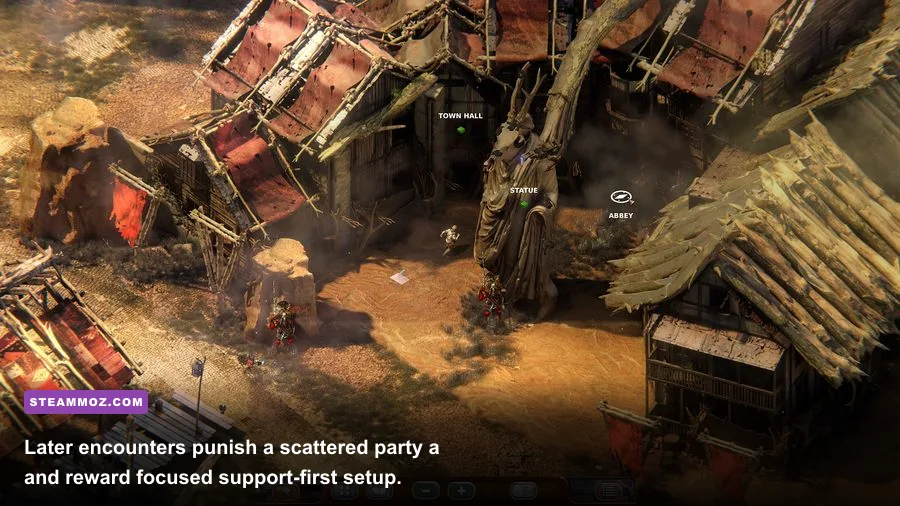
The strongest beginner route is not the one with the most fights. It is the one that gathers the most information before forcing a commitment. Talk to everyone, examine conspicuous objects, and revisit characters after completing a nearby objective. The game’s post-apocalyptic world is packed with unusual factions and communities, and many solutions depend on understanding what a character wants rather than choosing the most aggressive response.
Mark’s relationship with Don is the emotional center of the story, but Don is also a practical resource. Keep him active in conversations and pay attention to how each brother frames a decision. A choice that sounds efficient can carry consequences for access, alliances, or later objectives. There is no universal morality button that produces the best outcome every time.
When you reach a new location, use this order:
- Inspect the environment and identify exits, interactable machinery, and NPCs.
- Exhaust safe dialogue options before selecting a threatening response.
- Record unusual names, requests, and item descriptions mentally or in your notes.
- Complete nearby errands before committing to a faction-sensitive decision.
- Save before handing over rare items or accepting a major bargain.
This approach also reduces backtracking. Many adventure-game puzzles are difficult because the player misses one clue, not because the final interaction is mechanically complex. If an objective seems impossible, review conversations and inspect your inventory before assuming you need a new combat upgrade.
Beautiful Desolation’s grim setting can make every encounter feel urgent, but the game rewards patience. Don’t sprint through the map chasing the next objective marker. The best discoveries often sit just outside the obvious route, and optional interactions can reveal context that makes later decisions feel dramatically more meaningful.
If you enjoy games where exploration is as important as combat, our Excubitors beginner build guide covers a more traditional combat system, while Bounty Train’s progression guide shows how careful preparation can shape a difficult journey.
Performance Settings for a Smooth First Playthrough
Beautiful Desolation is not a cutting-edge benchmark title, and most modern gaming PCs should run it comfortably. Still, a stable frame rate helps during exploration, especially when the camera moves across large environments and layered visual effects. Start with the game’s native resolution, then adjust shadows and post-processing before sacrificing texture quality.
| Setting | Recommended Value | Performance Impact | Visual Trade-Off |
|---|---|---|---|
| Resolution | Native monitor resolution | High if reduced | Lower resolution softens the interface and environmental detail |
| Texture Quality | High where VRAM allows | Low to medium | Lower values make surfaces and objects look noticeably flatter |
| Shadows | Medium | Medium to high | Medium preserves depth without wasting resources |
| Post-Processing | Medium | Medium | Lower settings reduce atmospheric effects |
| Anti-Aliasing | Enabled | Low to medium | Helps clean up diagonal edges and machinery silhouettes |
| Frame Limit | 60 FPS or monitor refresh target | Can improve consistency | Prevents unnecessary GPU fluctuation |
On older hardware, lower shadows first, then post-processing. Leave textures alone unless you are running short on video memory, because the game’s hand-crafted landscapes benefit more from clear surface detail than from expensive shadow quality. If you experience stutter, close browser tabs and overlays before dropping the resolution; background memory pressure can create worse results than the game’s own settings.
The official Beautiful Desolation Steam page lists the current PC requirements, while The Brotherhood’s official site provides developer information and links to the studio’s work. Check those sources if you are troubleshooting a particular version or platform.
Common Beginner Mistakes to Avoid
The first mistake is searching for a hidden class system that is not there. You don’t need to restart because you chose the “wrong” opening attribute; you need to reassess equipment and party roles. The second is selling unfamiliar items too quickly. In a story-driven adventure, an odd object can be a key, a trade item, or the solution to a puzzle several hours later.
The third mistake is ignoring retreat and repositioning. Not every encounter must be solved by standing still and trading attacks. Move Mark away from danger, let Don stabilize the group, and wait for a better opportunity. The fourth is wasting rare abilities on weak enemies. Ordinary attacks are not boring when they preserve the tools that will save you in a major encounter.
Finally, don’t skip conversations because you assume the next marker contains the real progress. Beautiful Desolation frequently hides its most useful information in optional dialogue. The game’s story, factions, and puzzles are tightly connected, so a patient player can solve problems that seem impossible to someone rushing from fight to fight.
Your First-Playthrough Checklist
Before leaving an area, confirm that Mark has the most dependable damage option available, Don has a recovery or defensive answer, and your inventory still contains at least one emergency consumable. Speak to every accessible NPC, inspect suspicious objects, and save before major decisions. In combat, focus the enemy that can disable or eliminate a party member, protect exposed characters, and spend premium abilities only when they change the outcome.
That is the real beginner build for Beautiful Desolation: Mark carries consistent pressure, Don keeps the party alive, and exploration supplies the upgrades that make both roles stronger. It won’t produce the biggest damage screenshot or turn the game into a loot treadmill. It will, however, give you the flexibility to survive the opening, understand the game’s unusual systems, and make decisions for the story rather than constantly reloading because your party lacks one essential tool.