Before you start playing Battlefield 2042 on PC, lock down your performance settings, learn how Specialists fit into the class system, and stop treating every match like a traditional deathmatch. The game’s 128-player battles, changing weather, vehicle sandbox, Plus Menu attachments, and sector-based objectives create a much steeper learning curve than the shooting alone suggests. A stable 100-plus FPS, a sensible first loadout, and a clear squad role will help you contribute immediately instead of becoming target practice.
Battlefield 2042 has changed substantially since launch, but its fundamentals remain easy to misread. You can play as a lone rifleman, yet the fastest route to better matches is understanding how your weapon, Specialist gadget, squad, and objective all connect. Here’s what matters before your first serious deployment.
Check Your PC Before You Touch Multiplayer
Battlefield 2042 is a demanding Frostbite game, especially in 64-player Conquest and 128-player All-Out Warfare matches. The CPU has to track soldiers, vehicles, destruction, projectiles, and network updates across a huge battlefield. That’s why a PC that runs a visually heavier single-player game may still struggle with inconsistent frame pacing here.
EA’s listed minimum target is an Intel Core i5 6600K or AMD FX-8350, 8GB of RAM, and a GeForce GTX 1050 Ti or Radeon RX 560. The recommended specification rises to an Intel Core i7 4790 or Ryzen 7 2700X, 16GB of RAM, and an RTX 3060 or RX 6600 XT. You’ll also need roughly 100GB of storage. Those numbers are a starting point, not a guarantee of a smooth competitive experience. The minimum hardware is aimed at getting the game running; it isn’t designed for high-refresh play.
| PC Target | CPU and GPU | Memory | Practical Expectation |
|---|---|---|---|
| Minimum | i5-6600K or FX-8350; GTX 1050 Ti or RX 560 | 8GB RAM | Low settings, reduced resolution, unstable large-battle performance |
| Recommended | i7-4790 or Ryzen 7 2700X; RTX 3060 or RX 6600 XT | 16GB RAM | 1080p or 1440p medium-to-high settings with sensible upscaling |
| Competitive | Modern six-core CPU; RTX 4060-class or faster GPU | 16GB to 32GB RAM | High-refresh 1080p with reduced latency and steadier frame times |
Install the game on an SSD if possible. An SSD won’t magically raise average FPS, but it reduces loading delays and helps prevent texture streaming from turning a newly captured sector into a blurry mess. Close browser tabs, recording tools, and overlays while testing. Battlefield 2042 can use a large amount of system memory, and 8GB machines are much more vulnerable to stutters.
For troubleshooting, start with Steam’s official Battlefield 2042 page and EA’s Battlefield support hub. If other PC games are also crashing, Steamoz’s guide to PC crashes and FPS fixes covers several useful checks that apply here too.
Use This Graphics Setup for Better Frame Times
Don’t begin by cranking every option to Ultra. Battlefield 2042’s visual difference between High and Medium is often smaller than the performance difference during a crowded objective fight. Start with a stable frame rate, then add image quality until your 1% lows begin to suffer.
Use fullscreen mode, set your monitor’s native resolution, and enable a supported upscaler when you need extra performance. DLSS is the obvious choice on compatible Nvidia cards, while AMD users can test FSR. Keep the render scale at 100% before experimenting; lowering it too far makes distant soldiers shimmer and makes spotting movement needlessly difficult.
| Setting | Recommended Value | FPS Impact | Visual Trade-Off |
|---|---|---|---|
| Texture Quality | High if VRAM allows | Low to medium | Improves weapon and environment detail; watch VRAM usage |
| Lighting Quality | Medium | Medium | Reduces costly indoor and nighttime lighting effects |
| Effects Quality | Low or Medium | Medium to high | Less smoke, debris, and explosion complexity during chaos |
| Terrain Quality | Medium | Medium | Preserves useful ground detail without wasting CPU and GPU headroom |
| Undergrowth Quality | Low | Low to medium | Cleaner sightlines through grass and fewer distracting details |
| Ambient Occlusion | SSAO or Off | Low to medium | Off improves clarity; SSAO adds contact shadows |
| Future Frame Rendering | On for most PCs | Improves throughput | Can add a little latency; test it with your mouse response |
| Motion Blur | 0 | Negligible | Sharper target tracking and less visual smear |
Set Field of View around 90 to 100 as a starting point. A higher FOV shows more peripheral action but makes enemies appear smaller and can cost a little performance. If you play on a 16:9 monitor, 95 is a strong compromise. Turn off weapon motion blur, chromatic aberration, film grain, and vignette. These effects may look cinematic in a trailer, but they obscure movement during a close-range duel.
Use the in-game performance overlay to watch frame time, not just the FPS counter. A locked 90 FPS that feels consistent is better than a number jumping between 140 and 65. For more detailed PC tuning, Steamoz’s max-FPS settings guide explains the same frame-time-first approach.
Pick a Specialist That Matches Your Actual Role
Battlefield 2042’s Specialists sit inside four familiar class categories: Assault, Engineer, Support, and Recon. You can carry many weapon types regardless of class, but your gadget and team equipment determine how useful you are. Don’t choose Mackay because his grappling hook looks cool if you spend the entire match defending a flag where Falck’s healing pistol would keep your squad alive.
Strong first choices for new players
Mackay is an Assault Specialist with a Grappling Hook that creates vertical routes and lets him reach rooftops, cranes, and unexpected windows. His Nimble trait improves movement while aiming, making him excellent for aggressive infantry players. Sundance’s wingsuit is another mobility option, but it can tempt beginners into spectacularly bad landings. Learn the map first before using it to cross half the battlefield.
Falck is arguably the safest Support pick. Her S21 Syrette Pistol heals allies at range and can revive teammates with full health. That means you can turn losing fights into winnable ones without exposing yourself as much as a close-range revive. Angel remains useful when your squad needs armor plates and loadout flexibility, although his supply crate encourages players to stand still in dangerous places.
Irish is a superb Engineer choice for defending objectives. His APS-36 Shootdown Sentinel intercepts incoming grenades and rockets, while his Fortification System creates cover. Place both near the side of a capture point rather than in the middle, where one explosive or vehicle push can erase your entire setup. Recon players should look at Blasco, whose X6 Infiltration Device hides friendly movement from enemy detection systems, or Paik, whose EMG-X Scanner reveals nearby targets through cover for a short period.
| Specialist | Class | Core Gadget | Best Beginner Use |
|---|---|---|---|
| Falck | Support | S21 Syrette Pistol | Heal and revive squadmates while holding medium-range positions |
| Irish | Engineer | APS-36 and Fortification System | Build a defensible objective against explosives and vehicle pressure |
| Mackay | Assault | Grappling Hook | Take angles, rooftops, and flanks that other soldiers cannot reach |
| Blasco | Recon | X6 Infiltration Device | Help squads push without constantly appearing on enemy sensors |
| Lis | Engineer | G-84 TGM | Guide a controllable anti-vehicle missile into tanks and helicopters |
Remember that weapons are no longer locked to one narrow class identity. A Support player can use an assault rifle, and an Engineer can bring a submachine gun. The smarter question is whether your gadget, ammunition, and engagement distance complement each other.
Build Your First Loadout Around Distance
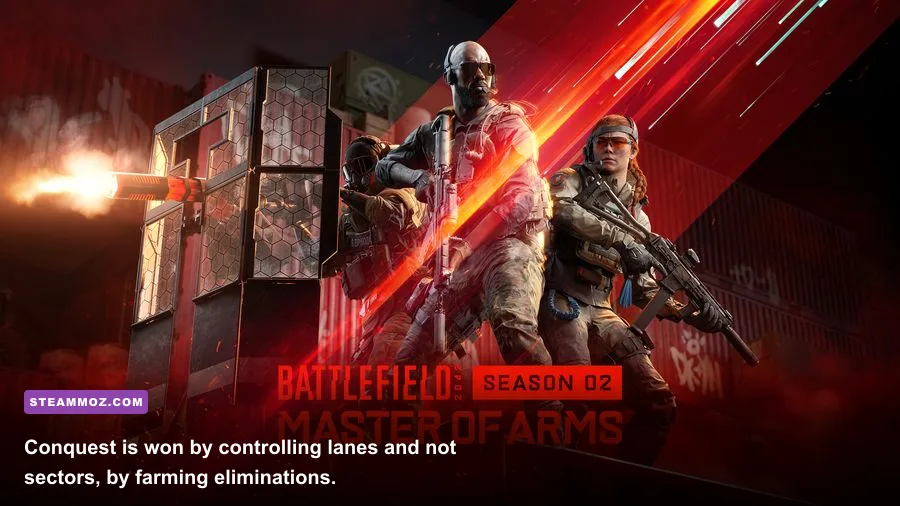
The M5A3 is an excellent first assault rifle because it remains controllable and adapts to multiple ranges through the Plus Menu. Set up a close-quarters configuration with a laser or short optic, a standard magazine, and a suppressor only when you understand the stealth trade-off. For medium range, use a 1.5x or 2x optic, a compensator if recoil bothers you, and a heavier magazine when available.
The AK-24 hits harder and performs well at medium distance, but its recoil demands more deliberate bursts. The SFAR-M GL is powerful and includes an underbarrel launcher, though its slower handling can punish you inside buildings. For close fights, the MP9 and PP-29 are forgiving choices. The PP-29’s large magazine helps during multi-target engagements, while the MP9 feels quicker when you’re constantly sliding between cover.
Do not switch attachments in the Plus Menu randomly. Each barrel, magazine, optic, and underbarrel option changes a specific part of the weapon’s handling. A drum magazine can increase capacity but slow reloads and handling. A suppressor can reduce your visibility on the minimap, yet it may reduce effective damage range or bullet velocity depending on the weapon. Test the complete combination in solo or co-op practice before taking it into a packed Breakthrough match.
| Weapon | Engagement Range | Strength | Watch Out For |
|---|---|---|---|
| M5A3 | Close to medium | Flexible recoil and excellent attachment options | Can lose long-range fights against harder-hitting rifles |
| AK-24 | Medium to long | Strong damage and reliable tap-fire potential | More noticeable recoil during sustained fire |
| SFAR-M GL | Medium | Heavy hits and built-in underbarrel launcher | Slower handling in tight interiors |
| PP-29 | Close to medium | Large magazine and forgiving sustained fire | Less comfortable when targets are far away |
| DM7 | Medium to long | Accurate semi-automatic pressure | Requires disciplined trigger control up close |
Carry the gadget your squad lacks. Ammo crates are valuable because empty magazines end more pushes than enemy bullets do. Medical crates keep a defensive position alive. Anti-armor equipment matters whenever the opposing team has multiple tanks or helicopters. A balanced squad with one anti-vehicle player, one medic, and one ammo source is far more dangerous than four people carrying identical explosives.
Learn How Objectives and Sectors Actually Work
In Conquest, each lettered objective belongs to a sector. Capturing every flag in that sector creates a strategic advantage, but you don’t need to personally stand on every point to help. Watch the capture indicators, identify where your team is losing control, and move toward the next important lane instead of chasing a lone enemy into a field.
Breakthrough is more structured: attackers push through sectors while defenders stop them. This changes loadout priorities. Attackers need smoke, medics, ammunition, and enough anti-vehicle tools to cross open ground. Defenders should build crossfires, place equipment behind cover, and avoid spawning directly into the same doorway where the previous squad just died.
Use the spawn screen as an information tool. Before selecting a squadmate, inspect which objectives are contested, whether a vehicle is approaching, and where the frontline is moving. Spawning on a squadmate who is under fire often gives you half a second before death. Spawn on a secure objective, transport vehicle, or squadmate behind cover whenever possible.
Tickets are the hidden economy of a match. A flashy solo flank that earns three eliminations but loses a sector can be a terrible trade. Reviving, resupplying, destroying vehicles, and forcing enemies away from an objective all create value that the kill feed doesn’t show. If you’re losing, stop taking isolated fights and stack with your squad on the next defensible position.
Vehicles, Weather, and Destruction Change Every Fight
Battlefield 2042’s maps are designed around shifting sightlines. Tornadoes can scatter players and vehicles, sandstorms can reduce visibility, and collapsing cover can expose a route that was safe thirty seconds earlier. Treat these events as tactical windows rather than background spectacle. A storm is a good time to cross open ground, rotate behind an enemy position, or repair a damaged vehicle without giving opponents a clean shot.
Vehicles are powerful because they control space, not because they can capture every fight alone. Tanks should work near infantry and avoid narrow streets where C5 explosives can reach them. Helicopter pilots need to respect lock-on warnings and avoid hovering over rooftops. If you’re on foot, don’t fire every rocket the moment you see armor. Wait until the vehicle is committed to a lane, then attack from two angles so the driver can’t simply face the threat and retreat.
Lis’s G-84 TGM is especially useful against vehicles because you can guide the missile after launch. Engineers should also carry an RPG-7 or Recoilless M5 when the map offers long sightlines. Aim slightly ahead of moving targets and learn the projectile drop. The M5 is not hitscan, and panicked shots against a distant tank usually announce your position without doing meaningful damage.
Use cover intelligently. Concrete walls stop more threats than thin sheet metal, while containers and small wooden structures may disappear under sustained explosives. Destruction isn’t just a way to create cinematic rubble; it changes whether an objective can be defended. If an enemy position is too strong, bring down its cover, then push during the confusion instead of waiting for the defenders to rebuild their sightlines.
Finally, play a few solo or co-op rounds against AI to unlock attachments without the pressure of a live match. Practice recoil, vehicle controls, revive timing, and the Plus Menu there. Then move into Conquest for map knowledge and Breakthrough for objective discipline. Keep an eye on the official Battlefield 2042 site for patch notes and seasonal changes, because weapon balance and Specialist behavior can shift over time.
The best Battlefield 2042 PC players aren’t necessarily the ones with the fastest aim. They’re the players who arrive with stable frame times, choose a useful role, build a loadout for the range in front of them, and recognize when the battle has moved elsewhere. Set up your PC first, stick with one Specialist long enough to learn their gadget, and let the objective—not the kill counter—tell you where to go.