
If you are hunting for secret locations and Easter eggs in FIFA 23 PC Steam, start with one important correction: there are no hidden buildings or explorable stadium rooms waiting behind a secret doorway. FIFA 23 is a menu-driven football game, so its best secrets are tucked inside licensed crossover content, temporary Ultimate Team objectives, unusual Career Mode options, VOLTA minigames, and match settings that dramatically change how the game plays. These are the five details most players missed, plus the exact menus and conditions needed to find them.
That distinction matters because a lot of online posts describe ordinary stadium assets as secret locations. They are not. FIFA 23 does not have an open world, collectible map, or hidden-room system. The genuine surprises are features that EA Sports either buried in submenus or made easy to overlook after a limited-time promotion ended.
1. AFC Richmond is more than a cosmetic cameo

The most famous FIFA 23 Easter egg is the arrival of AFC Richmond from Ted Lasso. This was not just a badge and a jersey. FIFA 23 added AFC Richmond as a playable team, included fictional players such as Jamie Tartt, Roy Kent, Sam Obisanya, and Dani Rojas, and brought Ted Lasso and Coach Beard into the game as manager choices.
To find it, open Kick Off, enter team selection, and search the Rest of World section. AFC Richmond is listed there rather than inside the regular English league structure. The team also appears in Career Mode options, where you can take over as Ted Lasso or Coach Beard and move the club into a custom league. The available destination depends on the Career Mode setup, but the fun comes from placing Richmond against Premier League opposition rather than treating it like a normal licensed side.
The club's fictional home, Nelson Road, is another detail worth checking. It is presented as a dedicated stadium backdrop for Richmond content, complete with club branding and the blue-and-red visual identity seen in the show. You cannot freely explore the ground, but it is a real presentation layer rather than a fan-made mod.
How to get the full Richmond experience
In Ultimate Team, search the Objectives tab for the Ted Lasso and AFC Richmond-themed content when it is available on your account. FIFA 23 originally offered items connected to the crossover, including manager and club customization rewards. The important warning is that live-service objectives can expire. If a reward is no longer in your account's current objective pool, you cannot unlock it through a secret code or Steam file edit.
| Richmond feature | Where to find it | What it changes | Worth checking? |
|---|---|---|---|
| AFC Richmond team | Kick Off, Rest of World | Playable fictional squad | Yes |
| Ted Lasso | Career Mode manager selection | Custom manager identity | Yes |
| Coach Beard | Career Mode manager selection | Alternate Richmond manager | Yes |
| Nelson Road | Richmond-related presentation | Dedicated fictional stadium setting | Yes |
For comparison, this is a proper licensed crossover, not the kind of unofficial PC addition covered by a mod guide. You can confirm the original feature list through the official EA Ted Lasso announcement.
🎮 1bitHeart
Looking to experience this game? Grab your digital key directly on our store for $2.99.
View on Steammoz Store →2. VOLTA Arcade secretly becomes a party game

Most players opened VOLTA Football, tried a street match, and moved on. That misses VOLTA Arcade, FIFA 23's collection of multiplayer minigames. It is one of the closest things the game has to a hidden location because the mode changes the rules, camera feel, and objective structure so aggressively that it barely resembles a standard 11-a-side match.
From the main menu, choose VOLTA Football, then look for VOLTA Arcade. The playlist rotates small-sided activities rather than giving you a conventional football fixture. Depending on the rotation, you may be playing a target-based challenge, racing through scoring gates, surviving a possession contest, or trying to rack up points under unusual rules. The exact lineup is controlled by the game service, so not every activity appears every time.
The hidden trick is to treat the mode as a movement test. VOLTA rewards quick changes of direction, sprint bursts, ball rolls, and low-risk passing more than the patient build-up that works in Career Mode. Use the right stick for skill moves, but avoid chaining flashy animations near the boundary. The smaller courts punish a failed move immediately because there is less recovery space and opponents can counter within two touches.
The settings that make VOLTA feel better on PC
On Steam, the main performance gain comes from reducing crowd and rendering pressure rather than sacrificing every texture. FIFA 23's PC version uses a pre-match graphics configuration tool, and the in-game settings menu also lets you adjust resolution, frame-rate behavior, and quality presets. A stable 60 frames per second is more valuable than a higher but uneven refresh rate, especially when you are judging a first-time finish or a tight dribble angle.
| Setting | Recommended value | Performance impact | Visual trade-off |
|---|---|---|---|
| Resolution | Native monitor resolution | High if reduced | Keep native for sharper menus |
| Frame rate | 60 FPS or monitor refresh cap | Medium | Prioritizes consistent input |
| Strand-based hair | Off for older GPUs | Medium to high | Less realistic hair rendering |
| Rendering quality | High, then test Ultra | Medium | High keeps stadiums detailed |
| Dynamic resolution | On if frame pacing dips | Positive in busy scenes | Small clarity changes during play |
EA's official PC requirements page is the safer reference for hardware than random Steam comments. If you are dealing with crashes rather than low performance, our PC crash and FPS troubleshooting guide covers the same basic checks: verify files, update the driver, and remove overlays before blaming the game.
3. Career Mode lets you rewrite football history

FIFA 23 Career Mode hides its best experimentation tools behind the new-manager setup screens. The obvious route is to select a real club and follow its existing league path, but the custom setup allows you to create a far stranger scenario: take a licensed manager, alter the club's identity, replace a real manager, and start with a transfer budget and squad that bear little resemblance to reality.
Choose Career Mode, select Manager Career, and use the option to play as a real manager if you want a recognizable face. You can also create your own manager with editable appearance, clothing, and profile details. The real Easter egg is combining a fictional manager with a real club, or taking Ted Lasso and placing AFC Richmond into a major European competition setup.
Once the save begins, inspect the Office and Squad Hub instead of rushing into the first fixture. FIFA 23 adds playable highlights and training plans that let you influence match moments without controlling every minute. Training sharpness is especially important: players with higher sharpness receive a more useful boost to match readiness, while poor morale and weak sharpness can undermine an otherwise stronger lineup.
Three Career settings worth changing immediately
Transfer strictness determines how believable negotiations feel. Strict settings can block moves that would normally be possible because of rivalries, club stature, or financial logic. Loose settings are better for a fantasy save. Financial takeover gives your club a much larger starting budget and is useful for testing a superteam, but it destroys the slow-burn progression that makes youth scouting satisfying. Finally, set negotiation strictness according to your goal: strict for realism, loose for rebuilding experiments.
That is why Career Mode belongs on a hidden-secrets list. The game never advertises these combinations as Easter eggs, but they create custom football scenarios that are much more dramatic than a standard save. For a useful contrast, check our progression-focused farming guide; FIFA's best progression comes from planning seasons, not grinding one menu.
4. Ultimate Team buried its best rewards in Objectives
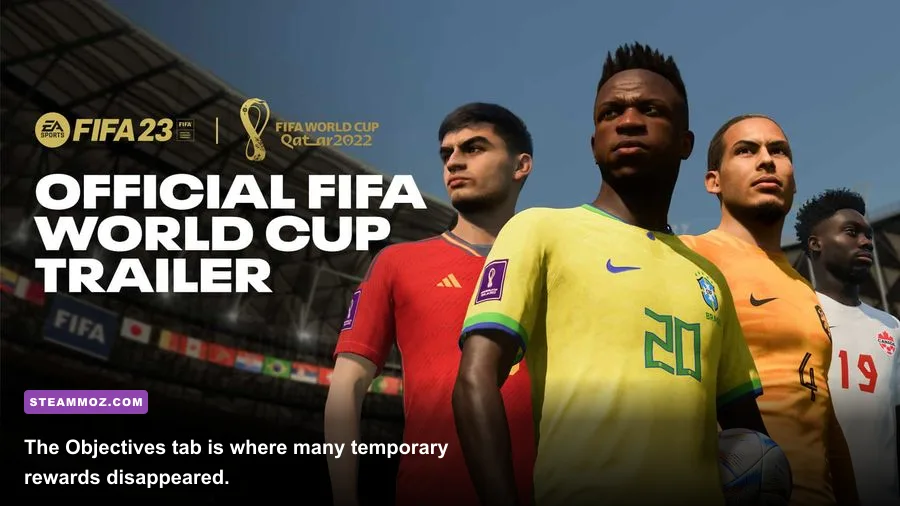
FIFA 23 Ultimate Team is full of content that looks like routine menu clutter until you understand the reward path. The Objectives tab is where EA placed milestone groups, match-based challenges, seasonal XP, and crossover rewards. Some of the game's most memorable limited content, including FIFA World Cup-themed items and Ted Lasso-related cosmetics, was easy to miss because it sat away from Squad Building Challenges and the transfer market.
Open Ultimate Team > Objectives and check every group, not just the featured tile. Read the requirements before playing: some objectives require goals with a specific nation, assists using a league, wins in a particular mode, or a number of matches with a themed squad. The efficient approach is to stack requirements. If one challenge needs three goals with Brazilian players and another needs wins using a full squad from one competition, build a team that satisfies both.
Seasonal objectives also use a level track. You earn XP from daily, weekly, milestone, and event tasks, then claim rewards at fixed levels. FIFA 23's live content changed over time, which means guides written during the World Cup or FUT Birthday period may describe rewards that no longer exist in the current offline data or service rotation.
| Objective type | Typical requirement | Best efficiency trick | Common mistake |
|---|---|---|---|
| Daily | Play or score in a match | Combine with weekly tasks | Completing it in the wrong mode |
| Milestone | Long-term wins, goals, or assists | Use a stable low-cost squad | Chasing every target at once |
| Event | Nation, league, or player theme | Build one hybrid squad | Ignoring chemistry requirements |
| Seasonal XP | Several task groups | Claim rewards before expiry | Waiting until the final day |
Do not buy coins, unlockers, or supposed secret packs from third-party sites. They cannot restore expired objectives and they put your EA account at risk. The EA User Agreement is the only sensible place to check the rules around accounts, virtual currency, and unauthorized software.
5. FIFA 23's World Cup modes are separate hidden playgrounds

After launch, FIFA 23 received free World Cup 2022 content that many players treated as a normal menu update. It is actually a separate set of modes with its own tournament presentation, stadium atmosphere, squads, and match options. From the main menu, open the World Cup section to access the authentic tournament structure rather than recreating it manually through Kick Off.
The mode lets you play the full competition, select a single match, or customize the tournament. That custom option is the interesting one: you can replace teams, alter groups, and create a fictional route to the final. If you want a proper underdog scenario, move a non-favorite into a difficult group and play every match rather than simulating the early rounds.
FIFA 23 also included a separate Women's World Cup update in 2023. Look for the Women's World Cup entry from the relevant tournament menu, then compare its presentation and team selection with the men's World Cup mode. These updates are not secret rooms, but they are easy to overlook if you only launch Ultimate Team.
The official FIFA 23 World Cup announcement explains which content was added and why some features were tied to live updates. You can also check the FIFA 23 Steam page for the PC edition and current platform details.
What is real and what is not in FIFA 23?
Search results often mix FIFA 23 with older games, fan mods, and clickbait claims about hidden stadiums. The clean rule is simple: if a supposed secret requires replacing files, installing a mod, or entering a code that EA never documented, it is not an official FIFA 23 Easter egg. PC modding can add kits, faces, scoreboards, and sometimes teams, but those additions are separate from the Steam release and can break after updates.
There are also no secret player ratings unlocked by winning a particular match, no underground training ground to discover, and no conventional collectible hunt. The valuable secrets are menu discoveries: the Rest of World location for AFC Richmond, the VOLTA Arcade playlist, the manager and transfer sandbox, the Objectives reward chains, and the World Cup tournament hub.
| Claim | Official FIFA 23 feature? | Where to verify |
|---|---|---|
| AFC Richmond and Ted Lasso | Yes | Kick Off, Career Mode, EA announcement |
| Hidden explorable stadium rooms | No | No official mode or menu exists |
| VOLTA Arcade minigames | Yes | VOLTA Football menu |
| World Cup tournament hub | Yes | World Cup menu and EA update notes |
| Secret Ultimate Team code packs | No | Avoid third-party claims |
For general Steam stability checks, FIFA 23 owners can also use the platform's file verification tools and keep the EA app connection working in the background. Our crashing and low-FPS checklist is useful when another overlay or background utility interferes with a PC game.
Best order for finding every missed secret
Start with Kick Off and select AFC Richmond, because it takes less than a minute and confirms the crossover content is installed. Next, open VOLTA Arcade and play the currently available rotation to experience the rule changes. Then create a disposable Career Mode save with loose negotiations and a financial takeover. This lets you test the manager options without damaging a serious long-term career.
After that, check Ultimate Team Objectives and claim anything still available before building a squad around the requirements. Finish with the World Cup and Women's World Cup menus, where the tournament presentation and custom groups provide the most substantial offline replay value.
The best secret in FIFA 23 PC Steam is not a hidden room. It is realizing that the game contains several different football sandboxes, each with its own rules and reward systems, and that the most interesting content is often one menu deeper than the standard match button. Once you stop searching for a mythical underground stadium, these genuine details give FIFA 23 a surprising amount of life.