The short answer: Eternal Destiny’s official PC specification information is either incomplete or not consistently published across storefront listings, so there isn’t a reliable developer-approved “minimum” and “recommended” chart to copy without adding guesswork. For a sensible starting point, target a modern 64-bit Windows PC with 8GB of RAM, a quad-core processor, a GTX 1060/RX 580-class graphics card, and an SSD. A 16GB system with a GTX 1660 Super or Radeon RX 5600 XT is the safer recommended tier, especially if you want 1080p without stutter.
That distinction matters. A lot of PC-spec articles quietly turn estimates into official facts, and that can leave players buying hardware they don’t need—or discovering that a game performs poorly for reasons the spec sheet never mentioned. This guide separates confirmed information from practical testing targets, then explains how to tune Eternal Destiny around your own hardware.
What Eternal Destiny’s PC requirements actually tell us
The first thing to check is the game’s current official Steam search listing and the developer’s latest store information. If the game page does not show a complete CPU, GPU, RAM, storage, and operating-system breakdown, treat third-party charts as estimates rather than verified requirements. Store pages can also change between early access, launch builds, and major patches.
For Eternal Destiny, the practical issue is that the available information doesn’t establish a dependable official recommended target. That means two numbers are useful: a playable baseline and a comfortable target. The baseline is designed for low settings and 30–60 frames per second, depending on the scene. The comfortable target gives you enough headroom for higher textures, busy combat, background applications, and future patches.
| Component | Practical minimum target | Recommended target | Why it matters |
|---|---|---|---|
| Operating system | Windows 10 64-bit | Windows 11 64-bit | Modern drivers, security updates, and current launcher support |
| Processor | Intel Core i5-8400 or Ryzen 5 2600 | Intel Core i5-12400 or Ryzen 5 5600 | CPU headroom helps in crowded encounters and streaming |
| Memory | 8GB RAM | 16GB RAM | Reduces asset-streaming pauses and background-app pressure |
| Graphics card | GTX 1060 6GB or RX 580 8GB | GTX 1660 Super or RX 5600 XT | Determines resolution, texture quality, and effects performance |
| Storage | At least 20GB free on an SSD | 40GB free on an SSD | Leaves room for updates and improves loading consistency |
Those are not official developer-certified figures. They’re sensible buying and upgrade targets based on the demands normally associated with a modern 3D RPG. Before purchasing, compare your system with Microsoft’s Windows hardware information guidance, then confirm the game’s current store page.

🎮 Eternal Destiny
Looking to experience this game? Grab your digital key directly on our store for $1.99.
View on Steammoz Store →Minimum PC specs for 1080p play
If your goal is simply to run Eternal Destiny at 1080p, the GTX 1060 6GB and Radeon RX 580 8GB are sensible floors—not because they are guaranteed official requirements, but because their memory capacity gives you room for modern texture assets. Avoid judging performance by GPU name alone. A 4GB card can deliver reasonable average FPS yet still hitch when the game streams high-resolution textures or effects.
On the CPU side, six physical cores are preferable. An older Core i5-4590 or FX-series processor may launch the game, but that doesn’t mean it will deliver smooth frame pacing. Average FPS can look acceptable while frame-time spikes make camera movement feel uneven. The Core i5-8400 and Ryzen 5 2600 class offer a much healthier baseline for a game that may load AI, physics, animation, and world assets simultaneously.
Eight gigabytes of RAM is the bare practical minimum for a dedicated gaming machine. Close browser tabs, launchers, recording software, and RGB utilities before playing if you’re on 8GB. Windows itself can consume a sizeable portion of that capacity, leaving little room for the game. If you see frequent pauses when entering a new zone, RAM pressure is a stronger suspect than raw GPU power.
An SSD is also more important than many “minimum specs” lists suggest. A hard drive may run the executable, but slow asset delivery can create long loading screens and traversal stutter. Keep at least 15–20 percent of the drive free, because nearly full SSDs can lose performance and make patching more painful.
| Hardware level | Likely use | Suggested resolution | Important limitation |
|---|---|---|---|
| GTX 1050 Ti / RX 570 | Entry-level testing | 900p or 1080p Low | Expect reduced effects and possible drops in busy scenes |
| GTX 1060 6GB / RX 580 | Practical baseline | 1080p Low to Medium | Texture quality depends on available VRAM |
| GTX 1650 | Portable gaming baseline | 1080p Low | Mobile and desktop versions vary considerably |
| RX 5500 XT / GTX 1660 | Stronger 1080p option | 1080p Medium to High | CPU can become the limit during crowded scenes |
For more practical PC tuning advice, our guide to settings that make every frame count covers the same kind of performance trade-offs without relying on misleading “ultra or nothing” presets.
Recommended specs for stable 60 FPS
The comfortable target is 16GB of dual-channel RAM, a six-core processor from the last few generations, and a graphics card with at least 6GB of VRAM. A Core i5-12400 or Ryzen 5 5600 paired with a GTX 1660 Super, RTX 2060, RX 5600 XT, or newer card should give you substantially more breathing room at 1080p than the baseline tier.
Why 16GB? It isn’t just about average FPS. Modern games constantly juggle shaders, interface elements, environmental assets, and operating-system tasks. Dual-channel memory also matters: a single 16GB stick can reduce memory bandwidth compared with two matched 8GB modules. That won’t magically double performance, but it can improve minimum FPS and reduce inconsistent frame delivery.
For 1440p, step up to an RTX 3060, RTX 4060, RX 6600 XT, or better. The exact card you need depends on whether Eternal Destiny offers upscaling, resolution scaling, advanced shadows, or a demanding global-illumination mode. If those features are present, use them selectively. Native 1440p with high textures and moderate effects is usually a better-looking compromise than low textures plus maximum lighting.
Players using a 120Hz or 144Hz monitor should also set realistic expectations. A 60 FPS lock with consistent frame pacing often feels better than an unstable 90 FPS that repeatedly falls into the 50s. Use your monitor’s adaptive-sync feature if available, and cap the game a few frames below the display’s maximum refresh rate.
| Target | CPU and RAM | GPU class | Recommended approach |
|---|---|---|---|
| 1080p / 30 FPS | Core i5-8400, Ryzen 5 2600, 8GB | GTX 1060 6GB, RX 580 | Low preset, medium textures, capped frame rate |
| 1080p / 60 FPS | Core i5-12400, Ryzen 5 5600, 16GB | GTX 1660 Super, RX 5600 XT | Medium or High preset with reduced shadows if needed |
| 1440p / 60 FPS | Core i5-12400, Ryzen 5 5600, 16GB | RTX 3060, RTX 4060, RX 6600 XT | High textures, balanced effects, upscaling where available |
| 1440p / high refresh | Core i5-13600K, Ryzen 7 7700, 16GB | RTX 4070, RX 7800 XT or better | Use a frame cap and tune CPU-heavy settings first |
Don’t mistake this table for a promise of a fixed frame rate. Drivers, patches, thermals, and the game’s own optimization can move performance significantly. It’s a buying guide, not a benchmark result.
Best Eternal Destiny graphics settings to start with
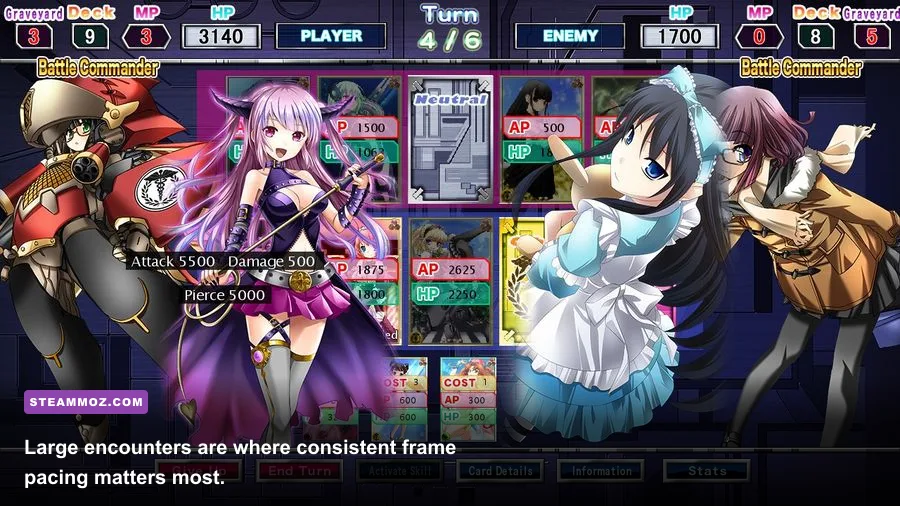
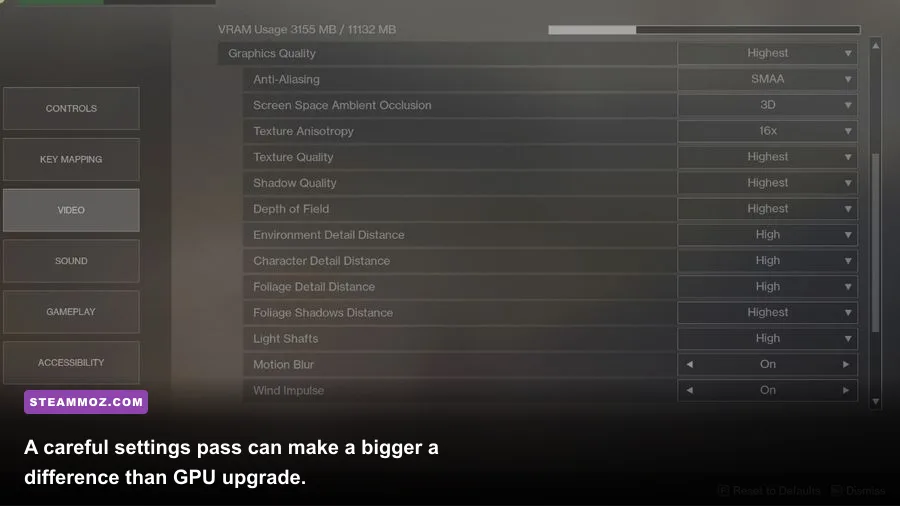
Start with a clean 1080p Medium profile rather than blindly selecting Ultra. Set textures to High if your GPU has 6GB or more VRAM; otherwise use Medium. Texture quality mostly affects video memory, while shadows, volumetric effects, reflections, and view distance are more likely to hit the GPU and CPU.
If performance dips, lower settings in this order: volumetric effects, shadow quality, reflections, ambient occlusion, foliage density, and view distance. Keep texture filtering at 8x or 16x if the option exists—the image-quality gain is worthwhile and the performance cost is usually modest. Motion blur is personal preference, but disabling it can make camera movement look cleaner at lower frame rates.
| Setting | Starting value | FPS impact | Visual trade-off |
|---|---|---|---|
| Resolution scale | 100% | Very high | Lower only when GPU usage is consistently near 100% |
| Texture quality | High with 6GB+ VRAM | Low to medium | Lowering it reduces surface detail more than geometry |
| Shadow quality | Medium | High | Softens or simplifies character and environmental shadows |
| Volumetric effects | Medium or Low | High | Reduces fog, haze, and light shafts |
| Reflections | Medium | Medium to high | Less accurate water and polished-surface reflections |
| Ambient occlusion | Medium | Medium | Corners and contact shadows look flatter when reduced |
| View distance | High | CPU and GPU dependent | Can affect distant object detail and asset streaming |
| Motion blur | Off | Negligible | Sharper image during camera movement |
Use an overlay such as MSI Afterburner or your GPU vendor’s performance panel to identify the real bottleneck. GPU usage around 95–99 percent means lower resolution, effects, or shadows. GPU usage below that while one CPU thread is maxed suggests a processor or game-engine limit. That’s why lowering every graphical option sometimes changes nothing.
How to troubleshoot stutter, crashes, and slow loading
Before replacing hardware, verify the basics. Install the latest graphics driver directly from NVIDIA or AMD, update Windows through the official Windows Update documentation, and verify the game files through Steam. Avoid driver-cleaning experiments unless a normal update fails or you’re dealing with a documented conflict.
Check temperatures during play. A desktop GPU sitting near its thermal limit may reduce clock speed, while a laptop can throttle both CPU and GPU at once. Clean blocked vents, use a sensible power mode, and don’t test performance immediately after launching several background applications. If the game crashes during shader compilation or the first visit to a new area, let that process finish before judging the whole experience.
For stutter, the most useful sequence is simple: move the installation to an SSD, close memory-heavy applications, disable overlays one at a time, and cap the frame rate. A 60 FPS cap can smooth uneven delivery on mid-range hardware. If you’re still seeing pauses, try lowering texture quality—not just effects—because VRAM overflow can cause streaming stalls that look like CPU problems.
On laptops, compare the listed GPU carefully. A mobile RTX 3060 is not automatically identical to every desktop RTX 3060 because power limits vary. Plug the laptop in, select its dedicated GPU in Windows graphics settings, and use the manufacturer’s performance profile. Battery mode is a terrible benchmark for any demanding 3D game.
Players upgrading from older RPGs may also find our real-world PC specs breakdown useful for understanding why storage, RAM, and frame pacing can matter as much as the headline GPU.
Should you upgrade before playing Eternal Destiny?
Upgrade only after identifying the limit. If your PC has 8GB of RAM and a free motherboard slot, moving to 16GB is often the cheapest improvement for hitching and multitasking. If the game runs out of VRAM at your chosen resolution, a graphics-card upgrade is more useful than buying a faster CPU. If lowering resolution barely improves FPS, your processor may be the restriction.
A sensible new-build target is a Ryzen 5 5600 or Core i5-12400, 16GB of dual-channel DDR4 or DDR5 memory depending on the platform, a 1TB NVMe SSD, and a GTX 1660 Super/RX 5600 XT-class card for 1080p. For 1440p, aim closer to an RTX 4060, RX 6700 XT, or newer equivalent. That setup gives you room for patches and other current PC games without paying for extreme hardware Eternal Destiny may not use.
Bottom line: the safest Eternal Destiny system requirements target is 8GB RAM and a GTX 1060/RX 580-class GPU for entry-level 1080p, while 16GB RAM and a GTX 1660 Super/RX 5600 XT-class card are the smarter recommended specs. Because the official listing does not provide a consistently verifiable full chart, check the live Steam page immediately before buying and treat performance claims from unofficial sources with caution.
If your current machine sits between those tiers, don’t write it off. Start at 1080p Low, keep textures within your VRAM limit, cap the frame rate, and adjust one setting at a time. That method tells you far more than a generic minimum-spec label ever will.