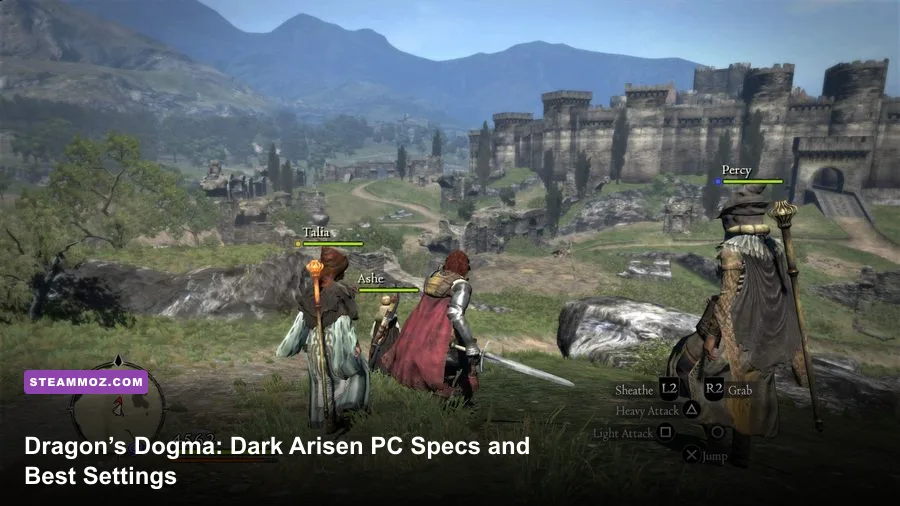
Dragon’s Dogma: Dark Arisen is remarkably easy to run by modern PC standards. The official minimum is only 2GB of RAM, a Core 2 Duo-class processor, and a GeForce 8800 or Radeon HD 2900, while the recommended target asks for 8GB of memory and a GTX 760 or Radeon R9 280. On a current gaming laptop or desktop, you should expect smooth 1080p performance, although the old DirectX 9 renderer, 30fps-style animation behavior, and occasional engine quirks matter more than raw GPU power.
This is the Dragon’s Dogma: Dark Arisen system requirements breakdown that actually helps before you buy. It covers the official minimum and recommended PC specs, what those numbers mean on modern hardware, sensible 1080p settings, storage, Windows compatibility, and the performance traps that can still appear in Gransys and Bitterblack Isle.

🎮 Get Dragon's Dogma: Dark Arisen
Ready to dive in? Grab your copy today for just $4.79.
Check OfferDragon’s Dogma: Dark Arisen minimum and recommended specs

Capcom’s PC port is based on a 2012 console-era action RPG, and its requirements reflect that age. The minimum configuration is enough to launch and play the game, but it was never intended to guarantee a locked frame rate in every fight. The recommended specification is a much safer baseline for 1080p, especially when spells fill the screen with fire, lightning, ice, and particle effects.
| Component | Minimum PC specs | Recommended PC specs |
|---|---|---|
| Operating system | Windows Vista, 7, 8, or 10 | Windows 7, 8, or 10 |
| Processor | Intel Core 2 Duo 2.4GHz or AMD Athlon X2 2.8GHz | Intel Core i7-4770K or AMD FX-9590 |
| Memory | 2GB RAM | 8GB RAM |
| Graphics card | Radeon HD 2900 or GeForce 8800 | Radeon R9 280 or GeForce GTX 760 |
| DirectX | DirectX 9.0c | DirectX 9.0c |
| Storage | 22GB available space | 22GB available space |
| Sound | DirectX-compatible sound card | DirectX-compatible sound card |
The important detail is that the minimum GPU list is ancient. A GeForce 8800 and Radeon HD 2900 are roughly museum pieces now, so almost any integrated graphics solution released in the last several years will be faster in raw capability. That doesn’t mean every integrated GPU is ideal, though. Shared memory, laptop cooling, and power limits can cause stutter during large encounters.
The official Steam store page lists the current published requirements. It is also worth checking Capcom’s official Dragon’s Dogma website for franchise news, but don’t confuse the requirements for the newer Dragon’s Dogma 2 with this much lighter PC release.

🎮 DARK
Looking to experience this game? Grab your digital key directly on our store for $2.99.
View on Steammoz Store →What the minimum specs really deliver

Meeting the minimum requirements should get you into the game, but there’s a difference between running Dark Arisen and enjoying it. The Core 2 Duo baseline can handle ordinary exploration, yet CPU-heavy situations may expose its age. Those situations include crowded settlements, several Pawns using skills simultaneously, and monster fights where physics, animation checks, and spell effects overlap.
At minimum settings, a system near the official baseline should aim for 720p or 900p rather than native 1080p. Reducing resolution is more effective than turning every individual option down because the game’s biggest visual cost is often the number of pixels being shaded. If you’re using a low-end laptop, start at 1280×720, disable expensive anti-aliasing, and cap the frame rate to a stable target rather than chasing inconsistent peaks.
There’s also a practical RAM issue. The listed 2GB requirement was written for an older Windows environment. Modern Windows versions and background applications consume far more memory, leaving little room for the game, texture data, and shader resources. A machine with 4GB may technically launch Dark Arisen, but 8GB is the sensible floor today. If your laptop has 4GB and a slow hard drive, expect longer loading and more aggressive hitching when moving between areas.
Dark Arisen is not a huge open-world streaming game in the modern sense. Gransys is divided into areas, and the game loads between many of them. That helps weak hardware, but it doesn’t eliminate pauses. An SSD won’t magically increase average FPS, yet it can make transitions and save loading feel dramatically less painful. The official 22GB storage requirement should be treated as free space needed for the installation, not a reason to fill your drive to its last gigabyte.
For another perspective on older RPG hardware demands, Steamoz’s Dungeon Siege review looks at how classic design and modern PC expectations collide. Dark Arisen is more demanding than a simple isometric RPG, but its hardware ceiling is still low.
The best 1080p settings for smooth performance
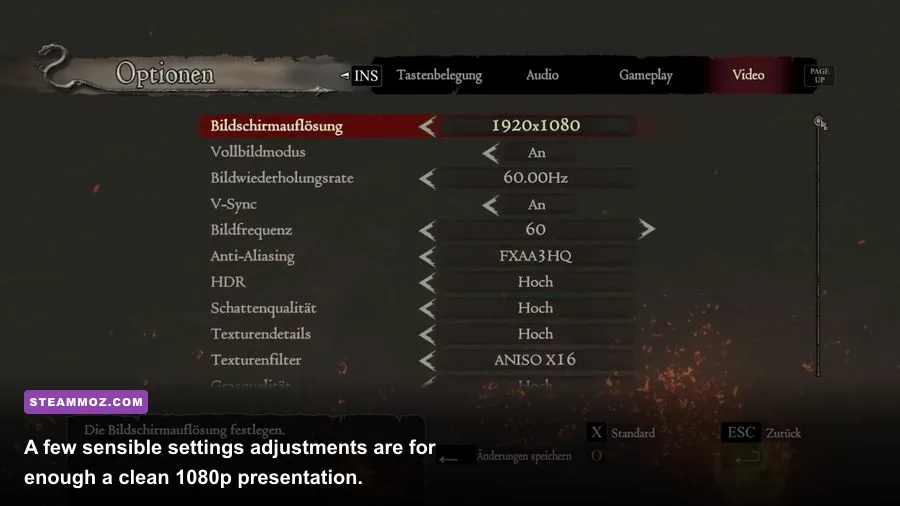
On a PC near the recommended specification, 1920×1080 should be the sweet spot. Dark Arisen’s environments benefit from a higher resolution because distant cliffs, bridges, and enemy silhouettes are much easier to read. The game’s combat depends on spotting visual tells, so lowering the resolution too aggressively can make Cyclops attacks and flying Harpy movements harder to track.
| Setting | Recommended value | FPS impact | Visual result |
|---|---|---|---|
| Resolution | 1920×1080 | High, depending on GPU | Sharpest practical image for most systems |
| Texture quality | High | Low to medium | Improves armor, terrain, and creature detail |
| Shadow quality | Medium or High | Medium | Medium avoids soft performance dips in busy scenes |
| Anti-aliasing | FXAA or the lightest available option | Low to medium | Reduces jagged edges without excessive blur |
| Ambient occlusion | On if available | Medium | Adds depth around rocks, walls, and characters |
| Motion blur | Off | Small | Cleaner camera movement and combat readability |
| Depth of field | Optional | Small to medium | Creates a cinematic look but can soften distant detail |
| V-sync | Use only if tearing bothers you | Variable | Can add latency or introduce a lower refresh interval |
Textures are the setting to preserve. Dark Arisen’s texture assets aren’t especially large by current standards, and lowering them tends to make weapons, stonework, and monster skins look noticeably muddy for a modest gain. Shadows are a better place to compromise. High shadows can look attractive around Cassardis and Gran Soren, but medium shadows usually produce a steadier result during outdoor combat.
Motion blur deserves an immediate trip to the options menu. It can smear the camera when you sprint, climb a creature, or spin through a group of Goblins. Turning it off doesn’t transform your average frame rate, but it makes the game feel more responsive. That matters in a title where a perfectly timed roll, shield block, or Magick Archer dodge can decide whether a fight ends cleanly.
For a modern performance mindset, compare these choices with Steamoz’s Dragonkin graphics settings guide. The games are technically very different, but the principle is the same: protect image clarity first, then cut shadows and post-processing before textures.
Expected FPS on modern gaming PCs

Dark Arisen’s PC version is light enough that the recommended GTX 760 and R9 280 targets are no longer difficult cards to find in performance terms. A modern entry-level gaming GPU should have no trouble rendering 1080p, and a mid-range card can push much higher resolutions. The catch is the engine’s age. Frame-rate behavior isn’t as clean as in a current PC release, and forcing very high FPS can make animation and physics feel unusual in some situations.
A sensible target is a consistent 60fps at 1080p. You can experiment with 120fps or 144fps on a high-refresh display, but don’t assume the game will scale perfectly. The combat system was designed around console-era timing, and some players prefer a frame cap for a more consistent feel. If your GPU reports hundreds of frames per second in an empty room but drops during a Sorcerer spell storm, a cap can make the experience feel steadier.
| PC class | Practical resolution | Likely target | Best approach |
|---|---|---|---|
| Official minimum-era PC | 720p | 30fps with dips | Low effects, reduced shadows, close background apps |
| Modern integrated graphics | 720p to 1080p | 30-60fps | Use medium settings and keep the laptop plugged in |
| GTX 760 / R9 280 class | 1080p | 60fps target | High textures, medium shadows, modest post-processing |
| Modern entry-level gaming GPU | 1080p to 1440p | 60fps or higher | High settings with a sensible frame cap |
| Modern mid-range GPU | 1440p | 60-120fps | Test high refresh carefully and cap if motion feels inconsistent |
CPU performance can matter more than expected. A powerful graphics card won’t completely solve dips caused by an old dual-core processor, particularly in Gran Soren or during encounters involving multiple large enemies. If GPU usage is low while the frame rate falls, reduce CPU-heavy background programs, check temperatures, and avoid running browser tabs or recording software that competes for processor time.
Windowed and borderless modes can also behave differently depending on Windows and your graphics driver. Exclusive fullscreen is usually the first mode worth testing if you’re chasing the most consistent latency. If you experience alt-tab crashes or black screens, borderless windowed mode is often the more convenient compromise.
Windows 10, Windows 11, and controller compatibility
The published requirements mention older Windows versions, but that doesn’t mean Dark Arisen is limited to them. Windows 10 and Windows 11 systems commonly run the Steam release without major trouble. The bigger variables are drivers, overlays, display scaling, and third-party modifications. Install the game through Steam, let Windows update your graphics driver, and test the unmodified version before adding texture packs or configuration tools.
Controller support is one of the strongest reasons to play the PC version. An Xbox controller usually maps cleanly, while PlayStation pads may need Steam Input depending on the model and your setup. If the game shows the wrong button icons, that’s a layout issue rather than a performance failure. Steam’s official controller troubleshooting page is useful when input stops working after an update or configuration change.
Disable unnecessary overlays if you see unexplained stutter. Steam Overlay, Discord, GeForce Experience, Xbox Game Bar, and recording utilities can all hook into an older DirectX title. None is guaranteed to cause problems, but removing them one at a time is faster than blindly reinstalling the game. Also check that your laptop is using its dedicated GPU rather than an integrated adapter; Windows Graphics settings can assign the correct executable manually.
Save files are another consideration. Dark Arisen uses a single active save slot, and the game’s autosave system can overwrite progress. This has nothing to do with system requirements, but it’s a crucial PC precaution. Back up the save folder before experimenting with mods or replacing configuration files. You can also browse the official Steam community discussions for current compatibility reports.
Performance tips for Gransys and Bitterblack Isle
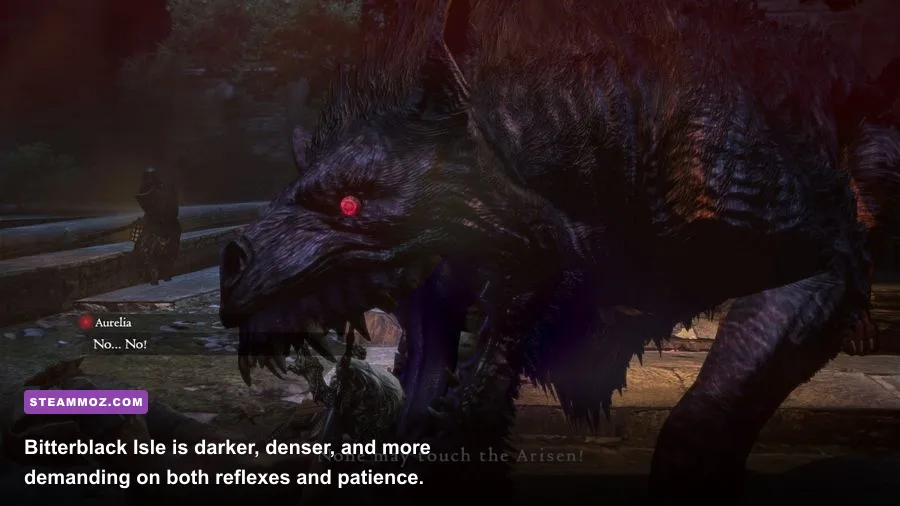
Once the game is stable, the best optimization is understanding where Dark Arisen actually becomes demanding. Open-world travel through Gransys is usually easy on a modern PC. The heavier moments arrive when several Pawns trigger abilities together, when a Chimera or Cockatrice occupies the screen, or when a Sorcerer casts spells such as High Maelstrom. Bitterblack Isle can be tougher simply because its enclosed rooms stack enemies, lighting, effects, and close-range camera movement together.
Start with these practical steps:
- Install on an SSD. This mainly improves loading and area transitions, not average FPS.
- Use a stable frame cap. Try 60fps first, then test higher limits only if the game remains consistent.
- Lower shadows before textures. You’ll retain cleaner character and weapon detail.
- Turn off motion blur. Combat becomes easier to read, especially while climbing.
- Watch CPU temperatures. Thermal throttling can look like a GPU problem.
- Close overlays and recording tools. Older DirectX games can react badly to injected software.
- Test mods one at a time. Texture upgrades and visual injectors can create stutter or crashes.
Don’t underestimate the Pawn system’s effect on performance. A party containing a Sorcerer, Mage, and several effect-heavy vocations can generate more visual clutter than a simpler Fighter and Strider group. That isn’t a reason to avoid magic—High Levin and High Ingle are part of the game’s personality—but it explains why a particular party may produce occasional dips where solo testing looks flawless.
The same party choices also affect gameplay performance in the human sense. A Mage with Anodyne keeps the group alive, a Strider can shred exposed weak points, and a Fighter’s shield skills buy time when a monster turns aggressive. If you’re new to the game, Steamoz’s beginner-focused RPG tips offer a useful reminder: stable fundamentals beat flashy setups while you’re still learning enemy behavior.
For the vast majority of modern PCs, the final verdict is simple: Dragon’s Dogma: Dark Arisen is a low-demand PC game with a very forgiving hardware profile. Aim for 8GB of RAM, an SSD, and any reasonably recent dedicated GPU—or a capable modern integrated solution—and 1080p at 60fps is a realistic goal. Only machines close to the historical minimum need aggressive compromises. The real challenge isn’t getting Dark Arisen to run; it’s surviving the road to Gran Soren without letting your Pawn shout “Goblins!” for the hundredth time.