
Destroy All Humans system requirements are modest by modern standards: you'll need a 64-bit Windows 10 PC, 8GB of RAM, and a graphics card around the level of a GeForce GTX 770 or Radeon R9 290 to meet the minimum specification. The recommended target raises that bar to 16GB of memory, a GTX 1060 6GB or Radeon RX 590, and a Core i7 or Ryzen 7 processor. The game also asks for roughly 19GB of storage.
That sounds painless, and for the most part it is. The 2020 remake runs comfortably on mainstream gaming hardware, but the official requirements don't tell the whole story. Open-world destruction, saucer missions, crowds of NPCs, reflections, and the physics-heavy chaos created by Psychokinesis can produce sharper performance drops than a quiet walk through a farm field. Here's what your PC really needs, where the bottlenecks appear, and which settings deliver the cleanest 1080p experience.

Destroy All Humans PC system requirements

The minimum specification is aimed at playable 1080p gaming with reduced visual settings, not necessarily a locked 60 frames per second in every mission. The GTX 770 and R9 290 are old cards now, but both were serious 1080p GPUs when the remake launched. Their 4GB of VRAM is important: a weaker modern card with only 2GB can suffer from texture streaming stutter even if its raw performance looks comparable.
On the processor side, the listed minimum is an Intel Core i5 running at 3GHz or an AMD Ryzen 5 running at 3GHz. That wording describes a performance class rather than one single chip. A newer six-core Core i3 or Ryzen 5 can easily outperform an older quad-core i5, so don't judge your system by the model number alone. The game benefits from modern CPU architecture when several NPCs, vehicles, explosions, and physics objects occupy the same scene.
| Component | Minimum | Recommended |
|---|---|---|
| Operating system | 64-bit Windows 10 | 64-bit Windows 10 |
| Processor | Intel Core i5 3GHz or AMD Ryzen 5 3GHz | Intel Core i7 4GHz or AMD Ryzen 7 4GHz |
| Memory | 8GB RAM | 16GB RAM |
| Graphics card | GeForce GTX 770 4GB or Radeon R9 290 4GB | GeForce GTX 1060 6GB or Radeon RX 590 |
| DirectX | Version 11 | Version 11 |
| Storage | 19GB available space | 19GB available space |
Both tiers list DirectX 11, which is good news for older Windows gaming systems. There is no requirement for ray tracing, DirectX 12 Ultimate, or an SSD. Still, an SSD is the smart choice if you have one available. It won't magically raise your average FPS, but it can shorten loading and reduce the irritation of texture assets arriving late when you move quickly between areas.
For the authoritative listing, compare this guide with the official Steam page for Destroy All Humans. Requirements can change with patches, driver updates, or platform revisions, so Steam remains the final checkpoint before buying.
🎮 Destroy All Humans
Looking to experience this game? Grab your digital key directly on our store for $5.99.
View on Steammoz Store →What the minimum specs really mean in gameplay
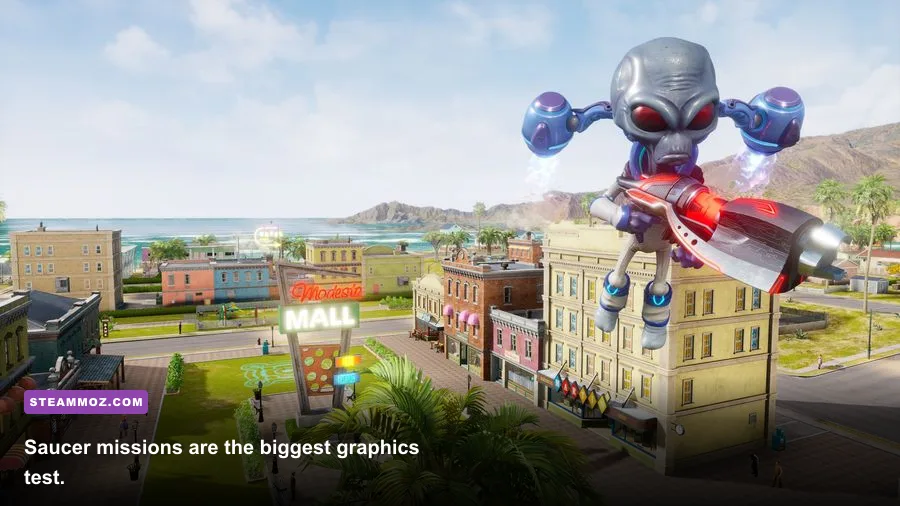
A minimum-spec PC should handle the remake, but you'll want realistic expectations. The most demanding moments aren't necessarily the cinematic set pieces. They arrive when you're hovering over a populated settlement, firing the Death Ray, tossing vehicles with Psychokinesis, and triggering multiple explosions while the game simulates panicking civilians and military responses.
Crypto's core tools create different kinds of pressure. The Zap-O-Matic is relatively cheap to render because it focuses on a narrow beam and a small target area. The Anal Probe and Disintegrator Ray create more visible effects, while the saucer's Death Ray turns the camera into a tour of smoke, debris, fire, and collapsing structures. If your PC stutters only during saucer missions, that points more toward GPU load and effects settings than a fundamentally weak processor.
Minimum hardware is best approached with a 30-FPS target. A locked 30 can feel perfectly acceptable for the game's third-person shooting and deliberately broad movement, especially if you use a controller. Chasing 60 FPS on a GTX 770-class system may force you to lower texture quality, shadows, effects, and resolution enough that the remake loses some of its visual punch.
The CPU matters more than the store page suggests in dense areas. Turnaround time during a quiet infiltration of Turnipseed Farm may look excellent, then fall when soldiers, tanks, civilians, and destructible props fill the screen. Watch frame-time consistency rather than average FPS. A counter showing 55 FPS means little if every explosion produces a sudden hitch to 25.
If you have 8GB of RAM, close browsers, launchers, RGB utilities, and recording software before playing. Eight gigabytes is enough for the game itself, but Windows and background applications can consume the headroom that prevents asset-streaming pauses. Sixteen gigabytes is far more comfortable and is the single most useful upgrade for a budget machine that already owns a suitable GPU.
Recommended specs for smooth 1080p play

The recommended GTX 1060 6GB or RX 590 target is a sensible 1080p baseline. These cards provide enough VRAM for higher texture quality and enough rendering power to keep the remake looking sharp without immediately resorting to aggressive resolution scaling. Pair them with a modern Core i5, Core i7, Ryzen 5, or Ryzen 7 and 16GB of RAM, and 60 FPS becomes a realistic goal at 1080p.
Don't read “recommended” as a promise of 60 FPS at maximum settings in every location. Destroy All Humans is an open-world remake with large sightlines and destruction effects, and its worst-case scenes are considerably heavier than a simple roadside encounter. A GTX 1060 can deliver a stronger experience at high settings than at ultra if you reduce shadows and screen-space effects first.
| Hardware level | Practical target | Suggested resolution | Expected approach |
|---|---|---|---|
| GTX 770 / R9 290, 8GB RAM | 30 FPS | 1080p low to medium | Reduce shadows and effects; use a frame cap |
| GTX 1060 6GB / RX 590, 16GB RAM | 60 FPS with dips in heavy scenes | 1080p medium to high | Keep textures high; trim shadows first |
| GTX 1660 / RX 5600 XT class | 60 FPS more consistently | 1080p high | Use high textures and moderate effects |
| RTX 3060 / RX 6600 or better | 60 FPS with extra headroom | 1080p ultra or 1440p high | Raise effects after confirming frame times |
The remake's visual identity comes from character detail, colorful environments, and destructive spectacle. Texture quality is therefore the setting I'd protect longest. Lowering it saves VRAM rather than dramatically improving raw GPU performance. If you have 6GB or more, leave textures on high and reduce shadow quality, ambient occlusion, and effects quality before touching resolution.
A modern six-core CPU is a better long-term pairing than an old high-clock quad-core. The latter may technically meet the published requirement but can struggle with minimum frame rates when the military response escalates. This is the same principle we apply in other PC performance guides, including our breakdown of settings that actually fix low FPS: eliminate the setting or component responsible for frame-time spikes instead of blindly lowering everything.
Best graphics settings for stable FPS
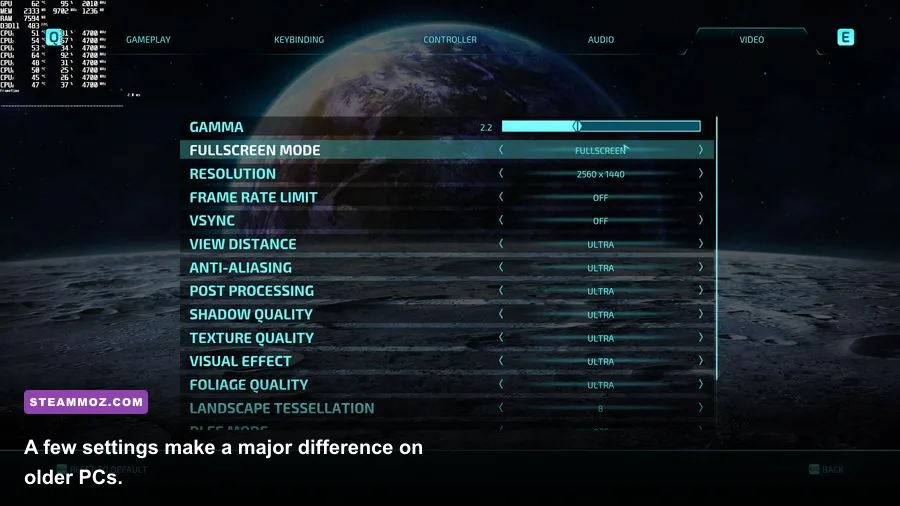
Start with the game's native resolution and a sensible frame cap. If your display is 60Hz, cap at 60; if your hardware can't hold that, cap at 30 rather than allowing the frame rate to swing wildly. A stable 30 often feels better than a fluctuating 38-60 FPS, particularly during fast saucer movement and camera-heavy destruction.
| Setting | Recommended value | FPS impact | Visual trade-off |
|---|---|---|---|
| Resolution | Native 1080p | Very high | Lower only when GPU usage stays near 100% |
| Texture quality | High with 6GB VRAM; medium with 4GB | Low to medium | Lower detail and sharper texture pop-in |
| Shadow quality | Medium | High | Less detailed contact shadows and silhouettes |
| Effects quality | Medium or high | High during destruction | Fewer particles, smoke layers, and fire details |
| Ambient occlusion | Medium | Medium | Flatter corners, foliage, and object contact |
| Anti-aliasing | Use the highest stable option | Low to medium | Lower values create shimmer on foliage and wires |
| Motion blur | Off for clarity | Small | Cleaner camera movement and less visual smear |
| View distance | High if CPU allows | Medium | Lower settings reduce distant detail and objects |
Shadows are usually the first serious cut. They affect a large portion of the image and become expensive when Crypto is near buildings, trees, vehicles, and several NPCs. Ambient occlusion is next: lowering it makes the world look flatter, but the performance gain is often worthwhile on minimum-tier hardware.
Effects quality deserves special attention because it becomes expensive exactly when the action gets fun. If the frame rate collapses during the Death Ray, Disintegrator Ray, or a large Psychokinesis throw, reduce effects before lowering textures. If it drops while moving through a busy town without firing, test view distance and shadows instead.
Use the official THQ Nordic game page for current publisher information, and keep your graphics driver updated through NVIDIA or AMD. Driver updates won't transform a GTX 770 into a modern card, but they can resolve shader compilation problems, crashes, and inconsistent frame pacing.
CPU, GPU, RAM, and storage bottlenecks
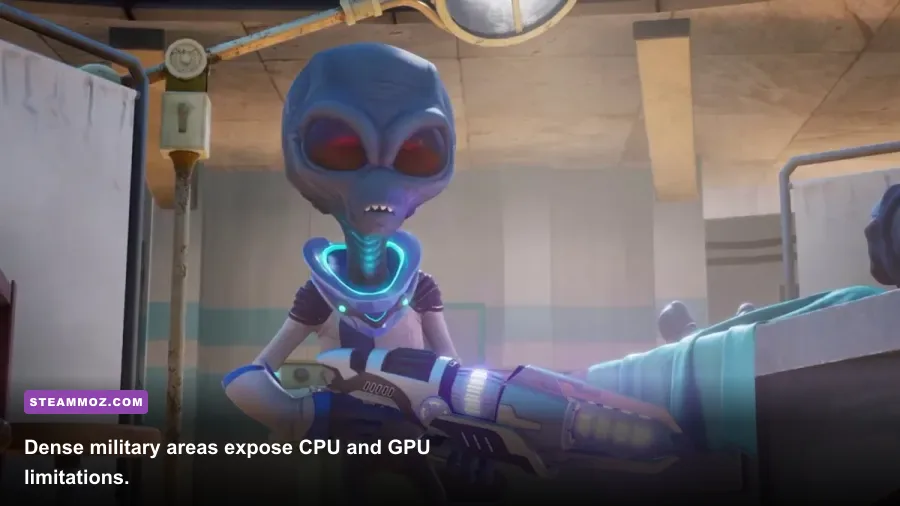
GPU usage near 95-100 percent usually means your graphics card is the limit. Lower resolution, effects, shadows, or ambient occlusion and check whether the frame rate improves. If GPU usage sits below that while the game stutters in populated areas, the processor or memory subsystem is more likely responsible.
RAM pressure has a recognizable pattern: the game may run well initially, then hitch as you move through multiple locations or keep a browser and capture tools open. The 8GB minimum is functional, but 16GB is the practical recommendation in 2026 for the whole PC, not just this game. It leaves room for Windows, Steam, voice chat, and a monitoring overlay without forcing constant memory compression.
A hard drive can run the game because an SSD isn't listed as mandatory, but it isn't ideal. Install to an SSD whenever possible, keep at least 15-20 percent free space, and avoid filling the drive to the last few gigabytes. Storage speed mostly affects loading and asset delivery; it won't fix a GPU that is already saturated by particles and shadows.
CPU upgrades should focus on per-core performance and enough threads for the surrounding system. A current Ryzen 5 or Core i5 is a safer buy than an older eight-core chip with weak single-thread performance. The remake doesn't need a flagship processor, but it does appreciate a responsive CPU when NPC AI, vehicle activity, physics, and destruction all happen together.
For more troubleshooting ideas, our guides on crashes and low FPS and PC fixes for stutter and crashes cover the same practical checks: verify files, update drivers, disable unnecessary overlays, and test a clean launch before blaming the game.
Can your PC run Destroy All Humans?
If your computer matches the minimum specification, yes—but plan around 30 FPS and medium-to-low settings. A GTX 770 or R9 290 with 8GB of RAM can deliver the remake's full campaign, including Turnipseed Farm, Bay City, Rockwell, Santa Modesta, Area 42, and the other locations, as long as you accept dips during the most destructive scenes.
If you own a GTX 1060 6GB or RX 590, 16GB of RAM, and a reasonably modern Core i5 or Ryzen 5, you're in the comfortable zone. Start at 1080p high, cap the frame rate, and lower shadows or effects if the saucer missions expose weak frame times. That profile preserves the colorful remake visuals without wasting performance on settings whose improvements are hard to notice during Crypto's fastest attacks.
For 1440p, look beyond the official recommended tier. A GTX 1660-class card is a more sensible starting point, while an RTX 3060, RX 6600, or better gives you enough headroom to maintain image quality in crowded areas. Remember that resolution scaling is the biggest lever: 1440p has roughly 78 percent more pixels than 1080p, so the GPU burden rises sharply even when every other setting stays unchanged.
Finally, don't confuse a high average FPS with a smooth game. Play a busy mission, use the saucer's weapons, and watch the worst one-percent lows. Destroy All Humans is at its best when its jokes, explosions, and alien powers land without a hitch. Meet the recommended specs, keep 16GB of RAM, install to an SSD, and tune shadows and effects intelligently—you'll get the gleeful rampage the remake is built to deliver.
For another chaotic action game with demanding set pieces, see Steamoz's ranked games like Dead Rising 4. And if you're comparing older PC releases, our guide to Cossacks 3 system requirements shows why published minimum specs are only the beginning of a realistic performance check.
Destroy All Humans is available through the official Destroy All Humans website. Check the developer and Steam listings before purchase if you're running an unusual Windows configuration or older graphics hardware.