
Deponia Doomsday becomes much easier once you treat every scene like a chain of experiments rather than a hunt for one obvious answer. Save before combining unusual items, exhaust every dialogue option, use the hotspot display when a screen feels empty, and test time-travel changes against the same location. These ten practical tips will help new players solve Rufus's puzzles without turning the game into a walkthrough-copying exercise.
Daedalic's fourth Deponia adventure is a story-heavy point-and-click game built around slapstick logic, inventory combinations, and a time-travel plot involving Rufus, Goal, Cletus, and the mysterious McChronicle. If you're new to the series, you can also check the Children of Silentown puzzle guide for another example of how adventure-game clue chains work.
1. Save before every risky experiment
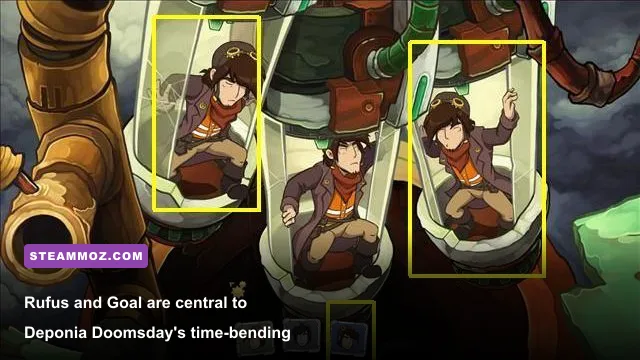
Deponia Doomsday rarely punishes Rufus permanently, but it does let you waste time by combining an item with the wrong object, triggering a long gag, or changing the state of a room before you understand what changed. Use manual saves at three useful points: when entering a new location, before a major time-travel interaction, and immediately after opening a new puzzle chain.
Don't rely only on autosaves. Autosaves are convenient for recovering after a scene transition, but a manual slot lets you rewind to the exact moment before an experiment. Keep several rotating files instead of overwriting one slot. The game is linear enough that you won't need dozens, but five or six saves can rescue you from a particularly confusing sequence.
| Save Point | Why It Matters | What to Record |
|---|---|---|
| New location | Preserves a clean puzzle state | Room names and visible characters |
| Before item combination | Prevents wasted experimentation | Items being tested |
| Before time travel | Lets you compare timelines | Objects that changed |
| After puzzle completion | Protects progress from a missed trigger | New inventory or dialogue |

🎮 Deponia Doomsday
Looking to experience this game? Grab your digital key directly on our store for $1.99.
View on Steammoz Store →2. Sweep every screen before chasing solutions
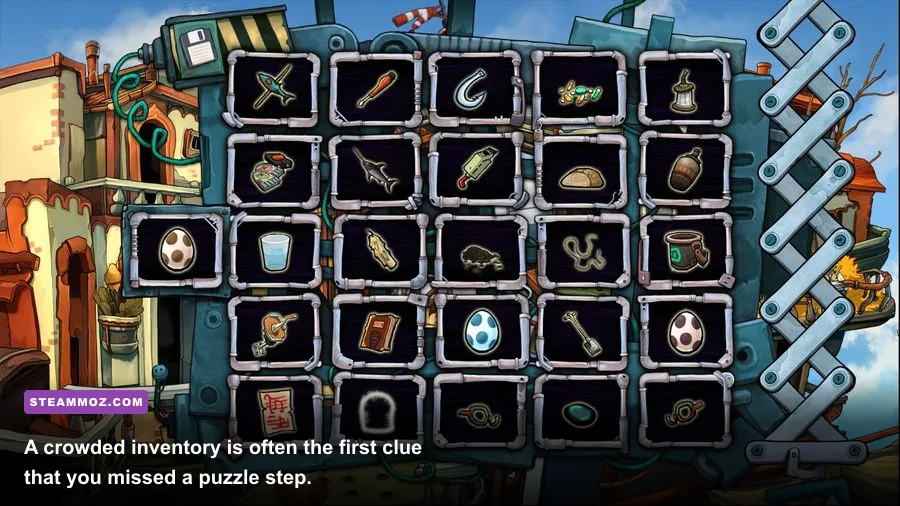
Before touching an obvious puzzle object, move the cursor across the entire screen. Deponia Doomsday hides useful interaction points among busy comic-book scenery, and a tiny hotspot can be more important than the giant machine in the middle of the room. Check walls, floor clutter, shelves, signs, containers, machinery, and characters twice: once before speaking to everyone and again after a conversation changes the scene.
Use the game's hotspot indicator when you are stuck, but don't leave it permanently enabled if you want the intended discovery experience. The indicator is best used as a search tool, not as a substitute for observation. If a location appears to have no next step, activate it and look for an overlooked object rather than assuming the puzzle is broken.
3. Talk to characters until the dialogue repeats
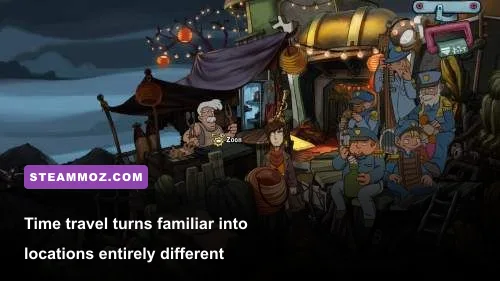
Conversation is not decoration in Deponia Doomsday. Rufus's interactions with Goal, Cletus, McChronicle, and the residents of Deponia often establish the logic behind a later item combination. Select every available dialogue option, then speak to the character again after acquiring a new object or changing the timeline.
A good rule is to exhaust dialogue before leaving a room. If a character offers a new response, treat it as a quest update. Rufus's jokes can make a conversation feel like a dead end, but a throwaway line may identify the object, behavior, or person the game expects you to manipulate next. The same applies to examining items in the inventory: Rufus's descriptions frequently reveal a clue that the environment doesn't state directly.
4. Build a clue board instead of guessing randomly

When a puzzle stalls, stop clicking and write down three things: what the room wants, what each character wants, and what each inventory item can plausibly affect. Deponia Doomsday's puzzles often use a multi-step chain: one character provides information, an environmental object creates a tool, and that tool changes another character's behavior. The final action may look absurd, but the chain usually has a recognizable internal rhythm.
Sort your inventory into four groups: tools, consumables, objects that belong to a person, and items that obviously exist for a gag. Start with tools and personal objects. A screwdriver-like item, a key, a container, or a piece of equipment is more likely to open the next step than a random piece of junk. If an item has already produced a unique reaction when examined, remember that reaction; the game often uses it as a hint toward its intended role.
| Clue Type | What to Ask | Best Next Move |
|---|---|---|
| Blocked character | What does this person want or fear? | Exhaust dialogue and inspect nearby props |
| Locked object | Is the solution a key, tool, or distraction? | Test practical tools before comic items |
| Time anomaly | What changed between versions of the room? | Compare objects and character positions |
| Strange inventory item | Who would recognize or need it? | Show it to characters before combining it |
5. Use time travel as a comparison tool

The central trick of Deponia Doomsday is not simply moving backward or forward in time. It's using a familiar location as a before-and-after puzzle board. When the Chronocaster or another time-related sequence changes a scene, revisit objects you already examined. A broken machine may be functional, a character may move, or an inaccessible route may become available.
Before traveling, memorize or record the important state of the room. After traveling, perform the same sweep in the same order. This makes differences obvious and stops you from treating each timeline as an unrelated location. If an item exists in one version but not another, ask whether it can be carried across, used as a clue, or replaced by an altered equivalent. The game often rewards noticing what stayed the same as much as what changed.
6. Combine items only when the joke has a purpose
Rufus can carry an alarming amount of junk, and the game encourages experimentation, but random combinations are inefficient. Start by identifying the verb a puzzle needs: cut, open, distract, repair, transport, reveal, or persuade. Then look for an item that supports that action. If a proposed combination has no believable function and no prior clue supporting it, save first or skip it.
Pay attention to animation and dialogue after every successful action. A new line from Rufus, an altered character pose, or a changed machine sound usually means the puzzle state advanced. If nothing reacts, don't keep clicking the same pair. Search for a missing prerequisite, speak to the relevant character again, or inspect the room after the failed attempt.
7. Revisit old locations after major story beats
New dialogue and objects can appear after a cutscene, a time jump, or a major objective. Returning to earlier screens isn't always mandatory, but it can reveal optional jokes, achievements, and the clue that makes the next objective readable. This is especially valuable in a game that reuses locations across different points in its timeline.
Use a simple progression checklist: current location, available characters, new inventory, altered timeline, and unresolved visual oddities. If a scene contains a conspicuous object that has never reacted to anything, flag it rather than forgetting it. Deponia's comedy is often built around delayed payoff.
8. Learn the rhythm of Rufus's failed attempts
Failure is part of the design. Rufus's disastrous interactions can produce unique animations, alternate lines, and useful confirmation that an item is not meant for a particular object. Try reasonable actions, but don't assume every failed gag is wasted time. A reaction can tell you whether you have found the correct target but the wrong item, or the correct item before the puzzle has been primed.
That distinction matters. If Rufus comments on an object but refuses to use an item, the object may be relevant later. If he ignores the interaction entirely, you probably need another clue. These tiny differences are more reliable than brute force, especially in the longer multi-room sequences.
9. Adjust the experience for comfortable puzzle solving
Deponia Doomsday is not a reflex game, so prioritize visibility and control comfort over performance chasing. On modern PCs, the game is lightweight compared with demanding shooters such as Back 4 Blood. Use a window mode that keeps the cursor easy to track, increase interface readability if your display makes small hotspots hard to see, and enable subtitles so you don't miss a clue during a busy comedic scene.
| Option | Recommended Choice | Reason |
|---|---|---|
| Display mode | Native resolution or borderless window | Keeps artwork sharp and cursor movement predictable |
| Subtitles | Enabled | Preserves dialogue clues and punchlines |
| Hotspot assistance | Use only when stuck | Finds missed interactions without removing discovery |
| Audio | Keep voice volume above effects | Important clues are delivered through dialogue |
10. Use hints without surrendering the puzzle
If you've tried every sensible interaction and still can't progress, consult the official game information on Deponia Doomsday's Steam page or check Daedalic Entertainment's official site for support resources. A targeted hint is better than reading a full solution and flattening the whole chapter.
Give yourself a strict hint limit: first use hotspots, then review dialogue, then inspect every item, and only afterward search for the exact stuck scene. If you do look up a solution, read one step ahead rather than the entire sequence. Deponia Doomsday is at its best when you understand why the absurd solution works, not just which object to click.
The fastest way to think like a Deponia veteran
Keep three habits running throughout the campaign: save before experiments, record changes between timelines, and treat every character conversation as a source of mechanical information. Rufus's world is deliberately chaotic, but the puzzles aren't pure nonsense. They usually combine a visible need, a strange tool, and one spectacularly irresponsible decision.
If you're coming from another narrative adventure, the same patient approach works in Brothers: A Tale of Two Sons Remake and even more dialogue-focused games. For Deponia Doomsday specifically, don't rush past the jokes: the punchline, the failed attempt, and the weird inventory description are often the game's way of handing you the next clue.
For more PC troubleshooting before starting another adventure, see Steamoz's guides to fixing crashes and low FPS and checking whether older hardware can run Cossacks 3. Once your saves are organized and your clue notes are ready, Deponia's time loops stop feeling like chaos and start feeling like a very funny machine you can finally operate.