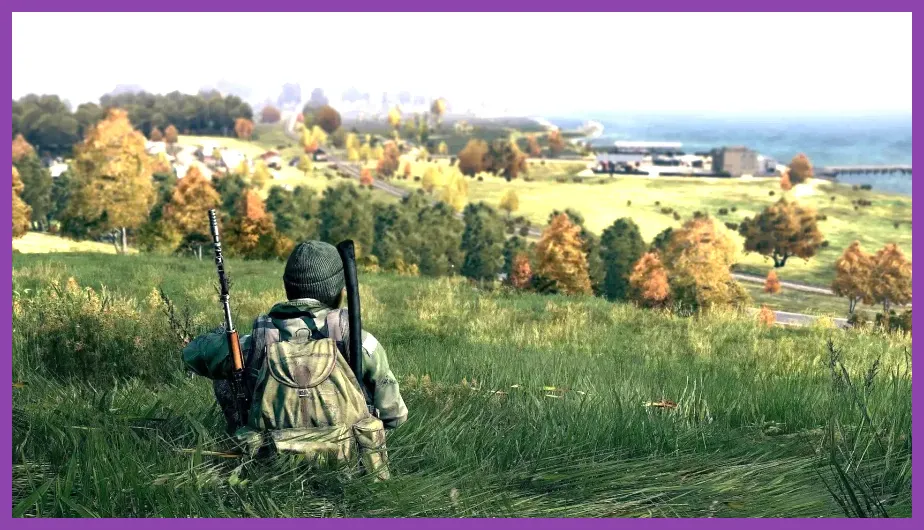
The official DayZ minimum PC requirements are an Intel Core i5-4430 or AMD FX-6300, 8GB of RAM, and a GeForce GTX 760 or Radeon R9 270X with 2GB of VRAM. For a smoother 1080p experience, aim for the recommended Core i5-6600K or Ryzen 5 1600X, 12GB of RAM, and a GTX 1060 or RX 580. DayZ also requires a 64-bit Windows installation and roughly 25GB of storage. Those specifications are enough to start, but an SSD, 16GB of memory, and a modern six-core CPU make a much bigger difference than the official list suggests.
DayZ is not a conventional arena shooter with predictable frame rates. It streams a huge open world, simulates infected, wildlife, loot, vehicles, weather, and networked players, then asks your processor to keep track of those systems while the GPU renders long sightlines through forests and towns. That is why a computer can meet the listed minimum requirement and still feel rough around Elektro, Chernogorsk, or a busy military base.
This guide separates the published DayZ Steam requirements from the practical hardware needed in 2026. It also explains what each component does, how to choose settings for low-end and mid-range PCs, and which upgrades are most likely to improve stutter, loading, and combat visibility.
DayZ Minimum System Requirements
Bohemia Interactive lists the following minimum configuration for DayZ on PC:
- Operating system: Windows 10 64-bit
- Processor: Intel Core i5-4430 or AMD FX-6300
- Memory: 8GB RAM
- Graphics card: NVIDIA GeForce GTX 760 or AMD Radeon R9 270X
- DirectX: Version 11
- Storage: 25GB available space
These parts describe the entry point, not a guaranteed high-refresh experience. The Core i5-4430 is a four-core Haswell processor from 2013, while the FX-6300 is an older six-core AMD chip with much weaker per-core performance. Both can launch DayZ, but neither offers the spare CPU capacity that helps when a server has many players, vehicles, loot objects, and infected in the same area.
The GTX 760 and R9 270X are also baseline graphics cards with only 2GB of VRAM in their common configurations. They can handle a reduced 1080p presentation, but high texture settings, long view distance, and dense object detail can create hitching or texture-streaming delays. If you have one of these cards, reducing resolution or GPU-heavy effects is more useful than simply lowering every option to its minimum.
Eight gigabytes of RAM is technically sufficient, but it leaves very little room for Windows, Steam, voice chat, browser tabs, and background tools. On an 8GB system, close unnecessary applications before launching and expect more noticeable pauses when DayZ loads new sectors of Chernarus. A dual-channel memory configuration is preferable to one 8GB stick because it improves overall system bandwidth.
DayZ Recommended System Requirements
The official recommended specification is:
- Operating system: Windows 10 64-bit
- Processor: Intel Core i5-6600K or AMD Ryzen 5 1600X
- Memory: 12GB RAM
- Graphics card: NVIDIA GeForce GTX 1060 or AMD Radeon RX 580
- DirectX: Version 11
- Storage: 25GB available space
The GTX 1060 and RX 580 are sensible targets for 1080p, although the 6GB GTX 1060 is a better reference point than the 3GB model when texture quality and view distance are raised. The RX 580 usually appears with 8GB of VRAM, giving it useful room for DayZ’s large outdoor environments. Neither card should be treated as a 1440p ultra recommendation; both are better suited to medium or high settings at 1920x1080.
The i5-6600K has four cores and four threads, while the Ryzen 5 1600X has six cores and twelve threads. DayZ benefits from both strong per-core speed and additional thread capacity, particularly when the game is streaming assets or handling a busy server. Modern six-core CPUs such as the Ryzen 5 5600, Ryzen 5 7600, Core i5-12400F, or newer equivalents will generally provide a more consistent frame-time experience than these older recommended parts.
The recommended 12GB memory figure is workable, but 16GB is the practical baseline for a new DayZ installation. If you run Discord, OBS, a browser, or a hardware monitor at the same time, 32GB eliminates memory pressure altogether. For a broader comparison with another demanding survival game, Steamoz’s Sea of Thieves system requirements guide explains why published recommendations often understate the value of modern storage and extra RAM.
What Hardware Does DayZ Really Need?
CPU: The processor is often the limiting component in DayZ. A GPU upgrade cannot fully solve low or inconsistent frames if the CPU struggles to process players, infected, loot containers, and world simulation. The most useful modern target is a six-core processor with good single-thread performance. A Ryzen 5 5600 or Core i5-12400F is a strong value pairing for 1080p; a Ryzen 7 5800X3D can deliver excellent frame consistency on the AM4 platform, especially in large multiplayer scenes.
GPU: For the official minimum, a GTX 760 or R9 270X can render the game, but a GTX 1060 6GB, RX 580 8GB, GTX 1660 Super, RX 6600, or RTX 3060 gives you much more useful headroom. At 1080p, the RX 6600 and GTX 1660 Super are particularly sensible targets for a balanced build. DayZ does not require a flagship card unless you want 1440p, very long view distance, and high refresh-rate output at the same time.
RAM: Use 16GB as the minimum sensible capacity for regular play. Install two matching modules, such as 2x8GB, and enable the memory profile in your motherboard firmware when supported. Moving from 8GB to 16GB will not always increase the average frame rate dramatically, but it can reduce paging-related pauses and make the game feel less erratic while you move between coastal towns and inland settlements.
Storage: DayZ’s listed 25GB requirement is the capacity needed for the installation, not a recommendation for the drive itself. An SSD is strongly preferred. A SATA SSD can significantly improve startup and asset-loading behavior over a mechanical hard drive, while an NVMe SSD reduces loading delays further. Keep at least 10 to 15 percent of the drive free so Windows and the game have room for temporary operations.
Operating system: Use a fully updated 64-bit Windows 10 or Windows 11 installation. A 32-bit operating system cannot provide the same address space for a large open-world game. Install current motherboard chipset and graphics drivers, but avoid unstable beta drivers immediately before a long multiplayer session.
Best DayZ Graphics Settings for Low-End PCs
If your computer is close to the minimum requirement, start with a stable 1080p or 1600x900 output rather than chasing maximum image quality. The following profile prioritizes frame consistency and readable targets:
- Resolution: 1920x1080; use 1600x900 if the GTX 760 or R9 270X cannot maintain a playable rate.
- V-Sync: Off, unless tearing is severe and your monitor has no adaptive-sync support.
- Overall quality: Custom.
- Texture filtering: Low or medium.
- Texture detail: Medium on a 2GB card; high only when VRAM use remains stable.
- Terrain detail: Low.
- Object detail: Low or medium.
- Clouds: Low.
- Shadow detail: Low.
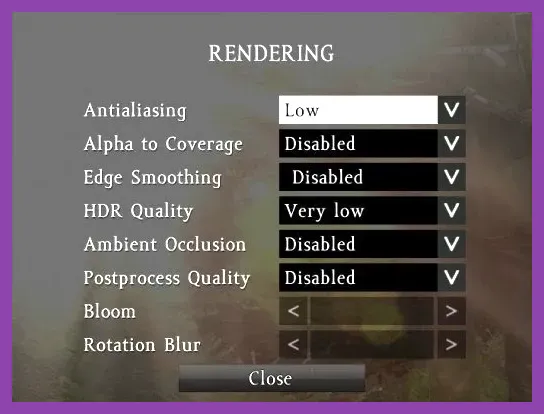
- Ambient occlusion: Disabled.
- Hardware anti-aliasing: Low or disabled.
- Post-process anti-aliasing: Low.
- View distance: Start around 1,500 to 2,000 meters.
- Object distance: Around 800 to 1,200 meters.
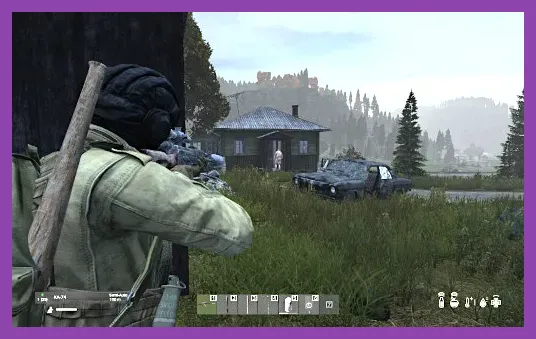
Shadows, ambient occlusion, clouds, and anti-aliasing are the first settings to reduce because they can cost performance without improving target visibility proportionally. Do not immediately set textures to their lowest option: if the graphics card has enough VRAM, medium textures can make buildings, clothing, and weapon models easier to identify at a relatively small performance cost.
View distance requires judgment. A very low value can make distant players and terrain details appear late, which is a real disadvantage when watching a road from a forest edge. Keep it as high as the CPU and GPU allow, then lower terrain and shadow quality first. Test the profile in a populated area such as Elektro or Chernogorsk rather than only in an empty forest.
Best DayZ Settings for Recommended PCs
For a GTX 1060, RX 580, or comparable modern card paired with a six-core CPU, use this balanced 1080p profile:
- Resolution: 1920x1080 at the monitor’s native refresh rate.
- V-Sync: Off with FreeSync or G-Sync; otherwise cap frames if tearing distracts you.
- Texture detail: High.
- Texture filtering: High.
- Terrain detail: Medium or high.
- Object detail: Medium or high.
- Clouds: Medium.
- Shadow detail: Medium.
- Ambient occlusion: Low or medium.
- Anti-aliasing: Medium, then raise it only if GPU usage allows.
- View distance: 2,500 to 3,500 meters.
- Object distance: 1,500 to 2,500 meters.
This configuration preserves useful sightlines while avoiding the expensive combination of ultra shadows, maximum object distance, and heavy post-processing. If your GPU is near 100 percent usage, reduce resolution scale or anti-aliasing. If GPU usage is low while frames dip in a town, lower object distance and terrain detail or investigate CPU and server conditions instead.
DayZ does not use the same upscaling feature set as many newer shooters, so a clean native 1080p image is usually preferable to an overly aggressive resolution reduction. Players using an RTX 3060, RX 6700 XT, RTX 4060, or better can move toward 1440p, but keep shadows and object distance under control. Higher resolution increases GPU demand; greater object distance increases both rendering and simulation pressure.
How to Check Whether Your PC Can Run DayZ
Compare your exact processor, graphics card, memory, and operating system against the official DayZ website and the current Steam listing rather than relying on a broad “gaming PC” label. Laptop hardware needs extra caution: a mobile GTX 1650, for example, does not perform exactly like every desktop card with a similar name, and thermal limits can reduce sustained speed.
Before buying an upgrade, check whether your PC is CPU-limited or GPU-limited. In a quiet forest, the graphics card may appear to have plenty of headroom; in a town, the processor may become the bottleneck. Use an overlay such as MSI Afterburner to watch GPU utilization, CPU core load, memory use, temperatures, and frame-time graphs. A low GPU percentage during a frame-time spike usually points toward CPU, storage, or server-side limitations rather than a need for a faster graphics card.
Also check your drive. If DayZ is installed on a hard disk and you experience long loading pauses or texture pop-in, moving it to an SSD is often the most noticeable quality-of-life upgrade. Verify the game files through Steam after major updates, close browser video tabs, and avoid recording at an unnecessarily high bitrate on an 8GB system.
For perspective, DayZ’s hardware demands overlap with other persistent multiplayer survival games. Steamoz’s Rust weapons guide is not a requirements article, but it covers another game where long sessions, large bases, and active servers can expose the difference between merely launching a game and running it consistently. The same principle applies here: official minimum requirements establish compatibility, while modern CPU performance, 16GB of RAM, and SSD storage determine comfort.
Bottom line: DayZ will run on the listed i5-4430/FX-6300, 8GB RAM, and GTX 760/R9 270X minimum, but that setup calls for reduced settings and realistic expectations. The better target is a six-core modern CPU, 16GB RAM, an SSD, and a GTX 1060/RX 580-class GPU or newer. That combination gives you a substantially smoother 1080p experience, clearer long-range encounters, and fewer interruptions when Chernarus becomes busy.
For official technical information, consult the Bohemia Interactive support portal and the official DayZ community documentation. Requirements can change with updates, so confirm the Steam page again if you are purchasing new hardware specifically for the game.