If you want to run Crime Boss: Rockay City smoothly, aim for at least an Intel Core i5-9600 or AMD Ryzen 5 3600, 16GB of RAM, and a GTX 1650 4GB or Radeon RX 570 4GB. The recommended target steps up to an Intel Core i7-9700K or Ryzen 7 3700X, while the GPU recommendation becomes an RTX 2060 6GB or Radeon RX 5700 XT 8GB. Both tiers call for Windows 10 64-bit and roughly 90GB of storage.
Those are the published targets, but they don't tell the whole story. Crime Boss mixes large outdoor scenes, destructible-looking set dressing, AI-heavy police responses, volumetric effects, and four-player co-op chaos. Your graphics card controls image quality and resolution; your processor becomes increasingly important when cops, civilians, crew members, and loot objectives all pile into one encounter.
This guide breaks down the official Crime Boss: Rockay City system requirements, explains what each component actually means, and gives you a practical settings profile instead of the usual “turn everything to low” advice.
Crime Boss: Rockay City minimum and recommended specs
The minimum specification is best understood as an entry point, not a promise of locked performance at maximum settings. The GTX 1650 and RX 570 are 4GB cards, and that memory ceiling is the first thing you'll feel if you push high textures, higher resolutions, or heavy effects. The 16GB RAM requirement is also meaningful: the game can run alongside a normal Windows setup, but streaming missions while other launchers and browser tabs are open is asking for unnecessary hitching.
The recommended RTX 2060 and RX 5700 XT provide a healthier margin for 1080p play. They also offer more VRAM on the Nvidia side and substantially more raster performance on the AMD side than the minimum cards. That doesn't make the recommended CPU optional. The i7-9700K and Ryzen 7 3700X have more cores and stronger multitasking capacity, which helps during busy heists and co-op sessions where AI activity keeps changing.
| Component | Minimum | Recommended | What it means in practice |
|---|---|---|---|
| Operating system | Windows 10 64-bit | Windows 10 64-bit | Keep Windows and GPU drivers current; 64-bit is required. |
| Processor | Intel Core i5-9600 / Ryzen 5 3600 | Intel Core i7-9700K / Ryzen 7 3700X | The CPU tier affects AI-heavy fights and frame-time consistency. |
| Memory | 16GB RAM | 16GB RAM | 16GB is the floor; close background applications before playing. |
| Graphics card | GTX 1650 4GB / RX 570 4GB | RTX 2060 6GB / RX 5700 XT 8GB | GPU power determines resolution, effects quality, and headroom. |
| Storage | 90GB available | 90GB available | Use an SSD if possible to reduce loading and streaming delays. |
| DirectX | DirectX 12 | DirectX 12 | Install the current runtime and avoid outdated driver packages. |
Before buying, compare your machine against the official Steam listing, since patches can change performance and storage needs. If your PC is close to the minimum, an SSD upgrade and a clean driver install may help more than a small CPU overclock.

🎮 Crime Boss: Rockay City
Looking to experience this game? Grab your digital key directly on our store for $1.99.
View on Steammoz Store →What hardware matters most for heists?
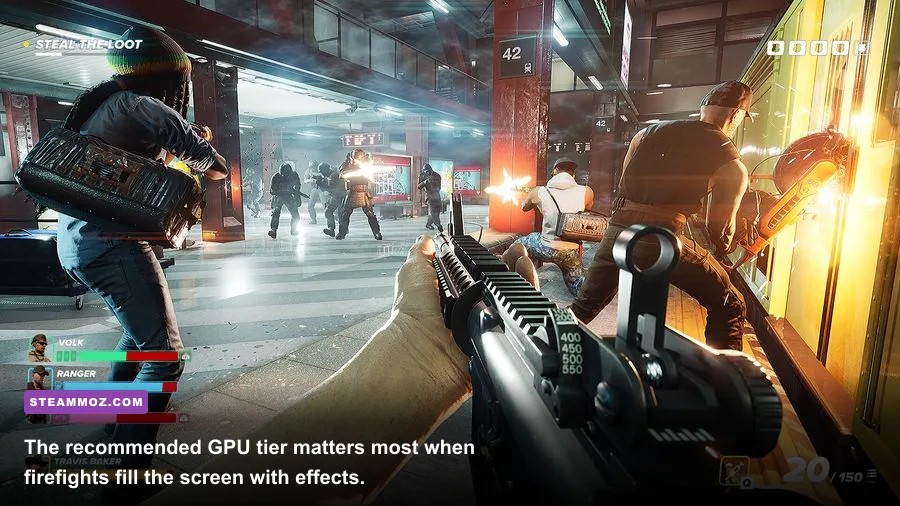
The GPU is the obvious starting point, but the game doesn't behave like a simple corridor shooter. A quiet approach in a small interior can be relatively easy to render. A loud mission in a street or warehouse, with muzzle flashes, smoke, shadows, enemies, and multiple teammates visible at once, is a much tougher workload.
GPU and VRAM
The GTX 1650 and RX 570 both sit at the minimum 4GB VRAM mark. That makes texture quality a priority setting. If you see stuttering when turning quickly or entering a new area, lower textures one step before aggressively reducing resolution. VRAM pressure often produces hitching rather than a consistently low average frame rate.
The RTX 2060's 6GB buffer is a more comfortable 1080p target, while the RX 5700 XT's 8GB gives it useful breathing room for higher texture settings. Neither card should be treated as a guaranteed 1440p-ultra solution, especially once post-processing, shadows, and volumetric effects are pushed hard.
CPU, RAM, and storage
The i5-9600 and Ryzen 5 3600 are six-core processors, while the recommended i7-9700K and Ryzen 7 3700X offer eight cores. That extra CPU capacity is valuable when the game is calculating police behavior and ally movement during a messy escape. If your GPU usage drops below its usual level while frame times spike during combat, you're likely CPU-limited rather than graphics-limited.
Sixteen gigabytes of RAM matches the official requirement, but don't confuse “enough” with “generous.” Shut down Chrome, video editors, RGB utilities, and unnecessary overlays. Installing the game on an SSD won't magically raise average FPS, but it can make loading and asset streaming feel less punishing. It also makes a big difference if your old hard drive is already busy with Windows background tasks.
For broader PC troubleshooting, Steamoz's ELEX PC fixes guide covers the same useful basics: driver cleanup, overlays, and crash-focused checks. The principles carry over well here.
Best graphics settings for stable performance

Start at 1920x1080, use fullscreen if the game behaves better there, and adjust one setting at a time. Don't judge a profile from the menu or a quiet safe area. Test it during a loud firefight, because that is where frame-time spikes become obvious.
| Setting | Recommended value | Performance impact | Visual trade-off |
|---|---|---|---|
| Resolution | Native 1080p | High | Lowering resolution gives the biggest GPU gain but softens the image. |
| Textures | High on 6GB+ VRAM; Medium on 4GB | Low to medium | Lower values reduce surface detail and can help VRAM stutter. |
| Shadows | Medium | High | Medium keeps silhouettes readable without the heavy cost of ultra shadows. |
| Effects | Medium | Medium to high | Controls the density and quality of explosions, smoke, and combat effects. |
| Post-processing | Medium | Medium | Lowering it can reduce blur and improve clarity during movement. |
| View distance | High on recommended PCs; Medium on minimum PCs | Medium | Higher values preserve distant detail but increase scene workload. |
| Anti-aliasing | High, then reduce if GPU-limited | Medium | Lower settings reveal jagged edges on railings and distant geometry. |
| Motion blur | Off | Small | Improves target visibility during quick turns and sprinting. |
| Frame cap | Match your monitor, or 60 FPS | Stability gain | A cap can smooth frame pacing and prevent needless GPU spikes. |
On a minimum-spec machine, use Medium textures, Medium shadows, Low-to-Medium effects, Medium view distance, and a 60 FPS cap. If performance still collapses during police waves, reduce shadows and effects before touching textures. On a recommended PC, High textures and view distance with Medium shadows is a sensible starting point. The goal is consistent gunplay, not a screenshot-worthy menu benchmark.
Upscaling options can be useful when your build exposes them, but check the result at native resolution. Aggressive upscaling may create shimmer around fences, wires, and distant characters—exactly the kind of visual noise that makes an already frantic heist harder to read. For more setting-by-setting advice, see Steamoz's Dragonkin settings breakdown.
Why co-op can feel heavier than solo play

Crime Boss: Rockay City is designed around a crew, and co-op changes the performance picture. Four players can spread across an objective, trigger more enemies, and create more simultaneous effects than a cautious solo run. The result isn't always a lower average frame rate, but it can produce sharper dips and worse frame pacing.
Keep voice chat and overlays under control if your system is already close to the minimum. Steam, Discord, GeForce Experience, recording software, and browser hardware acceleration can all compete for memory or inject extra rendering work. If you experience network-looking stutter, check whether the issue appears in offline play too. A local frame-time spike points toward the PC; a delayed enemy response or rubber-banding points toward the connection or host.
The campaign's roguelite structure also means you won't always revisit identical situations. Baker's crew can move from a controlled setup to a chaotic escape quickly, so a graphics profile that feels perfect during the opening minutes may fail once alarms trigger. Test your settings in the most demanding part of a mission, not the calmest.
That same practical mindset helps with other demanding games. Steamoz's Don Duality beginner build guide is about progression rather than graphics, but it makes a similar point: prepare for the messy middle of a run, not the comfortable opening.
Upgrade advice for minimum-spec PCs
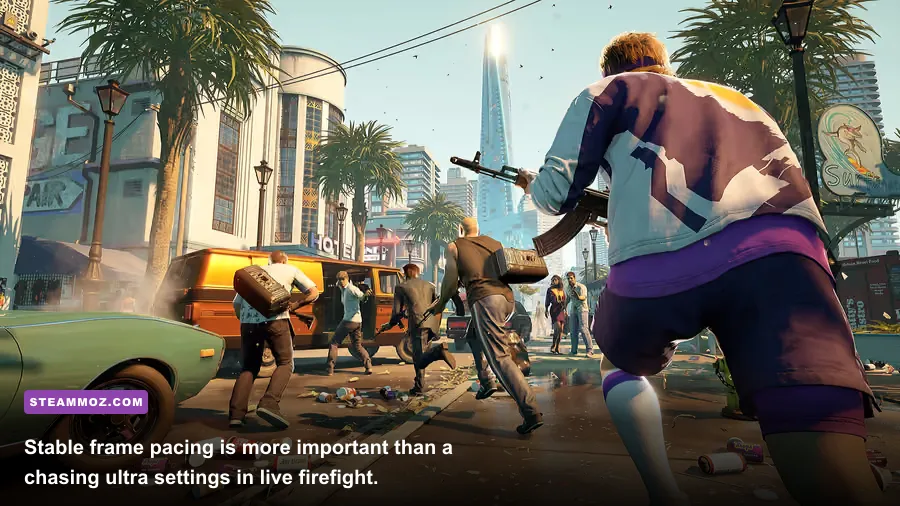
If your computer misses the published requirements, upgrade in this order: graphics card first, then memory if you have less than 16GB, then storage if you're still using a hard drive. A stronger GPU is the clearest route to better image quality and higher resolution. However, an inexpensive RAM upgrade can prevent background-task stutter, while an SSD improves the overall feel of loading and asset streaming.
| Current situation | Best first move | Why | Target profile |
|---|---|---|---|
| 8GB RAM | Upgrade to 16GB | The game officially expects 16GB, leaving little room for Windows. | 16GB dual-channel memory |
| GTX 1650 or RX 570 with stutter | Lower textures and effects first | Both cards have only 4GB VRAM. | Medium textures, 1080p, 60 FPS cap |
| Old four-core CPU | CPU/platform upgrade | AI-heavy combat can cause frame-time spikes. | Ryzen 5 3600-class or better |
| Hard drive installation | Move the game to an SSD | Reduces loading friction and potential streaming delays. | 90GB free on a modern SSD |
| Recommended CPU and GPU | Keep High textures, tune shadows | Shadows and effects are usually better performance levers. | 1080p High with Medium shadows |
Don't chase an expensive upgrade blindly. Monitor GPU usage, VRAM, system RAM, and per-core CPU load during a difficult mission. A GPU pinned near 99% means lower resolution or effects will help. A GPU sitting well below full usage while one or two CPU cores are slammed means a processor or background-process issue is more likely.
For the cleanest baseline, update Windows, install the latest stable graphics driver, verify the game files through Steam, disable unnecessary overlays, and reboot before testing. The Steam product page remains the final authority for any revised requirements, while the 505 Games page and INGAME STUDIOS site are worth checking for patches and official game information.
The short version is straightforward: 16GB RAM and an SSD should be considered the practical baseline, while a GTX 1650 or RX 570 can get you in the door at sensible 1080p settings. For a smoother co-op experience with better visual headroom, target the RTX 2060 or RX 5700 XT class and the recommended eight-core CPU tier. Crime Boss is at its best when the frame rate stays steady through the alarm, the getaway, and the inevitable moment when Rockay City turns the whole street against you.