If you want the best City of Gangsters: The Irish Outfit graphics settings for max FPS and performance, start with 1920x1080, exclusive fullscreen where available, VSync off, anti-aliasing on a moderate setting, shadows on Low, and textures on Medium or High. The game is not a twitch shooter, so a stable 60 FPS matters more than chasing an inflated number. On older PCs, lowering shadows and resolution scaling gives the biggest immediate improvement; on modern systems, CPU simulation and large late-game cities are usually the real limit.
The Irish Outfit is a management-heavy expansion, and that changes what “performance” means. You’re not reacting to frame-perfect enemy attacks. You’re scanning blocks, checking production chains, assigning jobs, watching cash flow, and dragging the camera across a city that gets busier every season. A steady frame rate keeps that routine snappy. It also reduces the little annoyances—camera hitching, delayed clicks, and menus that feel sluggish—when your operation fills several neighborhoods.
Best City of Gangsters graphics settings for maximum FPS
Use the profile below as your starting point. It’s aimed at a typical 1080p gaming PC with an older quad-core processor or a mid-range laptop GPU. City of Gangsters has a deliberately stylized presentation, so reducing expensive effects usually costs less visual clarity than you’d expect.
| Setting | Recommended Value | FPS Impact | Visual Note |
|---|---|---|---|
| Display Mode | Fullscreen | Low to medium | Usually gives the cleanest frame pacing and avoids desktop compositor interference. |
| Resolution | 1920x1080 | High | Keep native resolution first; lower it only when the GPU is clearly overloaded. |
| VSync | Off, or adaptive through the driver | Medium | Off reduces latency; adaptive can hide tearing without forcing a hard refresh lock. |
| Frame Limit | 60 FPS | Medium | A cap prevents unnecessary GPU load while keeping camera movement smooth. |
| Anti-Aliasing | Medium | Medium | Moderate AA cleans building edges without the cost of the highest mode. |
| Shadows | Low | High | The best first reduction for crowded districts and moving camera views. |
| Textures | High, or Medium under 4GB VRAM | Low to medium | Texture quality mostly affects VRAM, not raw CPU simulation speed. |
| Effects | Medium | Medium | Preserves readable lighting and production visuals without wasting headroom. |
| Post-Processing | Low or Medium | Low to medium | Lower it if menus, haze, or camera transitions feel soft or uneven. |
| Ambient Occlusion | Off or Low | Medium | Low is a good compromise; off is useful on integrated graphics. |
These labels can differ slightly between game builds, display drivers, and hardware. If an option is missing, don’t waste time hunting for a hidden configuration file. The important priorities remain the same: resolution and shadows for GPU load, then anti-aliasing and post-processing. Texture quality should be the last thing you reduce unless the game is stuttering during camera movement.

🎮 City of Gangsters: The Irish Outfit
Looking to experience this game? Grab your digital key directly on our store for $0.99.
View on Steammoz Store →Why shadows and resolution matter more than textures
City of Gangsters looks deceptively light because its camera sits above the action and the art style is clean. That doesn’t mean every setting costs the same. Shadows can require extra scene calculations across streets, buildings, vehicles, and characters. When you zoom into a dense neighborhood, those calculations become more noticeable than they are on an empty map.
Resolution is the blunt instrument. Moving from 2560x1440 to 1920x1080 cuts the number of rendered pixels by roughly 44 percent, which can rescue a laptop GPU immediately. Dropping from 1920x1080 to 1600x900 cuts another 31 percent. The trade-off is obvious: text, icons, and building outlines become softer. Since this is a game about reading small production details, keep 1080p if your system can hold a stable 60 FPS.
Textures work differently. They mainly consume video memory. If your graphics card has 6GB or more of VRAM, High textures should be a sensible choice at 1080p. With 2GB or 4GB, Medium is safer, especially if you run the game on a second monitor or keep several browser tabs open. Texture-related trouble often appears as hitching when you pan across the city rather than as a consistently low frame rate.
Anti-aliasing is worth keeping at Medium because the game contains plenty of diagonal roofs, road edges, signs, and narrow building silhouettes. Turning it off may produce jagged lines that make busy blocks harder to read. If you need more FPS, lower shadows first. That preserves the information you actually use while managing the gang.
Best settings for CPU-limited late-game cities
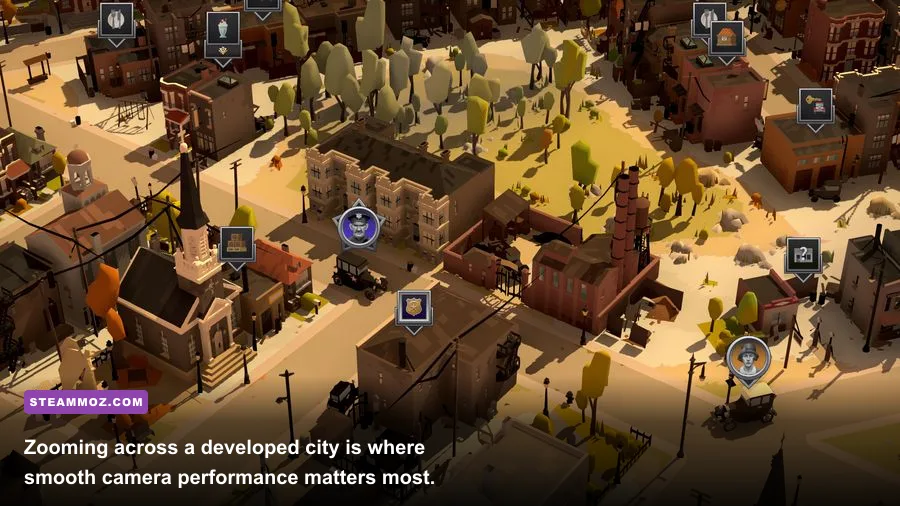
Not every slowdown is a graphics problem. The Irish Outfit campaign can become more demanding as you add production buildings, suppliers, workers, delivery routes, and rival activity. A crowded city may cause brief dips even when your GPU is barely working. If reducing resolution changes nothing, you’re probably CPU-limited rather than GPU-limited.
Watch your system while the game is running. If the GPU sits below roughly 70 percent usage during a stutter while one CPU core spikes, lowering resolution won’t solve it. Close background launchers, browser tabs, recording software, and RGB utilities first. Then use a stable 60 FPS cap. A cap gives the processor and graphics card predictable breathing room, which can make camera movement feel smoother even if the average FPS number doesn’t rise.
| Symptom | Likely Limit | First Fix | What Not to Change First |
|---|---|---|---|
| Low FPS everywhere | GPU or resolution load | Lower shadows, effects, then resolution | Textures, unless VRAM is full |
| Dips only over dense districts | CPU simulation or draw calls | Cap at 60 FPS and close background apps | Immediately dropping to 720p |
| Short freezes while panning | Asset streaming or VRAM pressure | Use Medium textures and restart the game | Disabling anti-aliasing alone |
| Tearing while moving the camera | Refresh synchronization | Enable adaptive sync or VSync | Raising every quality setting |
| Menus feel delayed | VSync queue or system load | Test VSync off and set a frame cap | Lowering texture quality first |
There’s also a gameplay-side performance habit that helps. Don’t keep the camera constantly sweeping across the entire city while you make decisions. Zoom into the neighborhood you’re managing, pause briefly while assigning several jobs, and then move on. That won’t change the game’s simulation cost, but it reduces the constant rendering spikes that make a busy campaign feel uneven.
1080p, 1440p, and low-end laptop profiles
Choose a profile based on the hardware you actually have, not the refresh rate printed on your monitor. City of Gangsters doesn’t benefit much from 144 FPS, and the extra load can make late-game simulation dips more obvious. For most players, 60 FPS is the sensible target. If your monitor supports variable refresh rate, a 72 or 90 FPS cap can work, but only if the game remains consistently above that line.
| Hardware Target | Resolution | Quality Profile | Expected Goal |
|---|---|---|---|
| Integrated graphics laptop | 1600x900 or 1920x1080 | Low shadows, Medium textures, Low effects, AA Low | Stable 30-60 FPS depending on city size |
| Entry-level gaming laptop | 1920x1080 | Low shadows, High textures, Effects Medium, AA Medium | Mostly stable 60 FPS |
| Mainstream desktop GPU | 1920x1080 | Medium shadows, High textures, Effects High, AA Medium | Locked 60 FPS with headroom |
| Modern mid-range GPU | 2560x1440 | Medium or High shadows, High textures, Effects High | 60 FPS, with occasional CPU-side dips possible |
| Steam Deck-class hardware | 1280x800 | Low shadows, Medium textures, 40 or 60 FPS cap | Prioritize consistent frame pacing and readable UI |
At 1440p, start by lowering shadows instead of switching to 1080p. That keeps the interface sharper and usually removes the most expensive visual overhead. On a low-end laptop, 900p is often a better compromise than 720p because text remains legible. If the game’s interface becomes blurry, use native resolution and accept a 30 FPS cap rather than making the entire campaign harder to read.
Windows, driver, and Steam fixes for stutter
Before changing hidden files, apply the boring fixes that actually work. Update your graphics driver, let Steam finish shader or game updates, and launch the game from an SSD if possible. A hard drive can turn camera movement into small pauses when assets load, especially after you have built up a complicated city.
In Windows, set the game to use the dedicated GPU through Settings > System > Display > Graphics if you’re on a laptop. Plug the laptop into power and select a performance-oriented power mode. Disable overlays from Steam, Discord, GeForce Experience, or Xbox Game Bar one at a time if you’re diagnosing hitching. Overlays aren’t automatically bad, but stacking several of them can create inconsistent frame pacing.
Use Steam’s file verification tool if the game suddenly starts stuttering after an update. You can find it under the game’s Properties menu, then Installed Files. Don’t delete configuration files until you’ve written down your current settings; a reset may solve a corrupted option, but it also makes troubleshooting harder.
If you use an NVIDIA or AMD driver-level frame limiter, don’t run three separate caps at once. Pick one: the in-game limiter, your driver, or an external tool. Multiple limits can add latency or produce uneven pacing. For a conventional 60Hz display, an in-game 60 FPS cap with VSync off is a good first test. If tearing bothers you, try adaptive sync or VSync and compare camera movement rather than trusting the FPS counter alone.
Performance settings that protect campaign readability
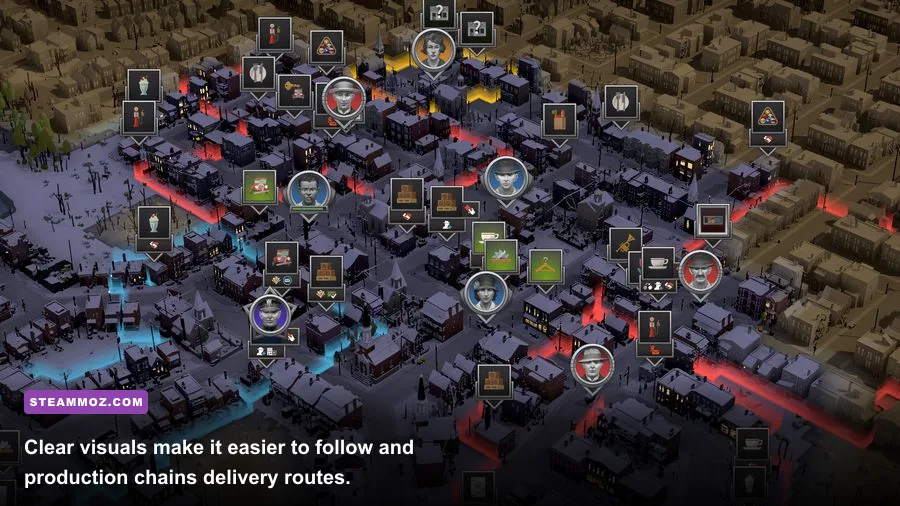
Maximum FPS isn’t automatically the best experience in a management game. The Irish Outfit campaign asks you to distinguish suppliers, production buildings, warehouses, speakeasies, and delivery routes at a glance. Excessive sharpening, very low textures, or a reduced resolution can make those decisions slower even if the counter looks healthier.
Keep textures at High when your VRAM allows it, leave anti-aliasing at Medium, and spend your performance budget on a stable cap. Turn down shadows and ambient occlusion before touching interface clarity. If the screen feels too dark or muddy, restore post-processing to Medium before raising every other option. You want buildings to separate cleanly from roads and neighboring blocks, especially when several operations are packed together.
The same principle applies to your wider campaign habits. If you’re still learning how to manage a growing operation, Steamoz’s starting build advice for first-time dons is useful for thinking about early expansion without overextending. Players coming from stealth strategy should also check our Desperados III coverage, though City of Gangsters rewards economic planning rather than tactical combat.
A quick testing routine for your final setup
Don’t judge a graphics preset from the opening screen. Load a save with a developed Irish Outfit neighborhood, zoom from the street-level view to the widest city view, and pan across your busiest production area. Watch for three things: average FPS, frame-time spikes, and input response when selecting buildings or opening management panels.
Change one option at a time. Start with shadows, then effects, then anti-aliasing, and finally resolution. If a setting produces no measurable improvement, restore it and move to the next one. This matters because a CPU-limited city can make several GPU settings appear useless. You’re trying to identify the actual bottleneck, not blindly force every slider to Low.
For official information, check the City of Gangsters Steam page, the game’s Steam community discussions, and Kasedo Games’ official site. Patch changes can alter rendering behavior, controller support, or expansion compatibility, so those sources are better than relying on an old tweak pack.
Finally, if your campaign still stutters after the profile above, settle on 30 FPS rather than chasing unstable 60. A locked, responsive 30 is perfectly playable here, while constant swings between 35 and 60 make camera movement and menu selection feel worse. The winning Irish Outfit setup is simple: native resolution when possible, shadows reduced early, textures preserved for clarity, background apps closed, and a frame cap that your busiest neighborhood can actually hold.
For more strategy-sim optimization ideas, our guides to saving your first town in Din’s Curse and Dragonkin performance settings cover the same useful mindset: protect clarity, find the real bottleneck, and build a setup around consistent play rather than headline numbers.