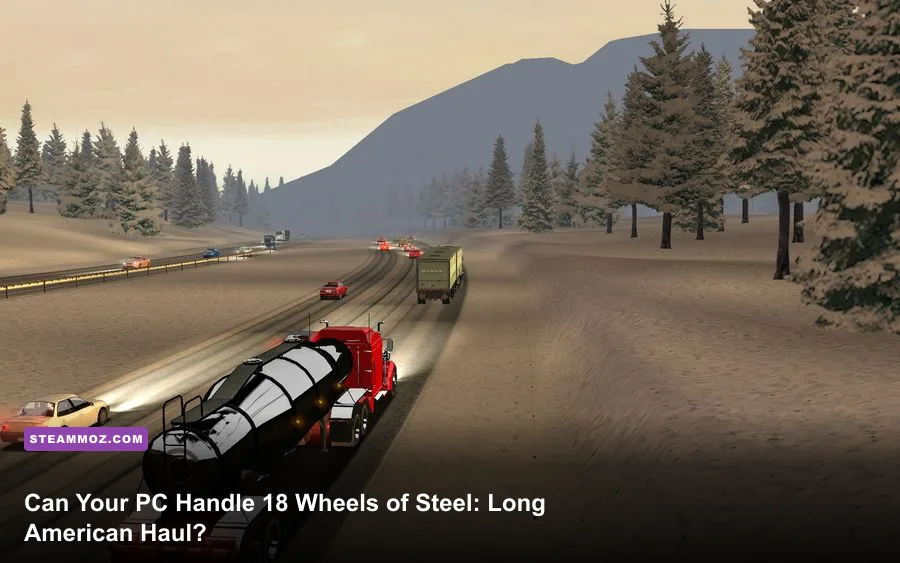
18 Wheels of Steel: American Long Haul is exceptionally easy to run: the official baseline calls for only a 1 GHz processor, 256 MB of RAM, a 32 MB DirectX 9 graphics card, and roughly 540 MB of storage. There is no consistently published modern “recommended” tier, but virtually any Windows PC from the last decade sits far above the game's needs. The real work is compatibility—old DirectX behavior, widescreen scaling, drivers, and save-folder permissions—not raw horsepower.
That distinction matters. American Long Haul launched in 2007, when a modest desktop could spend hours rendering its highways, traffic, depots, and weather effects. Today, an office mini-PC or basic laptop can usually deliver smooth performance, while a modern gaming rig may spend more time dealing with legacy display quirks than stressing its CPU or GPU. If you're checking the 18 Wheels of Steel: American Long Haul system requirements, the short answer is reassuring: almost any functioning Windows gaming machine can handle it.
Official American Long Haul PC requirements

The published minimum specification is extremely light by modern standards. Steam lists Windows XP/Vista/7-era operating systems, a 1 GHz processor, 256 MB of system memory, a 32 MB video card compatible with DirectX 9.0c, and 540 MB of available storage. Those numbers describe the world the game was built for, not a demanding contemporary PC target.
There is an important caveat: American Long Haul does not have a reliable, universally documented official recommended specification in the same way newer simulators do. Rather than inventing a fake “recommended” CPU or graphics card, it makes more sense to separate the historical minimum from a practical modern target. A dual-core processor, 2 GB of RAM, and integrated graphics from the Intel HD era already provide a comfortable margin.
| Component | Official minimum | Practical modern target | Why it matters |
|---|---|---|---|
| Operating system | Windows XP/Vista/7-era Windows | Windows 10 or 11, with compatibility tweaks if needed | Modern Windows may need legacy display and permission fixes |
| Processor | 1 GHz CPU | Any recent dual-core CPU | The simulation is light, though busy scenes still benefit from newer single-thread speed |
| Memory | 256 MB RAM | 2 GB available system memory | Leaves room for Windows, Steam, overlays, and background apps |
| Graphics | 32 MB DirectX 9-class card | Intel HD 4000, Radeon HD equivalent, or newer | Modern integrated graphics massively exceed the original requirement |
| DirectX | DirectX 9.0c-compatible hardware | Current DirectX-compatible GPU with legacy support | Compatibility is more important than shader power |
| Storage | 540 MB | At least 1 GB free | Provides breathing room for installation files, saves, and troubleshooting |
For context, this is even lighter than many older PC games people call “low spec.” Our Drawful 2 PC specs guide covers a similarly modest game, but American Long Haul's 3D world still deserves a little attention to graphics compatibility.

🎮 18 Wheels of Steel: American Long Haul
Looking to experience this game? Grab your digital key directly on our store for $3.99.
View on Steammoz Store →What the minimum specs actually mean today
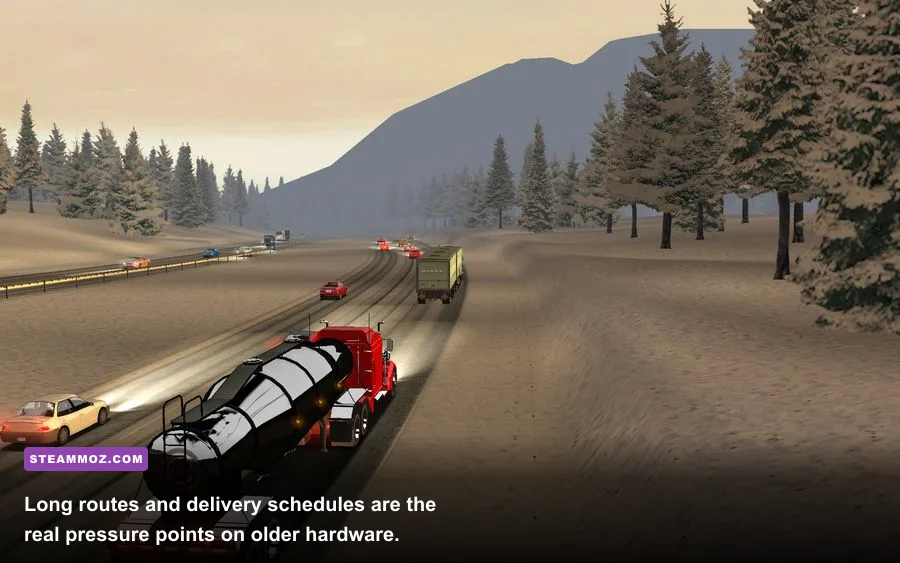
A 1 GHz processor and 256 MB of RAM are enough to satisfy the historical checklist, but they aren't a sensible shopping target in 2026. Those parts are now ancient, unsupported, and often attached to operating systems that create more problems than the game itself. Meeting the minimum on paper doesn't guarantee a clean experience on a current PC.
The CPU handles more than drawing the road. It also processes traffic, route logic, cargo timing, collisions, police encounters, and the economy running behind your company. American Long Haul is not CPU-heavy in the modern sense, but a very old single-core chip can produce stutter when several vehicles and roadside objects enter the scene together. That hitching is usually brief, yet it can be annoying during tight turns or busy city approaches.
Memory is less scary. The game was designed for 256 MB systems, so 4 GB or 8 GB of total RAM is more than enough for the title itself. The practical requirement comes from the operating system: Windows 10 can consume several gigabytes before Steam, a browser, Discord, or recording software joins the party. Close unnecessary applications if you're using an old laptop, but don't waste money upgrading a modern machine solely for this game.
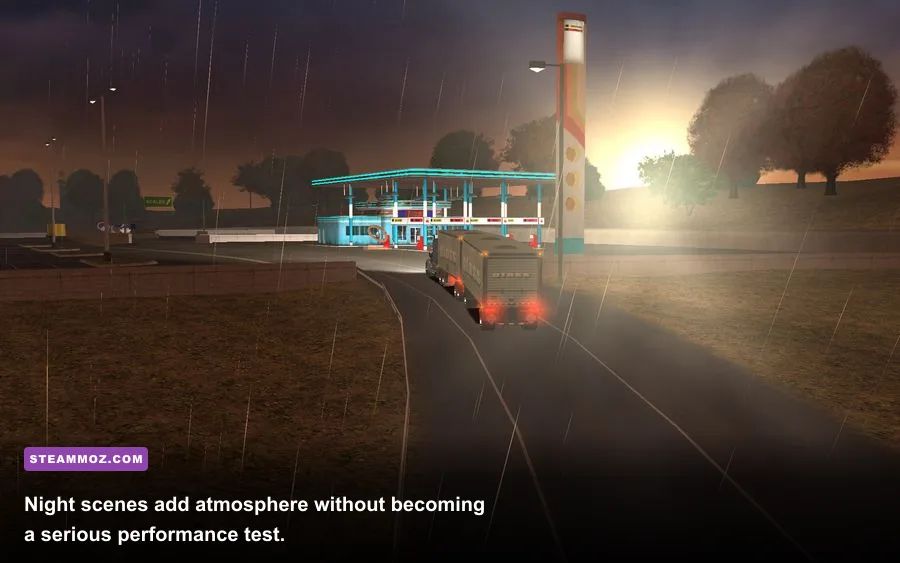
The graphics requirement is similarly tiny. American Long Haul uses simple geometry, low-resolution textures, restrained lighting, and a small selection of effects. It doesn't need a dedicated gaming GPU. Integrated graphics such as Intel HD 3000/4000, Intel UHD, AMD Vega, or Radeon 680M are all comfortably beyond the original 32 MB DirectX 9 class.
| PC type | Expected result | Likely limitation | Best approach |
|---|---|---|---|
| Original-era XP desktop | Playable at native resolutions | Driver support and aging storage | Use the original display mode and avoid unnecessary patches |
| Budget Windows laptop | Smooth at 720p or 1080p | Integrated driver quirks | Use compatibility mode and disable overlays |
| Modern office mini-PC | Comfortable performance | Widescreen scaling or launcher behavior | Test windowed mode if fullscreen misbehaves |
| Modern gaming desktop | Massive hardware headroom | Legacy DirectX and refresh-rate issues | Prioritize stable frame pacing over maximum settings |
Recommended specs for a smooth modern experience

Since the publisher's recommended numbers are inconsistent across listings, here's the useful answer: target any PC with a dual-core processor, 2 GB or more of available RAM, integrated graphics released after roughly 2012, and 1 GB of free disk space. That profile is deliberately conservative. A four-core laptop CPU with 8 GB of RAM and any current integrated GPU will run American Long Haul with absurd headroom.
Don't confuse “recommended” with “required for 60 frames per second.” The game's frame-rate ceiling and presentation depend heavily on its old engine and display mode. A current GPU can render the scene instantly, but that doesn't automatically fix input latency, inconsistent frame pacing, or a launcher that chooses an awkward resolution. In other words, a GeForce RTX card isn't a performance solution here; it is simply unnecessary.
Storage deserves one small warning. The base installation is tiny, but leave more than the listed 540 MB free. Windows needs working space, Steam may create temporary files, and community fixes or texture replacements can expand the footprint. A solid-state drive won't dramatically increase the game's frame rate, though it can make loading between menus and deliveries feel snappier than an old mechanical disk.
If you're comparing this with heavier trucking games, the gap is enormous. American Long Haul has no modern open-world streaming burden, dense photorealistic cabin interiors, or huge texture packages. Our coverage of Dragonkin graphics settings deals with genuine GPU tuning; here, you are mostly protecting an older title from modern Windows oddities.
| Recommended component | Comfortable target | Performance expectation | Overkill territory |
|---|---|---|---|
| CPU | Recent 2-core or 4-core processor | Stable simulation and quick menu response | Any current Core i5, Ryzen 5, or better |
| RAM | 4 GB total system memory | Enough for Windows and background tasks | 8 GB or more |
| GPU | Intel HD 4000 or newer integrated graphics | High settings at common laptop resolutions | Any dedicated GPU released after 2012 |
| Display | 1280x720 or 1920x1080 | Clear road visibility without stressing the renderer | 1440p and ultrawide, subject to scaling quirks |
| Drive | 1 GB free on SSD or HDD | Reliable installation and save creation | NVMe SSD, with no meaningful FPS benefit |
Graphics settings that matter most
American Long Haul's settings menu is not a modern laboratory of granular sliders. You won't find DLSS, FSR, ray tracing, ambient-occlusion controls, or a detailed traffic-density panel. Resolution, fullscreen behavior, detail options, and basic rendering quality do most of the work. That simplicity is good news: there are fewer settings to diagnose when something looks wrong.
Start at 1280x720 if you're using an old laptop, then move to 1920x1080 on newer hardware. Higher resolutions sharpen the dashboard and road signs, but they can expose stretching or black-bar behavior depending on the display mode. If fullscreen produces flicker, a black screen, or an image pushed toward one corner, try windowed mode first. On some systems, forcing a compatible resolution through the game's configuration files is more reliable than repeatedly changing the in-game option.
Detail and draw distance are the settings most likely to affect the GPU. Lowering them reduces roadside scenery and distant object visibility, but it can make the world feel emptier. Keep detail high on any PC made after 2010. If you're on genuinely old hardware, reduce detail one step before sacrificing resolution; readable road geometry is more useful than a few extra trees.
| Setting | Recommended value | FPS impact | Visual trade-off |
|---|---|---|---|
| Resolution | Native display resolution, or 1280x720 on older laptops | Medium to high | Lower values improve performance but soften road signs and dashboard text |
| Fullscreen | Use only if stable | Low | Windowed mode can solve scaling, focus, and black-screen issues |
| World detail | High on modern integrated graphics | Low to medium | Lower settings remove scenery and reduce visual depth |
| Traffic and effects | Default or high | Low | Lower values make busy routes look less lively |
| V-sync | Enable if tearing appears | Low, but may add latency | Improves presentation during panning and highway driving |
| Texture quality | Highest available | Very low on modern hardware | Lower textures make trucks, signs, and buildings noticeably blurry |
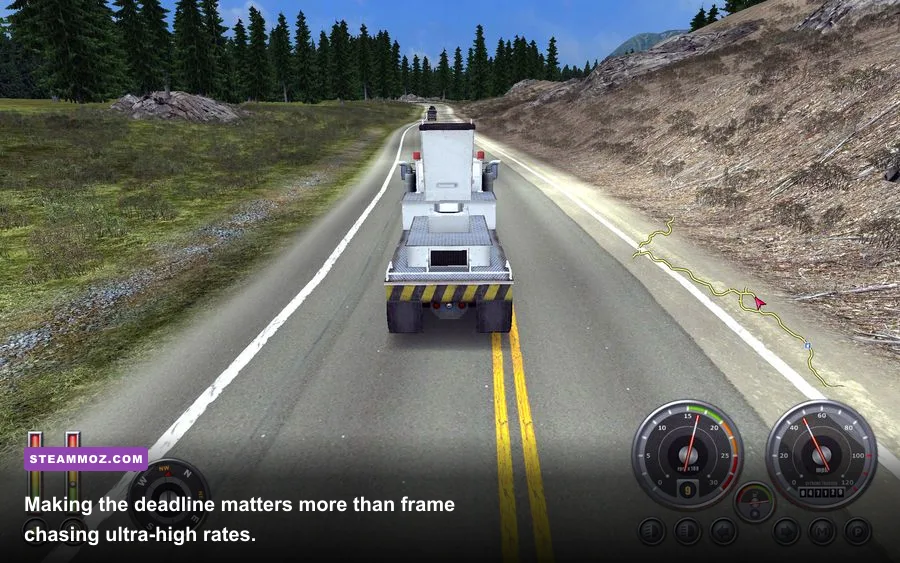
Expectations should stay realistic. A visible 60 FPS counter doesn't automatically make the game feel like a modern simulator. The engine's animation, physics, and input behavior were designed around older displays and controllers. Stable frame pacing is the win; chasing 144 FPS is mostly a number-collecting exercise.
Windows 10 and Windows 11 compatibility fixes
Modern Windows is the likely troublemaker. If the game refuses to launch, crashes after the opening screen, or shows an incorrectly scaled image, start with the basics: verify the installation through Steam, run the executable with a compatible Windows mode, and test “Run this program as administrator” only if the game cannot create saves or settings. Administrator mode shouldn't be your first performance tweak; it is a permissions workaround.
Fullscreen optimization can also interfere with older DirectX games. Right-click the game's executable, open Properties, choose Compatibility, and test “Disable fullscreen optimizations.” High-DPI scaling is another common culprit on 1440p and 4K monitors. Set scaling behavior to Application or System, then relaunch the game rather than changing options while it is running.
Overlays are worth disabling during troubleshooting. Steam Overlay, Xbox Game Bar, GeForce Experience, Radeon Software, and third-party monitoring tools can hook into older renderers in ways they never would with a current title. Turn them off one at a time so you know which change helped. If the game launches but immediately minimizes, a refresh-rate or fullscreen conflict is more likely than a weak GPU.
Save problems usually point to folder permissions or security software. Back up your save directory before experimenting with patches, mods, or compatibility settings. The game is old enough that community fixes can be useful, but download them from established modding communities and scan every executable. Don't trade a tiny performance gain for a compromised system.
These are familiar patterns across older PC games. Our ELEX crash-fix guide covers similar Windows-era troubleshooting, while our Dungeon Siege classic-PC coverage explains why old engines can be more temperamental than their graphics suggest.
Performance expectations on different PCs
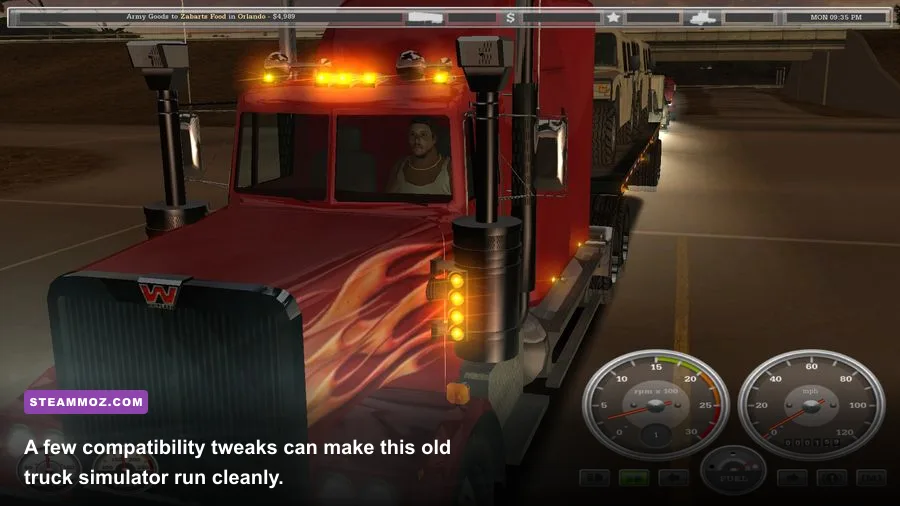
On the official minimum hardware, playability depends on the operating system and driver situation as much as the specification itself. A period-correct PC should run the game at its intended low resolution and settings, but crowded areas may show dips or short pauses. That is normal for hardware from the game's original era, especially when the system is also running antivirus tools or background services.
A basic modern laptop is the sweet spot. Even inexpensive machines with Intel UHD graphics or AMD integrated Radeon hardware can handle the game at 1080p with high detail. You should expect smooth highway driving, quick menu transitions, and no meaningful GPU limitation. Battery mode may reduce CPU clocks, so switch to the laptop's performance profile if the frame rate feels inconsistent.
A current desktop has more than enough power for every visual option the game exposes. If it still stutters, investigate compatibility rather than lowering settings. Check whether Windows is scaling the application, whether an overlay is injecting into the renderer, and whether the game is running on the wrong display adapter. A powerful GPU cannot compensate for a broken fullscreen path.
| Hardware profile | Suggested resolution | Suggested settings | Expected experience |
|---|---|---|---|
| Original minimum-class PC | 800x600 to 1024x768 | Low detail, windowed if necessary | Playable, with possible dips in busy scenes |
| Older office laptop | 1280x720 | Medium to high detail | Generally smooth and comfortable |
| Modern integrated-graphics laptop | 1920x1080 | High detail, native resolution | Smooth gameplay with huge hardware headroom |
| Modern gaming desktop | 1920x1080 or higher | Maximum available settings | GPU usage remains extremely low |
Should you buy it for a low-end PC?
Yes—provided you're interested in an older, more straightforward trucking game rather than a modern simulator packed with licensed interiors and advanced physics. American Long Haul's low system requirements are genuine, and its long-distance routes remain playable on hardware that struggles with current open-world games. The low price and tiny install footprint make it an easy experiment for an aging laptop or compact office PC.
Just keep the age of the software in view. You may need to test windowed mode, compatibility settings, or display scaling before the first successful haul. Wide monitors can look stretched, modern controller support may require extra configuration, and official documentation is limited compared with newer releases. Those are friction points, not hardware barriers.
The bottom line is simple: the minimum 18 Wheels of Steel: American Long Haul PC specs are a 1 GHz processor, 256 MB of RAM, a 32 MB DirectX 9 graphics card, and 540 MB of storage. For a practical recommended setup, use any recent dual-core CPU, 4 GB of RAM, integrated graphics from the 2010s onward, and at least 1 GB of free space. If your PC can run a web browser and Steam comfortably, it almost certainly has the horsepower for a coast-to-coast haul.
Before installing, check the game's official Steam listing for the current platform information, consult SCS Software's official site for developer context, and use Microsoft's Windows support resources if a legacy compatibility setting behaves strangely. Once the display is stable, stop tweaking and enjoy the road—the game has been asking drivers to do exactly that since 2007.