
The best open world games for Steam Deck in 2026 are Cyberpunk 2077, Elden Ring, Red Dead Redemption 2, The Witcher 3: Wild Hunt, and Fallout 4. Cyberpunk 2077 is the best modern showcase, Elden Ring is the best action RPG, Red Dead Redemption 2 is the best slow-burn adventure, and The Witcher 3 remains the safest all-round recommendation. For the smoothest experience, target 30 or 40 FPS rather than chasing an unstable 60 FPS, use a 1280x800 or 1280x720 profile, and install demanding games on an SSD.
This ranking weighs Steam Deck compatibility, frame-time consistency, battery use, control quality, loading behavior, visual clarity, and how well each game preserves its open-world identity on a seven-inch screen. All five games provide hundreds of hours of exploration, but they suit different players: some prioritize combat, others story, mod support, freedom, or a world that can be enjoyed in short handheld sessions.
The 2026 Steam Deck Open-World Ranking

1. Cyberpunk 2077 — S-Tier futuristic RPG
Cyberpunk 2077 is the most technically ambitious open-world game on this list and the best choice if you want dense city exploration, first-person gunplay, meaningful builds, and cinematic quests. V can travel through Watson, West Wind Estate, Pacifica, Santo Domingo, Heywood, and the Badlands, with every district offering different enemy types and activities.
Its strongest handheld build is a level 20-40 Netrunner or Reflexes-focused pistol character. Overclock, Memory Wipe, Short Circuit, and Contagion let you clear groups without relying on perfect aiming. For a weapon-focused setup, the iconic Overture revolver, Fenrir submachine gun, and Byakko katana cover heavy targets, crowds, and close-range finishers. The Phantom Liberty expansion adds Dogtown, the Relic skill tree, and the powerful Relic Malfunction and Jailbreak options.
Use 30 FPS for the cleanest image or 40 FPS with a 40 Hz refresh rate when you prefer more responsive shooting. Set Textures to Medium, Volumetric Fog to Low, Screen Space Reflections to Low, Cascaded Shadows to Medium, and Ambient Occlusion to Medium. FSR 2 at Quality or Balanced works better than native resolution in busy areas. Turn off motion blur and chromatic aberration, but keep anisotropic filtering at 8x or 16x to preserve road and pavement detail.
Cyberpunk is also ideal for completionists. Our guide to unlocking every Phantom Liberty achievement covers the expansion's missable objectives, while this walkthrough for secret Cyberpunk 2077 characters helps you find optional encounters.
2. Elden Ring — S-Tier exploration and combat
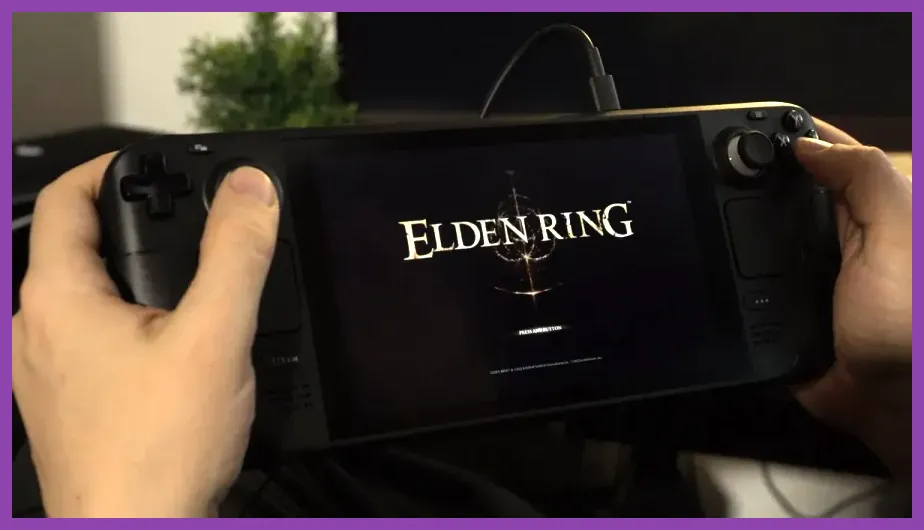
Elden Ring is the best open-world game for players who want discovery to drive progression. The Lands Between connects Limgrave, Liurnia of the Lakes, Caelid, Altus Plateau, Mountaintops of the Giants, and the underground regions of Siofra and Nokron. Its map rarely tells you exactly what to do, so landmarks, enemy behavior, and distant structures become your navigation system.
For a reliable first playthrough, begin with the Vagabond class, level Vigor toward 40 before pushing damage stats, and use the Bloodhound's Fang curved greatsword. Its Bloodhound's Finesse skill deals high damage while repositioning you away from danger. A shield with 100 physical damage negation makes early exploration easier, while Flame, Grant Me Strength, Golden Vow, and the Mimic Tear Spirit Ash provide enormous flexibility later.
Steam Deck performance is unusually dependable when capped at 30 FPS. Use the game's Medium preset, set Texture Quality to Medium, Shadow Quality to Low, Grass Quality to Medium, and Volumetric Quality to Low. Lock the refresh rate to 40 Hz only if you can tolerate occasional dips during weather transitions and large fights. The important advantage is consistent frame pacing: precise dodge timing against Margit, the Fell Omen, Starscourge Radahn, and Malenia matters more than a higher average frame rate.
3. Red Dead Redemption 2 — S-Tier world simulation
Red Dead Redemption 2 is the definitive choice for players who value atmosphere, character writing, and believable world simulation. Arthur Morgan's journey covers the Heartlands, Cumberland Forest, Lemoyne, New Hanover, and the snowy Grizzlies. Hunting, fishing, random encounters, camp upgrades, legendary animals, treasure maps, and stagecoach travel make the world feel active even when you are ignoring the main story.
The best handheld approach is to embrace the slower pace. Upgrade Dutch's lodging and the camp's fast-travel map early, then hunt a Perfect Deer Pelt for Pearson's satchel upgrades. The Improved Bow is useful for quiet hunting, while the Lancaster Repeater handles most mid-range encounters. Dead Eye abilities including Paint It Black, Four Finger Fillet, and Moment To Recuperate reward deliberate combat rather than frantic shooting.
Red Dead Redemption 2 is demanding but playable at a stable 30 FPS. Start with the Steam Deck preset, then set Textures to Ultra, Lighting to Medium, Global Illumination to Medium, Water Physics to Low, and Reflection Quality to Low. Keep Geometry Level of Detail around half and disable tree tessellation. Use FSR 2 at Quality if distant foliage looks too soft. Expect approximately two hours of battery life in demanding areas, so this is best for longer sessions near a charger.
Two More Open Worlds Worth Installing
4. The Witcher 3: Wild Hunt — A-Tier quest design
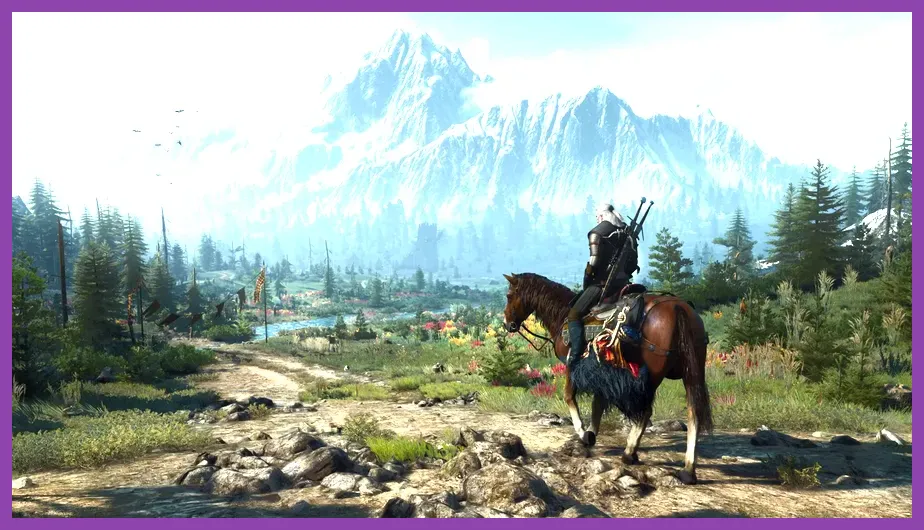
The Witcher 3: Wild Hunt is still the best open-world RPG for quest quality. White Orchard teaches the basics, Velen delivers grim political storytelling, Novigrad provides the densest urban content, and Skellige changes exploration into a mixture of sailing, island travel, and monster contracts. The Blood and Wine expansion adds Toussaint, one of the most colorful and memorable regions in any RPG.
Geralt's early priorities should be Delusion in the Axii tree for dialogue options, Exploding Shield in the Quen tree, and Gourmet if you are using the original skill layout. With the next-gen update, prioritize Razor Focus, Adrenaline Rush, and Fleet Footed for a fast sword build. Use Quen before difficult fights, apply Swallow for healing, and switch oils based on the bestiary entry: Necrophage Oil for drowners, Specter Oil for wraiths, and Relict Oil for leshens and chorts.
The Complete Edition runs well at 30 FPS using Steam Deck preset, Textures High, HairWorks Off, Foliage Visibility Range Medium, and Shadow Quality Low. Disable ray tracing completely. A 40 FPS cap is possible in lighter regions but does not remain consistent in Novigrad or Toussaint. The game loads quickly from an SSD and its menu-heavy quest structure makes it excellent for short sessions.
If you enjoy methodical RPG progression, compare Geralt's preparation loop with our guide on respeccing skills in Lies of P. The systems differ, but both reward spending points around a specific combat plan instead of unlocking everything randomly.
5. Fallout 4 — A-Tier freedom and mod support
Fallout 4 is the most flexible recommendation here. The Commonwealth contains Boston, Diamond City, Goodneighbor, Far Harbor, Nuka-World, and dozens of vaults, factories, settlements, and underground facilities. Its first-person shooting feels natural with gyro or trackpad aiming, and the settlement system gives you a reason to revisit locations after clearing them.
A strong starting build puts early points into Perception 4 for Locksmith, Intelligence 6 for Science!, and Agility 7 for Ninja if you want a stealth rifle character. The Combat Rifle is an excellent all-purpose weapon, while Deliverer makes a VATS pistol build extremely efficient. Pick up the Local Leader perk at Charisma 6 if you want linked settlement supply lines, then use purified water production at Sanctuary Hills to fund ammunition and crafting.
Fallout 4 benefits from conservative settings: Textures Medium, Shadow Distance Medium, God Rays Low, Decal Quantity Medium, and Weapon Debris Off. Cap the game at 40 FPS when possible, but 30 FPS is safer around downtown Boston. Avoid stacking high-resolution texture packs or script-heavy settlement mods on the Deck. Quality-of-life mods can be excellent, but install only Deck-compatible, actively maintained releases and keep a clean save before changing the load order.
Best Steam Deck Settings for Open-World Games

Open-world games stress the Steam Deck differently from linear action games. Streaming new terrain creates short CPU and storage spikes, while crowds, shadows, foliage, and reflections consume GPU time. The most dependable strategy in 2026 is to choose a frame-rate target first and reduce settings that affect frame time rather than simply lowering every option.
30 FPS profile for demanding worlds
Use this profile for Cyberpunk 2077, Red Dead Redemption 2, and crowded Fallout 4 areas: resolution 1280x800, refresh rate 60 Hz, frame-rate limit 30, textures Medium or High, shadows Low or Medium, volumetric effects Low, reflections Low, motion blur Off, depth of field optional, and anisotropic filtering 8x. Keep FSR or XeSS at Quality when available. This profile usually gives the best battery life and the most stable frame pacing.
40 FPS profile for responsive exploration
Use 40 FPS with a 40 Hz display refresh when playing The Witcher 3, Elden Ring, or lighter sections of Fallout 4. Set resolution to 1280x800, cap the game at 40, use Medium shadows, Medium foliage, and Low volumetric effects. Do not force 40 FPS on Cyberpunk's busiest streets or Red Dead Redemption 2's towns; a fluctuating 32-40 FPS feels worse than a locked 30 FPS.
Battery and storage priorities
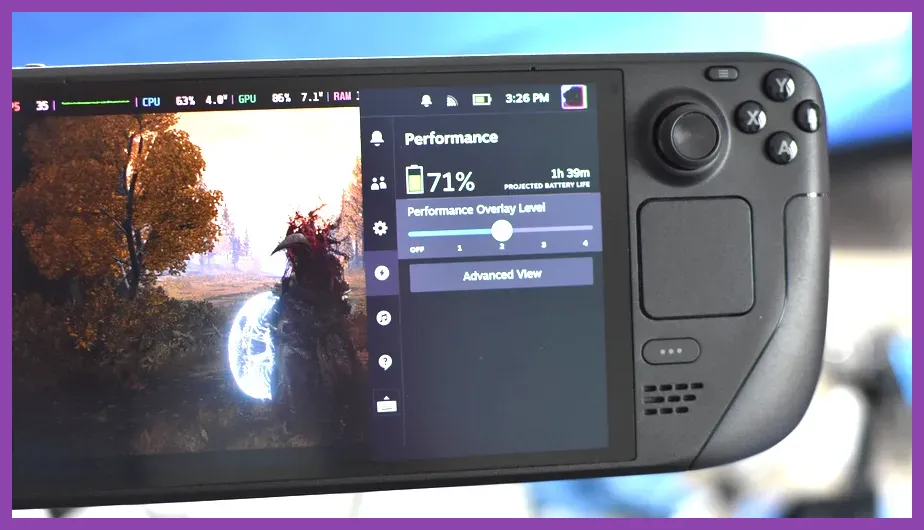
Keep shader pre-caching enabled, install these games on a fast microSD card or internal SSD, and avoid filling the drive beyond roughly 90 percent. Lowering screen brightness to 60 percent and using a 40 percent TDP limit can extend sessions, but test each title because a hard power limit may cause stutter during terrain streaming. The performance overlay should show frame time, GPU usage, CPU usage, and battery drain. A flat frame-time graph is more valuable than a peak FPS number.
For broader troubleshooting, our guide to fixing lag and low FPS in Project Zomboid explains the same CPU, simulation, and background-process checks that help with demanding open worlds.
Which Open World Should You Play First?
Choose Cyberpunk 2077 if you want the strongest combination of modern visuals, build variety, and compact quest density. Choose Elden Ring if exploration and difficult combat matter more than guided storytelling. Choose Red Dead Redemption 2 if you want a slow, cinematic adventure where hunting, riding, and character interactions are as important as shooting.
Choose The Witcher 3 if your priority is quest writing, monster contracts, and a huge amount of traditional RPG content. Choose Fallout 4 if you want first-person shooting, settlement construction, VATS, and mod-friendly experimentation. These are not interchangeable recommendations: each one uses the open world for a different purpose, and that difference is what makes the Steam Deck library so strong.
For players who want a shorter, more focused handheld loop, games such as Dredge and Dave the Diver are excellent companions rather than replacements. Steamoz's guide to beating Dredge's early bosses is useful when you want tense exploration without a 100-hour commitment, while this breakdown of legendary weapons in Dave the Diver covers another strong pick for short sessions.
Final Verdict for Steam Deck Owners in 2026
Cyberpunk 2077 is the overall winner, Elden Ring is the best combat-driven choice, Red Dead Redemption 2 is the best simulation, The Witcher 3 is the best quest-focused RPG, and Fallout 4 is the most customizable. Every game is worth installing, but your ideal first download depends on how you use the handheld. If you mostly play at home and want visual spectacle, start with Cyberpunk. If you need dependable suspend-and-resume sessions, choose Elden Ring or The Witcher 3. If immersion is the priority, Red Dead Redemption 2 remains unmatched.
Before installing, reserve at least 80GB for Cyberpunk 2077, 150GB for Red Dead Redemption 2, 60GB for The Witcher 3 Complete Edition, and approximately 40GB for Fallout 4 with room for saves and mods. Elden Ring requires less storage but still benefits from an SSD. Update Proton and the game, launch once to build shaders, apply the appropriate 30 or 40 FPS cap, and then judge performance after ten minutes in a busy area rather than from the opening tutorial.
That preparation turns these large PC worlds into dependable handheld adventures. In 2026, the Steam Deck's best open-world library is no longer about whether a game technically starts; it is about choosing the correct performance target and letting each world play to its strengths.