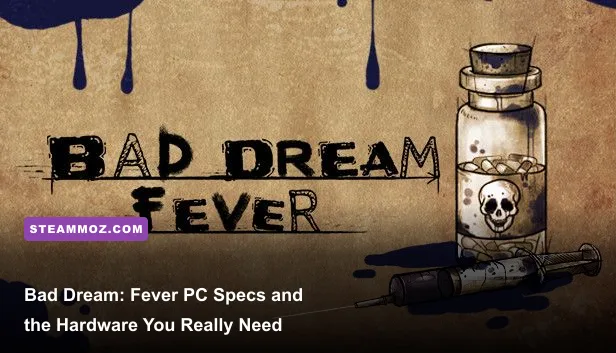
Bad Dream: Fever has extremely modest PC requirements. The Steam listing calls for a Windows 7-era computer with a 2 GHz processor, 2 GB of RAM, DirectX 9-compatible graphics, and roughly 2 GB of free storage. There is no separately published official recommended specification, but any relatively recent integrated-graphics laptop or desktop should run the game smoothly at 1080p. The real question isn't whether your GPU can render it; it's whether your PC can launch the correct Windows build and leave enough room for the installation.
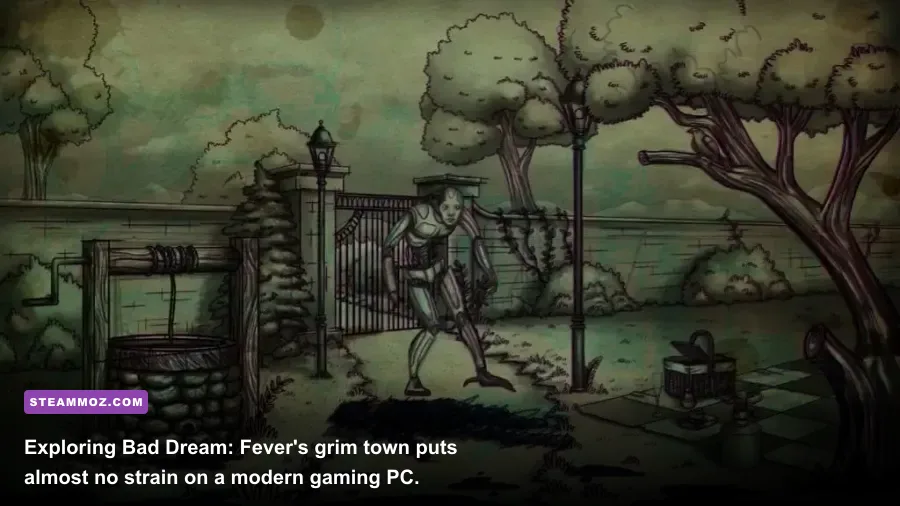
Released by Desert Fox in 2018, Bad Dream: Fever is a short, hand-drawn point-and-click horror adventure built around exploration, environmental clues, inventory puzzles, and some very uncomfortable decisions. It isn't a 3D survival horror game with dynamic lighting, physics, or demanding post-processing. The artwork is deliberately stark and stylized, which keeps the hardware burden tiny while still giving the game a nasty visual personality.
This guide breaks down the listed minimum requirements, gives you a sensible real-world recommended target, explains what each component does, and covers the fixes most likely to help if the game stutters, refuses to open, or displays incorrectly. If you want to check the listing before buying, use the official Bad Dream: Fever Steam page.
Bad Dream: Fever minimum system requirements
The official Windows requirements are about as forgiving as PC gaming gets. You don't need a dedicated graphics card, a multi-core gaming processor, or 16 GB of memory. A basic office computer from the early-to-mid 2010s is already close to the target, provided it runs a compatible version of Windows and has functioning DirectX support.
| Component | Official minimum | What it means in practice |
|---|---|---|
| Operating system | Windows 7 | Windows 10 and Windows 11 are the safest modern choices |
| Processor | 2 GHz CPU | Older Intel Core, AMD Athlon II, or comparable laptop CPUs should qualify |
| Memory | 2 GB RAM | Enough for the game itself, though 4 GB is more comfortable for Windows |
| Graphics | DirectX 9-compatible graphics | Integrated graphics should be sufficient; dedicated gaming hardware is unnecessary |
| DirectX | Version 9.0 | Modern Windows installations generally include the required runtime support |
| Storage | 2 GB available space | Reserve additional room for Steam files, shader caches, and save data |
| Sound | DirectX 9-compatible sound card | Built-in laptop audio is normally fine |
That 2 GHz line should not be read like a modern benchmark requirement. It identifies the rough class of processor the game expects, not a demand for a specific Intel or AMD model. A current Celeron, Pentium, Ryzen 3, Core i3, or almost any Core-series laptop chip will be comfortably beyond it. Even older dual-core hardware can usually manage the workload because the game spends most of its time displaying static or lightly animated 2D scenes.
The same goes for graphics. “DirectX 9-compatible” is a very low bar compared with DirectX 11 or DirectX 12 games. Intel HD Graphics, Intel UHD Graphics, AMD Radeon integrated graphics, and old GeForce or Radeon cards should all be capable of running the game. VRAM isn't a meaningful buying concern here; you don't need a modern card with 6 GB or 8 GB of dedicated memory.

🎮 Bad Dream: Fever
Looking to experience this game? Grab your digital key directly on our store for $0.99.
View on Steammoz Store →Recommended specs for a smooth 1080p experience

Because the developer does not publish a separate recommended PC specification on the Steam listing, the table below is a practical target rather than an official second tier. It is deliberately conservative. If your machine meets this profile, Bad Dream: Fever should be a comfortable 1080p experience with plenty of headroom for Steam, a browser, voice chat, or background utilities.
| Component | Practical recommended target | Why it helps |
|---|---|---|
| Operating system | Windows 10 or Windows 11, 64-bit | Better compatibility with current drivers and Steam services |
| Processor | Any modern dual-core CPU, such as Core i3 or Ryzen 3 | Provides substantial overhead for background applications |
| Memory | 4 GB RAM | Leaves breathing room for Windows and Steam |
| Graphics | Intel UHD, Radeon integrated graphics, or any DX9-era dedicated GPU | More than enough for the game's 2D presentation |
| Storage | 4 GB free on an SSD | Allows installation space and keeps loading responsive |
| Display | 1920x1080 monitor | Matches the practical resolution target for modern PCs |
Notice what isn't on this list: an RTX card, a gaming laptop, 16 GB of RAM, or a high-end CPU. Buying new hardware specifically for this game would be wildly unnecessary. If your computer can play browser video, run a recent indie title, or handle a normal Windows desktop without struggling, it is likely already ready for Fever.
An SSD is useful, but not essential. The game's compact scenes won't turn a hard-drive installation into a loading marathon. An SSD simply reduces the little pauses between areas and makes the entire PC feel snappier. The biggest practical upgrade for a very old machine is usually moving from 2 GB to 4 GB of system memory, not installing a faster graphics card.
Why the game runs on almost any modern PC

Bad Dream: Fever is built around illustrated environments rather than large 3D spaces. You click through locations, inspect objects, combine clues, and watch small animations or effects play over the artwork. There is no open world streaming, no physically simulated destruction, no huge enemy AI ecosystem, and no heavy real-time lighting pipeline constantly pushing your GPU.
That design has a direct effect on performance. Scene changes generally load discrete areas instead of streaming a giant map. Most visual assets are static illustrations, so the graphics processor isn't asked to render millions of animated polygons every frame. Even when the game uses unsettling effects, they are lightweight compared with the volumetric fog, ray-traced reflections, and high-resolution textures found in modern horror releases.
The game can still feel demanding in a different way. Its puzzles often rely on examining the environment carefully, and some interactions are intentionally easy to miss. If you get stuck, don't assume your computer has failed. Check every clickable object, revisit previous rooms, and inspect inventory items from different contexts. The danger in Fever is usually a missed clue rather than a missed frame.
Players coming from other low-spec games may find our Drawful 2 PC requirements guide useful for comparison. The same broad rule applies here: a game's genre and rendering style matter more than its release year. A 2D adventure from 2018 can be dramatically easier to run than a technically ambitious 3D game released much earlier.
Best graphics and Windows settings for Bad Dream: Fever
You won't need to spend an hour tuning a graphics menu. The game is not the sort of title where lowering shadows from Ultra to High saves 20 frames per second. Still, a few settings and operating-system choices can prevent avoidable problems, especially on older laptops or high-resolution displays.
| Setting or adjustment | Recommended choice | Performance effect | Visual or practical result |
|---|---|---|---|
| Resolution | Native display resolution, usually 1920x1080 | Very low impact on modern integrated graphics | Sharper text and cleaner artwork |
| Fullscreen mode | Use fullscreen if windowed mode feels sluggish | Can reduce desktop-compositing overhead | More consistent presentation on old systems |
| VSync | Enable if you see tearing | May cap frame delivery to monitor refresh rate | Smoother scrolling, potentially more input latency |
| Background apps | Close browsers with many tabs | Frees RAM and CPU time | Helps machines with only 2–4 GB RAM |
| Windows scaling | Try 100% scaling if text or buttons look misplaced | No meaningful FPS change | Can improve interface alignment |
| Power mode | Best performance when plugged in | Prevents aggressive laptop downclocking | More stable frame pacing |
Start with the native resolution. Dropping to 720p is unlikely to create a noticeable performance gain unless your laptop is exceptionally old, and it can make illustrated details and small text less comfortable to read. If the game offers a fullscreen option and windowed mode behaves strangely, switch modes before changing Windows compatibility settings.
VSync is the one option worth treating as a preference. Enable it if horizontal tearing distracts you during scene transitions or animations. Disable it if you notice delayed clicks or if your display already handles synchronization cleanly. Since the game is not a twitch shooter, a tiny amount of latency won't ruin the experience, but responsive inventory interactions still feel nicer when the cursor tracks cleanly.
For a wider look at sensible optimization choices, see our guide to settings that make every frame count. That article targets a much more demanding game, but its advice about power modes, background processes, and sensible resolution choices still applies.
Bad Dream: Fever troubleshooting on low-end PCs
If the game meets the listed requirements but won't launch, don't jump straight to a hardware upgrade. Compatibility and missing runtime files are much more likely culprits than insufficient GPU power. Begin by restarting Steam, checking the game's installed files, and installing any pending Windows updates. A corrupted download can prevent a tiny indie game from opening just as easily as it can prevent a 100 GB blockbuster.
If the game refuses to launch
Use Steam's file-verification option from the game's Properties menu. Then try launching it directly from Steam rather than an old desktop shortcut. If your Windows installation is unusually old, update graphics drivers from Intel, AMD, or Nvidia instead of relying solely on Windows Update. Also check whether antivirus software has quarantined an executable or blocked the game's save directory.
If the screen is black or the resolution looks wrong
Switch between fullscreen and windowed mode, then restart the game. High-DPI scaling can cause older 2D titles to display incorrectly on modern laptops, particularly when Windows is set to 125% or 150% scaling. Right-click the executable, open Compatibility settings, and test the high-DPI override only if the normal display options don't fix the issue. Don't enable compatibility modes at random; they can create new problems on Windows 10 and 11.
If performance feels uneven
Check whether the laptop is running on battery. Windows power-saving profiles can reduce CPU speed even though the game itself is easy to render. Plug the machine in, select a performance-focused power mode, and close video streams or browser tabs. If the issue is brief hitching rather than low frame rate, an SSD installation and a clean restart may help more than lowering resolution.
Keep at least 2 GB free beyond the advertised storage requirement. The listed figure describes the game's expected installation footprint, not a useful rule for keeping a drive healthy. A nearly full system drive can slow Windows updates, temporary files, and Steam operations. Four gigabytes of free space is a safer floor, while an SSD with more spare capacity is preferable.
If you're comparing older adventure games for a weak laptop, our Deadfall Adventures PC specs breakdown shows why raw minimum requirements need context. A listed minimum tells you the lowest supported configuration; it doesn't guarantee perfect frame pacing, painless installation, or comfortable multitasking.
Can your PC run Bad Dream: Fever?
Almost certainly, if it is a functioning Windows computer made within the last decade. Match your system against the official minimums first: Windows 7 or newer, a 2 GHz processor, 2 GB of RAM, DirectX 9-compatible graphics and audio, and 2 GB of storage. For a more comfortable setup, aim for Windows 10 or 11, 4 GB of RAM, a modern dual-core processor, and a few extra gigabytes on an SSD.
The important caveat is that the developer hasn't provided a distinct recommended specification. That doesn't mean the game is secretly demanding; it means there is no official higher performance tier to quote. The practical recommendation in this article is based on the game's 2D presentation and the amount of overhead a normal Windows installation needs.
In short, Bad Dream: Fever is an excellent pick for an older laptop, office desktop, handheld Windows PC, or spare machine that can't handle current 3D horror games. Keep your drivers current, use native resolution, verify the files if it misbehaves, and don't waste money on a dedicated GPU. Your hardware should be ready long before your nerves are.
For more low-spec recommendations and technical breakdowns, browse our coverage of Decay: The Mare and classic PC RPG performance. Both are reminders that strong atmosphere and smart design don't require a cutting-edge rig.