Brothers in Arms: Hell's Highway is surprisingly easy to run by modern standards: the original minimum target is a 2.0 GHz Pentium 4 or Athlon 3000+, 1GB of RAM on Windows XP, and a 128MB Shader Model 3.0 graphics card such as the GeForce 6600 or Radeon X1300. For a smoother experience, aim for a 3.0 GHz Pentium 4 or Athlon 64 3500+, 2GB of RAM, and a 256MB GeForce 7800 or Radeon X1800. The real challenge today isn't horsepower—it's getting this 2008 Unreal Engine 3 shooter to behave properly on modern Windows, widescreen displays, and high-refresh monitors.
That distinction matters. Almost any current desktop or gaming laptop can brute-force the game's original rendering workload, but old PC games don't always scale cleanly. Hell's Highway was designed around DirectX 9.0c, 4:3-era assumptions, and hardware that considered 60 frames per second a luxury. A modern machine may run it at hundreds of frames per second while still exposing stutter, broken field-of-view behavior, sound glitches, or launch problems.
This guide separates the official Steam system requirements from the practical specifications you should use in 2026. It also explains which settings affect performance, what kind of PC is sensible for 1080p, and why CPU compatibility can matter more than your graphics card.
Brothers in Arms: Hell's Highway minimum requirements
The minimum specification dates from the game's original PC release and is firmly in early-Unreal-Engine-3 territory. On paper, a single-core Pentium 4 or Athlon 3000+ can run the campaign. In practice, the minimum target means “launch and play with compromises,” not “smoothly handle every firefight.” Large battles around Nijmegen and Arnhem can push the processor harder than quiet patrol sections.
| Component | Official minimum | What it means today |
|---|---|---|
| Operating system | Windows XP or Windows Vista | Modern Windows compatibility may require troubleshooting |
| Processor | 2.0 GHz Pentium 4 or Athlon 3000+ | Any recent desktop CPU exceeds it, but old instruction support can matter |
| Memory | 1GB RAM on XP; 2GB on Vista | System memory is no concern on current PCs |
| Graphics | 128MB GeForce 6600 or Radeon X1300, Shader Model 3.0 | Integrated graphics from the last decade are generally faster |
| DirectX | DirectX 9.0c | Legacy runtime files may still be needed |
| Storage | Approximately 6GB | Leave extra room for saves, compatibility files, and patches |
The graphics requirement is the easiest one to misunderstand. The GeForce 6600 and Radeon X1300 are not merely old cards; they represent a minimum feature set, particularly Shader Model 3.0 support. A modern Intel UHD, Iris Xe, Radeon integrated GPU, or laptop GeForce should clear that bar comfortably, provided the game actually launches through its legacy DirectX path.
RAM is similarly straightforward. You don't need to reserve 1GB specifically for the game anymore. The important practical minimum is a 64-bit version of Windows with enough free memory that background applications aren't competing with an old 32-bit executable. Close overlays and recording software if you see intermittent hitching, especially on a low-power laptop.

🎮 ARMS
Looking to experience this game? Grab your digital key directly on our store for $59.99.
View on Steammoz Store →Recommended PC specs for a smoother campaign
Hell's Highway's recommended requirements are also modest: a 3.0 GHz Pentium 4 or Athlon 64 3500+, 2GB of RAM, and a 256MB GeForce 7800 or Radeon X1800. Those parts were considered strong in 2008, but they don't map neatly onto modern hardware. A newer six-core CPU and entry-level dedicated GPU are massively faster, yet the game may still benefit from a frame-rate cap because its timing was never designed around 144Hz or 240Hz displays.
| Component | Recommended target | Practical modern equivalent |
|---|---|---|
| CPU | 3.0 GHz Pentium 4 or Athlon 64 3500+ | Recent Core i3, Ryzen 3, or comparable laptop processor |
| RAM | 2GB | 8GB minimum system memory; 16GB is comfortable |
| GPU | 256MB GeForce 7800 or Radeon X1800 | Modern integrated graphics for basic play; GTX 1650/RX 6400-class for headroom |
| Resolution | Original 4:3 PC resolutions | 1080p is the safest widescreen target |
| Frame rate | Designed around 30–60 FPS | Cap at 60 FPS first; test higher limits carefully |
| Storage | 6GB free space | SSD strongly preferred for faster loading and fewer streaming pauses |
My sensible recommendation is a modern quad-core processor, 8GB of RAM, and any dedicated GPU with at least 2GB of VRAM. That sounds excessive beside the official numbers, but it gives Windows enough breathing room and avoids relying on very old integrated drivers. You don't need an RTX card. You do want stable drivers and an SSD.
Don't confuse higher hardware capability with automatically better visuals. The game uses Unreal Engine 3 effects—dynamic shadows, bloom, foliage, texture detail, and post-processing—but its assets remain fixed. Ultra settings won't transform the character models. They mainly preserve shadow quality and environmental detail while increasing the chance of inconsistent frame pacing on a poorly configured system.
What settings actually affect FPS
The biggest performance swings usually come from resolution, dynamic shadows, and post-processing. Texture quality is comparatively cheap on a modern card because Hell's Highway's texture memory demands are tiny by current standards. Shadows are more complicated: they can hit the CPU and GPU together, especially when multiple squads, vehicles, and smoke effects fill the same scene.
| Setting | Recommended value | FPS impact | Visual trade-off |
|---|---|---|---|
| Resolution | 1920×1080 | High | Best balance; avoid aggressive ultrawide stretching |
| Texture quality | High | Low | Keep high unless using very old integrated graphics |
| Shadow quality | Medium or High | Medium to high | Medium removes some softness but stabilizes firefights |
| Anti-aliasing | 2x–4x if available | Medium | Useful for jagged fences and weapon silhouettes |
| Effects/post-processing | High, then test | Medium | Smoke and explosions can expose frame-time spikes |
| V-sync | On with a 60Hz display | Variable | Reduces tearing but may add input latency |
| FOV | Native or carefully adjusted | Low | Extreme widescreen values can cause distortion |
For a low-end laptop, start at 1280×720, medium textures, low shadows, and disabled anti-aliasing. For a mainstream 1080p PC, use high textures, medium shadows, 2x anti-aliasing, and a 60 FPS cap. A stronger machine can try high shadows and 4x anti-aliasing, but judge it by frame-time consistency rather than the maximum number in an FPS counter.
There is a tactical reason to protect stable frame pacing. Hell's Highway asks you to suppress German positions with a machine-gun team, flank with assault troops, and order an assault while the battlefield remains crowded with smoke and debris. A sudden hitch during a suppression command isn't just ugly—it can make the difference between reaching cover and watching Baker get shredded by an MG42.
Modern Windows compatibility and launch fixes

Current Windows versions are the part most likely to cause trouble. The original listing targets XP and Vista, while the Steam version is a 32-bit-era release. Start with the official Ubisoft Support portal for account and launcher issues, then approach compatibility changes one at a time rather than stacking every legacy option.
Use a clean first launch
Install the game to a straightforward library path and launch it once before adding tweaks. If it asks for DirectX components, install the legacy runtime package from Microsoft's DirectX End-User Runtime. This doesn't replace your modern DirectX version; it adds older side-by-side files that games from this period may call.
Fix the common display problems
Run the configuration utility, choose your monitor's native resolution, and disable exclusive fullscreen if alt-tabbing causes crashes. Borderless windowed mode is often more comfortable on Windows 10 and Windows 11, though some older builds expose only fullscreen and windowed options. If the image looks stretched, use your GPU control panel to preserve aspect ratio instead of forcing the game to fill an ultrawide panel.
Cap the frame rate before chasing perfection
A 60 FPS cap is the safest starting point. Use your GPU driver's per-game limiter or an external limiter if the in-game options don't behave. If 120 FPS works without animation, physics, audio, or mouse problems, keep it—but don't assume a triple-digit reading is an upgrade. Older engines can produce uneven frame delivery even when the counter looks impressive.
Disable unnecessary overlays from Steam, Discord, Radeon Software, GeForce Experience, and capture tools if the game crashes at startup. Hell's Highway predates many of those hooks. Also check antivirus quarantine logs if the executable disappears or refuses to write configuration files. These are boring fixes, but they solve more launch problems than buying a faster graphics card.
Why the CPU still matters in large battles
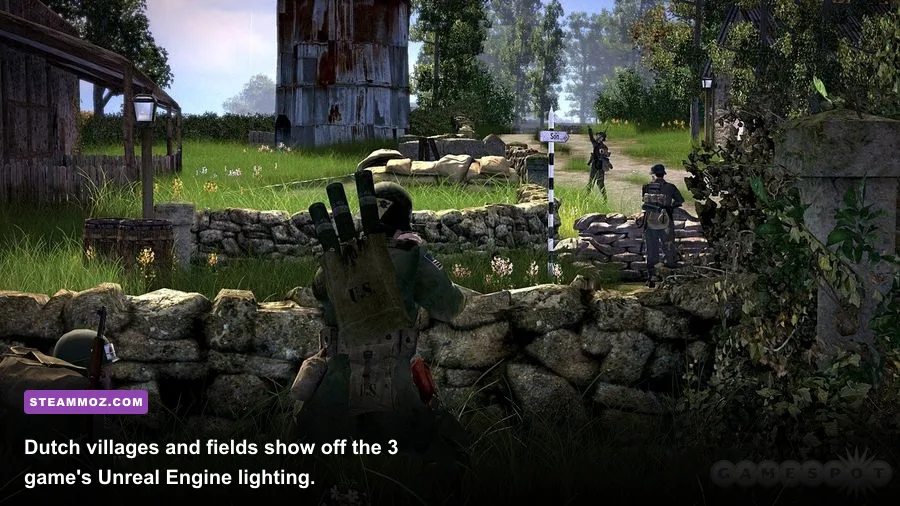
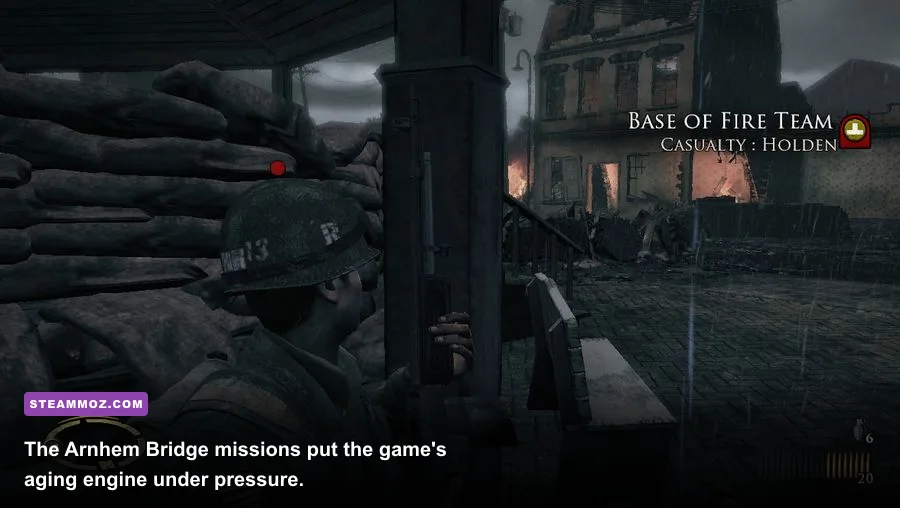
The campaign's most demanding moments are not necessarily the prettiest. The battle around the Arnhem Bridge, the tank-heavy sections, and missions involving several allied squads can stress AI updates and command logic. Every squad member is reacting to suppression, cover, movement orders, and enemy positions. That workload is why a high-end GPU paired with a weak or power-limited CPU can still feel inconsistent.
| Scenario | Likely bottleneck | Best adjustment | Expected benefit |
|---|---|---|---|
| Quiet patrol or interior combat | GPU at high resolution | Lower resolution or anti-aliasing | Higher average FPS |
| Open Dutch countryside | GPU shadows and foliage | Reduce shadows one step | Fewer outdoor dips |
| Arnhem Bridge firefights | CPU and frame pacing | Use a stable 60 FPS cap; close background apps | Smoother command response |
| Tank encounters | Effects, smoke, and CPU simulation | Lower effects or shadows | Fewer explosive stutters |
| Long sessions on a laptop | Thermal throttling | Plug in, use performance mode, monitor temperatures | More consistent clocks |
That doesn't mean you need a flagship processor. A recent Ryzen 5 or Core i5 is already far beyond the recommended Athlon 64 class. The useful advantage is modern per-core performance and better Windows scheduling, not a huge number of cores. If your machine has an ultra-low-voltage CPU, a discrete GPU won't fully solve stutter caused by power limits or heat.
For deeper PC optimization advice, Steamoz's guide to settings that make every frame count is useful even though it covers a newer game. The same principle applies here: find the actual bottleneck, change one setting, and test the same demanding section instead of guessing.
Can integrated graphics run Hell's Highway?
Usually, yes. Recent integrated graphics should exceed the GeForce 7800 and Radeon X1800 by a wide margin, and 1080p play is realistic on many Intel, AMD, and Apple-adjacent Windows systems. The exceptions are very old office laptops, machines using generic display drivers, and systems where the game fails to recognize the adapter correctly.
On integrated graphics, use 720p or 900p first, keep textures high, and lower shadows before sacrificing resolution. Textures tend to preserve the look of the Dutch villages and ruined streets, while shadows are the more practical performance lever. If you see black surfaces, missing lighting, or broken smoke, that points toward compatibility rather than insufficient power.
VRAM reporting can also be misleading. A modern integrated GPU may borrow system memory, while the game's old launcher expects a dedicated memory number. If the launcher rejects the hardware, update the graphics driver and try running the executable with Windows compatibility settings. Avoid unofficial DLL downloads from random sites; they can introduce security problems and make troubleshooting harder.
The best practical PC profile in 2026
For most players, the winning setup is simple: a modern quad-core CPU, 8GB or more of RAM, an SSD, current graphics drivers, 1080p resolution, high textures, medium-to-high shadows, and a 60 FPS cap. That profile respects the game's age without pretending it needs modern flagship hardware. It also leaves enough headroom for Steam, voice chat, and a browser without turning every checkpoint reload into a stutter test.
| PC profile | Hardware target | Settings profile | Best use |
|---|---|---|---|
| Legacy minimum | 2.0 GHz Pentium 4, 1–2GB RAM, 128MB SM3 GPU | 720p, low shadows, low effects | Launching and completing the campaign |
| Modern integrated | Recent Core i3/Ryzen 3 with 8GB RAM | 900p–1080p, medium shadows, 60 FPS cap | Budget laptops and compact PCs |
| Mainstream gaming | Core i5/Ryzen 5, 8–16GB RAM, GTX 1650/RX 6400 or better | 1080p, high textures, high effects, medium-high shadows | Best balance of image quality and consistency |
| High-end modern | Recent six-core CPU and current dedicated GPU | 1080p or higher, 60–120 FPS if stable | High-refresh experimentation and recording |
One last warning: Hell's Highway is a squad tactics shooter, not a conventional run-and-gun FPS. The right performance target is the one that keeps aiming, suppression, and command selection predictable. If your system runs the game at 60 FPS without hitching, you're already getting the experience the original recommended hardware was trying to deliver.
And if the tactical rhythm clicks, check out Steamoz's Desperados III review for another sharp squad-focused strategy experience, or revisit the Dungeon Siege classic PC performance guide for more advice on running older games today. For the official product listing, keep the Brothers in Arms: Hell's Highway Steam page bookmarked, especially if you need to verify the current installation requirements.